Blog

  • Nonstimulant Therapy Side effects and specifications

    Nonstimulant Therapy Side effects and specifications

    This will guide you to understand more about the Nonstimulant Therapy Side effects and specifications . It is a must know for ADHD patients to know everything about Nonstimulant Therapy .

    Nonstimulant Therapy Side effects and specifications

    Have you heard something like ADHD , then i am sure you would have also heard about Nonstimulant Therapy . But you may not be having a clarity about this so here we will focus to explain Nonstimulant Therapy Side effects and specifications.

    Antidepressants !! Heard of these as the only way to help those suffering from certain conditions? Here is more about them.

    The Stimulant medications are the first choice of doctors for treating Attention Deficit Hyperactivity Disorder (ADHD). in adults and children. Doctors preferred stimulant medication at first glance but now to avoid more side effects on treatment the preference is for ADHD specific non stimulants, blood pressure medications and Antidepressants. Non stimulant therapy is so far used to treat ADHD as an approved drug from FDA.

    What is ADHD ?

    ADHD – Attention Deficit Hyperactivity Disorder is a mental illness caused in children and teens which can continue to adulthood if untreated. Symptoms include uncontrolled impulses and unable to concentrate which leads to behavioral changes in school and social life. This disorder is usually diagnosed in the early years of schooling when the child is unable to pay attention. If this is continuing even after becoming an adult, then those kind of people has lot of issues in management. Relationships and self esteem are also affected. 

    Symptoms of ADHD

    ADHD Symptoms in Children can be divided into three categories as below

    1. Inattention:
    • Gets distracted easily.
    • Unable to follow instructions and leaves tasks unfinished.
    • Unable to listen.
    • Cannot concentrate and hence makes silly mistakes.
    • Routine activities are forgotten.
    • Will be unable to organise everyday tasks.
    • Doesn’t like to do be stationed for any task.
    • Loses belongings/things.
    • Appears to be day dreaming.

    Read Also : Reduce Stress in Busy lifestyle with this Excellent Lifestyle Hacks

    2. Hyperactivity:

    • While sitting, the child will squirm, fidgets or bounces.
    • Cannot stay stationed/seated for longer time.
    • Cannot play quietly.
    • Is restless – always runs, moves around or climbs on something or the other.
    • Very talkative.
    • Is always in motion as if the child is driven by a motor.

    Read Also : Reduce stress & anxiety with these amazing essential oils

    3. Impulsivity:

    • Cannot wait for his/her turn.
    • Shouts out answers whether correct or not.
    • Intervenes into others’ tasks.

    ADHD Symptoms in Adults has the below signs and symptoms.

    As a person gets older / into adulthood, ADHD symptoms change which include:

    • Chronic lateness and forgetfulness
    • Anxiety
    • Low self-esteem
    • Problems at work
    • Trouble controlling anger
    • Impulsiveness
    • Substance abuse or addiction
    • Unorganized
    • Procrastination
    • Easily frustrated
    • Chronic boredom
    • Trouble concentrating when reading
    • Mood swings
    • Depression
    • Relationship problems

    These are the common symptoms of ADHD and in the few are very lesser known symptoms of ADHD.

    Nonstimulant Therapy

    Nonstimulant Therapy is a form of medicine for ADHD candidates who do not show any significant relief from their symptoms after treating them with relevant medicines or those who exhibit side effects or cannot tolerate effective doses of the medicines. It is used in treating children and teens diagnosed with ADHD, other co-existing medical conditions such as tic disorder. Tic disorder is an involuntary movement disorder which may or may not be seen in ADHA children.

    This therapy uses pharmacological approach in dealing with ADHD. The commonly recommended medications for ADHD in non stimulant therapy are Atomoxetine, Clonidine, Guanfacine, and Bupropion. FDA has approved the first three drugs in non stimulant therapy and is second line drugs. Bupropion is not accepted by FDA. There are several studies supporting its use in ADHD, and is considered as third line drug.

    ADHD Specific Nonstimulants

    These are the medicines specifically created to treat ADHD : 

    The non stimulants which are used to treat ADHD and many disorders are Atomoxetine (Strattera) Clonidine ER (Kapvay) and Guanfacine ER (Intuniv) etc., which are FDA approved.

    • Atomoxetine (Strattera)

    Atomoxetine (Strattera)was the first  FDA approved nonstimulant drug to treat ADHD. It is now used to treat both children and adults. This drug helps in boosting the presence of norephinephrine which is considered as an important chemical for the brain function. It helps ADHD patients to improve attention span and reduces impulsive behaviour associated with hyperactivity.

    • Clonidine ER (Kapvay) Guanfacine ER (Intuniv)

    These are approved for ADHD in children ages 6 to 17 and also prescribes to adults. These have effect on certain receptors in the brain, which lowers distraction and improve attention and on working of memory and impulse control. The active ingredient of Intuniv is tenex.

    Tenex is used primarily in the treatment of hypertension. This drug is also used in ADHD .

    Another drug Kapvay which is used in ADHD has clonidine as active ingredient and is also used in controlling blood pressure by significantly reducing heart rate and blood pressure.

    Read Also : TMJ Headache Must be Treated – Symptoms & treatments

    Advantages of Nonstimulant Therapy

    The nonstimulants have advantages over many stimulants used to treat ADHD viz.,below is the pros of Nonstimulants or advantages of nonstimulant therapy to treat ADHD.

    • They don’t cause agitation, sleeplessness or lack of appetite.
    • They are neither pose the same risk of abuse nor addictives.
    • The added benefit of these non stimulants is the action sets in immediately after administration and wears off abruptly.

    These advantages of Nonstimulant therapy makes it as one of the preferred kind of ADHD treatments all over .

    Side effects of Nonstimulant Therapy

    The non stimulant therapy is very effective in treating ADHD. They do have side effects like the stimulant medicines. These drugs take a few days before the body starts adjusting to it. These side effects can be seen when the child is taking medicines or even after the drug concentration weans off. The range of side effects of Nonstimulant Therapy experienced by the child varies from mild to severe effects which may be disturbing to the child.

    The stimulant medications like Ritalin, Focalin, Vyvanse are effective in ADHD with a battery of side effects like tics, sleep related problems, weight loss due to decreased appetite, increased blood pressure, nervousness, anxiety, irritability and stomach related issues.

    The non stimulant therapy using Strattera, Tenex, Intuniv, and Kapvay has proven benefits in ADHD. As every drug is known to have adverse effects so are these group of drugs. Nausea, weight loss due to associated decrease in appetite, easy fatigability, and drowsiness coupled with mood swings are commonly encountered with non stimulant therapy.

    Sleeping problems due to Nonstimulant Therapy

    Children with ADHD have a difficult time in falling asleep. To add to the problem, the Nonstimulant Therapy boosts the norepinephrine levels in the brain and increases the attention span and concentration, making it difficult for some children to fall asleep. It takes time for the child to get adjusted and may take as long as 4 to 6 weeks.

    Eating problems due to Nonstimulant Therapy

    The cons of Nonstimulant Therapy is that it causes severe eating problems in children which leads to significant weight loss in these children. The effect of the treatment sets in after 4 hours. If the child takes the tablet after a meal, the child would be feeling full. So the child will avoid next meal. Eating small quantities in short interval span should be encouraged to avoid weight loss during Nonstimulant Therapy .

    Nausea and headache due to Nonstimulant Therapy

    This is the most disturbing side effect in a child on non stimulant therapy. Over a long term it is known to change the child’s psychology and personality. There is a close relation between ADHD and depression. Hence it is very necessary to identify it early and describe it to the physician regarding how it happens and the intensity of it.

    Anxiety due to Nonstimulant Therapy

    ADHD makes a child anxious. This along with the non stimulant therapy can worsen the situation. It is necessary to taper the dose of the therapy or to change the drug to make the child feel better.

    It is essential to bring these side effects to the notice of the treating physician.

    The non stimulants are also have some potential side effects of their own on individuals.

    Read Also : PTSD symptoms – How serious is Post Traumatic Stress Disorder

    Atomoxetine (Strattera) Detailed to Know More

    The drug Atomoxetine, bearing the brand name Strattera is approved by the FDA. It is a non stimulant second line treatment for ADHD. It is not a substance of abuse. It acts by selectively inhibiting the re-uptake of norepinephrine. Norepinephrine is an important chemical in the brain. This drug selectively boosts its content in the brain.

    The action is long lasting. Atomoxetine takes about 6 weeks to reach its therapeutic level of effectiveness. It is found to be useful in lessening the impulsive behavior and increases the attention and concentration span. Thus it is effective in children with hyperactivity.

    Recent guidelines in the management of ADHD have placed Atomoxetine as first line drug in the treatment of ADHD. This wonder drug has to its credit of being the first non stimulant drug to be included in the first line of management of ADHD.

    Atomoxetine has brought relief to those parents who are worried about the drug being used for substance abuse.

    Read Also : Obstructive sleep apnea treatments ,therapies that really works

    Common Side effects of Atomoxetine (Strattera)

    The most common side effects of Atomoxetine (Strattera) are as follows:-

    • Fatigue
    • Mood Swings
    • Upset Stomach
    • Less appetite which leads to weigh loss.
    • Nausea
    • Dizziness

    Other than these common side effects strattera has some less common side effects like.,

    • Jaundice and liver problems – It is important to contact doctor if an individual develop yellowing of the skin or whites of the eyes.
    • Sucidal thinking – There is a possiblity in slight increase of the risk of suicidal thinking in teenagers.
    • Slowed Growth in children – It is important to keep the track on the height and weight of the child.
    • Priapism or erections that last more than 4 hours.
    • Serious allergic reactions. Rarely few people may develop rashes, hives or swelling.

    Common side effects of Clonidine ER (Kapvay)

    Here is the side effects of Clonidine ER(Kapvay)

    • sleepiness and tiredness.
    • upper respiratory infections such as
    • cough
    • runny nose
    • sneezing
    • irritability
    • sore throat
    • insomnia

    Common Side Effects of Guanfacine ER (Intuniv)

    The Common side effects of Guanfacine ER (Intuniv) are given as follows –

    • Headache
    • Fatigue
    • Dizziness, sleepiness and sedation.

    Rare and serious side effects include

    • low blood pressure
    • heart rhythm changes

    Read Also : Amazing Fitness Apps To Track Calories & Keep You Motivated

    Tips and Precautions for Nonstimulant Therapy

    If an individual has been presecribed a nonstimulant for ADHD, then here is the Tips and Precautions for Nonstimulant Therapy .

    • It is important to consult doctor before taking non stimulants by explaining the medical history as the non stimulants can cause side effects.
    • It advised not to take strattera to an individual diagnosed with narrow glaucoma as it can lead to blindness.
    • If the person has an allergy to any of the non stimulants should avoid taking these medications instead they can take antidepressant by talking to the doctor.
    • An individual having jaundice or liver problems should avoid the non stimulant medication.
    • If an individual is pregnant or plan to become pregnant it is important to consult doctor as these drugs have possibility of affecting the growing foetus. Therefore, these are to be avoided or stopped before conceiving.
    • Have any medical problems like blood pressure, seizures, heart etc., consult doctor.
    • Have a history of drug or alcohol abuse or dependency talk to the doctor.
    • Become agitated or irritable or have suicidal thoughts consult doctor.

    Non Stimulant therapy is approved by FDA for treatment of ADHD in both adults and children. The side effects are very less and are active only in sensitive patients. It is known to be harmless for patients who consume a balanced and nutritious diet.

  • Square Online transactions Pros – Why Square is Better

    Square Online transactions Pros – Why Square is Better

    There are so many best and secure online transaction available . Here we detail about Square cash and the pros of Square Online transactions which makes it better .

    Square Online transactions Pros – Why Square Cash is Better

    Square Online transactions was born out of necessity when one of its founders had problems while accepting payment via credit card for one of his art works. Square helps you to go online. You can create a website for free to sell your goods. They believe in giving everyone an opportunity to showcase their talents be it big or small. According to them economy is for everyone to make use of. The technology shouldn’t make someone greater and another smaller. Equal importance should to given to all.

    The tools by Square help to empower and enrich the people. A good idea put to use at the right time can create wonders and get the business started. Square started their business with a card reader that can accept credit card payments on mobile through a plastic reader/dongle. The dongle need to be inserted into the phone port. Like all credit card companies they too take a transaction fee of 2.75% per swipe. Square cash another option is the easiest method when hanging out with friends and paying while splitting the bill.

    They also introduced Square POS system for cafes and restaurants. They had a tie up with starbucks which later had fallout due some issues. The POS system works on the square registered app and helps in inventory management, gift cards, and employee log in etc.

    Read Also : Safe Online transactions Tips & top 12 safe online transactions methods

    Square Connect

    This is another wing of Square. Square connect is an e – commerce option that allows a person to make online purchases from a website without leaving the site. It is quite helpful to small businesses. Local businesses and small time owners have found satisfaction with the online transactions of square app. Sites like PayPal are their rival companies. There are also many online transaction companies that are really safe including latest Google Tez .

    Read Also : Best Low Cost Fund Transfer Methods An Overview

    Why is Square online transactions better than other online payments site?

    The best POS (Point of Sale) mobile services Square product and services are what makes them stand apart. Unlike other services Square offers few additional services free of charge. Some of them include low stock alert, employee management, inventory counts, customer loyalty points etc. which is not available with PayPal or Venmo. One can even create a cash register and sue it on the mobile for sales. All of these are consolidated and easily viewable on the Square Dashboard.

    Read Also : PayPal Vs Google Wallet : Best Online Money Transfer / Payment System Compared

    Square Online transactions Pros

    Below is the point by point description of Square Online transactions pros that makes people to rely on this online money transfer system.

    • Fast and easy

    The process of using square in small businesses is a fast and easy process. Square Cash helps to accept payment from any cards.

    • Seamless payments

    The process of online payments happen seamlessly through Square online transactions.

    • Affordable – Square’s Fees

    The transactions fees are light on the pocket. Unlike other credit cards companies where you need to shell out thousands of rupees per month as fee here the transactions fees are 2.75% per swipe or 3.5% fee + 15 cent extra when typed in manually. If you are looking for low transaction fee payment app that works like PayPal then Square is your option . Square fees is an attraction to choose square as the online transaction method.

    • Secure 

     Transactions through the app is very secure. The personal details are kept secure and hidden. They have a fraud detection system to catch discrepancies happening in the system or with the accounts of customers.

    Read Also : How to secure bank account from hackers

    • Accepts offline payments

    With Square one can accept payments anywhere anytime. Offline payments are accepted via card reader. The companies need to invest in a card reader that can be fixed to any mobile or iPad. The customers can then swipe their debit or credit cards easily and make instant payments offline.

    • Payment deposited in 1-2 business days

    Almost all card companies process the payments in 5-7 business working days. Square processes it faster in 1-2 business days. This is a huge advantage to the company as well as the customers. While the company gets more customers for this offer people are also benefited with this early deposition.

    Read Also : Pros and cons of credit cards – All the Hidden Facts on Credit cards

    • Assistance with problems faced 

     There is 24/7 customer support to clear all queries related to Square transactions. Customers can contact the support team via emails, social media or support forums. Immediate action is taken on all tasks. During swiping or cards too, the customers receive a receipt via SMS or email then and there as and when the card is swiped. There is no third party interference.

    Read Also : Purchase without credit card top hacks

    • Reliable 

     The source is very reliable i.e. including the app and the payment gateway. The online store similar to eBay provides merchants or anyone who wants to create an e commerce website a platform to showcase their goods

    • No monthly fees 

     For those interested in setting up an e commerce website this is good news. There is no start up fees or monthly fees to work the site. It is free and can be got made ready in a matter of 15 minutes.

    Read Also : Venmo User Guide for Safe Transactions – Venmo payment

    Read Also : Cancel / Reverse Venmo payment : When a Venmo payment goes wrong

    • Not contract based 

     Finally there are no commitments or contracts that need to be signed for setting up a website. This simple and easy method is what attracts people to Square. While keeping it free and easily accessible to all the security is not compromised.

    Square is economical in terms of transaction fees and it is easy to install and use. Local business owners find it a boon to their business and it has helped them and their business in this world of technology and marketing. The card reader functions are also useful to many individuals who find the need for sudden debit or credit card purchases and do not carry any hard cash.

  • Best LinkedIn Alternatives for Global Professional Reach

    Best LinkedIn Alternatives for Global Professional Reach

    You can find the best choice of professional Networking sites that are considered as the Best LinkedIn Alternatives for Global Professional Reach.

    When its about a professional network to rely upon ,then the only one name that comes to our mind is LinkedIn . Many people think that LinkedIn is the only profession networking site but its wrong.Here we will discuss some of the Best LinkedIn Alternatives .

    Best LinkedIn Alternatives for Global Professional Reach

    LinkedIn comes into our mind when we think of kick starting our professional career .LinkedIn is also the best way to increase and maintain the professional relations with your work circle.

    It has been proved that LinkedIn is one of the best sites that provide good opportunities to the professionals. 380 million people in 200 countries and territories  use LinkedIn for good job opportunity through this site.

    Other than this professional networking site , social networking sites like Facebook, twitter help us to an extent.  Comparing to the social networking sites LinkedIn proves to be best.

    Best LinkedIn Alternatives

    Networking for job seekers is really important same as the case to build more professional network to take your existing career to next big level.

    Only one popular business sites like LinkedIn is what we all are familiar mostly . So here we are giving you scope to choose a professional networking site like LinkedIn .

    There are many other professional networking sites that are Best LinkedIn Alternatives that broaden your professional career. They are listed below –

    Angel List

    The next Best LinkedIn Alternatives is angel List this platform allows the jobseekers to connect with n number organisations that are looking for target skill for free.Angel list also help the people who wish to invest in startups and raise funds  which you recruit professions through angel list for your startup.

    Read Also : SBA Loan Detailed-Everything about Small Business Administration

    Xing

    The next best alternative for LinkedIn is Xing. This is basically popular in European continent it allows to find employment, find suggestions also to find partners even post jobs for your setup.  You can signup Xing for free but certain other features are paid.

    Plaxo

    One of the Best LinkedIn Alternatives is Plaxo. This is the cloud based address book that sync your contact automatically and updates it in your address book. Plaxo is a easy platform which helps you to list contacts and it also maintains calendars and keep reminders for your contacts birthdays.

    MeetUp

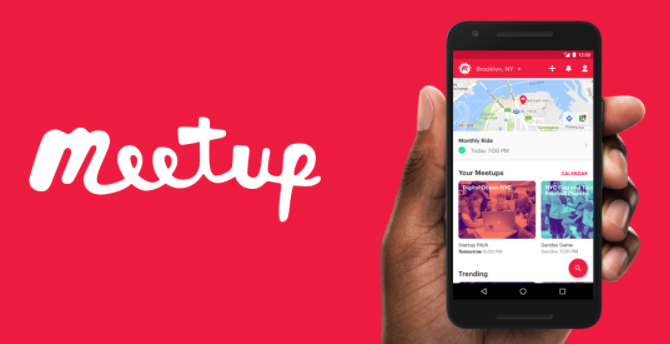
    Meetup is also an alternative professional networking site like LinkedIn .It gives platform for like minded people to meet offline as well as online This platform also keeps you updated about the upcoming events of your  like This allow you to share your interest to like minded people and also expose you to to the real world interactions.

    Beyond.com


    The best alternative site like LinkedIn is Beyond.com which is a career oriented network that allows employees with particular talent and people suitable for particular post to find jobs through talent group.This also allows the users to read career related content from 1400 sources which provide great insight in making a healthy career.

    Net Party

    The  best alternative to the LinkedIn is Netparty because it is a social networking site for young talents all over the globe .It has branches all over North America and European countries. This platform allows young talents to meetup like minded people catch up in comfy environment and also gives entry passes for various upcoming events and receives communities options etc… It is simply a great networking site for young talents to develop their career.


    LinkedIn Alternative Networking Sites used by the Professionals and Business People

    Survey conducted in 2013 by USA Proves that LinkedIn users are more than these sites.

    UNITED STATES – 74 Million Members

    INDIA              –      20 Million Members

    UNITED KINGDOM- 11Million Members

    BRAZIL            –            7Million Members

    CANADA         –            4Million Members

    AUSTRALIA    –            4Million Members

    U A E                 –            1.3Million Members

    These resources prove that LinkedIn is the best site for business Professionals. But still if you prefer more options then you can try these alternatives also .

    But in case you are looking for company growth and in need of investment opportunities instead of personal career growth then Angel List serves best in that case.

          Best Social Networking Sites for Business Professionals

    Business social networking sites help the employees of the company to increase their contact and grab good opportunities.

    The list of best social networking for business professionals

    1. COMPANY LOOP
    2. DO MY STUFF
    3. DOOSTANG
    4. FAST PITCH
    5. KONNECTS
    6. PAIRUP
    7. LINKEDIN
    8. RYZE
    9. SPOKE
    10. XING

                                   10 Professional Networking Sites for both Freshers and Expert Professional

    If you are a fresher and think of a professional networking site for fresher or if you are a expert and looking for next career move to higher level or to find a startup job opportunity then below is the list of top 10 Professional Networking Sites for both Freshers and Expert Professionals .

    TWYLAH

    This  is basically for the professionals working in  a company using their company brand name search for better opportunities working in the company.If a opportunity comes up they go for it.

    Read Also : Best Lifestyle Apps for Android and iPhone

    OPPORTUNITY

    This provides opportunity to both working as well as for fresh job seekers an it also will provide pre screening needs to whom having good force.They also provide job skill training resume writing and interview training assistance also.

    PARTNERUP

    PartnerUp basically focus on small business enterprises and entrepreneurs.Though they have moved to google+communities they still maintain the all old customers and advice them .

    Read Also : Skype for Business: Fix “Cannot sign in because the server version is incompatible with Microsoft Lync” 

    VISUAL CV

    Visual CV helps you to build you digital CV and helps you to build good career. Though it is similar to LinkedIn it is more engaging that allows freshers as well as experienced and also working people.

    MEETUP

    Meetup connects like minded professionally and personally connect them offline and exchange their views and opportunities and events .

    Read Also : Best Augmented Reality Apps for different uses Exclusive

    ZERPLY

    Zerply is mainly desingned for professionals with creativity it also provides opportunity for the creativity of a person it mainly focus on talent acquiring persons.

    ANGEL LIST

    Angel list is the job portal that provide opportunities in startups.This also helps in venture capital and equity sharing.Crowd funding facility also available through angel list.

    BRANCH OUT

    Branch out is basically Facebook based portal that provides opportunities to the young talent talents all over the world. This is based on a social networking app it connects people from destination for job offers and also people hiring for employees.This is also useful for working people.

    So guys here is some useful list of Best LinkedIn Alternatives as a Career Accelerator . There are few repeated names in the list because it fits to more than one kind of people . So hope this helps freshers and experienced professionals who are in search of Alternatives to LinkedIn.

  • Bixby Vs Google assistant Vs Siri Vs Cortana – Popular AI Assistant

    Bixby Vs Google assistant Vs Siri Vs Cortana – Popular AI Assistant

    If you are looking for a comparison between Popular AI Assistants then here is the detailed comparison on Bixby Vs Google assistant Vs Siri Vs Cortana .

    Bixby Vs Google assistant Vs Siri Vs Cortana – Popular

    AI Assistant

    We know that today there are so many popular Virtual Assistant that help us to get connected to use technology much easier than before . Here we will focus on bringing out the cross comparison between popular virtual assistant apps ( AI assistant ) that is Bixby Vs Google assistant Vs Siri Vs Cortana .

    There are so many popular and trending AI Assistants . Here we have hand picked some of the favourite and most used Virtual Assistants for comparison –Bixby Vs Google assistant Vs Siri Vs Cortana

    Bixby

    Bixby is the virtual assistant by Samsung electronics. It is the intelligent personal assistant for Samsung users . Bixby by Samsung is a pocket assistant combined with machine learning , voice assistance .

    By using Bixby you will be able to read your Facebook notifications,listen to your favorite songs through its voice assistant while driving . Bixby will read the notifications , messenger messages etc so it is very useful while you are  on long drive.

    The important feature that Bixby has is that it goes automatically to Do Not Disturb mode when you say good night.

    Bixby also understands the words as we say; this means, if you click a picture and say “Send” it goes to Send option automatically and sends the messages to the sender.

    Since the first part of our topic ” Bixby Vs Google assistant Vs Siri Vs Cortana ” is about Bixby here we will understand more about Bixby .

    Likely about what is Bixby and how to use Bixby and top Bixby tips and tricks .

    When we say about Bixby Vs Google assistant Vs Siri Vs Cortana , using of each AI assistant is really different . So let’s understand about it .

    Read Also : Create Virtual Desktop without Upgrading to Latest Windows OS

    How to use Bixby 

    Bixby is one of the important features of Samsung S8 and Samsung S8 plus . Bixby button is found on right side below the volume rocker in Samsung S8 plus.When you select Bixby option you will be taken to the setup screen.

    Setting Up Bixby

    Once the apps on Galaxy Apps queue have been updated, click on Hello Bixby panel to begin the prompt for Bixby Voice setup. Presently you can get access Bixby only on American English and Korean languages for the virtual assistant.

    Bixby takes you through different levels of setup process. In order to carry out Bixby updating just agree to Bixby terms and conditions. The entire inserting process is quite simple, as it begins with Bixby directing the process. In case of English-speaking version, Bixby has the voice of your female fairy; however in the Korean version you can choose either male or female voice. 
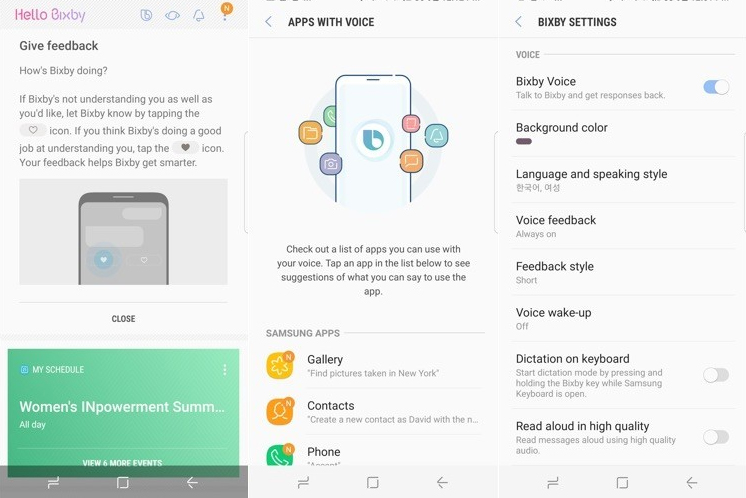
    As Bixby Voice is all set, it enables to give command from any screen by holding Bixby button. 

    You will be granted access to the Bixby to activate Bixby say ” HEY BIXBY  “or holding down Bixby button while talking over phone. Bixby feature also extends like sending messages via Samsung S8 messages app ,Weather , Upcoming meeting , Movie showtimes , sports scores , Contact , camera app etc are also availed by Bixby.

    Once Bixby is activated you can find a B symbol on your home screen and vision  eye and reminder bell icon also appears in the  symbol is replaced by gear icon.

    Read Also : Best Lifestyle Apps for Android and iPhone

    Top Bixby Hacks ,Tips and Tricks

    Bixby Voice serves as a Pocket assistant to whom you could talk to, for getting your work done. However, if you are not getting things done by Bixby, then the assistant would turn to be a burden rather than a boon. Following tips ensures that Bixby listens to your commands through Bixby Voice:

    • Ask Bixby to open apps

    As you make Bixby Voice to do a task, the primary thing you need to do is to ask Bixby to open an app. For instance, if you say “Hey Bixby, Open my Calendar”, it opens the Calendar on your Phone. Once the app is opened, it is important that you don’t create confusions when asking Bixby to complete your tasks. If you take more time in asking Bixby to open a specific app before giving commands, She would know which app it is. This way, you get things done soon as the app is open. 

    • Check compatible apps

    As Bixby works with multiple apps and Samsung adds more to its catalog; it does not include everything. If you wish to assure that Bixby can do every task you give it, then you can double-click  the app to verify whether Bixby is compatible with that app. There is a complete list of compatible apps you could access. Moreover, in case of Bixby Labs, these are the apps currently being tested with Bixby. 

    Read Also : Best Augmented Reality Apps for different uses Exclusive

    • Be specific

    When you ask Bixby to finish a task for you, you need to be sure of being specific. If you are not clear about the task  to be done, it cannot do any help. For example, if you say “Bixby, do I have anything on the Calendar  for November 9 2017?” it would be easier for Bixby to complete the request at once rather than saying “Bixby what’s going on next week?”

    • Take time to teach Bixby

    When you have Bixby to complete task or answer a question, you will be able be teach Bixby and give a feedback. Sometimes, Bixby gets the picture easily, but in some cases the app would get your words wrongly, then you will have to correct it. Bixby learns as you interact with it; thereby understanding you and what you ask for. 

    • Use Quick commands

     If you are using Bixby Voice, Quick Commands let you customize your experience with this Virtual Assistant. As you set your own Quick Command, you can launch particular actions with a phrase of your choice. 

    Bixby takes your picture by just focusing on your voice and and your vision by clicking eye symbol.  Bixby also helps you to change your settings by your voice commands .Bixby also allows to schedule your day , set alarm for you.

    Now before moving to the comparison of Bixby Vs Google assistant Vs Siri Vs Cortana , we will see next about Google Assistant exclusively .

    We have seen about Bixby , Bixby features , tips and tricks to use bixby and how to set up Bixby . Now likewise we will take a look on Google assistant , Features of Google Assistant , How to set up Google Assistant and top tips and tricks of Google assistant next to complete half knowledge on our topic “Bixby Vs Google assistant Vs Siri Vs Cortana” .

    Read Also : Android Vs iOS – Pros & Cons of Buying Android Vs iOS

    Google assistant

    Google has overtaken Amazon AlexaApple Siri and Microsoft Cortana through its own voice assistant: Google Assistant

    Google assistant is a voice converted assistant created by google to do the actions on behalf of the user.Google assistant is now available in all android devices.Google assistant answers all types of questions , only for the starters google assistant will be bit difficult but when you start using it you will be able to go through the instructions and guidelines you will be granted the access.

    Google introduced Assistant at Google I/O , launched it on the Google Pixel and Pixel XL phones, then took it to Google Home, later into Android Wear 2.0 even before showing it in other phones running on Android Nougat. And, now, after a year, Google has brought out a new hardware, which has the Assistant built-in.
    Now on to the second part of our topic ” Bixby Vs Google assistant Vs Siri Vs Cortana ” is about Google Assistant here we will understand more about Google Assistant .

    Likely about what is Google Assistant and how to use Google Assistant and top Google Assistant tips and tricks . Now this can give you idea to cross compare how to utilize between Bixby Vs Google Assistant and further sections will make the detailed comparison on Bixby Vs Google assistant Vs Siri Vs Cortana .

     How Google Assistant works

    For those who have been using Android devices for quite some time, would know that the Google Now feature shows off the important information for the users. It knows where the person works, as well as the meeting locations and travel plans, the favorite sports teams, and other interests of the user. This information would be shown in cards or certain reminders on Android device. 

    Google Assistant is created to be conversational. You can ask one or more questions and this virtual Assistant would keep track of the conversation, evaluate the situation and clearly respond with the correct information. 

    Read Also : How to Use Google Assistant on Android Devices (Without Root)

    How to use Google assistant

    Google Assistant is activated by holding on the Home button for long time. As you hold this button, Google Assistant would ask you to say what you want. It then starts the process of searching.

    When the Google Assistant gets activated you get a notification telling that you have a new friend.You can complete the process by OK GOOGLE voice command or HOLDING AND PRESSING THE HOME BUTTON.

    Google also helps you to get answers to your questions by tracking your location.Google assistant also allows you play games through your commands.

    Read Also : Fix “Voice search has been turned off” error for google now

    Top Google assistant Hacks ,Tips and Tricks

    Initially, as you get the Google Assistant on your smartphone, you will be instructed to use Google Assistant and “OK Google” always to detect voice. To do so, the phone needs to have a unique “OK Google” voice replica so that the phone recognizes your voice at any moment; as well as Google Assistant to complete your needs-play music, check the weather forecast etc. 

    Here are some useful tips for Google Assistant . These feature can also throw a light on comparison of Bixby Vs Google assistant Vs Siri Vs Cortana .

    Read Also : Convert 3G Phone to 4G Phone to support 4G Sim in 3G Mobile

    • Pick the right Google Account for Assistant

     Google Assistant uses the Google Account in the same way as done by Google Now. You have ensure that the Assistant is setup using the same Google account from which this virtual Assistant the retrieve information from, particularly from the photos. If one Account is used for Assistant and another account is used for Google Photos, it cannot be accessed. 

    • Adjust settings

     There is a Settings menu for Google Assistant. This menu gives access to anything task; right from adjusting “OK Google” voice model to seeing the summary of the activity created by Assistant. To use the Settings menu of Assistant, open the Settings app, go to Google > Search  & Now >Settings (in Google Assistant). Here, you find sub menus with settings option. 

    • Enable/Disable Assistant

     In the Settings menu of Assistant, go to “Adjust settings for this (Pixel) device. Below this, there will be button next to Assistant. When this button is pressed, Assistant is given the permission to answer the questions and complete the tasks. 

    • Customize news list

    Select “News” under Settings menu of Assistant, below Pixel category. Click on it to make changes in News list. On the next screen, click on the customize link, from which you can choose a set of news sources like NPR, PBS, CBS etc. Once you select the preferred the news source, you can make Assistant to read the news for you. However, this feature is presently unavailable in the UK. 

    • Customize “My day” summary

    This feature can be found under Settings menu by going to “My Day” below Pixel category. Select this modify the daily updates. There is a set of options to be chosen from; like Weather, Work, Travel, Reminders, or even summarize the day with news reports. You can then ask Assistant to read the Summary for the day and receive interesting responses. In the UK,you can get updates only on Time & Weather.

    • Enable/Disable Screen Context

    To do this, go to “Adjust settings for the Pixel device” under Assistant’s Settings.  Below this, there is a button next to “Use screen context” which is Now on Tap 2.0. Clicking on the button enables Assistant to show information about what is on the screen. It shows certain links in, relevant sites like YouTube or IMDB.

    • Change Assistant Language

    Under Settings, go to “Adjust settings for this device”. Below this, there will be an option “Assistant Language”. As you click on it, you would find Language Preferences, wherein a default language can be selected and a language can be added. 

    • Enable/Disable always on ‘OK Google’

    Below the “Adjust settings for this device” option, you will find “‘OK Google’ detection”. Click on it. Turn on the switch for “Say ‘OK Google’ any time” to allow Assistant recognize your voice every time you say ‘OK Google’ even when the screen is off or when using an app. 

    • Use ‘OK Google’ to unlock device 

    Below the “Adjust settings for this device” option, you will find “‘OK Google’ detection”.Click the button for “Trusted Voice” to let Assistant unlock the device when hearing ‘OK Google’ in your voice. 

    • Retrain ‘OK Google’ voice model

     Below the “Adjust settings for this device” option, you will find “‘OK Google’ detection”.Click the button for “Retrain Voice Model”. You need to say “OK Google” a few times to enable Assistant remember and recognize your voice when you say the phrase next time. This voice model can be used as alarm or to unlock device. 

    • Delete ‘OK Google’ voice model

    Below the “Adjust settings for this device” option, you will find “‘OK Google’ detection”.Click the button for “Delete Voice Model” in a way that Assistant does not remember and recognize your voice when you say the phrase. Remember that once this voice model is deleted, it cannot be reused. 

    • Set home & work locations

    Under the Settings menu, go to “Google Account Settings”. Below, you will find “Personal Info”. Click here. There is an option to add home and work locations. Click on it and manually add the addresses. If you have used Google Now before, it will be easier to retrieve this information. 

    • Set nickname

     Under the Settings menu, go to “Google Account Settings”. Below, you will find “Personal Info”. Click and find the option to add nicknames, thereby manually entering nicknames. You can verify if Google says your name correctly.

    • Change Weather units

     Under the Settings menu, go to “Google Account Settings”. Below, you will find “Personal Info”. As you click, you can see the option to change the unit of weather. Here, you can select from Fahrenheit to Celsius.

    When compared to Bixby features with Google Assistant feature you would have gained half the topic subject -Bixby Vs Google assistant Vs Siri Vs Cortana .

    Siri

    If you are a great fan of Apple products, you will surely know that there is a personal assistant for your lovely device. This virtual assistant is named Siri. 

    Siri is a virtual assistant allowing the user to turn on the flashlight and turn it off  , know the weather , get the sports news updates etc through your voice command. Siri is released by the Apple. Siri is a virtual application that helps the user to get his job done by the voice command when you say the command for first time you can save your voice as well as your command and question for the future purpose.
    Siri has the ability to schedule events, setting reminders, maintaining a timer and also to reserve seats at restaurants. Siri is an extension of functionality of iPad to voice along with making the keyboard free and use your voice instead for giving instructions. 

    Since the third part of our topic ” Bixby Vs Google assistant Vs Siri Vs Cortana ” is about Siri here we will understand more about Bixby .

    Likely about what is Siri and how to use Siri and top Siri tips and tricks .

    How to use Siri

    Siri can be activated by holding the Home button on iPad. As you press this button for a while, iPad gives a beep you can see the screen changing to Siri interface. At the bottom of this interface, there will be multi-colored  lines showing that Siri is actively listening. 

    Siri is one of the easiest to use virtual assistants because it can be used or started easily.

    You can follow these steps while using Siri:

    • Press and hold “Home” button on iPhone. 
    • Hear two beeps indicating that Siri is awake and is waiting for you to speak. 
    • As Siri opens, ask a question or make it perform a task like mailing or send instant messages. Siri automatically checks when you do not speak; you can hence click on the microphone icon indicating that you stopped speaking. 
    • When you ask Siri to send an email or an instant message, it shows out a draft before being sent. To send this message, you can either say ‘Send’ or just click on Send button. 

    Top Siri Hacks ,Tips and Tricks

    To those who have shown the least interest in Siri and have disabled the feature, it is high time you really get to know this amazing virtual assistant from Apple. Siri has got its popularity on the higher side and is being used by almost everyone who has a smartphone. 

    Well, here are some great tips on using Siri. 

    • Siri checks Twitter quickly

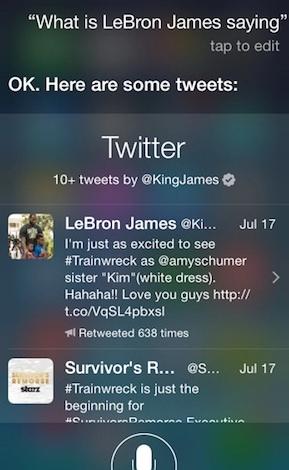
    If you wish to see a comment passed by a person or a community on Twitter, you could, either browse and find a particular Twitter account or save time and just ask Siri– “What is (<Twitter name>) saying?” In a second, Siri would get back with the requested Twitter name’s recent tweets. 

    The exciting news is that, Siri can not only understand Twitter controls, but also the Twitter names. For instance, LeBron James’ Twitter control is @KingJames. If you are not sure about his Twitter name, just ask Siri “What is Lebron James saying?”
    Read Also : Get Celebrities Notice Maximum on Twitter – Popular Tweeter Hacks

    • Tell Siri to “Take a Selfie”

    Selfie has been the most annoying term ever used in English. For the last few years people have been taking photos of themselves and newly named it as Selfie, as if it was the latest technique used in photography. If you wish to use the camera app on your iPhone, just tell Siri to “Take a selfie” and there you go! the camera lights up. As the camera app starts, the display would be what was left off the last time it was used. 

    Read Also : 25 Best Selfie Apps for every Selfie Lovers – Perfect Click

    • Get directions in a snap

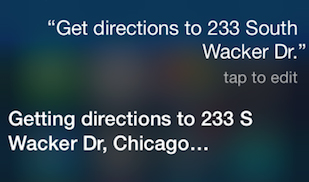
    It is confessed that it is quite easier to get directions when we use Apple Maps or Google Maps. However, if you are using Siri for the navigation purposes, it could be more effective. Siri is quite impressive as it understand the common language and simple words, has a talent of saying an address quicker and louder, rather than typing it by hand. To enable this feature, just tell Siri to “Get directions to (address)”. It will be directed to Apple Maps and the result will be shown on your screen right away!
    Read Also : Google Traffic : How to check traffic to work or home

    Read Also : Google Maps List Create, Share and Edit on Desktop & Mobile Now

    • Find which song is played

     An app named Shazam has been impressive; however, recently, it turned out to be annoying. One of the users of Shazam app had once ranked this as “Most Helpful” on the App store and said it is worthy. Shazam app was very easy to use. If you liked a song from a movie you were watching, you could instantly install this app and it could tell you the song and the artist at the very moment. 

    Read Also : Fast Forward , Rewind , Scrub Music in iPhone & iPad Music Player

    Read Also : Best iTunes Cleanup Software for better iTunes experience

    Now likewise we have taken a look on Siri , Features of Siri , How to set up Siri and top tips and tricks of Siri next to complete three by fourth of knowledge on our topic “Bixby Vs Google assistant Vs Siri Vs Cortana” , we will see more on Cortana and features of Cortana as well tips and tricks to use Cortana.

    Now before moving to the comparison of Bixby Vs Google assistant Vs Siri Vs Cortana  , we will see next about Cortana exclusively

    Cortana

    Cortana is an intelligent personal assistant designed by Microsoft .Cortana can recognize natural voice, set reminders for you.

    Cortana is your truly personal digital assistant. It is designed to get your work done in a short time. From the very first day, it gets all set to answer your queries and perform given tasks. Cortana learns to be more useful day by day. You could always count on Cortana to be on top of the reminders and be compatible over multiple devices. 

    Since the third part of our topic ” Bixby Vs Google assistant Vs Siri Vs Cortana ” is about Cortana here we will understand more about Cortana .

    Likely about what is Cortana and how to use Cortana and top Cortana tips and tricks .
    How to use Cortana

    Follow these steps to start Cortana :

    • Launch Cortana: Select the corresponding search box on the taskbar to start Cortana


    • Sign in: To get a personalized experience, use your Microsoft account to sign in by choosing “Cortana can do much more”. 


    • Set a reminder: Type “Remind me to…” or just say “Hey Cortana, remind me…” to start a task. 


    Top Cortana Hacks ,Tips and Tricks

    Cortana is one of the best virual audio assistants by Microsoft especially for windows 10 . It enables to:

    1. Increase screen size
    2. Get your shortcut easily
    3. cleanup your startup menu

    We shall now look into the top useful tips of Cortana for Windows 10.

    • Set Reminders for Time, Places & People

    There is a powerful built-in reminder feature for Cortana. These reminders can do one step ahead than a normal reminder which gives you an alarm at a specific point of time. You could either use Reminders icon or just say “Remind me”. You can manually set a reminder and ask Cortana to remind you to do something when you are at some place, or even when you talk to someone. You could just say “Remind me about the meeting at 10 am”. 

    • Use Natural Language Search

    There is a strong support for natural language search of files in your computer. For instance, you could instruct Cortana to “find pictures from October” or “find documents about Microsoft”, to retrieve pictures from the month of October or get the documents on Microsoft. It is the built-in search feature of Windows; however it has more natural language facilities and is much easier than the older version of search operators. 

    • Identify a song

     As in Siri, Google Now and certain apps like Shazam, Cortana too can listen to a song played near you and identify it easily. To do so, you just say “What is this song?” and you can see Cortana using the microphone to listen to the music and match it with the song. This really works well with recorded music; however need not necessarily work with LIVE music. 

    • Browse the web with Google instead of Bing

    Bing “controls” Cortana. When you ask Cortana to do a task or ask something which it cannot answer, Cortana opens the default browser to perform a search through Bing for an answer. Cortana can be made to use Google instead of Bing via the Chrometana extension to Google Chrome. When Cortana instructs Google Chrome to use Bing search’s result page, Chrometana automatically redirects the search to Google or any preferred search engine, thus commanding Cortana to search using Google. It works only when using Chrome.

    • Perform Calculations and conversions

     Cortana performs quick calculations too. These calculations can be entered in Cortana search box also and this means  you need not say long numbers. You either ask Cortana to calculate 4321*4321 or type a unit to convert, e.g. “150 Euro to AED”. Conversion can be done on other units too. 

    • Tracking Flights & Packages

     You can also track the flught number and packages through Cortana by using the tracking numbers. All you need to do is to enter the flight number or the package tracking number in the Cortana search box, or just do the copy-and-paste activity to get the current status.

    • Finding Facts

     Bing is used by Cortana to give direct answers the common questions. It is same as Google’s Knowledge Graph. For instance, ask a question- “What is the tallest building in the world?” or anything you like and you get the answer quickly. 

    • Check the weather

     You can check the weather of different locations using Cortana. Typing “Weather” displays the weather of the place you are currently located; however, when entering “weather in [location]” would show the weather in another city. 

    • Launch Programs

    You can commence a program using Cortana, and for this you have to say “Launch [program name]”. In case you have a voice assistant “Hey Cortana” set on your desktop, you just have to say “Hey Cortana, launch Firefox” to the PC and the app is automatically open. 

    • Send Email

     Using a built-in mail app and the accounts configured, Cortana will be able to send emails; just need to say “Send email to Max” if the person’s details are stored in Contacts. 

    • Create Calendar events

     Calendar events can also be set by Cortana. You just need to say, for example “Add a luncheon with team on Friday at 1:30pm” and you can see that Cortana fills the provided information. When you say “Add meeting” Cortana would ask for details.

    • Just Chat

    As seen in Siri, chat is enabled in Cortana as well. You can “chat” with Cortana and it responds with quick answers. Ask differently like “Who’s Chirpy?” or give some instructions such as “Sing a Song”, “Play with me” etc

    At last after a long long information covered now we are heading towards the nutshell section of our topic “Bixby Vs Google assistant Vs Siri Vs Cortana” .

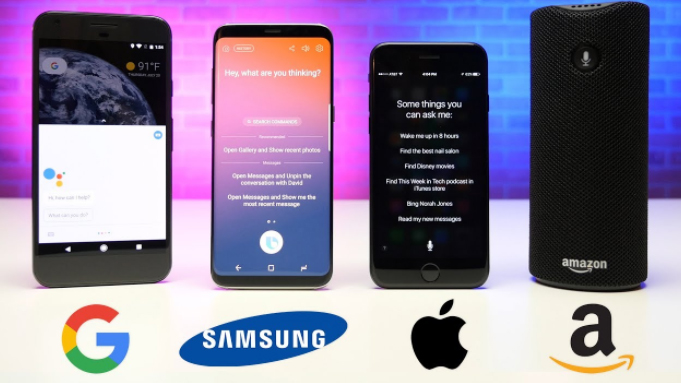
    Bixby Vs Google assistant Vs Siri Vs Cortana: The Best One!

    In this session, the comparison will be of Samsung Bixby with other Virtual Assistants. To be precise its all about Bixby Vs Google assistant Vs Siri Vs Cortana .

    The most important update we wish to give, regarding Samsung’s Bixby is that it is presently available only in beta version and that the full version is being delayed because of limited resources.  However,the Beta version is strong enough to be compared to other Virtual Assistants or its competitors. 

    • Bixby is activated by a button and not a Phrase

     You just need to say ‘OK Google’ or ‘Hey Siri’ to activate these virtual assistants. -WHEREAS- In the case of Bixby, you need to press the Bixby button which is on the side of phone. Once the button is pressed, you could ask this assistant to do anything from rotating a photo to setting reminders. Samsung had stated that its virtual assistant can do your 15000 tasks, but emailing is not included in the list. Assistant composes the mail but does not input the address automatically. The good side of Bixby is that, if it cannot do a task it does not say “I cannot help you with this”, as found in Siri. Bixby would more pleasingly say “Is this how you want?” This is an important thing to notice on comparison between Bixby Vs Google assistant Vs Siri Vs Cortana .
    • Bixby has enhanced reality features in store 

    You can have different ways to communicate with Bixby on Samsung Galaxy S8 with one of them being Vision. This feature makes use of the camera on the smartphone and a few advanced technology so as to identify some real time objects and search online. For instance, if you took a photo of a book at a store, Bixby looks at the price, reviews and suggestions or recommendations. This is again an important positive feature to notice on comparison between Bixby Vs Google assistant Vs Siri Vs Cortana .

    • Bixby has its own “Social Stream”

     Samsung has used Bixby Home to overtake the news update feature of Flipboard; hence you can find all the latest news at one place. Bixby Home plays the role of a network of uniform card; such as the reminders, reports on social media and the latest news. Imagine the lockscreen of iPhone with the widgets; and Bixby would be much more impressive and effective. Bixby can update you with latest news based on your daily tasks on the phone, or what is on high priority on your calendar. 

    • Learns from To-do-list and sends reminder

    This virtual assistant can give effective reminders directly from Bixby Home, so as to record the tasks to be done in a day. These reminders would be based on the importance, such as paying a telephone bill, to watch a movie bookmarked on Youtube. Unlike Siri, Bixby’s reminder feature is more stronger as it stays within the apps and hence learns from the words you feed onto the phone. 

    That’s all abut the Bixby Vs Google assistant Vs Siri Vs Cortana detailed look .

    Review

    From this comparison of Bixby to other virtual assistant like Siri, Google Assistant and Cortana, I hereby conclude that Bixby is the most preferrable Virtual Assistant, it has smarter features, to be specific, the reminders and the Social media connectivity with faster updates covering all the latest news. 

    Now we have discussed the comparison features between Bixby Vs Google assistant Vs Siri Vs Cortana .

    Hope this will help you to choose the ideal and best Virtual Assistant from Bixby Vs Google assistant Vs Siri Vs Cortana .
  • 25 Best Selfie Apps for every Selfie Lovers – Perfect Click

    25 Best Selfie Apps for every Selfie Lovers – Perfect Click

    25 Best Selfie Apps for every Selfie Lovers – Perfect Click

    Today Selfie is like unavoidable click in a day so here is something useful for selfie lovers – 25 Best Selfie Apps for every Selfie Lovers .
    25 Best Selfie Apps Trending

    Click! Click! Click! Smile, pout, and pose.

    Selfies have become a part of our everyday life. It’s a way of making oneself confident and also helps to realize the flaws. Selfie by the sea, selfie at workout, each minute is a memory now captured on the phone.

    We already have smart phones with 16MP front facing cameras in the market. Selfie has become a sweet craze that will only increase with time. The users love the attention they get when the pictures are posted on social media platforms and they receive positive comments. This boosts a person’s morale we can say.

    People not only take pictures but also improvise it with various apps. With over a million apps to choose from for iPhone and android, it becomes relatively difficult to select good software that serves the purpose. Selfie apps provide a lot of editing and face enhancement tools.

    If you claim to be bitten by the ‘Selfie’ bug then this is for you! Find below 25 of the most popular Selfie apps for selfie lovers that work on windows, Android, iOS and both. From editing, to makeup there are ‘n’ numbers of features to opt for.

    25 Best Selfie Apps You shouldn’t miss

    Here is the list of 25 Best Selfie Apps that can make every selfies of you more beautiful with great number of filters , editing option and so much .

    • You Cam Perfect – Selfie Cam

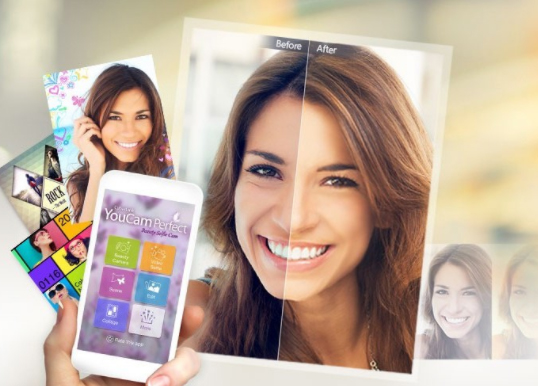
    This is one of the best and most popular and Best selfie apps. You can apply loads of effects for both the photos as well as videos. You Cam Perfect can make your face look thinner, eyes bigger, adjust skin tone, and remove wrinkles and pimples. The highlight of the app is the Auto beautifying effect which retouches the picture with a click of a button. With this app you can stand out, for it can make you look taller and body slimmer.

    Read Also : Exciting free Photoshop Alternatives for high quality photo edits

    • Retrica

    One of the top rated selfie apps, Retrica is free and no in-app purchases too. It’s available both on Android and iOS. The main feature is it allows applying the filters live even before the picture is taken. It offers the ‘Vintage’ effect which is quite in use. Retrica is a best selfie app for android as well as a best selfie app for iOS.

    Read Also : How to Fix “Cannot Take Photo” Problem on iPhone and iPad

    • Candy Camera

    Candy Cam is used worldwide and is another top rated selfie camera app. Here too the filters appear real time. The tools to be noted are the makeup functions like the concealer, lipstick, eyeliner and mascara. They also offer a range of stickers for every season. Also note that new stickers are added with every update.

    • BeautyPlus

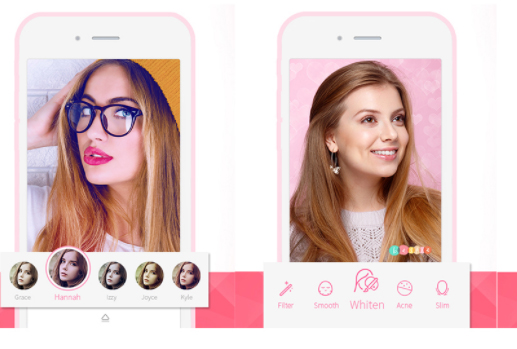
    Like most apps Beauty Plus allows to take photos and videos selfies and then apply the beauty filter. As the website claims they have worked with the well-known makeup artists, photographers, and real people to lend perfect photo touch up. They have tools for teeth whitening, dark circle and acne remover, brightening eyes, slimming and contour. It is the best selfie editing apps .

    • B612

    Called the ultimate selfie app, B612 is designed mainly for selfies. It has the option for selfie videos that last about 3-6 sec long.

    • Perfect 365

    This mainly concentrates on the makeup and beauty tools. The one tap makeover feature helps to try makeup templates that are in trend.

    • Snap chat

    Snap chat is quite a fun app to work with. It has funny filters that can be applied live. Apart from selfies you can chat using this app. It is quite popular these days and thus it is one of the Best Selfie Apps.

    • Instagram

    Like Snap chat, Instagram is also a photo and video sharing app. You can keep a tab on your friend’s pictures and news feed. You can also edit the pictures with cool tools.

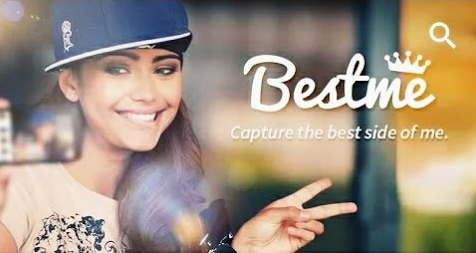
    • Best Me selfie camera

    This is mainly a camera app and they provide 125 real time filters. They have timers; blur effect for Instagram, support for selfie stick and much more.

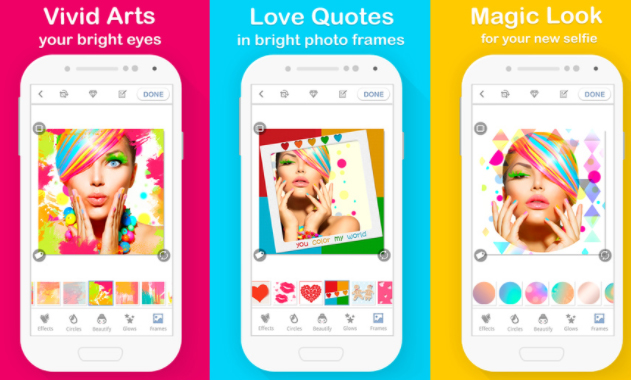
    • Bright Camera

    With this app you will never have a boring selfie. They give a number of stickers and frames and a set of special love effects. Love quotes and sayings in beautiful photo frames is their main feature.

    • Selfie Studio

    Selfie studio app is very easy to use. This helps you to take perfect selfies edit them and post on social networking sites in a few minutes.

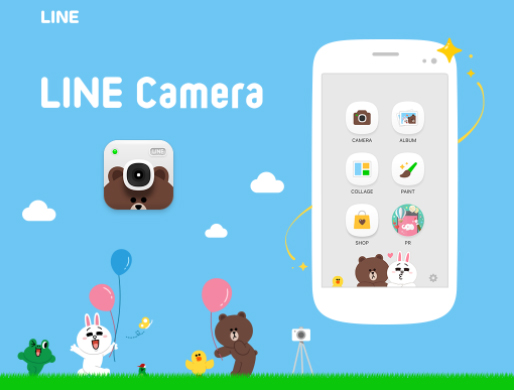
    • Line Camera

    Line camera gives us a lot of features like mirror mode, timer, flash, filters to brighten shadowy pictures etc.

    • Retro Selfie

    This app takes your picture to the past in the most amazing and wonderful manner. It gives the picture a vintage retro look. They have 100s of filters to choose from.

    • Silent Selfie

    This selfie camera app has a silent shutter mode for taking pictures in crowded places and stares from the public. There’s a pinch option for a zoom in and zoom out camera view.

    • Cymera

    Cymera is a very popular for selfie and editing. It has 7 different camera lens and beautifying functions like skin correction, face lift, natural hair styling and face recognition.

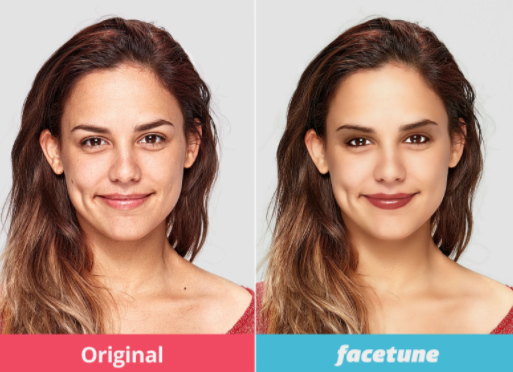
    • FaceTune

    Unlike other apps this is a paid app. Even with the payment option many go for it as it provides instant touch up to selfies, removes red eye, redefines jaw line etc.

    • Makeup Selfie Cam

    Used by many for the beautifying effects, it helps to remove blackheads, pimples, acne and blemishes to give a smooth skin.

    • Frontback

    Contrary to the other selfie apps this is capable of taking two photos simultaneously – one from the front camera and the second from the rear camera. This app also provides a 5sec short video.

    • CamMe

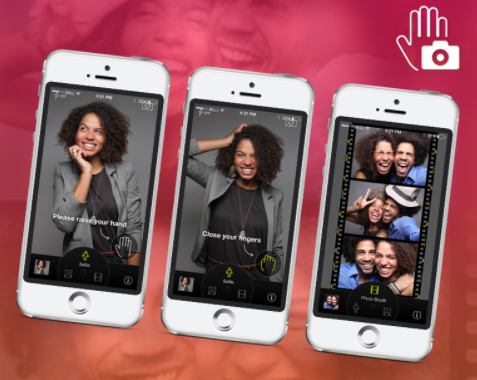
    CamMe is an iOS friendly app. The features that stand out are photobooth that helps to take a sequence of photos.

    • PIP Camera

    Picture in Picture (PIP) as it’s called is a photo editor that gives a feel of a photo inside another. They have special frames and filters, fun stickers and mysterious filters.

    • Bestie

    As the name suggests it’s a bestie for teens. They have auto detect functions, natural retouching, and quick-fix for contour.

    • Picr

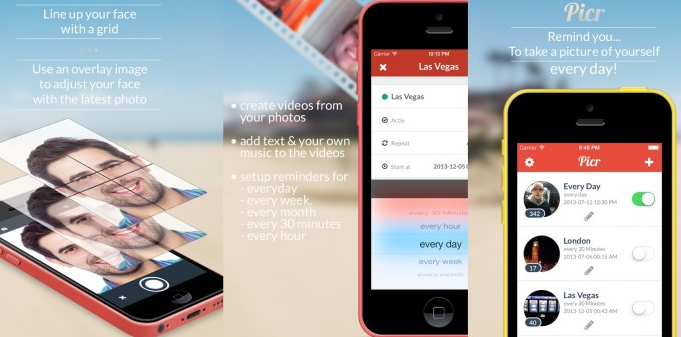
    With Picr you can create everyday photo and video. It gives a reminder to take pictures to document your life. Picr will help in clicking pictures correctly and finally will make a short video itself.

    • Lumia Selfie

    Lumia’s built–in selfie app is one of the best for windows handset. The built-in beautifying feature provides smooth skin tones, teeth whitening and other filters.

    • Flickr

    Here too like Instagram and Snap chat the photos are made available to others for viewing. You can click, edit and upload pictures to social networking sites and you can access it anytime and anywhere in the world.

    • PicsArt

    This app allows you to modify and edit pictures by adding stickers and filters, applying masks, adding texts and making collage.

    Selfies have been in the running from the time cameras were in use. The invention of smart phones has lifted the photo taking experience a notch higher with these kinds of apps to intensify the pictures. Hope the list of Best Selfie Apps can make your selfie experience much better .

  • Water Fasting Dangers and Side effects of Water Fasting Diet

    Water Fasting Dangers and Side effects of Water Fasting Diet

    Water Fasting Dangers and Side effects of Water Fasting Diet – If you are planning to do water fast read this before you start water fasting to know the risk involved and precautions needed.

    Water Fasting Dangers and Side effects of Water Fasting Diet

    Water fasting also known as water cleanse is one of the most intense fasting options available in recent times. It is indeed a powerful experience. It is considered as one of the best methods of detoxification. Water fasting brings about a lot of benefits including therapeutic changes. Water fasting is a zero calorie diet. But everyone is not advised to take water fasting because when water fasting goes wrong , then you will face the Strict Danger in Water Fasting. It is always advised to do water fasting by understanding the diet due to the Water Fasting Dangers and Side effects of Water Fasting Diet .

    Though water fasting benefits is numerous the risk involved in water fasting is not less . Because Water fasting is strictly not for all. It has to be monitored and done under medical supervision. Most of the times it is under done for various spiritual or religious reasons. It is very beneficial diet in reducing weight and body fat, lowering cholesterol and also reduces other serious conditions. It is advised to do water fast under strict medical supervision.

    The first few days of fast is going to be difficult. Water fasting is known to be emotionally and physically strenuous and challenging. After 2 to 3 days the body goes into a state of ketosis, where it generates fuel by burning fat stores in our body.

    Water fast has many benefits if done under the guidance and supervision of medical practitioner and a dietician. It is used extensively for weight loss and in control and as an adjunctive treatment of hypertension. Water fast , though an ancient modality used for detoxification is still widely used. But it requires strict preparation and medical guidance before beginning the fast. Not all individuals can tolerate the fast as it is a zero calorie intake which causes mental and psychological stress to the body.

    Before initiating this type of fast body requires taking adequate rest and following good adequate diet. During the fast it is required to consume at least 2 to 3 litres of water per day along with certain vitamin and mineral supplements. After fast it is necessary to maintain healthy diet.

    Side effects of Water Fasting Diet

    Here is the side effects witnessed while water fasting and also the water fasting dangers when gone wrong.

    Potassium loss : As you just start water fast, there may be feeling of tiredness that sets in. It is because of the low potassium levels. It might be severe leading to a state where standing up seem impossible, thus feeling like you are going to collapse this signifies lack of potassium and requires medical attention. Signs of potassium deficiency include muscle cramps and fatigue, generalized weakness, palpitations, mental confusion, and irritability. This condition is commonly witnessed water fasting dangers .

    Taste of heavy metals : If you could feel taste of heavy metals that indicates that the body is detoxifying heavy metals from the body. It is an alarm to stop water fast and follow natural detoxing before continuing water fast. If you avoid this warning and continue then this can turn up to be a water fasting dangers .

    Generalized physical reactions : The body undergoing water fast will try to cleanse the system. This is experienced by headaches, fatigue, nausea, blurred vision, skin rashes or eruptions, cramps, trouble sleeping. This indicates that pre-fasting preparation was not adequate.

    Heart burn and acid reflux : If there is experience of heart burn it suggests that the individual is too acidic internally. This may be due to excess toxins in the body. The best thing is to slow down fast and allow body to alkalinize and then continue fast. This is not a water fasting danger to get panic but a common side effect of water fasting .

    Emotional cleansing reactions : The individual experiences depressive episodes while on fast. There will be lot of negative emotions in the individual like sadness, guilt, depression, and anger. This signifies that the liver is cleansing.

    Read Also : Reduce stress & anxiety with these amazing essential oils

    Hunger : This is the most worrisome trouble haunting people on water fast. When the individual gets the thought of food in mind, it is ideal to distract such thoughts by drinking lot.

    Strict Danger in Water Fasting / Medical Issues in water fasting when Gone Wrong

    The well known medical complications encountered in water fast are:

    Electrolyte imbalance

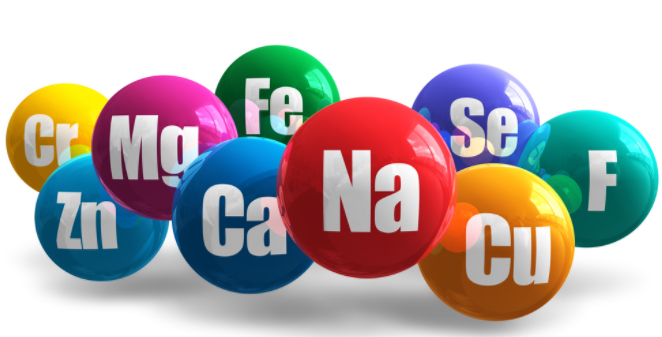
    As the body is starved of essential vitamins and micronutrients there is an acute loss to the body. The electrolyte imbalance takes place. Thus the body generally suffers from various physical and emotional ailments wanting medical attention. Therefore, it is very much essential to get a pre work up before starting to fast. While following water fast the kidneys eliminate all wastes generated in our body. This will dump all the sodium, potassium, and magnesium very fast. As these get washed out especially sodium, the blood flow is limited to the extremities and the hands and feet feel cold. This also leads to orthostatic hypotension. So it is recommended to follow water fast under medical supervision by adding supplements to the water diet especially in the form of salt to replenish sodium lost. This is one of the water fasting danger signs .

    Cardiac abnormalities

    If no medical permission is sought before beginning the fast as in case of a known cardiac patient the effects of fasting can be very detrimental. The cardiac muscle will be used up as ketosis is established in water fasting state after the fat stores are depleted. The heart muscle will weaken and lead to heart failure and consequently death follows. Other theory proposed for heart failure is loss of body’ intracellular stores of minerals like magnesium and potassium required for cardiac function. Due to this, the heart muscle suffers and heart failure sets in. It is a serious water fasting danger .

    Orthostatic hypotension

    It is the temporary feeling of light headedness or dizziness. This is experienced while standing up immediately from standing or lying down position.

    Immune system dysfunction

    It is noted that many people die due to fasting. An individual who is fasting is succumbed to deadly infectious diseases because the immune system is weakened by malnutrition.

    Sudden death

    There are cases of sudden death of people while fasting because of lactic acidosis. Water fasting death is not a myth. Lactic acidosis is characterized by increased lactate in our system due to fasting. During normal metabolism, there is no production of hydrogen cations. But in cases of fasting, hydrogen ions are produced in excess which lower the blood pH leading to lactic acidosis. It is characterized by rapid breathing, and subsequently death which is sudden. Also due to the depletion in muscle loss, lactic acidosis is established.

    Gout

    Prolonged water fast can lead to increase in uric acid. Ketones and lactic acid produced by muscle breakdown impairs the kidney function to eliminate uric acid. This leads to increased uric acid and causes gout and gouty arthritis.

    Kidney stones

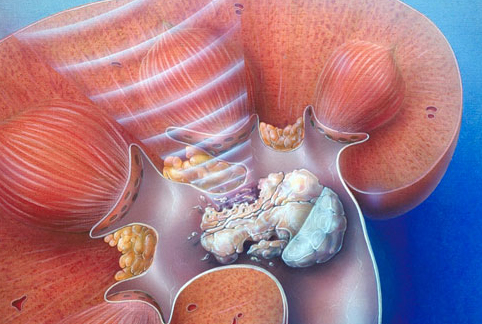
    Due to the excess water intake the body will flush out all the minerals like sodium and potassium, thus making the kidney to work extra. In the process, these minerals gets deposited as stones. In individuals following water fast kidney stones are very common.

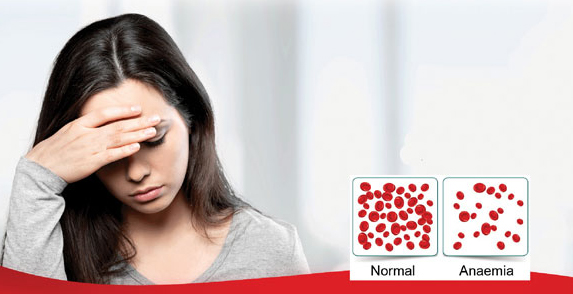
    Anaemia

    Due to the increased blood dilution, decrease in haemoglobin concentration is seen. Severe anaemia can cause heart failure and death. It is a physical side effects of water fasting.

    Even though water fast is a powerful experience and water fast is beneficial in many ways , it requires adequate preparation before starting this kind of diet. It is very much essential to recognize the warning signs and return back to the medical practitioner for help. Therefore, to avoid any Water Fasting Dangers during this diet it is mandatory to seek guidance from a health practitioner and dietitian to know one self to follow this fast as per the necessary protocol.

  • Turn Kindle Fire HD into Roku box or media device ultimate

    Turn Kindle Fire HD into Roku box or media device ultimate

    For all of you who associate Kindle with reading only, here is some awesome things it can really do. A kindle fire HD can be turned into a peripheral for many devices like the Roku Box for instance. Turn Kindle Fire HD into Roku Box with the following steps. You can also turn kindle fire HD to media device .

    Can you guys believe it . If no , then here is the ways to Turn Kindle Fire HD into Roku box or media device ultimate.

    The Kindle Fire HD allows you to mirror your tablet into a TV. In other words mirror kindle fire HD to view all those lovely videos.  Did you know that while buying? It’s the most simplest of ways to watch your favourite shows on big screen without too much of a hassle. With technology growing beyond imagination, this is a revolution on its own. It’s a statement today, called showing off.

    Read Also : Use Kindle Fire as Second PC Screen / Display Ultimate Guide

    The Kindle Fire HD, is part of the Kindle Fire line of tablet computers. The family consists of: 7″, 8.9″, 7″, 6″, 7″, 8″, 10.1″. And the latest is the the 6″, 8″ and 10″ Fire HD tablets that are available. In our previous section we have given a detailed write-up on different Kindle versions and Nook versions .The Kindle Fire uses an android platform which is what most non-Apple and non-Windows “Smart phones” use.

    The Roku mobile app is a free application for iOS and Android devices that turns your mobile device into an ultimate streaming companion for Roku streaming players. Streaming experience with your tablet could never have been more fun and easy without the Roku app. It conveniently allows you to access innumerable features with the powerful app.  Searching by using your keyboard or voice, send stuff from your gallery like videos, photos and more to your TV and browse and add channels from the channel store.

    Turn Kindle Fire HD into Roku box or media device ultimate

    So typically a Roku box turns your TV into your favourite Kindle small screen data onto a larger projection. So your advantages over other viewing material is huge as it allows you to view just about everything that is browser based.

    There are typically 2 ways to get your Kindle Fire HD started with a Roku box. Find out the two ways to Turn Kindle Fire HD into Roku box .

    Read Also : Kindle Fire Silk Browser Alternatives

    Option 1 – Connect Via Fire TV

    Let’s initiate the process with an Amazon Fire TV or Amazon Fire TV stick. Ensure connecting your device and your tablet to the same wireless network along with internet access that will allow you to watch your programs undisturbed. Now connecting a standard HDMI cable between the Fire TV and the HDMI port on your TV initiates the magic of watching on big screen. The settings on your TV might differ with each brand and model. So ensure to check your TV manual to get the process started.  Do the right settings and get your big screen going.

    Do remember that this setup works only with Android version of televisions. So before starting the whole setup, ensure to check the compatibility of your TV in order to Turn Kindle Fire HD into Roku box or media device ultimate .

    Read Also : Roku Remote Control Doesn’t Work-Fix Roku Remote

    Option 2 – HDMI Adapter or cable

    Let’s get started and connect your tablet to your TV for Roku duty. You will need an HDMI cable preferably a 15 feet one in case you are the lazy type to keep getting up always. This is a option to the wireless way to connect your Kindle Fire HD to your TV, at the moment, but the joy of watching on the big screen beats the downside of not being wireless.  The cable should have an HDMI connector at one end to plug into your TV and a Micro-HDMI connector on the other end to insert into your tablet.

    Once the cable is appropriately connected, then switch your TV to the appropriate HDMI input, like HDMI1, HDMI2 etc according to your TV. In a few moments you should be able to see your Kindle Fire’s interface on the big screen. Voila, you have it big right from your small Kindle Fire HD tablet.

    Read Also : Hard and Soft Reset Roku Manual – Fix Frozen Roku Streaming Stick

    You can stock up on apps of your choice from the net and start enjoying the magic of watching your favourite channels from your Kindle Fire HD. Choose from an array of Roku channels to suit your need, lifestyle and of course, mood.

    Your choice is vast using a Roku with the Kindle Fire HD. You can browse a great selection of movies and TV shows that allow you your favourite programs on the big screen. You can add channels and games from the Roku store by becoming a member. The list is endless and the selection is vast.

    That’s it about the two different ways to Turn Kindle Fire HD into Roku box .

  • Reduce Wrinkle Fillers Risk This Way to Get Perfect Skin

    Reduce Wrinkle Fillers Risk This Way to Get Perfect Skin

    Reduce Wrinkle Fillers Risk – Get here Best online Tips to reduce Wrinkle Fillers Risk This Way to Get Perfect Skin.

    Reduce Wrinkle Fillers Risk

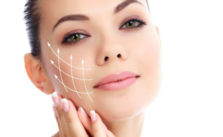
    Reduce Wrinkle Fillers Risk – Wrinkle fillers are also called as volumizers as they can be used to plump and lift cheeks, chins, jaw lines, and temples; to fill out thin lips, and plump sagging cheeks. Wrinkle fillers are the most commonly used in cosmetic treatment to get rid of wrinkles .

    Not all wrinkle fillers are the right ones for every type of wrinkle. The least risks and the best benefits come from using the right wrinkle filler. Though the treatment is patient friendly, they have a downside. Always choosing the right dermal filler is the way to get positive result on these kind of Cosmetic treatments.

    Dangers in Wrinkle fillers and how to Reduce Wrinkle Fillers Risk

    The dangers in wrinkle fillers could range from mild allergic reactions to nerve paralysis. Therefore to Reduce Wrinkle Fillers Risk it is advisable to consult a good cosmetic dermatologist before selecting and undergoing the procedure.

    Reduce Wrinkle Fillers Risk – One cannot imagine anything to go wrong with their face , skin or body . It is always a nightmare for every one . That too when you take the case of someone who is over conscious about their looks and getting ready for a cosmetic treatments that are costly . So the result they expect is too high . To ensure this one must definitely sort out ways to Reduce Wrinkle Fillers Risk . This can be done by having a look at reviews and negative cases of each kind of dermal fillers . Knowing about the commonly used dermal fillers and the result of common dermal fillers can help one to sort out this.Reduce Wrinkle Fillers Risk

    Commonly Used Dermal Fillers with Less Risk

    The most commonly used wrinkle fillers is hyaluronic acid. The side effects with this type are rare, but can include redness, swelling, and bruising at the site of injection. The other most commonly observed side effect with the injectable wrinkle fillers is it causes tiny bumps under the skin. There are synthetic wrinkle fillers available in the market with dangers similar to hyaluronic acid wrinkle fillers. Newer wrinkle fillers are the collagen fillers made from an animal source. The side effects are more severe with respect to allergic reactions.

    Read Also : Botox Injection As Cosmetic procedure Side effects & Benefits

    Wrinkle fillers risk

    In any medical procedure, there are risks involved with the use of these wrinkle fillers. So it is important to know the limitations and risks associated with these wrinkle fillers. The wrinkle fillers risk can be short or long term, permanent, or a combination.

    Most of the dangers in wrinkle fillers are seen shortly after the injection and go away in less than two weeks. In some cases, the wrinkle fillers risk may last for weeks, months, or years after the injection.

    The most commonly seen wrinkle fillers risk is bruising, redness, swelling, pain, tenderness, and rash. The less common risks include raised bumps under the skin, infection, bluish discoloration of the skin, and necrosis. The dangers involved in wrinkle fillers are vision abnormalities including blindness, formation of permanent hard nodules on the skin, severe allergic reaction known as anaphylactic reaction requiring emergency critical care, injury to the blood supply, and permanent damage and discoloration to the skin.

    Read Also : Cosmetic Surgery a Detailed guide on different cosmetic treatments

    Reduce Wrinkle Fillers Risk This Way to Get Perfect Skin

    Wrinkle fillers are considered to be the safest of all the cosmetic procedures in use today in spite of the risks in the use of these fillers. It is of prime importance to select an experienced doctor trained in the field of dermatology. Using wrinkle filler should not be considered as a cosmetic treatment. It should be considered as a medical procedure; hence price should not be a guide in choosing the best wrinkle filler. It is wise to discuss with the doctor in choosing the best wrinkle filler which is FDA approved and thus inform the risks of the procedure to the candidate. Self injections with the wrinkle fillers should be avoided.

    The candidate undergoing this treatment should be tested for allergy before using certain fillers. Those suffering from any bleeding disorders, previous history of allergy or anaphylaxis, excessive scarring and thick scaring should be cautious and inform the doctor about these complications to reduce risk of dermal fillers. It is important to report and seek medical attention because of any discomfort during the procedure or any symptoms associated with the injection after the procedure. Thus the wrinkle fillers risk can be reduced.

    Read Also : Botox Safe or Risk – Must Know before Using Botox

    Wrinkle fillers can go wrong

    Although wrinkle fillers are to enhance cosmetic appearance and give a youthful look without wrinkles and frown lines there can be devastating risk with these wrinkle fillers. The worst nightmare that can be encountered with wrinkle fillers being injected incorrectly is the serious nerve damage, blurred vision, facial collapse, herpes, rheumatic disease, and blue-tinged skin. Most of these are serious and long lasting adverse effects on the skin as the wrinkle fillers go wrong.

    Wrinkle fillers can shift from injection site to other parts of the body, this is most commonly seen when wrinkle fillers go wrong by untrained hands. The less damaging effect because of the wrinkle fillers gone wrong is Tyndall effect. It causes translucent blue discoloration of the skin.

    So if you are scared about the wrinkle fillers cons then you can prevent wrinkles naturally.

    Guide to Choose best wrinkle fillers

    It is confusing to chose the best wrinkle filler. To do so you should consider various factors such as cost, effectiveness and results while buying a wrinkle filler. The most important part is to check how long the filler treatment lasts as many fillers do not last for more than six months.

    A perfect/best wrinkle filler will start working quickly making your skin soft and smooth.  It is necessary to choose the best wrinkle filler which is FDA approved.

    Read Also : Astonishing Laser Skin Resurfacing Alternatives For Perfect Skin

    Risk free wrinkle treatment

    Reduce Wrinkle Fillers Risk – Wrinkles are a sign of aging skin, commonly seen after 30’s. These can be avoided by proper skin care regimen of exfoliating and moisturising followed from a very tender age. The best risk free wrinkle treatment is to activate skin care from inside and outside the body with lifestyle changes. The connective tissues of the skin are collagen and elastin. These give the ability to the skin to stretch and return back to its original shape. The production of these structures reduces as we grow old. This is a part of aging. This can be modified and corrected by good sleeping habits, lifestyle changes, stopping drinks and drugs.

    Risk free wrinkle treatment is by diet modification. Foods rich in nutrients and antioxidants will reduce wrinkles. Fresh fruits and vegetables whole grains, eggs, green tea are packed with nutritional content to keep away from wrinkles. Hydration is another important factor to get youthful looking skin.

    One of the main factors responsible for wrinkle development is sun exposure. Ultraviolet light weakens and loosens the skin’s elasticity. Sun exposure between 10 a.m. and 2 p.m. should be avoided. It is recommended to use sunscreen with SPF 30 and use it while outdoors.

    Insufficient sleep is another major risk factor. 7 to 8 hours quality sleep is essential to maintain a healthy skin. It is essential to avoid smoking as that can aggravate wrinkle formation. Moisturising the face and supplying essential oils is required to keep wrinkles away. Olive oil added to the diet and topical application on the skin is also a good moisturiser. Cucumber, egg whites are also beneficial.

    The appearance of wrinkles can be minimized by exercising the face which firms the muscles around the mouth. Exercise is a risk free wrinkle treatment and is inexpensive too.

    Reduce Wrinkle Fillers Risk  – Wrinkle reduction and getting beautiful skin is a long term process and results cannot be expected overnight.  It requires diet modification and life style changes to tackle wrinkles and it is definitely worth the effort though it is a slow process. To fasten the process of getting a wrinkle free skin, it is advised to use a FDA approved wrinkle filler.

    So that’s all you must know to Reduce Wrinkle Fillers Risk .

  • Prevent Wrinkle on Skin with these Magic Rules

    Prevent Wrinkle on Skin with these Magic Rules

    How to Prevent Wrinkle on Skin – Get here best way to prevent wrinkle on skin bynaturally.

    How to Prevent Wrinkle on Skin

    How to Prevent Wrinkle on Skin – Our skin is the largest organ and indeed the most visible one. Happy skin is a reflection of a healthy mind and body. We all want to look younger and presentable always. So we strive very hard for a healthy, glowing, and a skin that makes you look younger at 30s . Our skin undergoes wrinkling which is most common feature that reduces the glow and makes skin unhealthy. It is an unavoidable demand of everyone to find out ways to Prevent Wrinkle on Skin.

    Wrinkles are creases, folds, or ridges in the skin. They are a part of aging. As we grow older, wrinkles appear on our face and skin in all parts of the body. Wrinkles are caused due to varied reasons, though aging tops the list of causes.

    Wrinkles are common after the age of 30 years. To look younger at 30s it can start as early as 20s. People tend to spend thousands of rupees globally on treatments to remove wrinkles or delay aging or wrinkles. By delaying wrinkles, even at the age of 30 a look younger feel can be achieved. Skin care is utmost important to get a glowing which will make one look younger

    Aging and Wrinkles

    As we age , the cells of the skin divide at a very slow rate. The innermost layer of the skin, the dermis begins to thin out. This thinned out layer removes the ability of skin to stretch and changes the skin structure.

    As the cells undergo aging they tend to lose their ability to retain moisture, the glands produce less oil thus causing excessive dryness, and results in slow healing. All these factors contribute to wrinkles.

    Prevent Wrinkle on Skin with these Magic Rules

    You must know what all causes wrinkling of skin inorder to Prevent Wrinkle on Skin . So let’s know what we do contributes adverse effect on our skin.

    Facial muscle contractions and Wrinkles

    The lines between the eyebrows called as frown lines and lines at the corner of the eyes known as the crow’s feet are due to muscle contractions. Habitual facial expressions like smiling, frowning, squinting will make the wrinkles more prominent. And as skin ages it loses its flexibility and can no longer come back to its original place.

    This is one of the reason for wrinkles under eyes and wrinkles at the smile curves as we start to age .

    Sun damage and Wrinkles

    Too much sun exposure damages the skin. Staying out in the sun between 10 a.m. and 2 p.m. is potentially dangerous to the skin. The UVA rays which have long wave length cause tanning and wrinkles of the skin. These rays can penetrate the dermis and are responsible for 90% of the premature skin aging. Photo aging causes premature wrinkling of the skin.

    But Sun is also a natural source to add beauty to your skin but not the hot sun rays .

    Smoking And Wrinkle 

    Smoking hinders the production of collagen. Collagen is an integral part of the skin structure.  This downturn of collagen causes wrinkles.

    Prevention of wrinkles in 20’s

    Prevention of wrinkles should be started at a very tender age. Health of the skin depends on various external and internal factors. It is a blend of skin care regimen, followed by healthy diet, sun protection, and a good relaxing sleep that shows up with glowing, healthy, wrinkle free skin. The ideal way to Prevent Wrinkle is by following the simple home remedies for wrinkles. Nothing should be done in excess as that can damage the delicate organ, the skin.

    Skin care regimen to Prevent Wrinkle

    It is very much essential to pay attention to what skin type one has, if it is oily or dry or a mixture of both. It is very much essential to wisely select a cream which suits your skin type to keep it healthy. The cardinal rule of skin care should be followed with utmost reverence. The makeup from the face should be washed before going to bed. It is very much essential to clean, exfoliate, tone, and apply a serum with anti-aging properties under the suitable moisturizer. It is recommended to use moisturiser twice a day. Anti-aging products should be used cautiously. Most of these products have ingredients that increase the metabolism of cells and may be too active for a younger complexion. Instead of these products it is enough to follow the skin care regimen of washing, moisturizing, and protecting skin against the sun. Facials, eye creams are also recommended to delay the onset of wrinkles.

    Food and drink plan to Prevent Wrinkle

    Foods rich in antioxidants prevent wrinkling of the skin. They act by minimizing cell damage; they fight aging from inside out. The added benefit is these foods are fiber and vitamins rich and low in saturated fat.

    Water is a naturally available skin rejuvenating drink. There is no magic number, but at least 8 glasses of water should be had in a day.  Habit of a glass of water immediately on waking up and before going to bed; also before, during, and after exercise should be followed.

    Lifestyle Changes to Prevent Wrinkle

    A better lifestyle has lot more to do with many things in your life same with your skin also .

    Sun protection

    Sun protection is the best way to protect aging for young skin and prevent wrinkle. Sun screen cream should be used daily before stepping out of the house daily irrespective of the weather outside. A sun screen cream with zinc oxide combination is the ideal one.

    Sleep

    This is the time when the body works on repairing the damage done by your body to the skin. By cutting down beauty sleep of at least 8 hours duration the process of skin repair is slowed down and interferes with the blood flow to the skin. Lack of sleep increases wrinkles and gives a dull looking skin. Sleep well to prevent wrinkles on the skin.

    Read Also : Obstructive sleep apnea treatments ,therapies that really works

    Smoking

    Avoid smoking forever if you want a young looking skin . Smokers can easily get wrinkles and dark skin and increased dark circles on eyes.

    Read Also : Cancer fighting meal plan to healthy life – Cancer Types, Symptoms

    Natural wrinkle treatment to Prevent Wrinkle

    Natural wrinkle treatment is the mildest and ideal way to do so. There are several products available for the same purpose. Instead of battling wrinkles with expensive wrinkle removing and wrinkle reducing creams, going natural and following home remedies for wrinkles is the best option. There are many natural wrinkle treatment options available in our surroundings which are proven to be effective.

    Egg whites

    Whipping several egg whites and applying them on the skin and washing it off after 15 minutes with warm water will let the natural B vitamin and rich vitamin E work their rejuvenating magic.

    Olive oil

    Olive oil helps skin stay soft and supple. It is a very good moisturiser, it has to be applied overnight and washed off next morning to give a healthy looking wrinkle free skin.

    Massage

    Gentle massage on face or a spa treatment with an ideal moisturising lotion is refreshing as well as hydrating to the skin.

    Fresh fruits and vegetables

    Vitamin D rich fruits and vegetables plump the skin and make it glow from within. Bananas are used to treat wrinkles naturally.

    Lemon juice

    Acidity of the lemon helps skin look brighter and reduces the appearance of wrinkles.

    Ginger

    Ginger works as an excellent anti-wrinkle remedy due to its high antioxidant effect.

    Wrinkle Reduction for Each Region Specified Tips

    Everything needs different care , no matter what it is related . Th very same case applies to skin also . Every inch of the skin needs different care .

    a )Reducing wrinkles under eyes

    Preventing wrinkles under the eyes is important to look young. Wrinkles under eyes make one look older than what they actually are. Eyes are the windows to our soul. It is an eye-opener to see wrinkles under eyes in a busy daily life. Under eyes are the most sensitive area and naturally the thinnest area in the face. The elastin and collagen content in this area is very less compared to other areas of the face and it does not hydrate itself.

    Getting under eye wrinkles is inevitable. It can be reduced by a various methods. There are many over the counter wrinkle removing treatment options available.The best way to do it is start young. Creams with SPF either 15 or 30 should be applied daily to avoid wrinkling due to sun exposure. Also the harsh sunlight will make you squint. Repetitive squinting will add to the risk of under eye skin wrinkles. Sunglasses should be used to protect eyes from bright light. Moisturize the under eye area daily with a good moisturizing cream suiting your skin type. And by choosing what we eat, we get good healthy skin. Vitamin C, avocados, carrots, pumpkin seeds, papaya, orange, guava, broccoli, almonds and fish rich in oils and omega 3 fats helps in reducing wrinkles considerably. Cucumber and water is to be incorporated on a daily basis.
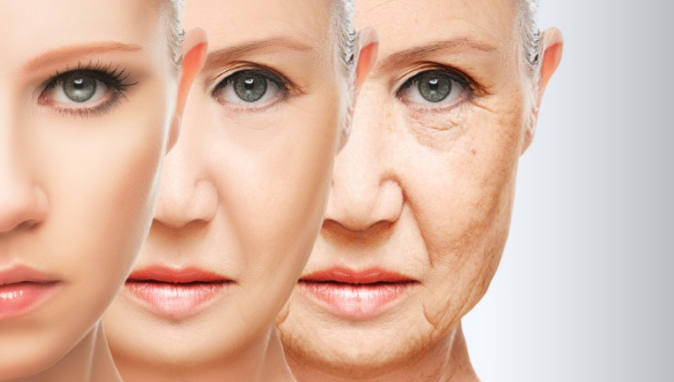
    Read Also : Reduce stress & anxiety with these amazing essential oils

    b )Reducing wrinkles on face naturally

    Reducing and preventing wrinkles on skin has become easier these days with natural methods. Skin care by washing adequately, moisturising, and using sun screen can help reduce wrinkles. The natural wrinkle treatments are cost effective. There are several wrinkle reducing creams and wrinkle removing creams available in the market. Sleeping on sides or stomach should be avoided so that impression wrinkles are not caused on face. Sleeping on the back should be encouraged. Oil massage and leaving the oil overnight completely moisturizes the face and is good for the skin. Yogurts, lemon juice, avocado, Aloe Vera, egg white, vitamin E mask on the face are ideal moisturisers. Smoking has to be stopped. Plenty of water should be consumed.

    c )Reducing wrinkles on face by exercise

    Smiling for just 3 minutes a day can firm the facial muscles. There are some exercises to relax and treat the facial skin to reduce wrinkles. Smile to prevent wrinkles from appearing earlier!

    • Posh pronunciation

    This includes articulating the vowels while smiling and laughing. This helps in lifting up the neck and firms the corners of the mouth. This process should be repeated three times in two minutes.

    • Pout face

    By pouting the face like a fish and creating a figure-of-eight with the lips, the cheeks and lips get toned. This is very useful for the lower half facial muscles.

    • Say nothing at all By tensing up the lips it prevents sagging of the skin around the lips and gives a beautiful smile.
    • The kiss This exercise helps firm the lips and smooth out the fine wrinkles around the mouth.

    Read Also : Lip Reduction Vs Lip Filler -Cosmetic trend on Lip Beautification

    d )Removing wrinkles from face quickly

    Wrinkle creams are very effective in removing wrinkles from face by a week. There are plenty available in the market. The key ingredients for home made wrinkle creams are Vaseline, olive oil, honey, egg yolk, and avocado. Anti wrinkle creams are available which contain snake venom. These creams cause tightening effect on the skin which causes immediate effect after massaging the face with it.

    e )Reducing wrinkles on forehead

    Natural home remedies help in removing wrinkles on forehead. Coconut oil, almond oil, castor oil helps in repairing the skin and is rich in antioxidants, thus helps in reducing wrinkles. The flavonoids in citrus fruits maintain the collagen and elastin giving youthful appearance. Gentle massage on the forehead wrinkles improves circulation. Flaxseed oil rich in omega 3 fatty acids lubricates the skin and honey containing benzoic acid reduces wrinkles.

    Treatment for wrinkles

    The main types of wrinkles are surface lines and deep furrows. The treatment modalities only help in reducing the fine lines. For deeper creases, aggressive techniques such as plastic surgery or injections of fillers are used. These wrinkle removing treatments are expensive and have their own side effects.

    Medications: Topical retinoids are widely used to reduce fine wrinkles. It has to be used along with sun screen as these creams can burn sunlight. There are over-the-counter medication creams available with active ingredients and are effective. Moderate results are obtained from retinol, alpha hydroxyl acids, kinetin, coenzyme Q10, copper peptides, and antioxidants.

    The results obtained with these wrinkle removing treatments do not last long.

    Cosmetic surgery for Wrinkles

    A number of surgical options are available.

    • Dermabrasion

    Is a surgical procedure that involves abrasion of the upper layers of the skin by mechanical means. The desired results are not immediate and may take several months. The procedure removes the outermost layers of the skin cells, and stimulates cell growth in the underlying layers of skin.

    • Laser therapy

    Laser treatments destroy the outermost layer of the skin with a laser beam, while the dermis is heated up. This in turn stimulates the genesis of new collagen fibres. Requires several treatments and results are more subtle.

    Read Also : Astonishing Laser Skin Resurfacing Alternatives For Perfect Skin

    • Botox

    Botulinum toxin A blocks the chemical signals that causes muscles to contract. It is useful to treat wrinkles on the forehead. Treatment lasts for 3 months and repeated injections are needed.

    Read Also : Botox Safe or Risk – Must Know before Using Botox

    Read Also : Astonishing Botox Uses To treat different medical conditions

    Read Also : Botox Injection As Cosmetic procedure Side effects & Benefits

    • Chemical peels

    This involves applying chemical solution to wrinkly areas and peeling it off.

    • Facelift

    It is a cosmetic surgery which makes people look younger. It aims at removing excess facial skin and fat with or without tightening underlying tissues.

    Read Also : Cosmetic Surgery a Detailed guide on different cosmetic treatments

    • Fillers

    Soft tissue fillers include collagen, hyaluronic acid, and fat are injected into deeper face wrinkles, making the skin smoother and giving the skin volume.

    Aging is a natural process and wrinkling of skin becomes prominent over a period of time. It is best to use sun screen and moisturizer, quit smoking and alcohol, and sleep for 8 hours and thus reduce wrinkles and increase the beauty and glow of the skin.

  • How to change ringtones in Google Pixel

    How to change ringtones in Google Pixel

    How to change ringtones in Google Pixel – For all our Pixel and Pixel XL lovers we have been discussing so many hacks about google pixel so today we will detail about How to change ringtones in Google Pixel.

    How to change ringtones in Google Pixel

    How to change ringtones in Google Pixel – The most distinguishable part of phone customization, is the ringtone.  If you a new user of Google Pixel, you may be wondering how to get personalized ringtones on your phone. There are different options to set personalized ringtones on your phone. You may set ringtones for one specific individual contact or for everyone. It is important to set custom ringtones for your contacts as it will allow you to know when a particular person is contacting you.

    What are different ways to change ringtones in Google Pixel ?

    Here we will give you all possible ways to change ringtones in Google Pixel or Pixel XL.

     Change ringtones in Google Pixel using contacts app

     You can follow these steps to change individual ringtone on Google pixel phone.

    • First turn on the Google Pixel
    • Then go to the Dialer app.
    • Select the contact for which you want to set a ring tone.
    • Select the pen-shaped icon.
    • Then select the “Ringtone” button and a popup window will show up all available ringtone sounds.
    • You can select the song which you want to set as a ringtone.

    Read Also : Google Pixel WiFi Calling Enable and Disable

    Change Google Pixel ringtone using sound settings

    You can follow these steps to change ringtone using settings

    • Go to “Settings” in your pixel phone
    • Under device section, tap on “Sound” button
    • Click on “Phone ringtone”
    • Choose from the listto set ringtone in pixel and click on “OK”

    Read Also : Google Pixel Haptic Feedback / Vibration Mode Enable or Disable

    Change Google Pixel default ringtone with Favourite Music

    If default ringtones are not good in the phone, then you can download ringtones online and set it in your pixel phone.

    • The first step in getting a ring tone is to decide what you want to use as a song.
    • First of all you need to download any file manager appfrom play store.
    • Once you open File manager , go to music and download
    • Select ringtones you want to add and move it to ringtones in Internal storage and select OK
    • Now go to settings in device and it will show the list of ringtones along with the latest ringtones downloaded.
    • Click on the Save button and select what type of notification you want to save it as. You can save the file either as a ringtone, an alarm, or a notification and enjoy your new ringtone

    Read Also : Google Pixel Dictionary – Add words / Phrases to Dictionary

    Know more about Pixel and Pixel XL 

    If you are looking for the best Android phone now, then Google Pixel is the right one for you. Google Pixel is the first smartphone which is fully designed and built inside and out by Google. Google pixel has two versions: Pixel and Pixel XL. Pixel XL has a 5.5-inch display, 2560×1440 resolution and 3450 mAh battery whereas Pixel has 5-inch display, 1920×1080 resolution and 2770 mAh battery.

    Best thing about the phones is that both have excellent battery life for daily usage and are powered by Qualcomm Snapdragon 821 processor.

    The Pixel phone has got free unlimited online storage for all photos and videos.  The Pixel phone comes with an app that allows the users to have easy access to customer service and enables you to chat with the customer support agents 24/7.

    Read Also : Connect Google Pixel to TV Easily with these Exclusive Guide

    Using this app you can also share your screen with them so they guide you and help you troubleshoot your problems. Google pixel has an outstanding camera, it includes a 12.3MP rear camera and an 8MP front camera. Google Pixel is the only phone that comes with the Google Assistant, which works as a personal virtual assistance. When you ask something to Google Assistant, it quickly figures out what you have asked and provides you the best answer based on the question asked. Google Assistant apparently is better than Siri on the iPhone 7 Plus. There are lot of amazing and enjoyable features on this smartphone. If you are a music lover, you will love this phone because it gives around 130 hours of audio playback and also 14 hours of video playback.

    How to change ringtones in Google Pixel – One of the best things about Android phones is that they offer lot of flexibility in terms of customization.  You can choose between traditional wallpapers, moving Live Wallpapers etc.

    Conclusion

    Google pixel ringtones are not serious and provide light-hearted options that allows people to express themselves. If you are a fan of Google’s operating system, then Google Pixel and Pixel XL are undoubtedly one of the best phones for you. They are among the best smartphones available on the market currently featuring all the top-end specifications. Overall, the Google Pixel XL has everything to offer to all.

    Stay tuned for more update How to change ringtones in Google Pixel and latest information.