Tag: iOS

  • Pokemon Go Earning methods works for Pokemon Lets Go

    Pokemon Go Earning methods works for Pokemon Lets Go

    Damn sure that there is no such innovation like Pokemon Go !!! Now Pokemon Lets Go … So lets discover Pokemon Go Earning methods that really works for Pokemon Lets Go

    Pokemon Go have hit a change in the market trend and social trend all together.Pokemon Go , an augmented reality game . This is a recent trendsetter of this century. Niantic has released this Pokemon Go very recently on July 2016 . Surprisingly within the short period the game became viral enough. Hard to believe , but its true even Pokemon Go has reached a high number of users than Twitter or Facebook also.Pokemon Go is now officially available in some countries and consistently available in other countries. You can download Pokemon Go on any android mobile and iPhone .

    Now the upcoming on Pokemon series is Pokemon Let’s Go, Pikachu ! and Let’s Go, Eevee !

    This game can be played as both Single user and Multiple user.

    Pokemon Go AR + will be a better treat experience for all Android users now . Thus making Pokemon Gen 4 a better game experience to all the Pokemon lovers around globe . Now you can set the eye on not only to catch Pokemon Go shinies . You have something better to catch now , Meltan , the new Pokemon monster that is trending . But if you want to catch Meltan you must first discover the mystery box , if you haven’t find mystery box you would not see the Meltan .

    Android users who wanna experience the actual size of Pokemon creatures and monsters , download the latest Pokemon Go AR+

    Pokemon Go Earning Methods works for Pokemon Lets Go

    When the craze of Pokemon Go is high among people now its scope in economic way is equally increasing. Some people are getting benefited with Pokemon Go commercially. Pokemon Go is a game that have attracted every section of the society. This made everyone to run around the streets to hunt the monsters. It’s all crazy but it also opened up a new business market for many .Now Pokemon Go make money easily .

    Here we tell you How does Pokemon Go make money  –

    Pokemon Go is not all about fun !!!  It is a mixed platform where you get fun, you earn playing Pokemon Go , you buy services to play Pokemon Go and you sell services related to Pokemon Go .

    1. Boost your local Business / a new start up with Pokemon Go

    If you are a new local start up or a local business person looking to attract more customers. Now you can do it with Pokemon Go to increase your revenue. It’s a best way to make money with Pokemon Go .

    pokeman go for business

    Many restaurants, bars, family now make money with Pokemon Go by attracting people by placing a lure near any PokeStop . People now want to get a refreshment center where there is entertainment. So using Pokemon Go to attract is one way to earn money using Pokemon Go.

    1. Start a Recharging Station in PokeStop Parks

    People on their craze to hunt monsters come to parks to find the monsters and their phone battery will drop out with their great time of playing .Here it is a chance to make your business . Go to such PokeStops and place a table and start renting Portable chargers to Pokemon Go players.

    1. Start a Refreshment centre in PokeStop Parks

    POKESTOP REFRESHMENT

    Recharge the Pokemon Go players with your refreshment centre. Offer water bottles, soft drink cans, snacks. For sure this will not give you over stock if you place it on a good PokeStop and to avoid further complications check the terms of license at your place to set up your refreshment centre. This is a way to earn money using Pokemon Go .

    1. Sell your Pokemon Go account on High rates

    You have a Pokemon Go account with crossing about 15 to 20 levels then you are sure you can win it again. But some crazy Pokemon Go lovers want to play the game without touching fingers till the main levels. So you can sell your top account for a good amount of money.This is a way to make money by playing Pokemon Go.

    Note – According to Pokemon Go’s Terms and conditions selling your account is banned. So try to rent it. Why you kill a golden duck in one stab!!!

    1. Claim the best gigs

    TaskRabbit & Mechanical Turk are now your place to earn some extra money with Pokemon Go .Here you have to find out the high paying gigs.

    1. Drive With a Pokemon Go Player and earn

    pokeman go bus

    The 24/7 Pokemon Go bus is now hitting the business in Newyork and in every part of the country we can find freelance drivers who take the Pokemon Go players around for drive to help them find the monsters around the streets .It is a brilliant way to earn more money with Pokemon Go.

    1. Become a pet/kid caretaker

    Lovers of the game now look for a pet/kid caretaker as they need to make their time with their favorite game to hunt monsters. Irrespective of your educational background here a new world of opportunity is opened before you to earn more money with Pokemon Go.

    1. Be a Pokemon Go adviser to earn with Pokemon Go

    Help Pokemon Go lovers by giving them guidance to install, tips on playing Pokemon Go  and to find the monsters. You can earn by this and also by giving advice to new start up to use your idea of boosting their business with Pokemon Go & tell them how does Pokemon Go make money.

    1. Advertise your PokeStop and earn

    Advertise your PokeStop and get players gather there which will eventually give a market for your business. One multinational trick used by an American mobile company was brilliant to give free data plan on Pokemon Go app to attract more customers. So it’s equally a working plan for the small, big to Multinational companies to earn money with Pokemon Go.

    1. Sell rare Pokemon

    Again we remind you selling is banned but still you can rent your Pokemon Go account . In  case you are not willing to play much but you have the rare Pokemon captured then your account is still worth. It doesn’t matters how many levels you crossed . All that matters is how many rare Pokemon you have captured in the game.

    1. Become an egg hatcher to earn Playing Pokemon Go

    Those who are lazy to walk and run but curious to play the game look for someone who can walk for them and find the rare Pokemon Go Egg and hatch it for them. For this service you can charge well. It’s an easy way to earn playing Pokemon Go .

    These are the all possible ways to earn money with Pokemon Go .These are the  guidelines to reap money with your service , efficiency and how you can get benefit from a PokeStop . Near the PokeStop lucky you are to earn more.

    Earn with Fun & Pay for Fun !!!
  • How to Fix “Cannot Take Photo” Problem on iPhone and iPad

    How to Fix “Cannot Take Photo” Problem on iPhone and iPad

    Fix Cannot Take Photo Problem on iPhone and iPad Method 1:

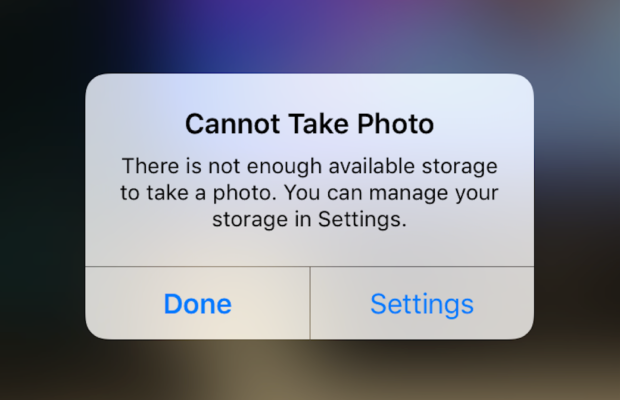
    When you go to take a photo using the Camera or any other app like Instagram, WhatsApp etc on your Apple iPhone or iPad but while doing so if you find an error message which says “Can’t Take Photo – There is not enough available storage to take a photo“.  You can manage your storage in Settings. Now you might get confused about what to do. Don’t worry because your savior(which is me by the way) can help you with this simple steps to Fix Cannot Take Photo.

    Why Can’t I Take Pictures on my iPhone

    I got an issue “my iPhone wont let me take pictures because of storage“. To fix this issue you need to remove some unwanted files and free up the storage. So choosing Settings on this message will provide you with a list of apps and the amount of storage they are using. You can also reach this screen at any other time by going to Settings > General > Usage.

    If you want you could select an app that is taking up a large amount of space(basically browse which apps take up the most space or an app that you can delete (deleting pictures or videos and music also creates extra space)) and then click on Delete app. That could or could not free enough storage to fit photos. Moreover you may not want to do this in case you like and value every single one of your apps.

    Read Also:

    How to Factory reset iPhone without password or iTunes

    Record iPhone iPad Screen on Windows & Mac

    Quick Fix Cannot Take Photo Problem on iPhone and iPad

    In majority of the cases iTunes(your culprit) is loading your device with music and regularly causing this message to appear when you use the Camera or any other app.

    You would free some space while you are out and by deleting some unwanted music from the device. What I to do is locate an entire album that I can live without and delete it using these steps(which is obviously hypothetical in my case ).

      • 1) Open the Music app on your iPhone.
      • 2) Select a particular artist (if you downloaded them legally) that has songs stored on the device you would like to delete.
      • 3)You can also locate a music track that is already stored on the device but if the track has a cloud icon that means it is not stored on the device(probably stored on iCloud). You will have to find tracks that do not have this icon.
      • 4) You then have to swipe left across the name of the song. A button is bound appear that says Delete.
      • 5) You than have to tap delete(putting a stone on your heart) and the song is gone forever. Repeat these steps any number of times unless you have freed enough space.

    Read Also : Best iTunes Cleanup Software for better iTunes experience

    Fix Cannot Take Photo Problem on iPhone and iPad Method 2:

    1) Connect your iPhone to a Mac or Windows PC which has iTunes installed already.
    2) Open iTunes(most complex step of this method so be careful :)).
    3) Select on your device then choose “Music“.
    4) Uncheck the ‘Automatically fill free space with songs‘ button(Though I think it would be a checkbox).
    5) Choose ‘Sync’.

    If these steps do not fix storage error message from regularly appearing then you might need to remove some apps, photos maybe even videos from the device(Unfortunately you have to set your priorities).

    Using iMyFone Umate

    iMyFone Umate is a special memory cleaner for mac and is highly recommended for increasing storage space on the device and cleaning up the unwanted phone memory. All I demand is that you have to follow these few simple steps and your phone will be new:

    • Connect your phone to open the cleaner.
    • iMyFone Umate will do a quick scan.
    • With one click, all the junk files and unwanted files will be removed.
    • It clean many hidden temporary files with a click
    • It clear’s the junk files to improve iPhone performance

    Some other programs are:

    • Photo manager

    It basically compresses the images/photos compressing the size of each photo.

    • App manager

    It has a one click mechanism to mass remove all the unwanted Apps.(If you have any)

    Hopefully the above given methods would serve your purpose but if you want something extra then below are some extra tips.

    To exchange information on one iPhone with other are extremely valuable for you on the high probability that you need to duplicate substance from old iPhone to new purchased iPhone /iPhone Plus. You might want to replicate information. For instance songs, photographs, from your personal iPhone to a new iPhone.

    iCloud goes down your iPhone once every day. Since it is a good idea to reinforcement your old iPhone to iCloud one last time before moving. So nothing is passed up as a major opportunity. In the Settings explore the iCloud storage and Backup opportunities and tap on Back up. This may require significant investment relying upon the measure of information to be replicated.

  • Android Vs iOS – Pros & Cons of Buying Android Vs iOS

    Android Vs iOS – Pros & Cons of Buying Android Vs iOS

    Android Vs iOS      

    When we think about buying a mobile , our first consideration is all about to buy whether an Android mobile or iPhone . So there is always a comparison between Android Vs iOS .

    Here we will discuss about ios vs android comparison and thus android vs ios pros and cons which can help you to understand ios vs android which is better .

    Android

    As you all know Android is one of the best operating system from Google which is based on Linux Kernel . Now almost many devices run on this Android OS. Currently 99.6% of new smartphones runs on android and there are 2 billion Android users across the world .The main reason for this popularity is that it is very cheap compared to iOS devices and it is open source .

    There are over 2.8 million apps  in play-store . Android application can be made with java , c and c++ languages . Android has been the best selling OS in tablets since 2013 . Android has given numerous updates to add new features and fix bugs .

    Read Also : Google Pixel WiFi Calling Enable and Disable

    Read Also : Android Oreo Features to fall in love with Android mobiles often

    Android name its versions after the name of dessert in alphabetical order for eg. Cupcake to Android Oreo . Android OS is widely been used in many devices like smartphones , also popular in Android TV , Android Auto and Android wear thus we can see an increase in Android users day by day . One of the catchy things of Android is that one can customize anything according to his/her need , like one can change the OS of the device. These features make Android different and most popular mobile OS in the world.

    Read Also : How to Use Google Assistant on Android Devices (Without Root)

    Now we have discussed about Android before we talk about Android Vs iOS , we will take a rough look on iOS also .

    iOS

    iOS ( iPhone OS) is a mobile operating system developed by Apple Inc. It has been unveiled in 2007 for iPhone and later it has been extended to support other devices such as the iPod touch released on September 2007 .

    Apple has also been praised for its accessibility functions that enable a person with hearing and vision disability to use it’s product properly. ‘Be my eyes’ ,’Dragon dictation’ are some good examples of that. iOS is best in terms of data security . One have to use iTunes desktop app to share media, thus making media transferring very difficult. iOS releases its versions annually .Current version is iOS 10 and It is available on various devices of iPhone like iPhone 5 .

    Read Also : Backup Android Device to PC or Google

    Now on the iOS series latest is iOS 11 which is the latest iOS version .

    Pros & Cons of Buying Android Vs iOS – Which is better Android Vs iOS

    Here is the pros and cons to before you chose between Android Vs iOS when considering to buy your latest smartphone .

    Pros of Android 

    1. Open source and easily customized : It is based on Linux kernel . It is an open source you can get millions of free apps there . It is easy to customize. One can even have access to even boot loader. The more number of apps increase choice and this is one among the top catchy factors of android.

    2. It offers expandable storage with several phones: Normally most of the android phone offers expandable storage so that we can store more and more which iOS don’t offer .

    3. Wider choices of phones are available in the market: There are a huge number of android phone companies are available in the market like SAMSUNG, HTC, MICROMAX and many more  which in-turn offer users more choices while iOS is only available on Apple devices.

    Read Also : Google Traffic : How to check traffic to work or home

    4. Large number of user leads to large number of developers for android: Large number of android user also leads to large number of developers because of increase of android phone demands and their apps.

    5. Very cheap and easily available then iOS: Android phones are very cheap in comparison to iOS phones . One can easily get a good android phone under 10k .

    Cons of Android 

    1. Higher chances of malware:   Android phones allows installation of third party apps which can harm data and increase chances of malware .

    2. Different interface for different phones:  A large number of interfaces is available for a variety of mobiles.

    3. Patchy support :   Support and assistance services are not good as compared to iOS due to huge number of customers . It’s patches are easily available.

    Read Also : Fix “Voice search has been turned off” error for google now

    4. Don’t have any special features for disable persons yet :   Like any other iOS phones no android phones have features for disable persons yet .

    Pros of iOS

    1. Apple itself optimize its both hardware and software: Apple itself optimize its every iPhone hardware and software . It blocks installation of third-party app stores. This leads to its better quality and performance.

    2. Curated app store : Very well curated app store . You can get a lot different choices which you can’t get anywhere else. The iOS phone needs to be jail-broken if we want to download apps from other stores.

    3. Very few chances of malware : Apple optimization decreases the chances of malware.

    4. It has a good user support : Apple provides its user a very good support . It provides icloud support to its user which can store upto 5GB files automatically.

    Read Also : Android boot Fix – Steps to Try When Your Android Won’t Boot

    5. Features for disable persons in iOS makes it more popular: It has some features and apps that can help disable persons to use iPhone conveniently like ‘be my eyes’ and ‘dragon dictation’.

    Cons of iOS

    1. We can’t extend storage in an iOS phone : iOS phones doesn’t support external storage means we cannot expand storage with the help of memory cards.

    2. Walled garden ecosystem: It means that the iOS carrier or service provider has control over the applications and content .

    3. Limited customisation : We can’t change its OS or can’t make more changes unlike android phones.

    4. Most of the apps you have to buy from it’s store as it is not open source like android : Very few apps are available for free most of them you have to buy from it’s store and you can’t share these apps .

    So this will help you to choose between Android or iOS .

  • Fast Forward , Rewind , Scrub Music in iPhone & iPad Music Player

    Fast Forward , Rewind , Scrub Music in iPhone & iPad Music Player

    Fast Forward , Rewind , Scrub Music in iPhone & iPad Music Player

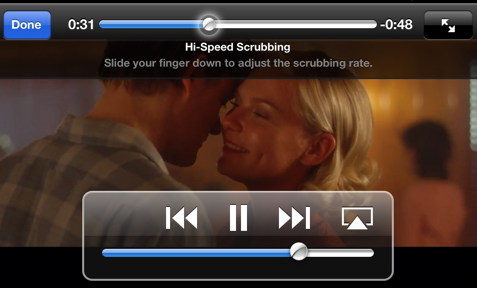
    If you have an iPhone and have listen to music in iPod before you would know that any song playing from the iOS Music app various operations like Fast Forward , Rewind , Scrub Music can be performed easily. In the case where you want to play a song in rewind or fast forward a song you can do either of them right from the lock screen of your iPhone or iPad Music Player or iPod touch as well.

    These are really useful feature but I do not know why some lovely people find it so hard to find the location of the feature that they think there is practically no way to do it but you can do it though and here are my simplified steps to do them for various different versions of iOS.

    Read Also : Factory reset iPhone without password or iTunes with data backup

    Read Also : Connect Google Pixel to TV Easily with these Exclusive Guide

    Fast Forward , Rewind , Scrub Music in iOS 7 & Higher

    •  You have to start the music or simply play the track you wish to listen and then might wish to fast forward to your favorite part and rewind it again to listen it.
    •  You then have to swipe the Control Center above by simply swiping from the bottom of the screen and then upward.
    • You then have to swipe either left or right unless and until the track which you are currently playing is displayed on your screen.
    • Now finally you have to drag the ball on the music timeline bar to your desired spot. Another way is that you have to first tap and then hold the fast forward or rewind buttons as well to skip ahead or backtrack respectively as per your wish.
    • Do speed scrub so that you can Fast Forward , Rewind , Scrub Music in iPhone & iPad precisely .

    This is the way to Control iPhone Music through Control Center.

    Read Also : Best iTunes Cleanup Software for better iTunes experience

    Fast Forward , Rewind , Scrub Music in iOS 6 & Lower

    • You have to hold your device in a proper portrait orientation .
    • Now when your song is playing in the iPod you will notice that the album art will appear somewhere on your screen and if you find that there is no album art then a music note appears instead of album art. Then you have to tap either the album or the art/note whatever you are playing.
    • After completing above two steps successfully you will see a small bunch of features about which you might not be aware of. If you look closely you will find a line of them that indicates where on the music length of track your song is being played. Now as per your requirements you can now drag the ball back or forth to fast forward or rewind whenever you would want.

    You can use these ways to Fast Forward , Rewind , Scrub Music in iPhone , iPad Music Player of all iOS versions .

    Read Also : 38 Best iPhone games you should play

    In the end I will conclude that by using my simple methods you can simply fast forward or rewind any song on an iPad or an iPhone whenever and wherever you want with the exact speed you want and as per your mood you select the speed. So use these techniques yourself and share them with other people so this information can be useful to mas many people as possible.

  • iOS 11 Vs Android Oreo – Who wins gadget lover’s Heart

    iOS 11 Vs Android Oreo – Who wins gadget lover’s Heart

    If the world is growing with 2x speed then our technology is growing up with 10x speed. Whenever we think about mobile OS the first two things that come in our mind is iOS and Android. In just few days , two leading mobile OS developers of world has came up with two great launches . Firstly Google has released its Android Oreo and then Apple came up with its iOS11. Today we will compare both of them so that you all can decide which one is better for you . But for that, first I will explain both the iOS and Android concept to you . Then will see n detail the comparison between iOS 11 Vs Android Oreo .

    iOS vs Android

    Let’s take a rough look at iOS vs Android before making it precise about iOS 11 Vs Android Oreo.

    Android is a mobile operating system developed by Google and it is based on Linux kernel and is basically designed for touch screen mobile phones whereas iOS ( iPhone OS) is from brand Apple Inc. It has been used in iphone firstly in 2007 and later it has been extended to other apple touch devices like iPad etc.

    Read Also : Update to Latest Android OS : Oreo -Stay with Nougat / Marshmallow

    iOS vs Android Comparison :

    1. When we talk about the storage space in Android Vs iOS ,then android offers expandable storage with several phones by using external storage devices like sdcard etc. Whereas iOS does not support expandable storage .

    Read Also : Backup Android Device to PC or Google

    2. Higher chances of malware : In Android phones we can install third party apps which can harm our data .Whereas in iOS there is very few chances of malware as Apple optimization decreases the chances of malware.

    Read Also : Android: Prevent apps from running at startup(Stop/Disable Apps)

    3. Apple itself optimize its both hardware and software: Apple itself optimize its every iPhone hardware and software. This leads to its better quality and performance whereas in Android Support and assistance services are not good as compared to iOS due to huge number of customers . It gives patchy support.

    Read Also : Android boot Fix – Steps to Try When Your Android Won’t Boot

    4. There is a tremendous demand for Android mobile as well for android apps . One of the reason behind this is the cost comparison between iOS Vs Android . Increased number of users for android has lead to great number of developers for android applications . But in the case of iOS this is not so high so as iOS apps are also less in number .

    From the above comparisons we can find that there are several pros and cons in both Android and iOS. Now we will look about what Android Oreo and what iOS 11 offers and what is the difference between both of them. That is we will study – iOS 11 Vs Android Oreo.

    Read Also : Android Oreo Vs Android Nougat Vs Android Marshmallow Vs Lollipop

    Android Oreo 

    Android new version 8.0 named as ‘OREO’ is a mobile OS currently only available in Google pixels phones. The new version ‘Oreo’ comes up with several improvements in the market. It provides 2x boot speed and can save a huge amount of battery . It also comes up with several catching features like the picture-in-picture (PIP) mode. Oreo also has ‘per app disk space quota’ which automatically delete cached files from apps. One can also snooze notifications with Android Oreo. Oreo also offers some user friendly features like autoFill which can help you to fill form faster. There are so many New Android Oreo features to get acquainted with.

    iOS 11 

    iOS 11 is said to be the next generation version of iOS. Apple’s CEO , Tim Cook said that this update takes the best and most advanced operating system and turns it up to the 11.

    iOS 11 brings several features like ‘Subtle design changes’ which can interface elements throughout the operating system. In iOS 11 the Control center is now customizable and there are options from which we can add a wide range of settings.

    In iOS 11 3D touch integration has been expanded , so we can now do more without opening Settings. Siri has also improved with this update. Now Siri has a more natural voice and is more intelligent than ever.

    Now we have seen a brief about iOS 11 features and Android latest Version Features before going in depth a

    Then the main thing is that how to make the choice which one is better for you because both offers a lot of great features . So now we will compare both iOS 11 and Android Oreo , so that we can make our decision.

    Read Also : Factory reset iPhone without password or iTunes with data backup

    iOS 11 vs Android Oreo Comparison 

    Here we will discuss about the latest iOS & Android version by comparing iOS features and Android features by comparison of iOS 11 Vs Android Oreo .

    1. Notification : Both iOS 11 and Oreo comes up with several improvements in notification settings. In Oreo , there is a new notification channels which allow to control the same type of notifications together at a time . Whereas iOS has removed it’s old notification center completely.

    2. Autofill : Android Oreo feature autoFill which has the ability for apps to autoFill username , passwords and many more things. iOS also has this feature before , but it is restricted to fewer apps like Amazon , Flipkart etc. and all works on Safari only during web surfing.

    3. Multitasking : iOS 11 gave iPad the main priority . It has features like app-switching and split view . It also has a new doc similar to the Mac OS while in Android Oreo, there is nothing new for multitasking.

    4. Picture-in-Picture : Android Oreo has came up with this feature for YouTube , Hangout etc. While this feature has already been released by iOS in its iOS 9 .

    5. Memory Management : iOS 11 provides memory management features like new image and video formats like HEIF (Hight Efficiency File Format) and HEVF (High Efficiency Video Format). But there is no such feature in Android Oreo .

    6. Copy and Paste : We know Android was the first one to support Copy and paste . Android Oreo, makes it easier for its user to copy the text while Apple is the first one to implement user interactions but Google’s Smarter AI has taken it to another level .

    iOS vs Android which is better : iOS 11 Vs Android Oreo

    There are major differences between the two but both of them offer some quality experience to its users. You can choose between them according to your need, if you want more quality and security then according to me you can go for iOS11 but if you want more features and choices then you can opt for Android Oreo .

  • Best iTunes Cleanup Software for better iTunes experience

    Best iTunes Cleanup Software for better iTunes experience

    Best iTunes Cleanup Software for better iTunes experience

    Most of us are iTunes lovers because we can play numerous favourite tracks with iTunes .But its really messy and irritated when you find song duplication in your iTunes library . To fix this and use iTunes hassle free there is a strong demand to use some good softwares for effective use of iTunes. Here we will detail about some of the Best iTunes Cleanup Software

    We need an iTunes Cleaner to Cleanup the identical songs,unnamed tracks & other garbage to release space of hard disk .

    So,that our favourite thing on iPhone doesn’t get dissipated .

    Are you in search of iTunes music cleanup software ?

    Then here’s the right place to find an appropriate iTunes music cleanup software which can help you find cleanup  your iTunes music library by deleting duplicated/identical songs,unwanted tracks & completing music details.

    Why there’s a need of iTunes cleanup software?

    “I  am so frustrated with my phone”, although its an iPhone,but its music library “iTunes” is so messed up.

    There are so many identical songs,unnamed songs,no artist name mentioned nothing at all,its so strenuous to filter the desired track when required,you might have heard this from many.

    If your iTunes library also contains identical songs,unknown tracks,then automatically,it becomes a hub of dissipated data with no record,it will merely fill up your hard disk with junk.And at times disturb your iTunes listening experience also.

    So,to aid you all iPhone admirers,we sorted a list of some popular and professional iTunes cleanup software to help you have the best iTunes experience via managing your iTunes library & music collection.

    1. Wondershare Tidy My Music Review:

    Wondershare Tidy My Music Cleanup software tool is an absolute to help you download albums,artwork,lyrics,fix unlabeled music & identical songs. It allows us to label down songs or unknown  tracks in iTunes library or any local music folder ,where the whole song collection becomes disordered. It is one such tool that can help you to cleanup your iTunes library,customise accordingly and makes it well-organized with advanced acoustic fingerprint search,which can accurately scan & add on the mislaid info.

    Major Attributes:

    1. Systematically fix mislaid & unlabeled music info such as song name,artist .
    2. Group process music collection in large quantity to save time.
    3. Search & add mislaid album to each piece of music easily.
    4. Easily downloads lyrics &adds them to your audio files.
    5. Identify identical songs & delete some unnecessary ones to save disk space.
    6. Dovetail track details ,lyrics with mp3 audio files to devices like iPod,iPad,iPhones etc.

       Pros & cons:

    Pros and Cons of this Best iTunes Cleanup Software is detailed below .

    Pros:

    • Clean up iTines library.
    • Simple to use
    • Instinctive user interface.
    • Rapidly identify correctly.

    Cons:

    • Rarely fails to recognize song correctly.

    Read Also : Factory reset iPhone without password or iTunes with data backup

    Read Also : Connect dual displays / monitors to one computer on Windows & MAC

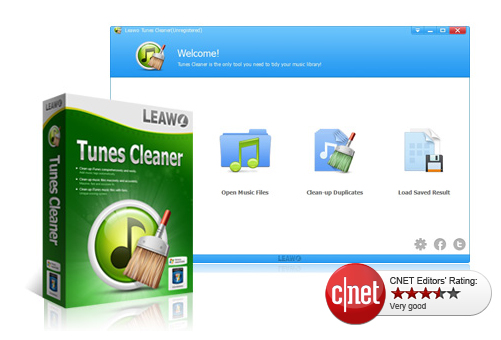
    2.  Leawo Tunes Cleaner Review:

    Analysis: Effortlessly cleanup iTunes & music library junk.

    Its a smart iTunes cleanup program to filter for mislaid album titles/lyrics/metadata, sing tags & identify identical songs etc & can account all mislaid music tags,album artworks & vanish duplicates as soonest as possible. It cannot only cleanup the largest iTunes library ,but also the local song folders.

    Major Attributes:

    • Search iTunes music library automatically
    • Recognize & delete identical songs easily.
    • Ger album artwork for iTunes & other audio files.
    • Download & increase music tags 
    • Allow editing music tags manually
    • Mend & cleanup iTunes with practical attributes .

      Pros & cons:

    Pros and Cons of this Best iTunes Cleanup Software is detailed below .

    Pros:

    • Elementary operation
    • Detach duplicates/identical precisely
    • Substantial manual editor to edit audios

    Cons:

    • Falsely find artwork for some audios.

       Read Also : Cancel / Reverse Venmo payment : When a Venmo payment goes wrong

    Read Also :  Venmo User Guide for Safe Transactions – Venmo payment

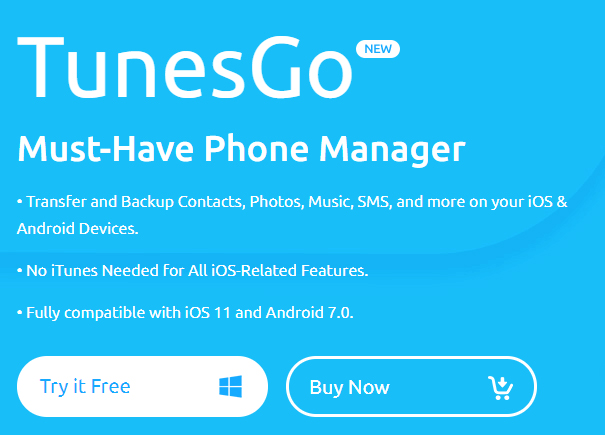
    3. Wondershare Tunes Go Review :

    Analysis: Approriate iTunes guide fir Android & iOS

    It can transfer your iTunes media files (music,playlists,movie,podcasts,TV shows,iTunes U & many more) without limits. TunesGo automatically analyses & cleanup the iTunes song library with one click. It scans the music library & helps you fund out which track needs a fix. You can mend all mislaid & inaccurate music tags.

    Major Attributes:

    • Openly transfers your music & playlists between ios/android devices
    • Download /record music to iTunes from almost all popular sites.
    • Controls iTuneslibrary by music tags & album art,burning music
    • Restore iTunes library from desktop files

    Pros & Cons

    Pros and Cons of this Best iTunes Cleanup Software is detailed below .

    Pros:

    • Audio & video downloads can be done
    • Straightforward yet robust & efficient
    • Cleans up & manage your music collection & any apple device connected to it.

             Cons:

    • It’s little high priced

       Read Also : Factory reset iPhone without password or iTunes with data backup

    4.Neat Music Review:

    Analysis: Most comprehended iTunes housekeeper

    In the era of digital India, with respect to digital music,iTunes is the undisputed champion & is currently used by millions of music fanatics,whether you are using an apple ios enabled mobile device, apple Mac or windows OS enabled computer nothing beats iTunes for wresting downloading & organizing personal audio files . It allows us to extend the playlist to unlimited no. of audio files.

    Even ,with all of its ability ,iTunes is not completely unerring & at times ,it can become disorderly . This is where Neat Music can be most useful .

    Major Attributes :

    • Apply it to find mislead info such as album,titles,tracks etc
    • Gives you the potential to add mislaid album to your iTunes account
    • Aids to reorient dislocated songs into much coherent list
    • Arranges audio lists for all iOS devices including iPhones,iPods,iPads.
    • Automatically corrects any & all mislaid song file metadata.

      Pros & cons:

    Pros and Cons of this Best iTunes Cleanup Software is detailed below .

    Pros:

    • Rapid iTunes music cleanup & organizer
    • Best iTunes music organizer on PC
    • Fetches highest quality album artwork

    Cons:

    • No identical songs cleaner uptil now

    So,if you are an iPhone/iPad/iPod,user download any of the Best iTunes Cleanup Software by today itself, to have the best listening iTunes acquaintance ever.

  • 38 Best iPhone games you should play

    38 Best iPhone games you should play

    When the iPhones were released everybody was looking forward to get something new in it for entertainment. In all other phones, it is very easy to find the games to download and use, that too free of cost. The iPhone is also having enough number of free games to download, but that is not familiar to most of the users. There are so many addictive and attractive games available which can entertain you in your free time. Nowadays everyone is playing games with phones and that is the primary craze as well. The games for iPhones are available in internet. We don’t want to waste too much of time to find the best entertaining game now. There are sites like Torrent from which you can browse and download the Best iPhone games.

    38 Best iPhone games you should play

    Here are the 30 plus Best iPhone games all would love to play .

    1. Clash Royale 

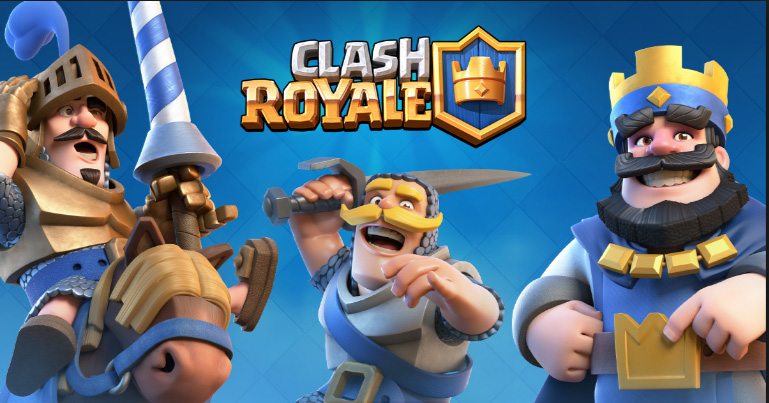
      Clash Royale is now talk of the game industry as recently apple announced Clash Royale as their best game. On the Top 10 best game Clash Royale was there and even Pokemon Go didn’t got into the list . clash-royale-best-iphone-gamesSo that’s really amazing to know that Clash Royale have won the hearts of the majority of iPhone game lovers. Clash Royale is a multiplayer video game. The game is all about destructing the opponent’s king’s towers . It is the best free iphone games.
    2. Reignsreigns

      Reigns also took its position among the Top 10 best games of this year list announced by Apple .It is the best paid iPhone game of the year.  Its a game where you play as a monarch of modern times and take decisions . Here extending your reign is all that comes as your goal.

    3. Temple Run

      temple-run-game

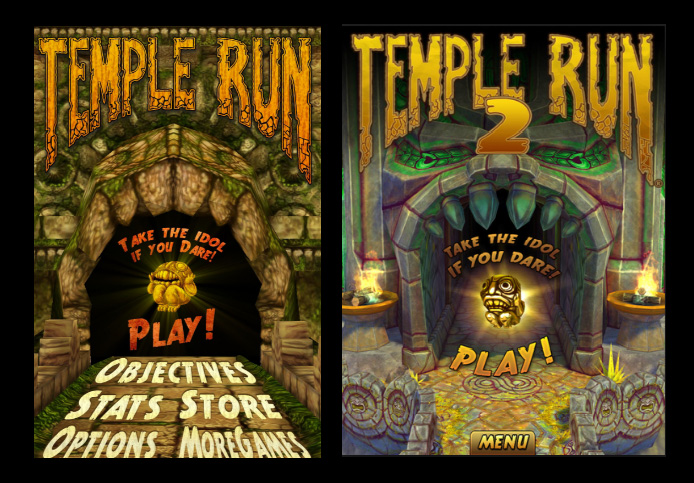
    Temple Run is one of the most popular single player iPhone game under the category Adventure.  You can jump, run and do all kind of gymnastics in this game to clear the obstacles. Temple Run 2 (Version 2) of the game has been released recently and it is very addictive indeed. I think its one of the most interesting game , its not just a game to kill time. But it is really something we play with good excitements , a real game to play. Temple Run 2 is just released and it is extra special as it is one of the best iphone games without internet.

    4. Bejeweled Blitz

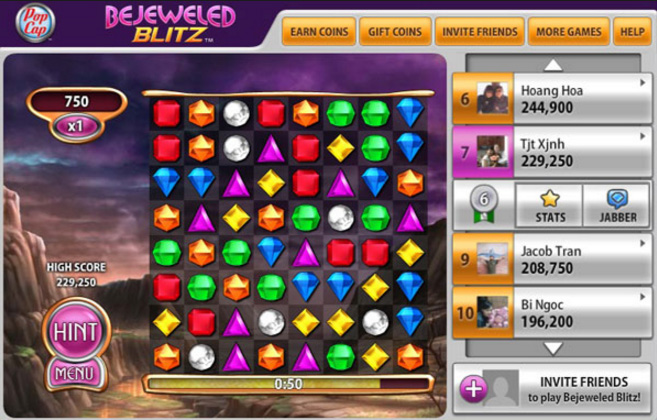
    Bejeweled Blitz is a classic and interesting puzzle game in the iPhone. You have to match the jewels quickly to get more points and to the next level. It is a good time killing game.Almost all single players would love this game for sure.One of the interesting Best iPhone games.

     bejeweled-blitz

     5. Candy crush Saga

    candy-crush

    Candy crush Saga is the most popular iPhone game that has reached its peak because of the social media Facebook. Getting help from your friends by sending them life requests and checking out their levels makes it more interesting.

    6. Angry Birds 

    angry-birds

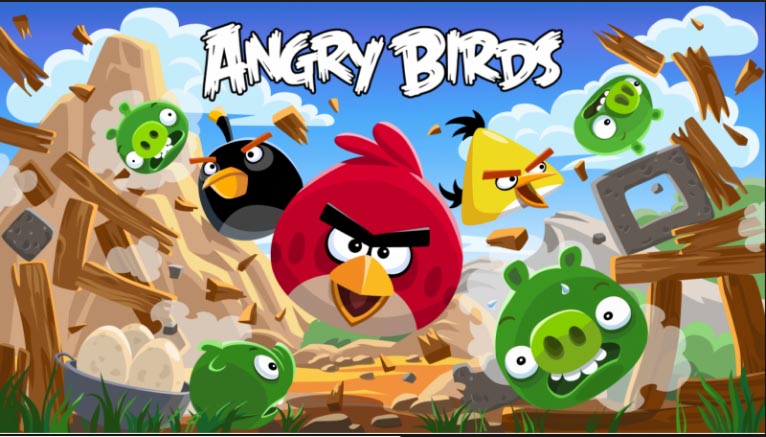
    Almost everyone having iphone must have heard about the Angry birds game as it is that much popular. The first version of this game was developed in 2009. It is a kind of puzzle game where the player destroys the various pigs by using the birds in the field. As the level progresses, various birds with special skills will come to make the game more interesting. Angry birds 2 has also been released recently and you can play it without internet connection. Angry bird 2 is one of the top rated offline iPhone games.

    7. twofold inc.

    twofold-inc

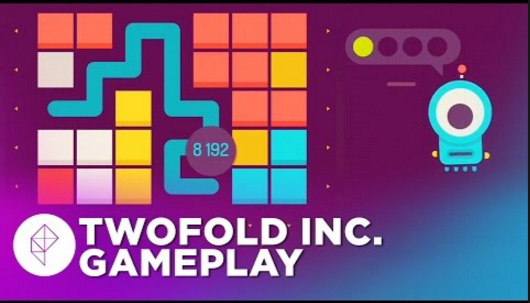
    If you are a puzzle lover than i should say you should not miss this . It is the best puzzle game for iPhone . Not about luck , it is really about smart brain work. Challenging and deep hard puzzles are there before you .This game also took its place on the list of Apple’s best 10 games of the year.

    8. Plants vs Zombies

    plants-vs-zombies

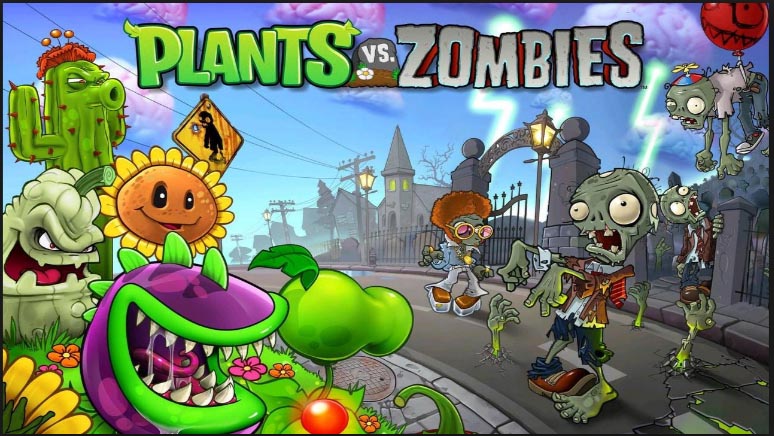
    Plants vs Zombies is also an interesting and different iphone game released in 2009. The game is how to save the plants in the house from the zombies. It is basically a defense game. Version 2 of this game has also been released.It is one of the best iphone game 2016. Surprisingly Plants vs Zombies got a great importance this time , what is so surprising is that this game got into the top 5 games of 2016 . Apple announced their “10 Best Games of the year” 

    9. Real Boxing

    real-boxing-iphone-game

    Are you a great fan of boxing game? Then definitely you should install this game in your iphone to get the feel of real boxing. The effects used in the game are very good in such a way that you get the feel you are playing in a gaming station.It is one of the best iphone game apps 2016 for anyone who wanted to feel the kick of boxing anywhere. So its a perfect deal of game for you if you like to kick and punch .

    10. Clash of Clans

    clash-of-clans

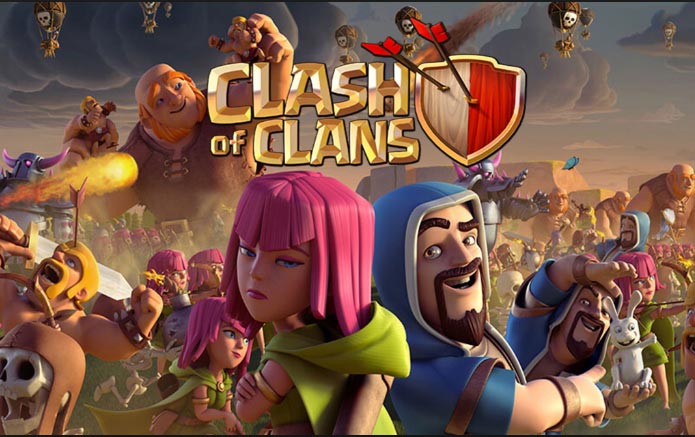
    Clash of Clans is a strategy based video game for iphone which was released in 2012. In this game, you become the leader of a big army and fight with the clans. It is a very interesting game.

    Read Also : All Possible ways to Make Money by Playing Pokemon Go

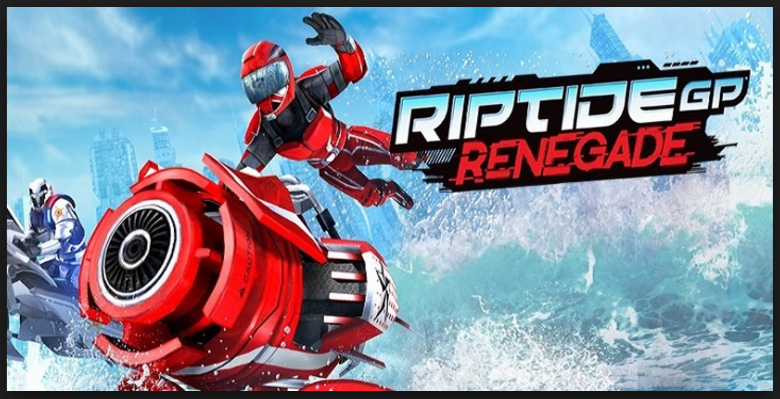
    11. Riptide GP: Renegade

    riptide-gp-renegade

    One among the top 10 iPhone Games of the year which have taken place in the prestigious top game list published by Apple. It is a paid game .If you love to be play sporty game then it is for you . This game gives you the experience of being an hydrojet racer which is so thrilling when its illegal racing game as it involves stunts and chases.

    12. FIFA Mobile Soccer

    fifa-mobile-soccer

    Ideal game for all football play lovers . Experience to play football in your mobile is the highlight of the game . This is one among the best game list announced by Apple .

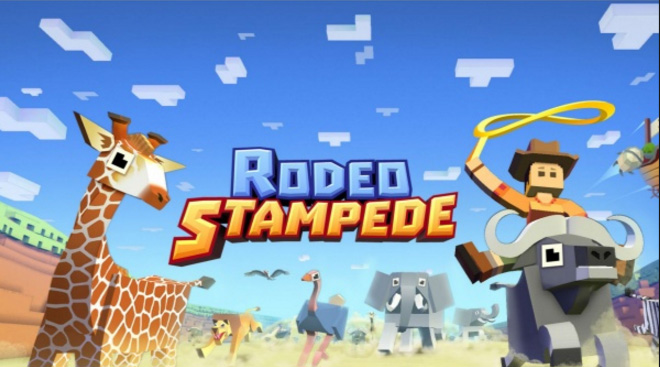
    13. Rodeo Stampede

    rodeo-stampede

    It is the best free ios games which is so cool and rated as one of the top 10 game by Apple recently . Managing a zoo of your own and get rewards . It is all about befriending different animals .

    14. Klockiklocki

    Klocki is yet other best puzzle game on iPhone which also fall into Apple’s best game list of 2016. It is a simple puzzle game which is not gonna storm your mind as it has relaxing music . So that is really lovely about the puzzle.

    15. Steppy Pants

    steppy-pants

    One of the best phone games 2016 its the realistic walking simulator game you will fall in love . It is fun to play the game  and addictive game indeed.

    Read Also : Improve The World With Smartphone -Top 10 Hacks

    16. The Trail

    the-trail

    It is a best iphone games ever because it is really unique . This is not like any other game you have played before . Make fortune , do trade , travel to unknown countries and you even make your own community in this game . Many of us are in love wih this game this year it is one among the top 10 games according Apple’s list.

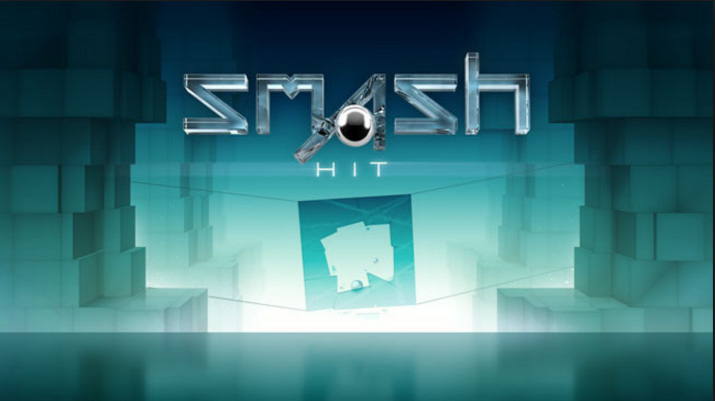
    17. Smash Hit

    smash-hit

    Smash hit is a very popular and most addictive iphone game for young people. In this game, you have to go through many tunnels and experience many attacks. If you throw a marble and if hits the specified objects, you will get a life. Otherwise the game is lost.

    18. WGT : World Golf Tour

    wgt-world-golf-tour

    Many of us can’t go to a golf field and play real golf due to lack of time. Why not play it in your iphone? It is a best 3D golf game and simulates the popular championship leagues in golf.

    19. Spaceteamspaceteam

    Spaceteam is a multiplayer iphone game which involves more than one player. The goal is to save the spaceship from crashing by discussing and spitting tasks between players. It is a good team game. It is one of the most loved Best iPhone games.

    20. iBasket

    ibasket

    The iBasket iphone game is very popular in USA as they are die hard fans of basketball. You can virtually play all the major basket ball tournaments like NBA.Many countries selected this as the Best iPhone games.

    21. Threes

    threes

    Threes is a very simple iphone game but very interesting and addictive. As the name indicates, you have to make three’s by moving cards from the 4×4 tiles. It is a kind of puzzle game.

    22. POLITAIRE

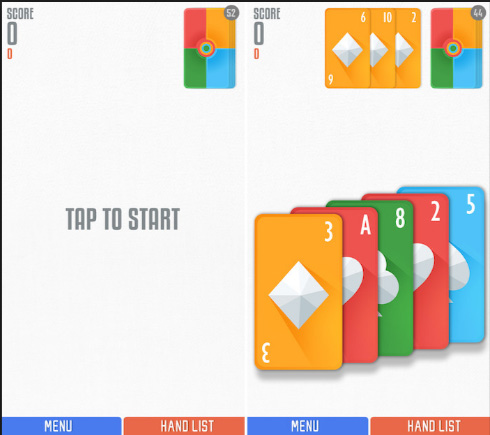
    politaire Sage solitaire is the game that  already existing and POLITAIRE is created as a combination of both poker and solitaire.This game basically needs a little luck, which may give you an opportunity to score combos. It is one of Best iPhone games. In this game without any cost you will be able to play the single-deck game, going forward if you are done with this level, you can buy next level with a cost of around US dollar 1.99. Once you purchase this game you don’t need to worry about the ads which are coming in the middle.

    23. ILLI

    illi

    This game is a complete entertainer as it is very simple to play, at the same time it is having puzzles to solve. Al these makes it absolutely a Best iPhone games.In this game, you just need to tap on the screen to move from one ledge to the other. You must use some tricks to finish the puzzles that are coming in the middle to move on. This will make you more interested. There are 60 levels for you to play and mesmerize.

    24. Outdodge

    outdodge

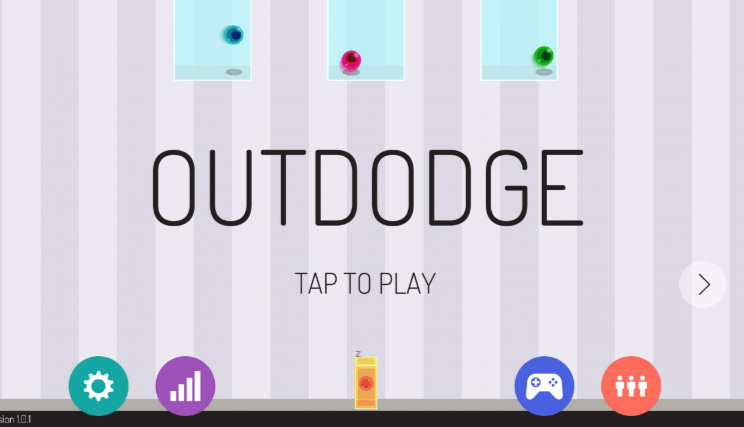
    This game is interesting as it is just the case of how quickly you are moving the jelly so that the ball will not hit it. The balls will be coming from random area and you must either jump or stand in that place without getting hit by the balls.

    25. DINOBASH

    dinobash

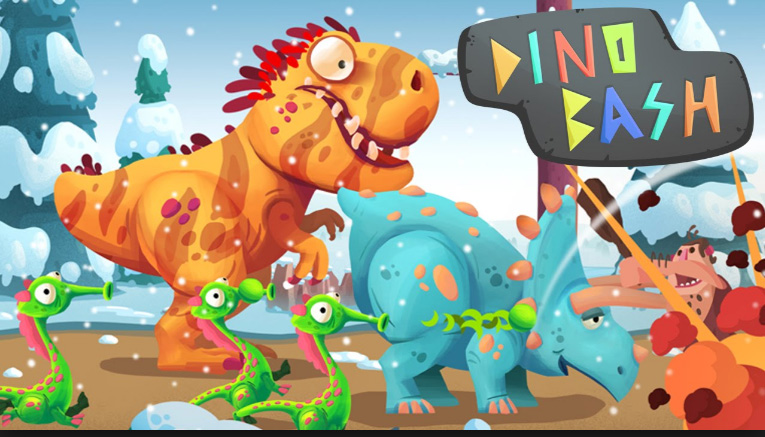
    In this game the dinosaurs are your helper to defend the egg from the attack of hordes of cavemen. You will be getting a variety of dinosaurs with different skills to help you.

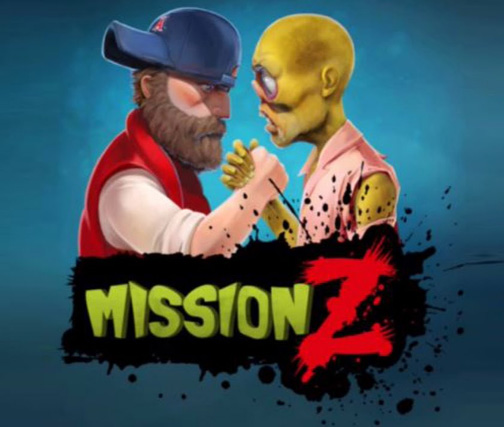
    26. Mission Z

     mission-z

    Mission Z is one of the best iPhone game for those who likes attacking or defending others. This game is all about defending the dead people and staying alive until you reach the next level.

    27. Risky Road

     risky-road

    In this game, we must tap and hold the screen to accelerate the speed of the car and reach the destination without hitting any obstacles. This also one of the best iPhone games that will make us addicted to it.

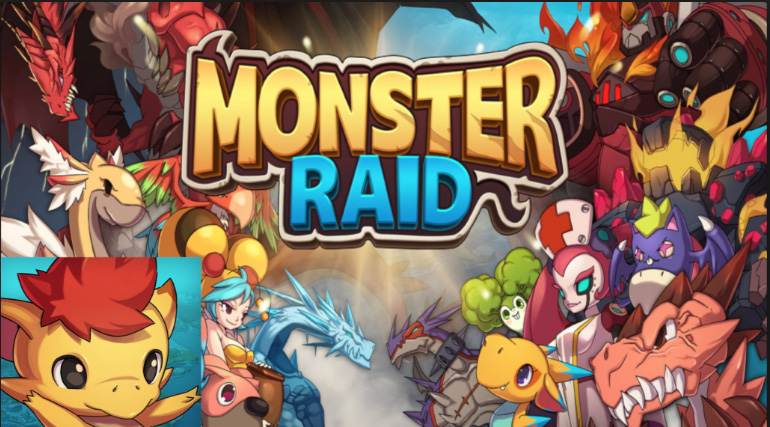
    28. Monster Raid

    monster-raid

    In this game, all you need to do is to create a set of monsters and to explore several islands. On each island that you are going there will be powerful trained monsters which will compete with your team. It is regarded as one of the Best iPhone games.

    29. Loop Mania

    loop-mania

    One of the top-rated games on the iPhone is Loop Mania. This is quite interesting to play as we play through different levels. To increase your score, you must collect as many dots as possible.

    30. Line Runner 3

    line-runner-3

    This is a game which will test our concentration. We need to act against the obstacles in front of us and make the stock man run always without hitting any of these disturbances. The more we play, the speed will get increased and the game level gets harder.

    31.Cube Escape Theater 

    cube-escape-theater

    This game is full of puzzles. Those who are interested in playing puzzle games can very well install this. In each of the rooms that you enter you need to tap and check each thing, so that you may get something to store in the inventory or a puzzle to clear.

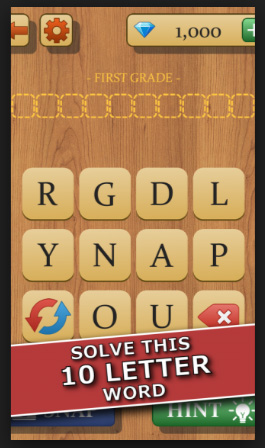
    32. Impossible Words

    impossible-words

    This is a word unscramble game, which will ask us to identify the word that is scrambled without any hints. The word complexity will get higher as you play more.

    33. Spell Spire

    spell-spire

    The spell spire game is an interesting one at the same time will increase your vocabulary also. The more vocabulary you have, you can play more levels in this game.

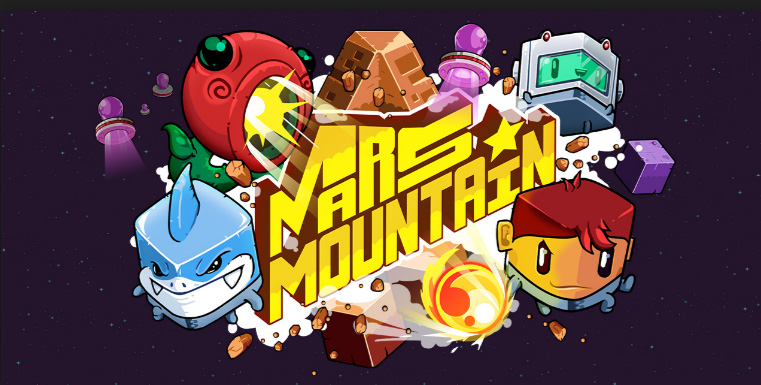
    34. Mars Mountain 

    mars-mountain

    This is an arcade game in which you need to climb the mountains as high as possible by avoiding the obstacles like meteors, cannons etc.

    35. Fear The Walking Dead : Dead Run 

    fear-the-walking-dead-dead-run

    This is a pretty interesting game as it is having more and more adventurous levels in it. All you must do is to keep your man alive without hitting any dead man who is coming closer to you. Just tap on dead man to make him disappear.

    36. Tap Tap Trillionare 

    tap-tap-trillionare

    This is also an arcade game, which is not just tapping and earning points, this will allow us to play something which is almost same as what we are doing in share market.

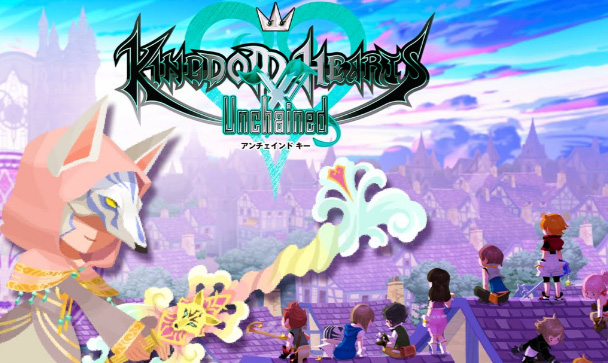
    37. KINGDOM HEARTS UNCHAINED X

    kingdom-hearts-unchained-x

    In this game, we should defeat the opposition by fighting with them and to get the control of the limited light that exists in the ever-darker world.

    38. Slide The Shakes 

    slide-the-shakes

    As the name suggests the player needs to slide the shake and make them reach the specified location. The complexity of the game increases as you play more levels and the scores can be used for getting special skills.

    There are so many varieties available nowadays to choose the best one for you. One thing that you must think before downloading any games from the internet is that it should not do any damage to your phone. So many viruses and harmful sites are also existing, which will cause damage to your phone. The only way to find the right one for your phone is to make sure about the rating given for the game.

    So hope we have come across about most of the favourite and Best iPhone games that all of you would love to play.


  • Mock location app for Android & iPhone to fake location

    Mock location app for Android & iPhone to fake location

    GPS Tracking is not something new for the present generation , most of the applications we use these days like Facebook , WhatsApp , YouCam all tend to track your location . But there are some instance in which we really don’t want to reveal exact location . Sometimes we want to fake location , for this you can make use of the certain Mock location app for phone .

    GPS Spoofing or location Spoofing is more popular after Pokemon Go game has hit the market . Whatever may be your purpose here is certain applications that are best Mock location app for Android & iPhone to fake location / mock location .

    Read Also : Pokemon Go Earning methods works for Pokemon Lets Go

    I seriously won’t recommend in using fake GPS location but for certain GPS games you can change GPS location with the help of certain location spoofer apps .
    How to Spoof location on Android ?

    You can spoof location on Android by certain ways like –

    • With the help of developer options
    • Using Location spoofer apps / mock location apps

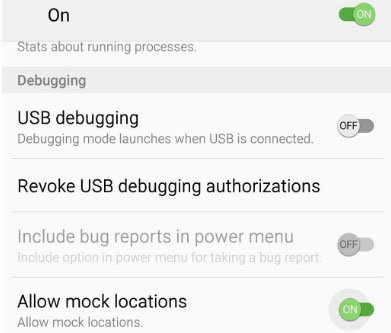
    You can fake android location of your phone by enabling Allow mock locations . So that any of the location spoof apps can work on your device to give a totally different location as per your choice . So on your Android developer option do certain changes within the settings just as given below –

    • In order to allow mock locations – Go to About from Settings 
    • Repeatedly tap over the Build Number so it would give out a message as You are now a developer 
    • On your device developer settings toggle on the Allow mock location

    You are done with it .

    Read Also : Disable Developer Mode on Samsung Galaxy

    Read Also : Google Maps List Create, Share and Edit on Desktop & Mobile Now

    How to Spoof location on iPhone

    You can fake iOS location by jail breaking iPhone else take a Apple developer account and apart from this you can use the iOS location spoof apps .

    Mock location app for Android & iPhone to fake location

    There are so many best fake GPS apps to change location on your phone

    Android fake location apps

    Check out the apps listed below that are best to spoof location on any android device .

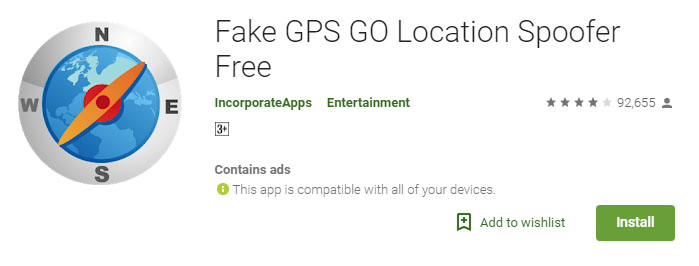
    Fake GPS Location Spoofer

    This has both paid and free versions . If you want to use this for playing Pokemon by location spoofing then you should go for paid version . Because the free fake GPS Location spoofer app is good at masking your GPS location . The paid version costs you about less than 5 dollars (most probably 3 dollars) .

    Make sure you have already worked on your Android developer option settings before installing , so the task would be very easy for you .

    You can get both free Fake GPS GO Location Spoofer app and premium version

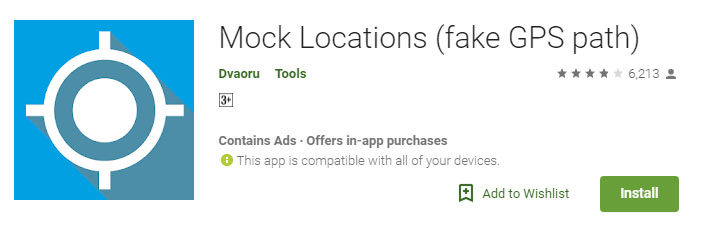
    Mock Locations (fake GPS path) App

    Mock location fake GPS path is available as free version just for 24 hours from the time of installation . And you can trial the premium version and check out is compatibility with your device before you buy premium mock location app version.

    Fake GPS – Fake Location

    You can use this to fake android location by simply searching for the location you want to set as your location , or you can even move the red dot to the location you would like to choose and set it .

    This works well to fake Facebook location or to fake Whatsapp location . In case with certain games this won’t work well .

    Fake GPS Location- Hola

    Not only a Fake GPS app but also ideal for stranger chats . You can choose between a wide list of locations to fake your location .

    While using this keep your settings as Device only .

    iPhone Mock Location Apps 

    Check out the apps that are ideal to change iPhone location or to mock iPhone location .

    Fake location – change your location & address

    This is one of the highly top rated location spoofer apps on iTunes store . This works on iOS 8 and its higher versions. This app is free and it claims that its useful to fake tinder GPS location as well .

    Fake GPS Location

    Fake GPS location app this will be useful to change iPhone / iPad GPS location .This allows you to share the fake location and prank someone . 

    Fake GPS location – Spoofer Go

    This is again a highly good rated iPhone mock location app , this works with iOS 8 and higher OS . You can use this to swiftly change iPad location , iPhone GPS Location and so on.

    So hope these helps you , there are so many other apps but here we have listed out only the top high rated apps .

  • Best iMessage alternatives for Android/ Windows/ Mac/ iOS

    Best iMessage alternatives for Android/ Windows/ Mac/ iOS

    iMessage , SMS/ MMS Alternative on Apple’s iPhone devices is an instant messenger application used to share different types of media files / text with help of mobile data . This iMessage, by Apple Inc is available for iPhone and Mac . Best iMessage Alternatives Applications for different devices is listed here .

    What is iMessage ?

    iMessage in an Apple application developed for instant messaging service by Apple Inc . Best alternative to SMS / MMS service .

    iMessage Encounters Problems with Latest iOS

    Have you felt that after the launch of new iOS version , iMessage functioning is affected ? Many of the users who have updated iOS in their device felt that they face problem with iMessage .

    If iMessage is not working properly then you can rely on some of the best iMessage alternatives .

    On iOS , i mean on your iPhone / iPad you can try these iMessage alternatives for iPhone

    Whatsapp , Facebook Messenger app , Slack , Telegram etc .

    Read Also : Best free calling Apps for all Smartphones

    Best iMessage alternatives for Android

    As iMessage is only available for iPhones and not for Android to compensate that there are many iMessage alternatives for Android those works in a same way like iMessage. Below mentioned are given some Best iMessage Alternatives for Android.

    • Whatsapp Messenger
    • Telegram Messenger
    • Facebook Messenger
    • Google Allo
    • Google Hangout
    • Skype
    • Push Bullet
    • Line
    • Mood Messenger
    • Textra

    Best iMessage alternatives for windows

    Windows also doesn’t have any inbuilt iMessage feature but users can go for alternatives that are available in the market. For windows, below listed apps are best iMessage alternatives for Windows.

    May be in the upcoming years iMessage for Windows will be available as Microsoft and Apple is working on together to make Windows support iMessage version , thus making iMessage for PC possible .

    • Viber
    • Line
    • We chat
    • Facebook messenger
    • Google Hangout
    • Whatsapp messenger
    • Skype
    • BBM Messenger
    • GroupMe

    Best iMessage alternatives for Mac

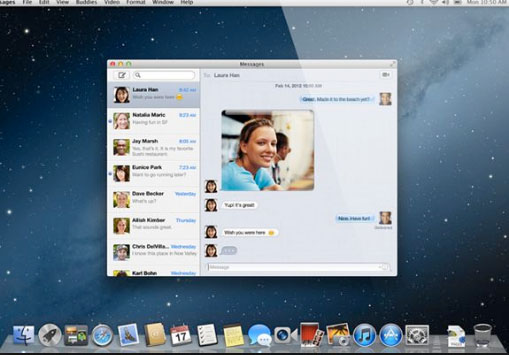
    Mac users can install iMessage app for Mac however still there are iMessage alternatives available for Mac. Some of the best iMessage alternatives are mentioned below:

    • Viber
    • Wire
    • BBM Messenger
    • Whatsapp Messenger
    • Skype
    • WeChat
    • Facebook Messenger
    • Kik
    • Line
    • Google Hangout

    Best iMessage alternatives for Android / Windows / Mac /iOS

    As we already know that there are many iMessage alternatives available for Android, Windows and Mac. So now we are going in depth discussion of some common best iMessage alternative apps that are available for all the three operating system.

    Here is the list of best iMessage alternatives for Android, Windows and Mac.

    Whatsapp Messenger

    Whatsapp Messenger is the best iMessage alternative that can be downloaded on Android, Windows and Mac. This messenger helps users to send and receive message instantly and for it they don’t even have to pay charges as it is free of cost it just need internet connection.

    On Whatsapp you can send pictures, videos, gifs and you can also create group. It also allows you the options of like voice calling and video calling.
    Read Also : WhatsApp Exclusive Guide – Everything about WhatsApp Features

    Read Also : 10+ Best Alternatives to Whatsapp you will love this year

    Read Also : WhatsApp Data Sharing Disable Methods to Protect WhatsApp Data

    Facebook Messenger 

    Almost everyone have Facebook account and Facebook messenger is the second best iMessage alternative available. Facebook messenger helps its users to send message to each other by using internet. You can download it on any platform like Android, Mac and Windows, as it is compatible with all of them. Some of the best features of Facebook messenger are stickers, emoji, voice call, video call, sending link, location, pictures, videos and more.

    Read Also : View Facebook Full site – Facebook Desktop Version on Android

    Read Also : Safeguard Facebook Pictures-Prevent profile picture downloading

    Read Also : Best Facebook Ad management tool – Facebook Advertising

    Read Also : Instagram tips and tricks to be a Pro Instagrammer

    Viber Messenger 

    Viber Messenger is a free messenger that can be install in Android, Mac, and Windows. You can send message in anywhere in the world only by using internet. Viber offers exciting stickers and emoji to share with family and friends. You can also make international phone calls or video calls through Viber. On Viber you can also make a group of approximately 250 people. Some other attractive features of Viber are that you can send audios and video messages to your contacts. Viber Messenger also allows its users to play exciting games on Viber with contacts, followers and people near your location.

    Skype 

    Skype is available for Android, Windows and as well as for Mac. Mainly Skype is used by people to do video calls but it can also be used as iMessage alternative. Skype allows its user to chat, share, voice call, sends giphy and more. So this is the multipurpose app you can use it for calling as well as for messaging.

    Read Also : Skype for Business: Fix “Cannot sign in because the server version is incompatible with Microsoft Lync” error

    WeChat 

    WeChat is one alternative for iMessage, and one can download WeChat on any platform. WeChat is used for messaging, calling people all over the world. It is said to be a all in one app that is used for sending any type of message whether voice, photo or txt, group calls and chats, send stickers from  stickers gallery, share special moments, share location, translate your message in different languages and more. It also assures best privacy policy and one other attractive feature of WeChat is that it allows you to find new friends as it gives options like Friends Radar.

    Read Also : Get Celebrities Notice Maximum on Twitter – Popular Tweeter Hacks

    Read Also :  View Twitter Full Site – Check Twitter Desktop Version on Android

    Hangout 

    Google Hangout also used as iMessage alternatives and users can use them on any platform and device. Hangout allows it users to do free calling, send free messages and do free video calls. By using Hangout you can do video call with almost 10 people at a time.

    Read Also : Google Datally App to Control Mobile Data & WiFi Finder

    So these are some best iMessage alternatives one can use in place of iMessage. All of these iMessage alternatives provide best features so user can have good using experience also. All of these iMessages are good but users can try and select which one is the best for them.

  • How to update iPhone / iPad to the Latest iOS update

    How to update iPhone / iPad to the Latest iOS update

    Apple being one of the famous brand always upgrade Operating system for its devices . As you may be very well aware that the operating system Apple make use of is the iOS . Soon after the release of three new flagship iPhones here comes the most awaited latest iOS version . Here we will learn about How to update iPhone / iPad to the Latest iOS update .

    Answering the most awaited question about iOS 12 release date , the new iOS got released for 2018 also on September . Those who wanted to upgrade iOS and update iPhone with Latest iOS . Then read this piece , because its just written for you.

    The history of iOS versions begins from the release of iPhone OS 1 , iPhone OS 2 , iPhone OS 3 , iOS 4 , iOS 5 , iOS 6 , iOS 7 , iOS 8 , iOS 9 , iOS 10 ,  iOS 11 , iOS  12, the latest .

    Read Also : Improve The World With Smartphone -Top 10 Hacks

    iOS 12 Released 

    Finally the most awaited latest Apple OS for iPhone and iPad is released. After iOS 12 beta now iOS is official . It is evident that most of the iOS 11 supported devices will support iOS 12 .

    You can update iPhone to iOS 12 by checking out whether your iPhone OS can be upgraded .

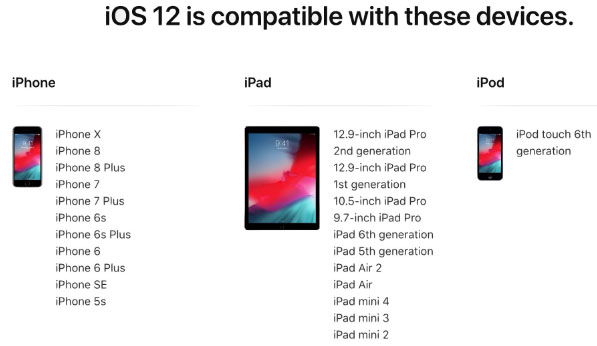
    iOS 12 Supported Device list

    Given below is the devices that use iOS 12 and also list of devices where you can upgrade iOS .Here is the list of Apple devices capable to do iOS 12 download. We will also guide you about how to update iPhone with latest iOS  .

    iPod Touch

    On the series of iPod touch devices the iPod Touch 6 (iPod 6th generation) is compatible for iOS update . You can download iOS 12 for iPod Touch 6 . The iPod touch 6 G that initially was iOS 8 which can be now updated. So you can update iOS 8 to iOS 12 .

    Read Also :  38 Best iPhone games you should play

    iOS 12 for iPod Touch – How to Install iOS 12 On iPod Touch

    In order to update iPod touch with iOS 12 follow the given steps –

    • First take a iTunes Backup / iCloud Backup of your iPod Toch device
    • Install latest iOS (download iOS 12) either by wireless method or by iTunes

    The steps to installation of iOS is same for iphone , ipad and iPod .So read the common section for understanding how to update iPod software .

    iPad iOS update Supported Devices 

    Given is the list of iPad devices that can be upgraded to iOS 12 . So lets see how to update iOS on iPad .

    • iPad Air – Initially used iOS 7 , now this can be updated from iOS 7 to iOS 12

    • iPad Air 2 – Initially used iOS 8 , now this can be updated from iOS 8 to iOS 12

    • iPad 2017 – Initially used iOS 10.2.1 can be upgraded to iOS 12

    • iPad 2018 – Initially used iOS 11.3 can be updated from iOS 11 to iOS 12

    • iPad Mini 2 -Initially used iOS 7.03 can be updated to iOS 12

    • iPad Mini 3 -Initially used iOS 8.1 can be upgraded to iOS 12

    • iPad Mini 4 -Initially used iOS 9 can be now updated from iOS 9 to iOS 12

    • iPad Pro (9.7 inches) , iPad Pro (10.5 inches) , iPad Pro (12.9 inches ) Generation 1 and 2 – Initially used iOS 9.1 can now be upgraded with latest iOS 12 .

    iPhone iOS 12 supported

    Here is the list of iPhone that can be available for iPhone software update to the latest iOS 12 . These devices can be upgraded to iOS 12

    • iPhone 5S – Initially run on iOS 7 can be now upgraded to iOS 12

    • iPhone 6 – iOS 8 to iOS 12 can be updated for iPhone 6 users

    • iPhone 6 Plus – This iPhone 6 Plus users using iOS 8 can update it to iOS 12

    • iPhone 6S & iPhone 6S Plus -Initially run on iOS 9 can be upgraded to iOS 12

    • iPhone SE – updating iOS for iPhone SE is available , here you can upgrade iOS 9.3 to iOS 12

    • iPhone 7 – iOS 10 to iOS 12 software update is available for iPhone 7 series

    • iPhone 7 Plus – iOS 10 to iOS 12 update is possible for even iPhone 7 Plus

    • iPhone 8 – You can update the old iOS in iPhone 8 which was iOS 11 to iOS 12

    • iPhone 8 Plus – iOS 11 is the OS running on iPhone 8 plus hich was available for iOS 11 update earlier . Now you can upgrade iPhone 8 Plus to iOS 12 .

    • iPhone X – iOS 11 was the iPhone X OS , now those who are using iPhone X can update iPhone to iOS 12

    • iPhone XS – iOS 12 is the OS for the new flagship Apple phone

    • iPhone XS Max – This apple flagship phone uses iOS 12

    • iPhone XR – Most modern apple phone , iPhone XR runs on iOS 12

    Why iOS 12 – Best Features of iOS 12 

    The newly released iOS 12 has so many features to make you fall in love with iOS 12 . Let’s take a look at some of the most exciting and best iOS 12 features –

    Navigation Apps is Not Limited Anymore 

    You may be aware that earlier versions of Apple OS has allowed its users to rely upon only the Apple Navigation app , that is the Apple Maps . Those who had voted more for Google Maps on a comparison between Google Maps Vs Apple Maps , can be happy now . Your iOS 12 allows you to use Google Maps and other third party navigation apps with the Apple CarPlay .

    That’s quote a good news , isn’t . Don’t worry we will guide you on how to Google Maps with Apple CarPlay in our upcoming write up.

    Group FaceTime Call is Latest in iMessage Group Chat

    Now , this feature is not live but it will be rolled out soon in iOS 12 . Thus allowing the iPhone , iPad and Mac users to enjoy group Facetime Call with new iOS .

    Read Also : Best Triple Camera Phones to Buy This Year

    iOS with More App updates

    Seriously not a major app updates but yes there are few excellent app updates with the iOS 12 .

    • Apple News App with a scroll option in iPad.
    • Stock Analysis , Performance and top stock related news updates throughout the day.
    • iPad now gets Voice memo apps . Also there is iCloud support to sync your Voice memo with other Apple devices .
    • iBooks turned to be Apple Books . It has got Book store feature and Reading now feature to make it much more easy to use .

    Access Apple TV with Apple Control Center 

    Add Apple TV tile to your iOS 12 Control center , now just swipe and tap to access Apple TV

    Managing Screen Time

    Now iOS 12 lets the Apple iPhone and iPad user to understand the pattern of their device usage time , a clear and detailed summary of how much you have used your device . Also which app you spend more time etc.

    App Limit Feature 

    Along with managing screen time , apple also introduced an efficient and smart feature that allows the users to limit their usage by setting time limit for each apple apps . So that’s how the App Limit feature adds more power to the screen time management feature in iOS 12.

    Downtime Feature in iOS 12

    This is a boon to parents where they can remotely manage their kid’s apple device usage with Family sharing app . The downtime feature in iOS 12 aims at helping parents to limit their kid’s access to apps or websites and even set time to each applications .

    Bye bye to Long list of Notifications

    No more irritating thread by thread notifications to pile up your home screen . Everything is now sent as a grouped notification on a single thread . This single thread notification is one of the best things that happened with iOS 12

    Read Also : iPhone Vs Samsung which is better – iPhone Vs Galaxy Compared

    Do Not Disturb & Critical Alerts

    Set time to enable Do not disturb and toggle on Do not disturb whenever you want to stay away from getting distracted because of mobile. But one better thing is Critical alerts from healthcare persons will work even when your Do not disturb is enabled .

    There are more features like – iOS Photos – For You Tab , Siri shortcuts for iOS 12 , ARKit 2.0 , USDZ format , Add 2 Face Id Profiles , Better password manager , Apple camera app with Improved Portrait mode , better battery health , better QR scanner , Better screenshots on iPhone , New Apple map design , location sharing , Animoji and memoji trends , iOS 12 Siri suggestions improved .

    How to update iPhone / iPad to the Latest iOS update

    Now let us dive into the core topic ,that is how to update iPhone/iPad with latest iOS . Before you do iPhone Sofware update you have to backup iPhone /iPad before you update iOS .

    How to Backup iPhone /iPad /iPod before updating to iOS 12 

    Before you download iOS 12 , You have to backup iPhone /iPad /iPod to prevent loss of data while software upgrade.

    You may be aware that there are two methods to update iPhone –

    1. Update iPhone using iTunes
    2. Update iPhone using iCloud

    Now before that all you need is to learn to back up iPhone / iPad /iPod

    Read Also : Factory reset iPhone without password or iTunes with data backup

    How to Take iTunes Backup of iPhone/iPad/iPod

    To prevent iPhone data loss before you update iPhone or any of your iOS device , take a iTunes backup . Follow the given steps –

    • Ensure that you have updated latest iTunes version , if no install latest iTunes version first .
    • Now open iTunes
    • Connect your iPhone/iPad/iPod to your computer
    • Now you will be asked to verify the computer by entering the passcode .
    • Next you have to enter your Passcode information correctly .
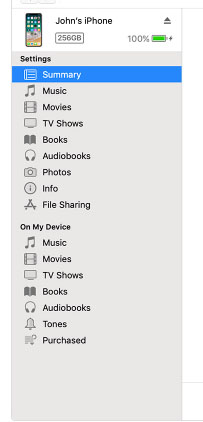
    • Now select your device on iTunes window’s left corner .
    • You have to click on the Summary option that you can see on the left corner of the window
    • At this time yo can see your device information on centre of the window displayed out . Also there you can find an option This Computer
    • Toggle it and below that there is an option Encrypt device backup , Click that and enable tick mark for that to protect it with password
    • Now on Manually backup and restore option click on Backup Now
    • Click done .

    Read Also : Best iTunes Cleanup Software for better iTunes experience

    This is how you can restore iPhone/iPad /iPod using iTunes . Make sure that you do take a back up iphone /ipad before updating to ios 12 .

    How to update iPhone / iPad to the Latest iOS update

    Now let us learn how to download iOS and install latest iOS on your iPhone , iPad and iPod . So i guess you have taken back up of your iPhone . If so proceed on how to download latest iOS ( How to dowload iOS 12 ) –

    • To update iPhone with latest iOS 12 you must either take iClod / iTunes backup of your device first
    • Now to install iOS 12 using iTunes follow the given steps
    1.  Go to iTunes
    2. Plug your Device , that is plug iPhone / iPad / iPod
    3. Now select the device icon that can be found at top left
    4. Go to Summary
    5. Now click on Check for Update
    6. Select Download and update option
    7. Now click Agree button mentioning you agree to all the terms and conditions
    8. Enter your device passcode
    • Now to install iOS 12 using iPad / iPhone software update follow these steps to update iPhone iOS with iOS 12
    1.  Take iCloud Backup
    2. Go to device Settings option
    3. Go to General 
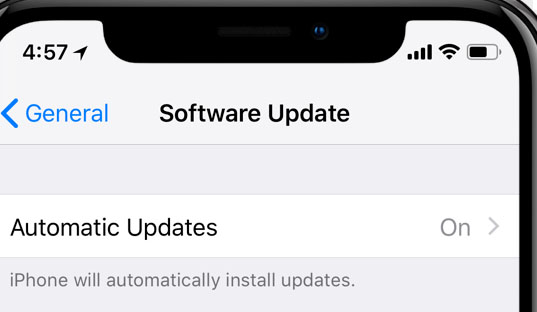
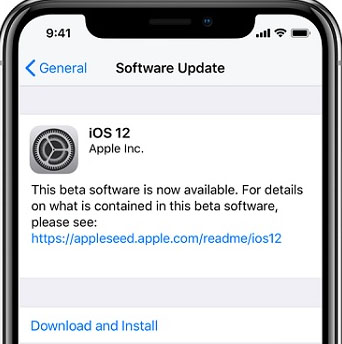
    4. Now click on the Software update 
    5. There you can see and option called Download and Install , just click that
    6. Proceed with entering your device passcode and simple agree to terms and conditions4
    7. Click Agree to confirm

    That’s it , this is how to update iPhone with iOS 12 , hope you are clear with how to download iOS 12 and install iOS 12 .

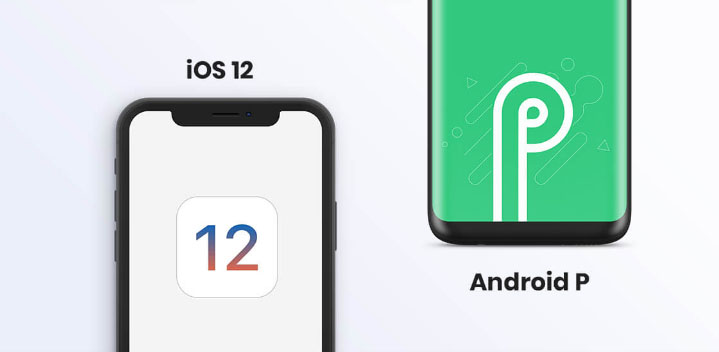
    Android Vs iOS – Comparing Android P Vs iOS 12

    After Android O (Android Oreo) google has released Android P , that is Android Pie , the very latest Android OS . So with the release of iOS 12 , most of the users have a confusion which is the best Android Vs iOS ( On a cross comparison between Android or iOS) . So here we will take a look at Android P Vs iOS 12 .

    Many of the devices are apt for Android 9 Pie as OS . And we have already discussed iOS 12 supported devices and how to upgrade to iOS 12 . Google Pixel 3 XL will come with Android 9.0 (Android P) . And in many other devices using Android Oreo you can update Android Oreo to Android Pie ( Android O to Android P )

    Read Also : Android Oreo Vs Android Nougat Vs Android Marshmallow Vs Lollipop

    Now lets take a look at iOS 12 Vs Android P –

    • iOS 12 Vs Android 9.0 comparison Google’s Android P is the best with respect to maps and navigation performance when your compare with iPhones. So google maps is best when compared to apple maps .
    • While encountering comparison between the virtual voice assistants in Android P and iOS 12 , Android wins the heart . Even though Apple has brought so much of new updates to Siri , still Google assistant remains favourite for majority .
    • Digital health aspects is taken more carefully by iOS than Android , so in that case iOS is winner

    Read Also : iOS 11 Vs Android Oreo – Who wins gadget lover’s Heart

    Read Also : Update to Latest Android OS : Android Pie -Stay with Nougat / Marshmallow/ Oreo

    Read Also : Backup Android Device to PC or Google

    There are more differences that will be discussed separately and in detail .

    So i guess we have given our users a very detailed idea on iOS 12 and iOS 12 supported devices , a cross comparison between iOS 12 Vs Android P & our core point how to update iPhone / iPad / iPod to latest iOS 12.