Category: Tech

  • Fast Forward , Rewind , Scrub Music in iPhone & iPad Music Player

    Fast Forward , Rewind , Scrub Music in iPhone & iPad Music Player

    Fast Forward , Rewind , Scrub Music in iPhone & iPad Music Player

    If you have an iPhone and have listen to music in iPod before you would know that any song playing from the iOS Music app various operations like Fast Forward , Rewind , Scrub Music can be performed easily. In the case where you want to play a song in rewind or fast forward a song you can do either of them right from the lock screen of your iPhone or iPad Music Player or iPod touch as well.

    These are really useful feature but I do not know why some lovely people find it so hard to find the location of the feature that they think there is practically no way to do it but you can do it though and here are my simplified steps to do them for various different versions of iOS.

    Read Also : Factory reset iPhone without password or iTunes with data backup

    Read Also : Connect Google Pixel to TV Easily with these Exclusive Guide

    Fast Forward , Rewind , Scrub Music in iOS 7 & Higher

    •  You have to start the music or simply play the track you wish to listen and then might wish to fast forward to your favorite part and rewind it again to listen it.
    •  You then have to swipe the Control Center above by simply swiping from the bottom of the screen and then upward.
    • You then have to swipe either left or right unless and until the track which you are currently playing is displayed on your screen.
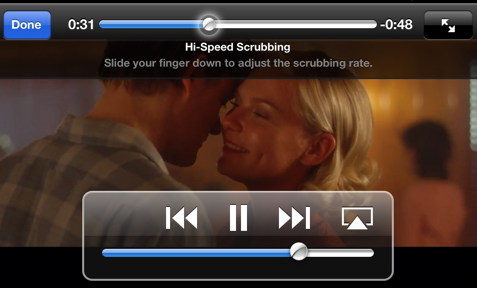
    • Now finally you have to drag the ball on the music timeline bar to your desired spot. Another way is that you have to first tap and then hold the fast forward or rewind buttons as well to skip ahead or backtrack respectively as per your wish.
    • Do speed scrub so that you can Fast Forward , Rewind , Scrub Music in iPhone & iPad precisely .

    This is the way to Control iPhone Music through Control Center.

    Read Also : Best iTunes Cleanup Software for better iTunes experience

    Fast Forward , Rewind , Scrub Music in iOS 6 & Lower

    • You have to hold your device in a proper portrait orientation .
    • Now when your song is playing in the iPod you will notice that the album art will appear somewhere on your screen and if you find that there is no album art then a music note appears instead of album art. Then you have to tap either the album or the art/note whatever you are playing.
    • After completing above two steps successfully you will see a small bunch of features about which you might not be aware of. If you look closely you will find a line of them that indicates where on the music length of track your song is being played. Now as per your requirements you can now drag the ball back or forth to fast forward or rewind whenever you would want.

    You can use these ways to Fast Forward , Rewind , Scrub Music in iPhone , iPad Music Player of all iOS versions .

    Read Also : 38 Best iPhone games you should play

    In the end I will conclude that by using my simple methods you can simply fast forward or rewind any song on an iPad or an iPhone whenever and wherever you want with the exact speed you want and as per your mood you select the speed. So use these techniques yourself and share them with other people so this information can be useful to mas many people as possible.

  • Connect Google Pixel to TV Easily with these Exclusive Guide

    Connect Google Pixel to TV Easily with these Exclusive Guide

    Google Pixel by Google is a range of mobile devices that work with Chrome OS, Android OS. It’s the first official step into phones by the mighty search giant. They are the finest of phones and available on Google and retail stores. Pixel range of electronic devices includes pixel tablets, pixel laptops, and pixel smart phones. They are the best Android devices from Google in the year. Today we will see the ways by which we can Connect Google Pixel to TV Easily with these Exclusive Guide.

    How to Connect Google Pixel to TV

    The Google pixel can be connected to the TV to watch Netflix, YouTube or any screen of your phone on the TV. Unlike the usual phones, Google pixel can mirror the phone screen on the TV. When the Google Pixel is connected to the TV all that’s available on the phone is visible on the TV screen. This is called Screen mirroring . You can Screen mirror Android devices on TV .

    Read Also : Android Oreo Features to fall in love with Android mobiles often

    What is Screen mirroring ?

    It is nothing so much technical and confusing . Screen mirroring device just means you are viewing the same screen on your device on some large size device . Here Screen mirroring Android to TV is to watch/view same screen on Android on your TV screen.

    Connect Google Pixel/ Pixel XL to TV means to Screen mirror Google Pixel/ Pixel XL to TV .

    Now let’s see how to Connect Google Pixel to TV using a wired and a wireless method.

    Read Also : Android boot Fix – Steps to Try When Your Android Won’t Boot

    Non Rooted devices – Connect Google Pixel to TV (Pixel XL )

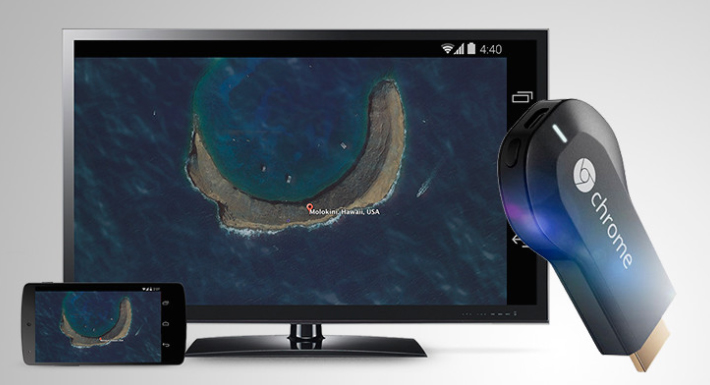
    In non rooted devices, the only way to mirror the screen is by using Chromecast.

    Step 1: Purchase Chromecast hardware and connect to the HDMI port of the TV.

    Step 2: The Chromecast should be connected to the same Wi-Fi network. Connect the TV with a USB plug and download the cast application.

    Step 3: Open the Chromecast app, go to ‘Menu’ and select Cast screen/audio. Chromecast icon will appear in the apps click on it and the data will transfer to the TV.

    This is the way you can connect Google Pixel or Pixel XL or any Android device to TV in non rooted device.

    Read Also : How to Use Google Assistant on Android Devices (Without Root)

    Rooted Devices – Connect Google Pixel to TV (Pixel XL )

    For Rooted devices, Miracast can be used for mirroring the screen. It is possible only if it’s rooted. Miracast is a wireless HDMI that connects the two devices; hence it doesn’t require an internet connection. If the TV doesn’t support Miracast you will need a setup box that supports like Amazon Fire TV, Roku, or even Miracast video adapter.

    Step 1: Install the Build.Prop editor.

    Step 2: In the upper right corner there’ll be an ‘i’ icon click on it and select ‘Add’ and then ‘New’.

    Step 3: Set the property name to ‘persist.debug.wfd.enable’ and set the value to 1.

    Step 4: Restart/Reboot the device.

    Step 5: To cast the screen go to Settings > Display > Cast > Menu > Enable Wireless Display.

    This is the way to connect Google Pixel or Pixel XL rooted device to TV.

    Read Also : Android: Prevent apps from running at startup(Stop/Disable Apps)

    Read Also : Hard and Soft Reset Roku Manual – Fix Frozen Roku Streaming Stick

    Advantages of Google Pixel

    Google Pixel is the best buy for a smart phone. With elegant features and specifications, this phone has captured the hearts of many Android users. It’s not just another android; it’s amazing with a number of advantages.

    Here are some of its unique features:

    • Superior Quality builds and feel.
    • Operational with a 4GB RAM and internal storage of 32GB/128GB and expandable memory of 256GB
    • Excellent Camera (great in low light). 13Megapixel Full HD camera rear camera and 8Megapixel FHD front camera.
    • Fast charging with battery life of 2770mAh
    • Google Assistant that puts even Siri behind in its function.
    • Receive updates as soon as it is available.
    • 24/7 customer service with an added feature of ‘screen share’ for expert guidance during support calls.
    • Fast and super sensitive touch response
    • Unlocking the phone made quick and secure with a smart fingerprint sensor.
    • Pair it with a daydream headset and get high-quality VR experience of games and videos in your personal space.
    • Unlimited storage of original photos and videos with full resolution on Google photos. The updating is done automatically.
    • Easy to switch from iPhone to Google Pixel. It comes with an adapter that you can help plug the iPhone directly to the Pixel and transfer all the photos, videos, contacts, music with just a click.

    Conclusion

    With so many superior features Google pixel is an android one shouldn’t miss. It has brought a new meaning to the android world. Make it yours and enjoy the luxury brought to your feet.

  • Android Oreo Features to fall in love with Android mobiles often

    Android Oreo Features to fall in love with Android mobiles often

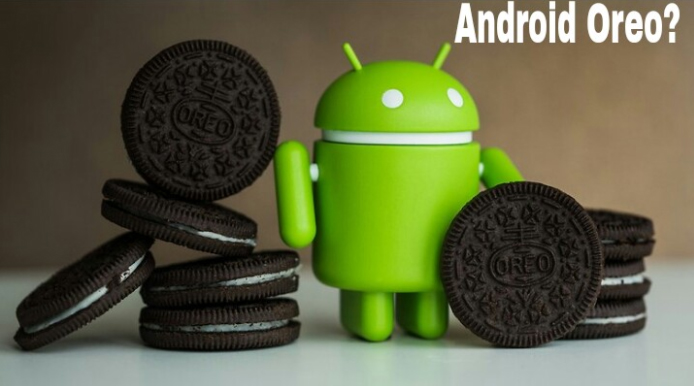
    Android O / Android Oreo the latest in the technology world . Don’t mistake that we are talking about our favourite biscuit Oreo . We are here discussing about the Tech Giant Google’s latest launched Android Operating System . Android Oreo is going to be game changer in the smartphone industry soon with the exciting Android Oreo Features.

    12 Android Oreo Features to fall in love with Android mobiles often

    May be a good battle with Apple iOS latest version OS . We think Android Oreo Features will definitely make many people to fall in love with Android mobiles often. Latest Android OS updated feature is here.

    # Background Limits – High Battery Life of Android Device

    Android mobile Battery drain quickly is one of the great problem faced by all Android users . Finally with the latest Android Oreo battery life is improved with background limits. Now there’s a control on the apps that are running on your background like what can the background running apps do and what not . Thus Android battery life is increased . This is one of the best Android Oreo Features.

    Read Also : Android: Prevent apps from running at startup(Stop/Disable Apps)

    # Picture in Picture Mode as Android Oreo Features

    You can do check your social media feeds , message someone and watch video simultaneously thus your technology boost your multi tasking skill now with Android Oreo Picture in Picture mode . This was available to Android TV earlier now to your mobile also .

    You can do it by watching a video and toggle it on by touch home screen so that the video will be shrinked and played in minimized size or floating player.

    # Autofill API

    Remembering passwords for every favourite website you visit is a difficult task and using apps that remembers the password for all the website is on one hand less secure and on other hand this will make your phone to work slow. Now latest Android Oreo Features has put an end to this issue . Now in Android Oreo it will auto-fill the passwords and thus makes it easy for you.

    Read Also : How to Use Google Assistant on Android Devices (Without Root)

    # Better Security on Android Device

    Now Android becomes safer than ever before . Isn’t it a great thing to feel secure with your Phone . Android Oreo features has taken a deep look into security also . Google play protect ensures that your Android device is completely secured . It scans out the apps that are installed as well as prevent any suspicious malware or virus.

    # Notification Grouped to Channels – Notification dots on Android Oreo

    Notification on android mobile like all notification clubber together can be now customized by the android user . User can make notifications to channels and control it and snooze or even block it individually. Notification dots that was in iPhone is now available for android users also . So you get important notifications to get your quick attention.

    Read Also : Best Apple Watch Alternatives-Affordable Gadgets

    # Snooze Notifications 

    You can snooze Android Oreo notification rather than missing it out forever by dismissing it . Now you can set time and snooze it for 15 mins to hours you want . It depends on your preference to have it looked back .

    # New Android Oreo Emoji

    A completely freshly designed way of emoji is what you have with Android Oreo features. Now you can enjoy the wizard , fairy , dinosaur and even one more favourite emoji to indicate one true emotion tat its the ” bursting head emoji” .

    # Adaptive icons

    Depending on the choice f the manufacturers the developed now get the chance to use any shape of app icon. So cool feature in Latest Android OS update.

    # New Android Camera Shortcuts

    Tap between camera o video instead of boring swipe . Zoom out and Zoom in photo or video easily The latest Android camera feature of double tapping to 50% zoom is really awesome for your perfect click .

    Read Also : Exciting free Photoshop Alternatives for high quality photo edits

    # Play with Octopus

    You can find the Octopus on the Android Oreo by Settings -System – About phone – Android version till you find a large Android O . Now click on the O repeatedly to get an Octopus that floats all over . Cool Isn’t it ?

    # Easy Text Selection

    Just a matter of tap there Android plays more intelligently highlighting the text for you without so much constraint . Thus selecting text has now became more easier than ever before with Android OS Latest version.

    Read Also : Android boot Fix – Steps to Try When Your Android Won’t Boot

    #Excellent system performance speed

    The auto fill feature as well as installed apps on Android Oreo makes it performance more good thus the time consumed to do each task is now falling less . This makes the speed and easiness of this update more visible t the world as better than ever before.

    Here we have listed out the top 12 exciting Android Oreo Features to fall in love with Android mobiles often.

  • iOS 11 Vs Android Oreo – Who wins gadget lover’s Heart

    iOS 11 Vs Android Oreo – Who wins gadget lover’s Heart

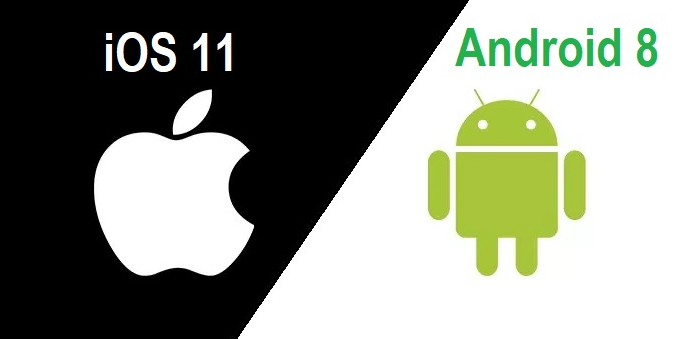
    If the world is growing with 2x speed then our technology is growing up with 10x speed. Whenever we think about mobile OS the first two things that come in our mind is iOS and Android. In just few days , two leading mobile OS developers of world has came up with two great launches . Firstly Google has released its Android Oreo and then Apple came up with its iOS11. Today we will compare both of them so that you all can decide which one is better for you . But for that, first I will explain both the iOS and Android concept to you . Then will see n detail the comparison between iOS 11 Vs Android Oreo .

    iOS vs Android

    Let’s take a rough look at iOS vs Android before making it precise about iOS 11 Vs Android Oreo.

    Android is a mobile operating system developed by Google and it is based on Linux kernel and is basically designed for touch screen mobile phones whereas iOS ( iPhone OS) is from brand Apple Inc. It has been used in iphone firstly in 2007 and later it has been extended to other apple touch devices like iPad etc.

    Read Also : Update to Latest Android OS : Oreo -Stay with Nougat / Marshmallow

    iOS vs Android Comparison :

    1. When we talk about the storage space in Android Vs iOS ,then android offers expandable storage with several phones by using external storage devices like sdcard etc. Whereas iOS does not support expandable storage .

    Read Also : Backup Android Device to PC or Google

    2. Higher chances of malware : In Android phones we can install third party apps which can harm our data .Whereas in iOS there is very few chances of malware as Apple optimization decreases the chances of malware.

    Read Also : Android: Prevent apps from running at startup(Stop/Disable Apps)

    3. Apple itself optimize its both hardware and software: Apple itself optimize its every iPhone hardware and software. This leads to its better quality and performance whereas in Android Support and assistance services are not good as compared to iOS due to huge number of customers . It gives patchy support.

    Read Also : Android boot Fix – Steps to Try When Your Android Won’t Boot

    4. There is a tremendous demand for Android mobile as well for android apps . One of the reason behind this is the cost comparison between iOS Vs Android . Increased number of users for android has lead to great number of developers for android applications . But in the case of iOS this is not so high so as iOS apps are also less in number .

    From the above comparisons we can find that there are several pros and cons in both Android and iOS. Now we will look about what Android Oreo and what iOS 11 offers and what is the difference between both of them. That is we will study – iOS 11 Vs Android Oreo.

    Read Also : Android Oreo Vs Android Nougat Vs Android Marshmallow Vs Lollipop

    Android Oreo 

    Android new version 8.0 named as ‘OREO’ is a mobile OS currently only available in Google pixels phones. The new version ‘Oreo’ comes up with several improvements in the market. It provides 2x boot speed and can save a huge amount of battery . It also comes up with several catching features like the picture-in-picture (PIP) mode. Oreo also has ‘per app disk space quota’ which automatically delete cached files from apps. One can also snooze notifications with Android Oreo. Oreo also offers some user friendly features like autoFill which can help you to fill form faster. There are so many New Android Oreo features to get acquainted with.

    iOS 11 

    iOS 11 is said to be the next generation version of iOS. Apple’s CEO , Tim Cook said that this update takes the best and most advanced operating system and turns it up to the 11.

    iOS 11 brings several features like ‘Subtle design changes’ which can interface elements throughout the operating system. In iOS 11 the Control center is now customizable and there are options from which we can add a wide range of settings.

    In iOS 11 3D touch integration has been expanded , so we can now do more without opening Settings. Siri has also improved with this update. Now Siri has a more natural voice and is more intelligent than ever.

    Now we have seen a brief about iOS 11 features and Android latest Version Features before going in depth a

    Then the main thing is that how to make the choice which one is better for you because both offers a lot of great features . So now we will compare both iOS 11 and Android Oreo , so that we can make our decision.

    Read Also : Factory reset iPhone without password or iTunes with data backup

    iOS 11 vs Android Oreo Comparison 

    Here we will discuss about the latest iOS & Android version by comparing iOS features and Android features by comparison of iOS 11 Vs Android Oreo .

    1. Notification : Both iOS 11 and Oreo comes up with several improvements in notification settings. In Oreo , there is a new notification channels which allow to control the same type of notifications together at a time . Whereas iOS has removed it’s old notification center completely.

    2. Autofill : Android Oreo feature autoFill which has the ability for apps to autoFill username , passwords and many more things. iOS also has this feature before , but it is restricted to fewer apps like Amazon , Flipkart etc. and all works on Safari only during web surfing.

    3. Multitasking : iOS 11 gave iPad the main priority . It has features like app-switching and split view . It also has a new doc similar to the Mac OS while in Android Oreo, there is nothing new for multitasking.

    4. Picture-in-Picture : Android Oreo has came up with this feature for YouTube , Hangout etc. While this feature has already been released by iOS in its iOS 9 .

    5. Memory Management : iOS 11 provides memory management features like new image and video formats like HEIF (Hight Efficiency File Format) and HEVF (High Efficiency Video Format). But there is no such feature in Android Oreo .

    6. Copy and Paste : We know Android was the first one to support Copy and paste . Android Oreo, makes it easier for its user to copy the text while Apple is the first one to implement user interactions but Google’s Smarter AI has taken it to another level .

    iOS vs Android which is better : iOS 11 Vs Android Oreo

    There are major differences between the two but both of them offer some quality experience to its users. You can choose between them according to your need, if you want more quality and security then according to me you can go for iOS11 but if you want more features and choices then you can opt for Android Oreo .

  • Android Oreo Vs Android Nougat Vs Android Marshmallow Vs Lollipop

    Android Oreo Vs Android Nougat Vs Android Marshmallow Vs Lollipop

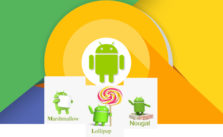
    Android has won hearts of millions of people because of its salient features and new android version updates . Every time Google has something sweet as dessert when it comes to Android update . Can’t say any of the Android was a flop . Because we can still find device that are actively running on its old Android OS version . Now the latest in the Android OS release is the Android O or Android Oreo but still as i said we can find other Android OS devices. So people should still have a confusion on knowing about their Android OS . So to know better about something always a cross comparison can do a great job . So here is the cross comparison between different Android OS – Android Oreo Vs Android Nougat Vs Android Marshmallow Vs Lollipop . And much before version is Android Kitkat we think everyone has moved from that

    Android Oreo Vs Android Nougat Vs Android Marshmallow Vs Lollipop

    So let’s begin to familiarize with the different Android OS on the comparison list . So we can understand how things matches and differs with Android Oreo Vs Android Nougat Vs Android Marshmallow Vs Lollipop .

    Let’s begin with the most recent ones – Android Oreo Vs Android Nougat

    Android Oreo Vs Android Nougat

    Here is the comparison between Android O Vs Nougat.

    Android O

    Android “Oreo” (Android O) is the eighth major version of the Android mobile operating system Preceded by Android 7.1.2 “Nougat”. The name “Oreo” is a result of partnership between Google and Nabisco,the world-famous cookie producer.

    Before going to in depth comparison between android OS versions -Android Oreo Vs Android Nougat , we will see features of different android OS.

    Android Oreo has Picture-in-Picture, AutoFill, Wi-Fi Aware, multi-display support and smart disk space sharing as noteworthy features.
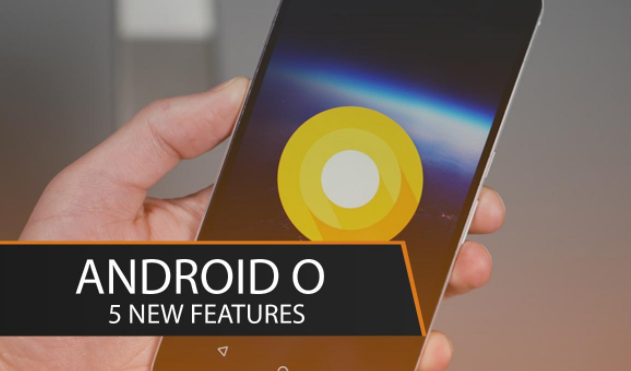
    Picture-in-picture (PiP) mode : This is a kind of special type multi-windows mode. PiP mode was available for Android TV but Android Oreo brings the feature available to mobile also.

    Autofill Framework : It is specially designed for filling out the forms, such as login and credit card forms, much faster and easier.

    Wi-Fi Aware(Neighbor Awareness Networking or NAN) : Android Oreo supports the mechanism for finding other devices in close proximity and also the ability to establish a bi-directional Wi-Fi Aware network connection between them, without using a “traditional” Wi-Fi access point unlike done previously.

    Smart disk space allocation : We encounter problems of running out internal space every now and then, Android Oreo helps improve this by implementing a per app disk space quota for cached data. When the system run out of space and needs to free up some, it will start by deleting cached files from apps that have exceeded their allocated quota.

    Snooze notifications : With those many perks Android 8.0 also allows you to snooze individual notification groups for 15 minutes, 30 minutes, one hour or two hours.

    Android Oreo Vs iOS 11 is the rising trend on the market . So if anyone reading this has  a love for Apple iPhone latest OS then wait till the release date of new iOS (iOS 11) . Before that you can get familiarize with the exclusive features of Android Oreo .

    Android Nougat

    Android “Nougat” ( Android N ) is the seventh major version of the Android operating system Preceded by Android 6.0.1 “Marshmallow”.

    Android Nougat is the version in the android series developed by the giant Google this has excellent features that can make one to forget the previous marshmallow and also it contains extended features.

    Read Also : Android boot Fix – Steps to Try When Your Android Won’t Boot

    Nougat introduces change including the split-screen view  to display multiple apps on-screen together,support for inline replies to notifications, and an expanded “Doze” power-saving mode that restricts device functionality once the screen has been off to optimize battery performance.
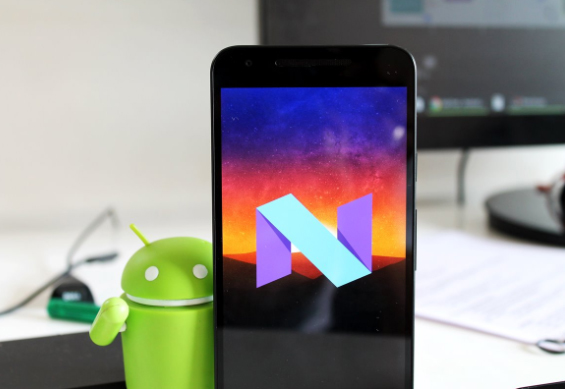
    Night Light mode on Android Nougat turns your display an amber color,
    it does cause less eye strain in dimly lit environments.

    Most Android have had the feature to set one image as a lock screen wallpaper and another as your home screen wallpaper long ago, but Google annexed this feature in Nougat.

    Read Also : Android Vs iOS – Pros & Cons of Buying Android Vs iOS

    Night Light mode on Android Nougat turns your display an amber color.
    It does cause less eye strain in dimly lit environments.

    Now we have seen the features of both now will go to the actual comparison Android Oreo Vs Android Nougat.

    Comparison Features of Android Oreo Vs Android Nougat

    Battery Life– Oreo vs Nougat

    In Lollipop, Google has tried making innovation by minimizing battery consumption. With Marshmallow they introduced Doze, which put devices in a state of deep sleep to save battery and in Nougat its further improved with Doze on the Go .

    Quick Settings – Android Oreo vs Nougat

    Among Noticeable visual changes in Oreo compared to Nougat has ,  is Quick Settings area. While Nougat had the dark and light gray combination for the Quick Settings panel, Oreo altered it out and It’s now white, compared to Nougat’s muted gray.

    Read Also : Google Traffic : How to check traffic to work or home

    Notifications – Oreo vs Nougat

    If you disable notifications for any app on earlier versions it would block all notifications from the app. Which means critical notifications  would also not come through. With Oreo, you can disable  notifications individually of any app so that you don’t get spammed but at the same time you don’t miss out on any critical notifications.

    Read Also : Battery Health : How to keep your phone or tablet battery healthy

    App Interaction – Oreo vs Nougat

    Notification Dots which is the new way of interaction has made taking actions against app easier than ever before. You will get to interact with the app by a long press on its icon.

    It lets user to set custom importance levels for  notification groups.

    Each group has four levels of priority.

    • Urgent: sound and notification pops on the screen.
    • High:  sound and places a notification in the bar.
    • Medium: No sound, but a notification is still placed in the bar.
    • Low: No sound or visual interruption—a silent notification.
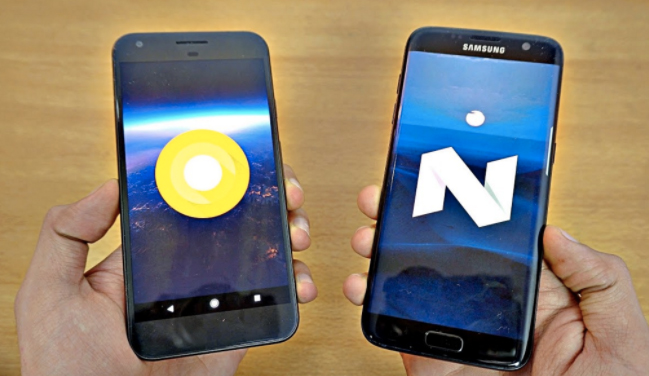
    Installing Apps from External Sources– Oreo vs Nougat

    Oreo aggravates security when it comes to downloading apps and giving free hand to them.In Android Oreo you can individually grant or deny permission to each App.

    Improvements to the Android Runtime– Oreo vs Nougat

    In Android Oreo , the runtime and app loading is faster as much as twice than it was previously in Android Nougat. Animations such as swiping down to reveal the notification appear to have been tightened up, which gives the impression of speed ,however there’s not much difference in other aspects such as switching between applications etc.

    Read Also : Backup Android Device to PC or Google

    App Shortcuts vs Notifications Dots– Oreo vs Nougat

    Notification Dots makes interaction with apps  way more easier. Whenever you get a notification from an app it will be shown by a dot , you need to long press the icon  to see the exact contents and perform actions you wish against that.

    We have seen about the comparison between Android Oreo Vs Android Nougat.

    Android Nougat Vs Android Marshmallow

    Let’s rake up and see what Google added to the repertory of Nougat and where it scored more than its predecessor.

    Battery performance —Nougat vs Marshmallow

    The most annoying thing for Android users has always been battery drain but Google didn’t disappoint in dealing with this problem and has shown its allegiance to Android users. It has added a Doze Off feature which saves your battery whilst the phone is not in use. You no longer have to bother about closing the apps that keeps running if you have forgotten to do so since this feature takes good care of it.

    Read Also : Fix “Voice search has been turned off” error for google now

    This battery saving feature was introduced in Marshmallow and is refined in Nougat.

    In Android 6.0 Marshmallow , Doze activates if the phone has been stationary for a while. Unwanted features like searching WiFi In this state are disabled. For example, instead of Facebook Messenger keeping your phone active all day, it will be forced to perform in intermittent manner.

    Whereas in Android 7.0 Nougat Google refined this feature and it will activate itself if your phone’s screen is off. In this mode, wakelocks are still allowed, and the phone will still search for GPS or Wi-Fi signals, but cell network access will be disabled. This will give your battery a pretty big bump over time.
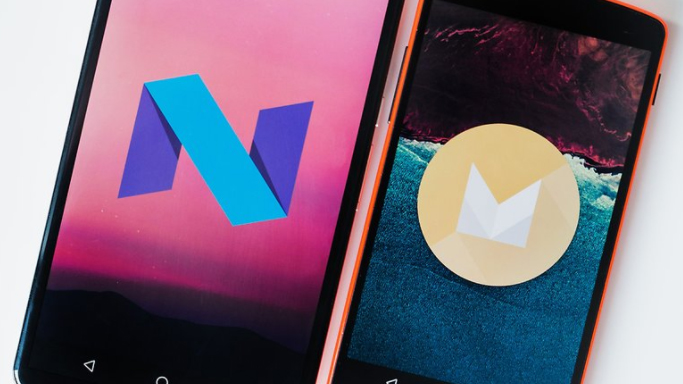
    Multi Window support or Split screen—Nougat vs Marshmallow

    This is the noteworthy aesthetic change that makes Nougat standout. Since now the people are preferring bigger screens and plenty of apps in their mobile phones , this is a sagacious move from Google. You can operate on different apps without switching from one to another as the apps can be snapped to occupy halves of the screen. This takes multitasking to another level and gives completely different feel but Google bought it no sooner than Nougat.

    Other Aesthetic changes,

    1 the keyboard that can change color , you can also embed an image of your choice in the background of it.

    2 RGB settings to adjust the tint on the screen.Screen Tint Adjustment can be used  to adjust screen with color tints.

    3 dpi setting adjustment to expand or compress texts and icons as preferred.

    Read Also : Google Pixel WiFi Calling Enable and Disable

    Notification Panel—Nougat vs Marshmallow

    Badly needed feature and fulsome thanks to Google for neatify popping notifications.This will allow users to view notifications from different apps in a sorted manner.This means notifications from same app will be bundled together just like an unshuffled deck of cards.You can reply to  those email, message notifications  separately and expand notifications to the least like never before.

    Android Marshmallow Vs Lollipop

    Lollipop features a redesigned user interface built around a responsive design language referred to as “material design”. Other changes include improvements to the notifications, which can be accessed from the lock screen and displayed within applications as top-of-the-screen banners.

    Now you can flick up notifications to place them back to the Notification drawer without dismissing them entirely.

    In Android Marshmallow, you can select a bluetooth profile or a wireless network  from the drop-down panel itself.

    Android Runtime (ART) replaced Dalvik for improved performance of applications.

    Read Also : Google Pixel Haptic Feedback / Vibration Mode Enable or Disable

    Security — Marshmallow vs Lollipop

    Android 6.0 has also come up with “Biometric Fingerprint support”.If a user wants then device can only be unlocked by fingerprints. Whereas this option is not available in Android Lollipop.

    Android 6.0 has user defined control over some app permissions. This means users are in control of whether or not an app has access to something such as their microphone or camera.

    Read Also : How to Use Google Assistant on Android Devices (Without Root)

    Status Bar — Marshmallow vs Lollipop

    Users can remove any unnecessary icons from status bar through system tuner in Marshmallow as in Android Lollipop there were icons that remain active in the notification bar all the time which irritated the users.

    Ram ManagerAndroid — Marshmallow vs Lollipop

    Android Marshmallow has brought a change in RAM manager now users can see which app is deteriorating the device performance and which app is using minimum and maximum amount of RAM.
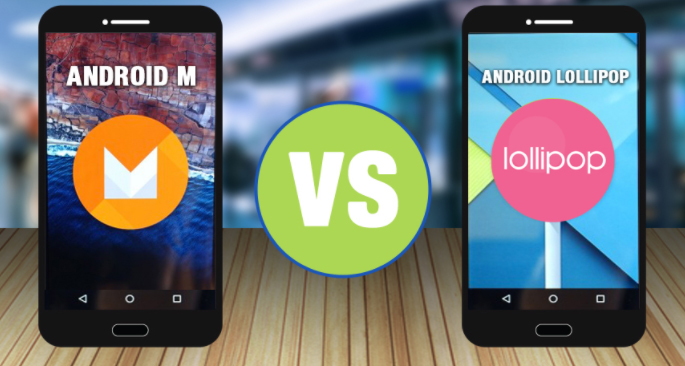
    Volume Controls — Marshmallow vs Lollipop

    In Android Lollipop, users have to tap volume up and volume down to alter the volume but in Android Marshmallow there is a drop down option to let users to set the volume for notification, system volume and alarm. These volume controls will allow users to individually set the volume for apps, music and alarms.

    Read Also : Android: Prevent apps from running at startup(Stop/Disable Apps)

    Each  Android release bought something new to its users because it’s obvious that we expect something better from earlier versions. Each of them might have lacked some virtues but neither of them can be termed as a flop as there are still huge number of devices that are still running on older versions.

    Android Oreo seems scoring Home-Run over other versions when it comes to being handy, nimble ,secure and is the best among others served to us at least by now , but nothing lasts forever and there’s always a possibility of improving otherwise Google would have ceased releasing Android versions long ago if any of them had reached perfection.

    Read Also : Google Pixel Dictionary – Add words / Phrases to Dictionary

    So far Google is successful in living up to the expectations as Android is still the blood and bone of majority of devices and it’s no bad reason for taking proud.

    There are plenty of reasons that Android would be surging in future, But “Perfection” is subjective and  spec and feature list is not enough to make an idea of how good an Android really is or is it the best to each minuscule trait it has got.

    So hope you have got a clear comparison idea about the different Android OS – Android Oreo Vs Android Nougat Vs Android Marshmallow Vs Lollipop .
  • Update Latest Android OS – Top reasons to upgrade Mobile OS

    Update Latest Android OS – Top reasons to upgrade Mobile OS

    Android has come up with even the most recent OS , it is like latest Android OS is the trend everyone look for . This version provides several good and catchy features to Android users and which have attracted many users towards it . We can find the constant demand of android users to Update Latest Android OS

    From multi-window support to improved battery life with Doze, a smarter settings menu, instant apps and many more things attracted every marshmallow user to it. Android releases another version 8.0 named as ‘Oreo‘ which have provided several features better than Nougat. This version provides 2X Android boot speed. It has also improved the problem of operating system update tackles with pesky background activities that drain a huge amount of battery. These things make ‘Oreo’ different from Android ‘Nougat’ and any other previous versions and that’s why every Android user wants to update to Android Oreo .

    Now many of us has a question that why to update to latest Android OS . What’s the need ?. The answer is simple, as the rule says , if you want to be successful , you need to be updated with the world. Every version is the best and it has overcome and fix all the bugs of previous versions. Now with these updates almost every year , we need to be updated and aware of these updates . But for this , firstly we need to learn how to update to latest Android OS. There are several mobile phones which automatically give this update and some don’t give updates as the new Android versions are currently not available for that device  .

    Read Also : Android Oreo Vs Android Nougat Vs Android Marshmallow Vs Lollipop

    Read Also : Convert 3G Phone to 4G Phone to support 4G Sim in 3G Mobile

    Why you Can’t Update Some phones to Latest OS ?

    A device manufacturer writes Android device drives for their hardware to make Android work on their hardware . These are closed-source and the device manufacturer have to himself update them.  It is not possible for Google to release a new version which works on all devices. Some Android versions comes with increased hardware requirements . That’s why sometimes you can’t get update to latest Android OS.

    So now the question is that , what do do with those mobile phones which doesn’t give the latest updates . 

    Today we will show you several methods to update your phone to latest android OS, so that you can easily update your android OS by yourself by following some simple steps .

    Method 1: Updating your Android OS using WiFi ( Update Latest Android OS )

    Step 1: Make sure your device has been connected to a working WiFi network .

    Step 2: Open your device settings.

    Step 3. In settlings , find About device and tap that to open it .

    Step 4: You will find an ‘Update’ option there. Tap it .

    Step 5: Now tap ‘Check for updates’ . Now your device will search for avialable updates.

    Step 6: If there is an update available an ‘Update’ option appears on the screen . Tap on it your update download will start .

    Step 7: Now an ‘Install’ button will appear on the screen . Install the update the device will be rebooted and after successful rebooting you will get updated OS in your device .

    Read Also : Android Vs iOS – Pros & Cons of Buying Android Vs iOS

    Read Also : iOS 11 Vs Android Oreo – Who wins gadget lover’s Heart

    Method 2: Updating using a Computer( Update Latest Android OS )

    Step 1: In desktop browser, open device manufacture’s official website .

    Step 2: Select your device there and download and install device management software .

    Step 3: Now return to the device manufacturer’s website and search for available updates .

    Step 4: Connect your device to the computer using USB cable.

    Step 5: Now open device management application .

    Step 6: Locate the update command . In Samsung phones , you will find this under ‘Tools’ drop down menu .

    Step 7: Click on the update command. After clicking , the update process will start .

    Method 3: Update using a rooted ROM ( Update Latest Android OS )

    Step 1: Firstly download a rooting software and install it in your computer .

    Step 2: Connect your device to your computer using an USB cable .

    Step 3: Open the rooting software in your computer .

    Step 4: Follow the on screen prompts and start the rooting process .

    Step 5: Now restart your device .

    Step 6: Install any Android version you want to use in your device .

    Step 7: Restart your device . Now your device will run on the Android version you have installed .

    Before doing the Method 3 , For precaution I will suggest you all to backup all your data as we know rooting can prove sometime dangerous for your device . It can harm your device and data. So , it will be better if we will backup our data to some USB or hard disk before updating to other android version.

    By using above simple methods and steps you can update any android device to latest android OS to use the more advanced and catchy features of these newer versions. But I will suggest you to first try Method 1 , as it is the safest and natural way to update you device and it will not cause any harm to your device . Method 2 and Method 3 are forcefully methods to Update Latest Android OS which can harm your android device and can lead to data loss . But if the Method 1 fails and you can’t restrict yourself from those catchy features of latest android OS then you can simply opt for Method 2 and 3 .

  • Ramadan Transformative Goals – How to transform yourself into a better version

    Assalamualaikum to all the readers !! We are in the holy month of Ramadan – the 9th month of islamic calender . Ramadan is the most awaited month for all believers of Islam . Though Ramadan is widely known for fasting observed by muslims . I would like to appeal to all fellow humanbeings to consider this month for life transformation . Because its a month full of opportunity to implement Ramadan transformative goals and you can transform yourselves into a better version of yourself

    To start with we know the significance of Quran reading in the month of ramadan . Its a act considered noble . So read and make others learn quran to understand message of quran

    You remember how allah describes Quran as ” Noorun ala Noor – Light upon light “

    Quran is as such a light of wisdom for those perceive it . 

    Do taraweah namaz , and other extra namaz to keep your body engaged in the heat of ramadan .

    Body cleansing happens during fasting as our internal organs are going through a different scientific mechanism in this month with fasting . Now the next part is do a spiritual cleansing of heart as well

    You know we all feel sometimes overburdened , hopeless etc .. but everything can be cleansed with quran and with the remembrance of allah .

    If you feel you have burden of worldly life which is more for you to handle then Remember to read Surah Inshirah ( alam nashrak surah) this will remind you that after a hardship there is a double assurance of ease from Allah . Read the surah Dhuha this surah will remind you that allah has never abandoned you and he will give you till your heart finds satisfaction . This surah certainly has a healing to remove all the stress and hopelessness one feel in their mind

    Then forgive people the way you want Allah to forgive yourself . Grudges should be washed away in Ramadan .

    Hatred never is pleasing in the eyes of Allah , so in case you hatred towards anyone just analyze if it is valid or not . If the hatred is valid forget them and leave the matter to the judgement of Allah . But in case you forgive them then do it with happy heart .

    Avoid all haram things , either it be a haram food , haram hobby , haram companionship or friendcircle that diverts you or even belittle your creator just say PEACE( Salam to them ) move miles away from such activity and company

    Ask forgiveness of Allah – best words as allah says about “there was a sect of people who used to say daily – RABBANA AAMANA FAGHFIRLANA WARHAMNA WA ANTA KHAIRUR RAAHIMEEN . So repeat this dua as you know allah never punishes one while they are seeking forgiveness .


    So make things easy for yourself with the remembrance of allah .

    Stay positive , stay healthy ,happy and may allah open the doors of sustenance to every halal seeker. 


  • Find the best radio station for iPod or iPhone FM Transmitter

    Find the best radio station for iPod or iPhone FM Transmitter

    Find the best radio station for iPod or iPhone FM Transmitter

    Here we will discuss about finding the best radio station for iPod or iPhone FM transmitter for car as well as finding best radio frequencies and best FM transmitters .

    Ever in your life have you ever been driving along in your car listening to your music either in your iPod/iPhone or any other music player with an FM Transmitter. Then one day all of a sudden your heart wrenching song gets interrupted by some disturbance. The radio waves can be really give you a lot of pain and be very annoying when you are using your iPod/iPhone in your vehicle. I am really grateful for some really informative pieces of knowledge which has helped me a lot and I was able to solve this issue. I will solve help you solve this issue with my personally developed methods. So here is the best radio station for iPod or iPhone FM Transmitter.

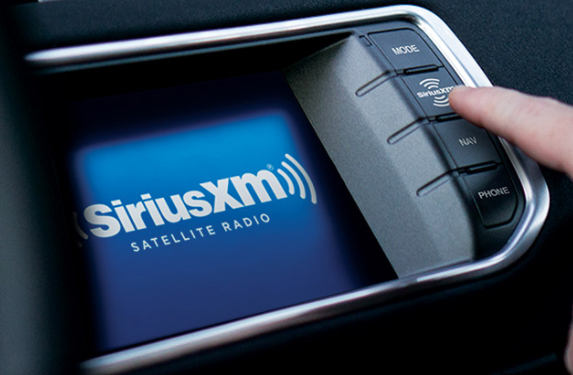
    SiriusXM

    SiriusXM is an app which provides an FM Channel Finder on their online web site where you are able to search for the best possible FM radio channel in or near your area which is relatively safe to use with the SiriusXM’s own Satellite Radio. You can also use this tool to find some really good and amazing radio stations for your personal listening in your iPod/iPhone along with either Zune or any other music player’s FM Transmitter and your work is done. All you have to do is punch in your area code and the this Frequency Finder will provide several available options for radio stations which you can easily program your FM transmitter to listen and then just sit back and enjoy the crystal clear music of your favorite album in your vehicle and then enjoy your ride but if you have an internet connection then whats the point of listening to FM right so here are some other ways which can prove to be of a better utility.


    Read Also : Top Satellite Car Radio Installation and specification guide

    Read Also : Best Smart Home Gadgets for Home automation- Smart home

    Humble FM transmitters

    Humble FM transmitters are the handy little devices which can plug into the dock of the connector either of your iPhone or iPod which basically creates their own sort of mini radio station.

    It transmits whatever song you are playing on your personal iPod app over such an FM radio frequency so that even your car’s radio can tune frequency just like it does generally with normal radio stations but be careful since this frequency has a range of about 10 meters so anyone else can also tune in to the station so try not play some personal phone recording or anything confidential to your life.

    Since these FM transmitters can be used send your music over a range as long as 10 meters which is more than enough for a use in a single car. Only thing you need to be concerned about is of finding an empty band on the spectrum or there is a possibility of a clash with other commercial broadcasts stations which are coming in that area. Every transmitter of FM comes in different shapes, sizes and at different price and with numerous functions. Few of them have charging cables and sometimes even their own apps so that you can select a clear and better frequency.

    You can find the Best FM Frequencies For Your Car Transmitter using –

    • ClearFM
    • Radio locator
    • SiriusXM Channel Finder

    For helping you selecting the best FM transmitter I have been on the road with many different devices and from many of them I am giving here my favorite five and all of them are with different manufacturers just so that you can put them all through the wringer.

    1. Belkin TuneBase FM LIVE

    2. Griffin iTrip Auto

    3. KitSound MY FM

    4. Logic 3 FM Transmitter Charger

    5. Monster iCarPlay Wireless 300

    The above given are the Best iPhone FM Transmitters for Your Car . This help you to find the best radio station.

    Read Also : Best iTunes Cleanup Software for better iTunes experience

    Ease of use

    The easiest of all the FM transmitters which are currently available in the market including the latest transmitters released till the date of this article’s publication it is relatively easier to use is the Belkin and the sole reason for using it is purely because the stand of Belkin basically aligns your iPhone every time in such a way that it is maintained at an eye level. As because of this really amazing feature all you have to do is only glance across at the dock and make a tap on the screen while it is running the Belkin ClearScan LIVE app to change things to set them as per your convenience so that you can easily use this app when required. This will make the accessibility of the so easy that you do not even need to change your iPod app to skip a track a track when you do not want to listen one which undeniably is the best feature of these FM transmitters.

    Most of the griffin generally takes the second place which is all thanks to having this amazing feature through which we can track all of the controls just through your at your finger tips using its own iPhone app. The Monster will come not because of it’s functionality or some other advantages it provides because it is a simple fault in their business model which is UI that is because of its old fashioned and classical display with frustrating control system.

    The concluding part will be that just having a FM transmitter and knowing how to use it is not just enough. You have to know about the utility and mechanisms as well will be useful to all of you in the longer run. So read the above written article as many times as you want and try to understand the basic mechanism of the working of FM transmitters and remember me when you use it :).

    Guess this serves the best in helping you to Find the best radio station for iPod or iPhone FM Transmitter

  • Download free eBooks For My Nooks or Kindle -Read eBooks

    Download free eBooks For My Nooks or Kindle -Read eBooks

    Reading is never an old hobby , but the mode of hobby has moved away from conventional way to latest technology like e-books , audiobooks etc. What more to come is still clueless with rapid AI e-books and AI assisted reading technologies. Reading as a hobby we wish to spend less so always we end up searching in google “how to download free eBooks ? ” “download harry-potter ebook / download best seller novel pdf , download ebook comics pdf  etc ..

    To be honest , my greed for books never end , so as my search queries in google in this aspect is way more funny .

    Download Free eBooks:

    Everything around us has become digital and so we call this a “Digital Era”. Don’t you think even our hobbies got digitized these days? Certainly, from letters to emails; SMS to messenger apps , board games to online games .And what not; from normal library rooms,our reading too has reached levels ahead . So here we are, to give the best on about a digitized hobby- “Reading”. All the Book lovers are requested to turn your attention to the different ways to Download Free EBooks for their Nooks or Kindle.

    But, remember, the fun in reading the Real books, visiting the Real libraries will never fade away from us. How would kids these days ever know enjoyment from such books, as they are already glued their eyes onto virtual ones- eBooks … So if you are being searching for the ways to Download free eBooks for  My Nooks and Kindle here is the solution for that .

    Kids these days have their eyes on certain gadgets from which they can have ‘Virtual Libraries’. They demand for tablets, or something new called Kindle, a new product from Amazon. On Kindle,  they could download free eBooks, they could read it anytime, anywhere.

     Let us get to know more about these ‘Virtual Books’ or ‘Libraries’.

    How To Get Free eBooks For Kindle or Nook:

    Most of Kindle and Nook owners agree that having an e-Reader would tempt you to read more.  However, these are not cheap, costing almost equal to that of hard-copy. There are a few tips to find the free eBooks for Kindle or Nook:

    • Search for “0.00“: This has been the oldest trick. Go to the Barnes&Noble or Kindle bookstore and search for “0.00“. The result would generate a collection of free eBooks which you could directly download into the device.
    • Swap books with strangers: You could find some books with the “lending” feature. Amazon and B&N wished that  lending feature would be enabled among friends. However, there are sites such as BookLending.com and eBookFling.com enable the users to have a list of eBooks and exchange them with anyone else.
    • Check out eBooks from Library: They might seem primitive, as libraries are trending with the provision for services like Overdrive.
    • Find free books online: There are books, more specifically classics like “Frankenstein” under Public domain authorization and have been turned into eBooks for pleasure in reading.

    What is Kindle?

    The Kindle is a chain of e-readers created and marketed by Amazon.com. Kindle devices let the users to browse, purchase, download, and read e-books, newspapers, magazines and other digital media through WiFi from Kindle Store. The hardware,on the other hand, developed by a division of Amazon- Lab126, had started as a single device, presently holds a range of devices,such as e-readers with E Ink electronic paper displays, Android tablets having color LCD screens and Kindle applications supporting all major platforms. Every Kindle device coordinates with contents of Kindle Store and as on January 2017, the store holds over five million e-books available in the US.

    You know in amazon-kindle many a times we can get books for 1 dollar or sometimes amazon-kindle free books are waiting to excite us . This week i have got few of the magazines for 0$ in amazon-kindle . All that it takes is to create amazon-kindle account .

    Read Also : Kindle Fire Silk Browser Alternatives

    Where To Download Free eBooks 

    It has been easier to download free eBooks, than you could imagine; just need to know where exactly to search for  them. There are a few websites which would take you through finding and downloading free eBooks on Kindle to start reading.

    No Kindle? No worries. You could get a free Kindle reading app for the browser, smartphone or tablet. Once the app has been installed, you could download free eBooks.

    If you check into U.S public library, you could download Overdrive Media Console. Being accessible to users of both Windows and Mac PCs, it would link to a variety of public library index, thus allowing to download free eBooks through Amazon. You could view your library’s Overdrive website from www.overdrive.com.

    Read Also : uBlock Origin Replaces Adblock plus(Best Adblock Plus Alternative)

    Overdrive Through Public Library :

    If your public library has subscribed for Overdrive, you could download free eBooks just like checking paperbook. You could use the LibrarySearch option that allows you to find the nearest library giving away Overdrive.

    BookLending :

    This service is similar to Overdrive, used when the library has no Overdrive subscription. Here, you could borrow as well as lend books for Kindle without checking in to your library. You could borrow free Kindle books for 14 days and would be returned to the owner at that time.

    If the classics are preferred, you could check on Project Gutenberg for a start. This version has been there, ever    since the Internet was introduced, having almost 50000 copyright-free eBooks. In OpenLibrary, there are even more choices of downloadable eBooks. An added advantage of OpenLibrary is that it has a lending system as in the real library which would not be seen in Kindles. There is one more ‘virtual’ library called archive.org wherein you could access  historical and other academic texts.

    Goodreads :

    This has a collection of more than 2,500  recent free books, and mostly in Mobi format. ManyBooks.net   is a combination of classics and self-published titles, with around 30,000 in store. More classics and self-published works could be found at FeedBooks. If there are fans of science fiction, they could download free eBooks by the publisher Baen.

    ManyBooks.net :

    This is yet another free website, that has ruled over the internet in finding the greatest and the latest free Kindle books.  Presently, there are over 33000 free eBooks in this website. You could browse free eBooks by the author, title, genres or languages; and download free eBooks as Kindle file (.azw) or any preferred file type.

    Mobipocket :

    As you cannot find free Kindle Books on Amazon easily, Mobipocket is specifically for them. This has been owned by Amazon, listing over 11500 free eBooks. Mobipocket is the only website except Amazon, from where you could download free eBooks  for Kindle. This is quite simple, as all they do is listing the books. The books here are all of public domain and the last set of books added to the catalog was in 2006.

    Baen Free Library :

    This is an online eBook store, selling eBooks from a set of publishers operating Baen Free Library. This library was established since it was more expensive to buy the books and do the marketing for them, than it would cost for the eBook version. This is why you could find newly released title in Free Libraries, rather than the literature classics.

    Though Baen is an eBook store, you could download free eBooks, without having to register or drop-in the email address. There would be some books in the Free library, with their status changed as Paid, so you need to double-check before you would download.

    OpenLibrary :

    This too serves to lend and download free eBooks for Kindle, having over 1 million eBook titles accessible. They have specialized in Classic Literature they could be searched by keyword or could be browsed by subjects, authors or genre. Each book could be downloaded in a different file formats such as MOBI, DJVU, EPUB, plain text and PDF.  

    Smashwords : This has been a great choice from where you could download free eBooks of independent authors     and publishers. IT has almost 200,000 titles in the index. Smashwords has played a vital role as source of newly launched independent eBooks. Smashwords would be a perfect choice for those looking for eBooks in languages      other than English. Besides, you could find eBooks even in your mother tongue. That was quite a ‘smash’.

    DigiLibraries :

    These usually gather the free Kindle books, from independent authors and publishers.

    Read Also : Enable / Disable JavaScript : Mozilla Firefox Hacks

    Nooks:

    The Nook Simple Touch or the Nook Touch, is the second generation Nook e-reader created by Barnes & Noble. This device comprises 600×800 E-link screen with a touchscreen facility, using a grid of infrared strips    above the surface of the screen. The device has been wirelessly connected through Wi-Fi 802.11 and a mini USB    port to charge and connect to the computer.

    During April 2012Barnes & Noble introduced  a Simple Touch Reader enabled with “Glowlight” LED technology. Barnes & Noble released the Nook Glowlight, thus replacing the Simple Touch with Glowlight version in October 2013. The Simple Touch was sold out and it had been stopped during late February 2014.

    Read Also : Enable / Disable Internet Explorer Extensions and Add-ons

    Where To Download Free eBooks For Nook :

    If you prefer to have a Nook reader, you would be more curious to know the source to download free eBooks. However, there are a few vital things to remember before you download free eBooks for the Nook device.

    The most important point is DRM or the Digital Rights Management, which prevents opening of files on unauthorized devices. Barnes&Noble accesses DRM from Adobe. DRM is also used on eBooks available on B&N websites for free. It should also be remembered that, while collecting free eBooks for Nook, one should also read     the eBook DRM for the same. The most compatible format to access or download free eBooks; may it be eReaders, tablets or eReading applications is the epub. The pdf format is also supported; yet it would not be          as easily readable as in epub format, specially on small screens.

    You could find over than 2 million free eBooks in epub format on the Web.  Among these, there are a few classic ones accessible in public subset. Before purchasing an eBook, you could download a free sample.

    One interesting fact is that, to download free eBooks you need to purchase a Nook device. You could download free app to check on B&N’s eBook community. Different versions are accessible on iPad &iPhone, tablets working on Android as well as Windows 8 platform.

    Best Websites To Download Free eBooks :

    Now, in this session we shall look at some of the top website to download free eBooks for the Nook e Reader.

    There are over a million free Nook books for both children and adults. You could browse for the free eBooks by category or subjects like Nature, Biography,Poetry,Romance and Fiction. You could also find books by filtering based on the age so as to find books suitable for teens or readers of similar age group.

    • Nook Store :

    The primary task is to check for the available items; considering the demerit; that the DRM needs to be balanced with the ease of using and handling downloaded books. The books bought on the Nook Store would be linked across the devices making it more convenient, so that even if  you begin reading from a Nook Simple Touch, it could be completed on the Android Smartphone having the Nook app installed in it. Another point to be remembered is that the free eBooks could be synced; however the samples of the paid eBooks cannot.

    A trendy way among the Nook fans to download free eBooks is the Nook Free Fridays. A good set of books would be offered FREE only on Fridays. The subscription could be done on The Nook Blog to be updated about the free Friday offers.

    When one looks, not just for free deals, but also for the discounted ones, Nook Daily Find would be the right choice. Reading buffs wanting the discounted Books could grab them at almost 50% on the daily basis.

    • Project Gutenberg:

    This is the most commonly checked place to download free eBooks; particularly for the Classics. This is the primary warehouse for free public domain eBooks. When the title gets included in  public domain, the copyrights to this work would be removed; thus being publicly available. In this specific storage place, all the books are Free.

    If you were looking out for the classics by Mark Twain or Jane Austen, make Project Gutenberg the first choice for the search.

    • Book Rix :

    It is of German origin, being a self-publishing podium presently holding around Twenty thousand publications in deal. This German origin publisher has a collection of novels, short stories, children’s books and poetry. There is a thick group of authors and readers. Book Rix comprises books mostly written by European authors.

    • GoodReads :

    There is a section called Free Nook Books, where users have put up the free Nook books that they have found. These are based on popularity and it would broaden your smile when you would find more than 700 free Nook books to choose from.

    These are some of the top places to download free eBooks for your Nook as well as Kindle device.

  • Garageband Alternatives- iPad / iPhone / Android

    Garageband Alternatives- iPad / iPhone / Android

    Garageband Alternatives- iPad/iPhone/Android

    Here we will discuss about the Garageband Alternatives  for iPhone ,iPad and Android.

    Speaking of olden days it was considered a break through when The Beatles were able to record their very first song at the Abbey Road studio by using the most popular twin-track vacuum-tube machine. The chance of dubbing the sessions were same just as if recording live performances. Diluting the information to common man “the legendary Fantastic Four had to record each of the songs precisely in only one shot. A single mistake could cost them their busy time and enormous amount of money since they had to re record each and everything from the start as a brand new.

    As speaking of today the 9 year olds can easily pirate those recording sessions using a normal smartphones. All this without any musical instrument whatsoever and that also with as many takes and retakes as wished by them. Today almost anyone could just come to a recording studio with virtually almost unlimited tracks in his/her pocket in the simplified form of an app. As this era can really be called as “The golden age” for all of our talented musicians.

    The GarageBand is an important foundation stone for music making apps to appeal the masses which even as of today remains unrivaled. The sad part is that the GarageBand is (You know I don’t like to say but always) available exclusively just for iPhones and iPads. There is no reason to worry as your savior is right here to help you out. So I have listed some alternatives for the GarageBand app after performing extensive amount of research which are absolutely free and work well. We will check out the Garageband Alternatives for iPad/iPhone and Garageband Alternatives for Android

    Read Also : Best iTunes Cleanup Software for better iTunes experience

    Read Also : Factory reset iPhone without password or iTunes with data backup

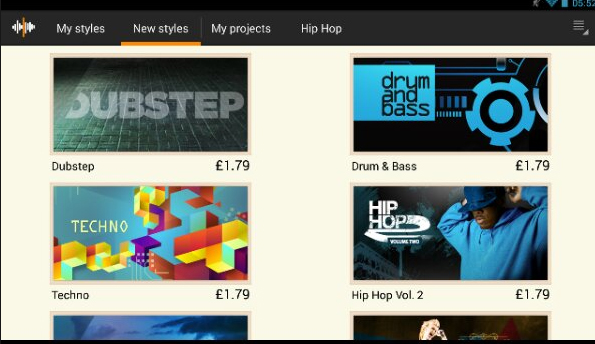
      • 1st Alternative – Magix Music Maker Jam

    This amazingly splendid app helps you to create your music by combining the loops which are basically short chunks of music which you can play over and over again in loops which justifies it’s unconventional name. It has around 100 different music styles and a total of 8 channel mixer which could give you enough room to channel every angle of your thoughts and emotions in the direction you wish.

    This beautiful app allows you to also record all the external voice and you can use this awesome feature to record your own singing, beat boxing, rapping or many other different kinds of sounds and you can also add all of them to your personal song. As soon as you have finished recording your amazing song, you can also share it with the entire world using the sharing feature of your smartphone. A new music discovery can also be done in the professional Music Maker community by sharing and testing your discovery with many other talented users.

    Read Also : Android boot Fix – Steps to Try When Your Android Won’t Boot

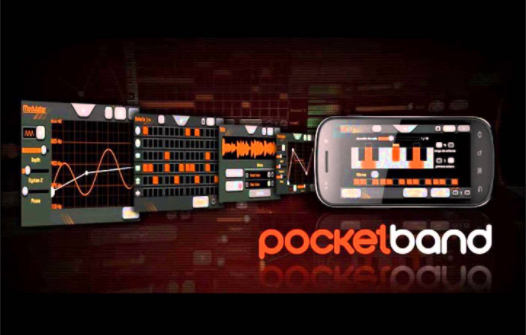
      • 2nd Alternative – PocketBand

    This awesome app is the combination of an utilitarian app and a professional and useful online service that can either help you generate and also share content with your fellow musicians who are located at different beautiful places of this amazing world. All you got to have is a valid account with an active internet connection along with almost every device you have to use it properly.

    This awesome app has the effect of 12-channel mixers along with the 3 band parametric equalizers and which comes with an automated pan and volume for each and every available track. The different loops can generate an amazing music piece because of using the audio recording feature which comes with the import recording pre built function from the music library or any other of your numerously installed music apps(Don’t tell me you do not have any).

    Read Also : How to reset iPod Nano or steps to unfreeze iPod Nano

      • 3rd Alternative – EasyBand Lite (Pro)

    In this app as its name says it focuses on the relatively easier side of music creation. A linear and straight forward music making process is by this app. All you have to do is simply drag and drop the chords into your timeline which would as per the chords generate a full band. The changes you can make are either edit the chord or change it to a major or minor or make it play lengthier or just a chunk while using many different styles and types of band. You can also modify the BPM (beats per minute) and drum fills with many other types of variations which completely depends on your creativity.

    The lite version of Alternative, EasyBand has partial functions like limited styles like cherry or dramatic mellow, either rock-it with piano or stinger and many more as well. Every version comes with numerous combination of different types musical tools and heart wrenching playing style. Though the Pro version has numerous different features and it gives you many more styles(but you know how to get Pro version right).

    Read Also : Exciting free Photoshop Alternatives for high quality photo edits

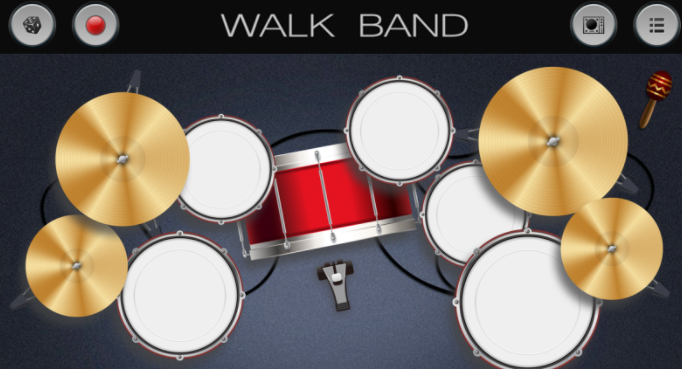
      • 4th Alternative- WalkBand

    As you can clearly see from the appearance of this amazing app along with it’s fast music creation process. This app named WalkBand might be almost same when you see the GarageBand compared to other Android driven music-making different applications. Depending on your mood you can either pick and play a single musical instrument like guitar or bass, piano or drum kit or even drum machine and you can use all these either individually or with a combination of as many instruments as you like and additionally you even digital loops.

    All the different and various instruments have their own personalized settings and one feature that I personally think is an interesting one is its capability to play a duet piano either with another person or each player plays at only one side of the phone in landscape mode(Similar to the games like ludo which are available in playstore). It comes with a feature of multi-track recording session which assigns just one instrument to only one track and mix all of its result into just one song.

    Everything is good and you are happy if you are one of the GarageBand users who has a skill to always find a similar app in the Android environment for every app in playstore. Though an important thing to note is that this app is not an add free one so it could interrupt the flow with which you are working. One way to remove all the ads is that you have to simply pay for an upgrade.

    Read Also : Android: Prevent apps from running at startup(Stop/Disable Apps)

    Conclusion

    So you must have known all the apps like garageband for iphone as well as apps like garageband for android & methods of almost every music making app you would ever find and if not go to start and read carefully. So by using anyone of the above given apps your need can be satisfied. If you have any query or problem do let me know and I will solve them asap and one important note do not download or copy the version because there is something known as intellectual rights. So as long as you want to maintain your authenticity I will say “Keep it Real”

    Just a note before concluding if you look for apps like garageband for Windows or MAC .You can Find it out on our portal .