Tag: Android OS

  • Update to Latest Android OS : Oreo -Stay with Nougat / Marshmallow

    Update to Latest Android OS : Oreo -Stay with Nougat / Marshmallow

    Android is about to come up with its new OS , Android Q . With its launch so many exciting features are going to get a new look and experience . Android Q will be a better experience than Android P . So every time Android OS gets a new version , you might feel you are lagged behind the tech scene . May be you might feel your phone is slow when compared to your friend’s phone with the latest android OS . So inorder to tackle this you can simply upgrade to latest android OS . So now we will learn how to Update to Latest Android OS .

    Android Q

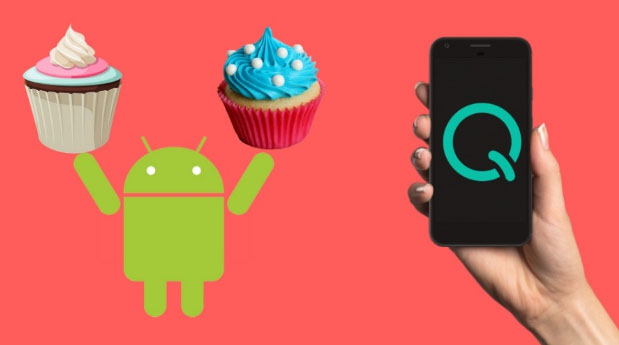
    Gonna be the 17th version of Android Operating system released . Foldable phone support will be its one highlight feature . Dark mode by default and so many features . Will discuss in detail on Android Q features soon after its first release .

    Android P

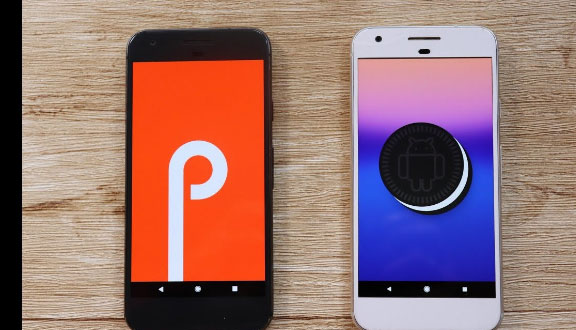
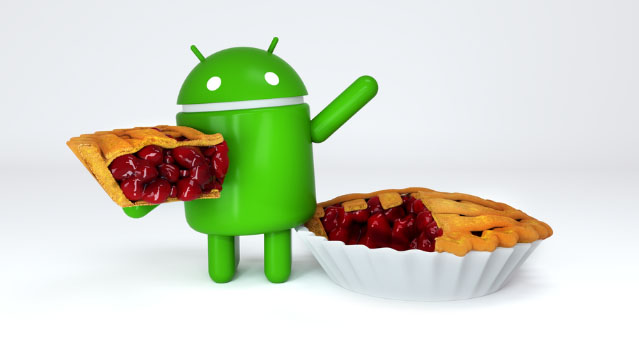
    The current running version of Android OS is the Android Pie , popularly known to be the Android pie version . Most of you might be aware of its exciting features . Also its comparison with Android Oreo . Android P is the 16th OS release .

    Android O

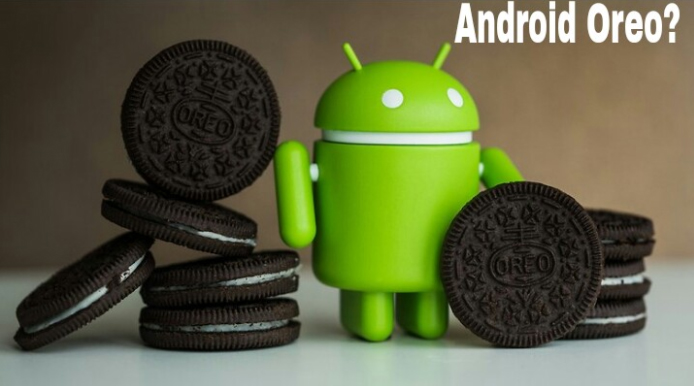
    The new version 8.0 is also named before a dessert ‘Oreo’ like any other previous versions. It is available with Google pixel in the market and it has been said that this new version provides 2X boot speed. It has also improved the problem of operating system update tackles with pesky background activities that drain a huge amount of battery. It also provides some useful design tweaks like picture-in-picture(PIP) mode for Youtube, Hangout etc. These things make ‘Oreo‘ different from Android ‘Nougat‘ and any other previous versions.

    So in this article we can find the reasons to Update to Latest Android OS as well as how to Update to Latest Android OS from Nougat /Marshmallow/Lollipop/Kitkat .

    Read Also : Android Vs iOS – Pros & Cons of Buying Android Vs iOS

    Read Also : Android boot Fix – Steps to Try When Your Android Won’t Boot

    Android again came with a new version in market for its users. Everyone wants to use the latest of the technology so for Android users , they have a strong urge to Update to Latest Android OS .

    Reasons to update Oreo to Pie 

    If you are still on the Android Oreo , then there is nothing to wonder about it at all. It is one of the best android versions available . But still if you are overwhelmed with the responses of Android Pie then you have an option to upgrade Android OS .

    At the end of the section we have given you step by step instruction on how to upgrade to latest Android OS .

    Now let us take a look at the reasons on why you should prefer Pie over Oreo ( Android Pie Vs Oreo )

    1. More convenient gesture navigation control .
    2. Better system performance
    3. Updated settings to ensure more secured privacy lock feature
    4. Best tools for screenshots.
    5. New look for the device and the notification.

    Reasons to update Nougat to Oreo:

    Here is the reasons why you should Update to Latest Android OS “Oreo” from old Nougat .

    1. Performance : Oreo ‘per app disk space quota’ feature enables the system to automatically delete cached file from apps.
    2. Battery : It saves battery a lot beacuse of its background execution limits.

    3. Notifications : This is one of the major improvement that enables you to snooze notifications for a certain amount of time simply by swiping left.

    4. User friendly : Oreo has come with some features like autoFill which helps you to fill forms faster.

    5. Audio : Oreo’s Volume Shaper gives you option of ‘fade-in/fade-out’ and ‘cross-fade’ sounds.

    6. Visual Changes : Oreo comes with a lot of improvement in visual experience of users. The biggest modification is the settings menu which is completely changed.

    As the theory says, every new version should be the best, we will now look for some previous versions and their comparisons. These are the reasons to update Nougat to Oreo latest Android OS.

    Read Also : Android Oreo Features to fall in love with Android mobiles often

    Reasons to update Marshmallow to nougat:

    Before ‘Oreo’ Google has launched 7.1.1 Android version named as ‘Nougat’ and it is available with Nexus smartphones and tablets, and the pixels. Nougat has provided everything that leads any android user to update to this. From multi-window support to improved battery life with Doze, a smarter settings menu, instant apps and many more things attracted every marshmallow user to it. We have listed the features below:

    1. Notification area has been improved : It provides some great features like the ability to quick reply to message notifications.

    2. Multitasking is much more faster now : This feature provides quick switch between apps . You just need to double tap the recent button and the last app you used has been bring backed.

    3. Multi-Window mode : This feature of Android Nougat helps you to run two apps at the same time.

    4. Improved performance : Android Nougat tweaks the Android Runtime compiler which provides faster gaming graphics.

    5. Interface tweaks : A huge number of tweaks have been made to the visual user interface in Android Nougat and they are largely information based.

    6. Improved Doze mode : This is the biggest feature of the Nougat that , if your phone remains untouched doze mode saves battery for a quite while.

    Given above are the reasons to update to latest Android OS from Marshmallow to nougat To Oreo Os update for Android mobiles .

    But still many of us say that android marshmallow is still the best . So let’s have a look to the reasons.

    Read Also : Android Oreo Vs Android Nougat Vs Android Marshmallow Vs Lollipop

    Reasons to use Marshmallow:

    If you have a detailed look about the new features of android ‘ Nougat’ then you will find that many of the features are not all new and most of them are traced back from Samsung and Sony phones. The Multi-Window feature that Android Nougat provides , has been introduced by Samsung way back in 2011. Then you are happy with marshmallow, then there is no reason you want to upgrade to ‘Nougat’.

    Now the question that comes in our mind is that what about the previous versions before marshmallow and is it still worth to use android lollipop. Well the answer is that Android version 5.0 named as ‘Lollipop’ has been reported as full of bugs by many people. It also increases RAM usage and has been reported that with this version people are facing excessive battery discharge and horrible lag time on touch selections. So in my opinion it is better to upgrade then to stay with Android Lollipop. Now most of you have question that can we update Lollipop to Nougat or Marshmallow.

    Read Also : Backup Android Device to PC or Google

    How to update your old Android OS to latest Android OS : Update to Latest Android OS

    You can Update to Latest Android OS from old version of Android OS easily . There are various methods to Update to Latest Android OS . Here is the simplest solution .

    Here is the two methods on a single line to Update to Latest Android OS .

    1. You can simply go to System updates on your mobile and check for updates and safely upgrade to Marshmallow and then if you want you can update to Andriod Nougat.
    2. There are other methods also , you can download Android ROM and install it in your device , this will manually update your Android version.

    Read Also : How to Use Google Assistant on Android Devices (Without Root)

    Overall which is the best android version depends upon our needs and use. So , first know that which version is best and compatible with our device and then make any upgrading decision because every new upgrade increases RAM usage.

    Hope this article helped you to take a decision to Stay with Android Nougat/Marshmallow and two methods to Update to Latest Android OS .
  • Android Oreo Features to fall in love with Android mobiles often

    Android Oreo Features to fall in love with Android mobiles often

    Android O / Android Oreo the latest in the technology world . Don’t mistake that we are talking about our favourite biscuit Oreo . We are here discussing about the Tech Giant Google’s latest launched Android Operating System . Android Oreo is going to be game changer in the smartphone industry soon with the exciting Android Oreo Features.

    12 Android Oreo Features to fall in love with Android mobiles often

    May be a good battle with Apple iOS latest version OS . We think Android Oreo Features will definitely make many people to fall in love with Android mobiles often. Latest Android OS updated feature is here.

    # Background Limits – High Battery Life of Android Device

    Android mobile Battery drain quickly is one of the great problem faced by all Android users . Finally with the latest Android Oreo battery life is improved with background limits. Now there’s a control on the apps that are running on your background like what can the background running apps do and what not . Thus Android battery life is increased . This is one of the best Android Oreo Features.

    Read Also : Android: Prevent apps from running at startup(Stop/Disable Apps)

    # Picture in Picture Mode as Android Oreo Features

    You can do check your social media feeds , message someone and watch video simultaneously thus your technology boost your multi tasking skill now with Android Oreo Picture in Picture mode . This was available to Android TV earlier now to your mobile also .

    You can do it by watching a video and toggle it on by touch home screen so that the video will be shrinked and played in minimized size or floating player.

    # Autofill API

    Remembering passwords for every favourite website you visit is a difficult task and using apps that remembers the password for all the website is on one hand less secure and on other hand this will make your phone to work slow. Now latest Android Oreo Features has put an end to this issue . Now in Android Oreo it will auto-fill the passwords and thus makes it easy for you.

    Read Also : How to Use Google Assistant on Android Devices (Without Root)

    # Better Security on Android Device

    Now Android becomes safer than ever before . Isn’t it a great thing to feel secure with your Phone . Android Oreo features has taken a deep look into security also . Google play protect ensures that your Android device is completely secured . It scans out the apps that are installed as well as prevent any suspicious malware or virus.

    # Notification Grouped to Channels – Notification dots on Android Oreo

    Notification on android mobile like all notification clubber together can be now customized by the android user . User can make notifications to channels and control it and snooze or even block it individually. Notification dots that was in iPhone is now available for android users also . So you get important notifications to get your quick attention.

    Read Also : Best Apple Watch Alternatives-Affordable Gadgets

    # Snooze Notifications 

    You can snooze Android Oreo notification rather than missing it out forever by dismissing it . Now you can set time and snooze it for 15 mins to hours you want . It depends on your preference to have it looked back .

    # New Android Oreo Emoji

    A completely freshly designed way of emoji is what you have with Android Oreo features. Now you can enjoy the wizard , fairy , dinosaur and even one more favourite emoji to indicate one true emotion tat its the ” bursting head emoji” .

    # Adaptive icons

    Depending on the choice f the manufacturers the developed now get the chance to use any shape of app icon. So cool feature in Latest Android OS update.

    # New Android Camera Shortcuts

    Tap between camera o video instead of boring swipe . Zoom out and Zoom in photo or video easily The latest Android camera feature of double tapping to 50% zoom is really awesome for your perfect click .

    Read Also : Exciting free Photoshop Alternatives for high quality photo edits

    # Play with Octopus

    You can find the Octopus on the Android Oreo by Settings -System – About phone – Android version till you find a large Android O . Now click on the O repeatedly to get an Octopus that floats all over . Cool Isn’t it ?

    # Easy Text Selection

    Just a matter of tap there Android plays more intelligently highlighting the text for you without so much constraint . Thus selecting text has now became more easier than ever before with Android OS Latest version.

    Read Also : Android boot Fix – Steps to Try When Your Android Won’t Boot

    #Excellent system performance speed

    The auto fill feature as well as installed apps on Android Oreo makes it performance more good thus the time consumed to do each task is now falling less . This makes the speed and easiness of this update more visible t the world as better than ever before.

    Here we have listed out the top 12 exciting Android Oreo Features to fall in love with Android mobiles often.

  • Android P Vs Android O Features compared

    Android P Vs Android O Features compared

    Android Oreo was launched in August 2017 while almost a year later Android Pie was launched in August 2018. Although the android pie features were announced back in may in the Google I/O Developer Conference where it was officially unveiled as Android 9 Pie. It’s the 10th Anniversary update. With the Android Pie update Google has tried to make the phones smarter and well suited to every single person’s habits by using a lot of machine learning and artificial intelligence as compared to android Oreo. So we will compare between Android P Vs Android O Features in this article .

    Android P Vs Android O Comparision

    Android Pie Vs Android Oreo Vs Android Nougat Vs Android Marshmallow Vs Lollipop can be understood after reading this .

    Even though we already discussed out the Android O features , now we will compare it with Android P features .

    Here are the major new features and some updated Android features which you will encounter while using android pie and will be able to exploit it to its full use –

    Physical Appearance and Aesthetics

    The user interface of any phone is like the first impression for every phone for any of its user. Its needs to be friendly, good looking and easy to understand. Let’s compare between Android P Vs Android O based on physical appearance

    Android Oreo 

    The settings menu got a makeover in the android oreo update and featured grey colored simple plain icons on a complete white background. The drop down menu also features small white icons in a grey backdrop. Small dots can be seen on the icons of the apps with unseen notifications. These are some major updates in the interface for android oreo. But still the android needed a spice of color which is now available with the android pie.

    Android Pie

    Although there are no dramatic changes look wise provided in Android P but the new look given is definitely seems cuter, friendlier and colorful. The edges are softened and curved in the interface as compared to android oreo which had more of a flat look. The icons now used in settings menu are colorful and colorful circles are used in the notification dropdown menu.

    Phone Addiction

    Most of us these are stuck with our phones for a major part of our day, sometimes for work sometimes just for passing time. At times we also want to get a rid of it but we just can’t, right? Its becoming a major problem these days and it needs to be tackled well. Android P Vs Android O based on addiction –

    Android Oreo

    At the time android oreo was released there wasn’t much talk and need for reducing the phone addiction among the general masses. So android oreo consisted of no such tools which may help you dealing with this problem.

    Android Pie

    Android pie has come with this new feature which has a lot of potential in curtailing this disease. It features a Dashboard where the time spent by you on your phone is displayed a simple pie chart in which the total time spent is broken app wise and then its upon you how conscious you are about that and you need to stay away from your phone.

    Dashboard provides kind of a fast digital “sanity check”, a more human take on android Oreo’s existing feature that enables you to see what proportion battery power apps use. It additionally notes how many times you unlock your phone every day, and the way several notifications you receive.

    Usage limits

    Its high time when each one of us realizes the immense benefits that will be achieved by maintaining their digital discipline i.e. by keeping a check of time you spend on different apps in your phone. Device usage limits cross compared with Android P Vs Android O .

    Android Oreo

    As said earlier as well the need for tools to check your phone usage were not as badly required as now and people were also not aware of the need of such tools. So App timers which was pretty much absent in android oreo required to restrict the time spent on some specific app.

    Android Pie

    For checking your phone usage android P has introduced a new feature of setting App timers. What android pie has done that now you can set App Timers. By using app timers you can set a limited time period for which you can use any specific app up to that maximum preset limit. Once the limit is near to get exhausted you are notified and after it is over the app icon will grey out. So, this is an immensely helpful tool for making anyone curtail the time he/she pays on Facebook, YouTube, Instagram or any other app. Many of us each day end up spending a lot of time on some app be it Facebook or Instagram or You Tube. App Timers are an amazing way to put an end to these dangerous habits. But, still some self-will and self-consciousness is definitely needed.

    Night Mode

    Nigh mode or dark theme is quite popular feature for all devices and websites or apps . So how the night mode on Android P Vs Android O differs lets take a comparison .

    Android Oreo

    The night mode in android oreo removed the blue rays from the phone as the time approached the bedtime leaving behind hues of just yellow and orange. Thus the rays from the phones are not too bright for the eyes, making it easier and comforting for your eyes.

     Android Pie

    A wind down feature has been introduced in android P and it is important step towards maintaining a digital discipline for people around the globe. While the wind down feature when the bedtime is approached which is set by the user himself, the display turns grey scale and the phone is set to Do Not Disturb mode just providing you the perfect sleeping conditions. All this simply helps you in taking a sound sleep without much disturbance.

    Read Also : YouTube Dark Mode Android Version Without Rooting

    Read Also : Enable Reddit Dark Mode : How to turn on Reddit Dark Theme

    Read Also : Use Old Reddit Layout – How to opt out New Reddit Design

    Read Also : Google News Dark Mode – How to toggle on Dark Theme

    Volume Control

    Android volume control for its two different OS such as Android P Vs Android O is compared out –

    Android Oreo:

    If you press volume buttons in android oreo, the volume is changed as per the app you are using. If some media or video is being played it will alter the media volume, else you can change the volume for the notifications.

     Android Pie

    In Android pie, the volume buttons alter media volume irrespective of the app you are using. You can change the mode of your phone to volume or silent from the icons on the interface that appears upon pressing the volume buttons. However this feature won’t suit you if change you notification volume frequently as now you will have to alter it from the shortcut icon in the notification menu.

    Brightness Control

    Screen brightness is one the import aspect or feature of every devise , you must have a good brightness adjustment feature , so how brightness control works for both Android P Vs Android O is discussed .

    Android Oreo

    The adaptive brightness feature in android oreo was pretty simple, basically it adapted to the outside light. It adjusted the phone’s brightness as per the light outside the phone as per comfort the eyes. 

    Android Pie

    In android pie they have used the concept of machine learning where initially you are to set your brightness levels and then the phone will adapt as per your habits and adjust brightness automatically. In simpler words, the adaptive brightness of the phone will adjust as per the user habits. The feature is an amazing one and adds a lot more convenience to the user.

    Adaptive Battery Management

    Battery is such an important feature for any smartphone and proper batter management for sure results in a long lasting battery life. So the battery performance of Android P Vs Android O is compared here –

    Android Oreo

    The major such battery saver feature available with android oreo was that you can view which app is consuming how much battery. This was helpful as then you can view which app in your phone is draining your battery. Some restrictions on battery usage for the background running apps were also introduced to save the battery.

    Android Pie

    Android pie has a quite different way for the battery management, its not any replacement for the battery saver instead the apps you rarely use in your phone which run in the background, are provided with only basic permissions hence saving a considerable amount of your battery. Any notifications from them is also delayed, however they’ll use less battery as a result. Apps you utilize all the time won’t be affected.

    App AI

    AI apps are the trending on the tech industry , so what does your Android P Vs Android O provide you in AI aspect , let us take a look –

    Android Oreo

    Android oreo didn’t made much use of machine learning and artificial intelligence and it makes sense as well since these topics were not such a rage at its time as they are now. So picking out the most used apps and putting them for quicker access was absent in android oreo.

    Android Pie

    What’s the best thing about android pie is that it does most of the things that are suitable to you. The features you use the most, the apps you use the most, it picks them up and put them in the front of your eyes. All this was pretty much absent in the android Oreo. The common apps you employ the foremost seem just below the top row of icons on the apps menu. However, these app actions also will show up within the universal search bar, in the Google Assistant and also the Play Store app.

    Navigation

    Easy and Quick navigation on android devices is always known feature . So how it differs in Android P Vs Android O .

    Android Oreo

    Most of you must be familiar with the three soft buttons which are present at the bottom of most android phones. In android oreo as well similarly there buttons are used to navigate in the phone. One is for the home button, one for going a step back and the third one for opening recent apps.

    Android Pie

    Android p has tried to make navigation within your phone faster and simpler. There is a single home button present. Single click takes you to the home screen, one swipe up opens recent apps and two swipe ups opens the app menu. And there is the back button on the interface whenever it is possible to go back. This is an optional feature though and its up to you whether you want to use single button or three separate buttons.

    Bluetooth

    Bluetooth in Android P Vs Android O is compared out –

    Android Oreo

    None of us want to be entangled in wires, right? We all love using wireless speakers, earphones and headphones and Bluetooth plays a major role ion the wireless media. So now android oreo supports Sony LDAC wireless codec. This means wireless streaming at is now much faster and an amazing sound streaming quality.

    Android Pie

    Bluetooth since getting a major update and amazing update in the android oreo, was didn’t in android pie.

    Screenshot

    You cannot stop yourself from doing screenshot both in personal way and even related to work . So screenshot features in Android P Vs Android O is discussed –

    Android Oreo

    In android oreo you can simply take a screenshot and then it is saved and then you can access it and edit it the way you want.

    Android Pie

    While in android pie the after taking any screenshot first you can edit it and only then it will be stored in gallery. Its not a major change but still increases your convenience.

    Do Not Disturb

    Android Oreo

    The do not disturb mode didn’t receive any update in android oreo. Like earlier it could be activated from the shortcut in dropdown or from volume button only.

    Android Pie

    For activating do not disturb all you need is to turn down your phone and done. The DND mode is activated that easy.

    Copy and Paste

    Android Oreo

    The android Oreo Ctrl + C , Ctrl +V feature also received an update and was definitely a smart step for the convenience it added. The smartness is that it could recognize the numbers, links and mail ids by itself only and pre select those. If you want to select these it requires a single click. But still if you are to select normal text it becomes a bit tad.

    Android Pie

    This is updated for the android pie. If you try selecting any simple text then it is magnified and hence the process becomes easier. This feature might seem familiar to you since you might have seen it in iPhone already.

    Time in Notification Bar

    Android Oreo

    The time in the top notification bar appeared like in any other phone earlier as well on the top right corner of the screen.

    Android Pie

    The time in the top bar is shifted to top left hand side of the screen to suit the notch. Although some of you might not like it since every phone with android pie may not have a notch.

    Notifications

    Android Oreo

    The notifications got a major update in the android oreo. Now you could snooze the notification for any specific app so that it appears after your desired time again. Also, on the apps with unseen notifications appeared a small dot and clicking upon which shows you the unread notification.

    Android Pie

    The handling of the notifications didn’t get any major update in the android pie.

    Recent Apps

    Android Oreo

    The recent apps interface android Oreo consisted of 3D stack where the recent apps are displayed one over the other. Where we could scroll up and down and select which ever app you want to use.

    Read Also : Android: Prevent apps from running at startup(Stop/Disable Apps)

    Android Pie

    While in android pie the recent apps interface is more like a multi-tasking window used for app switching in which the apps are positioned side by side to each other rather than in a stack. This feature is also much like available in iPhones.

    Android pie is more suited to individual needs and habits and has brought the technologies machine learning and artificial intelligence which are in most demand these days and definitely add much more convenience to your experience of using your phone. Android interface is made more user friendly, as well as the battery and Android screen brightness adapts to your habits .

    Read Also : Update Latest Android OS – Top reasons to upgrade Mobile OS

    So do let us know which one is your favourite feature and what you expect with respect to Android Q features and look . So you can decide if you would like to update Android Oreo to Android Pie . You can make your android OS updated to Latest OS to use Android P .

  • Android Q – What it would be Named ?

    Android Q – What it would be Named ?

    Android Q , the next Android OS that might be released . You may be aware that Android always gives out a good desserts name for each of its release . Android O as Android Oreo , and now the latest is Android P as Android Pie , So guess what would be the name for Android Q .

    Android Q – What it would be Named ?

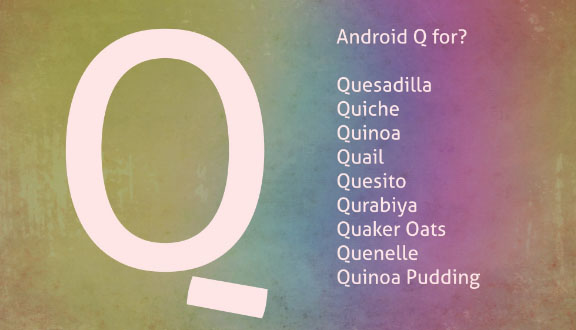
    This is not really as simple as you think to guess out a dessert name with Q . But still we would take a look at some of the names we guessed for Android Q .

    Since you might have noted that Android H is not named as a dessert item , may be if that is the case Android Q might also get some other popular Q words . Also we have a personal guess that we can also expect any bird / animal / fish names . Sometime just like using some brand names like Oreo , kitkat we can expect even such names from Android for Android Q

    Quince

    Android Q might sometimes be called as Android Quince . Because Quince is a fruit , exactly the taste of Quince is just like a mix of apple and pear fruit .  This can be a wrong guess even .

    Quince Jelly 

    I personally believe this name has higher probability just like Android gingerbread combination . Here Quince is the same fruit that we mentioned above . This can be used to make a really sweet jam , Since Android is using dessert names there is a chance it can take up a name Android Quince Jelly .

    Already Android Jelly exist so may be Google might prefer to use this more . Just a guess work , lets see next guessing .

    Read Also : Update Latest Android OS – Top reasons to upgrade Mobile OS

    Quince Jam

    Android Q as Android Quince Jam , this is my next guess word for the latest Android version .

    Quince cheese

    I have got one more combination for Android Q with Quince that is sweet . How about Android Quince Cheese ? Not sure , but again my last guessing on Android Q for Quince .

    Read Also : Android Oreo Features to fall in love with Android mobiles often

    Queijadinha

    This might sound bit weird to most of the readers . Well Queijadinha is a sweet confectionery with Portuguese origin.  It is a type of sweet candy . Even though weird may be we can guess that Android Queijadinha can be the name for latest Android version .

    Queijada

    One of the Portugal sweet , if this can be the Q in Android’s Q version , then it will be Android Queijada . But you can notice that Google have always chooses common English words  not any regional or country language .

    Queen Cake

    This can be a rare choice to hear as Android Queen Cake as the name sound sorta weird .

    Read Also : Android Oreo Vs Android Nougat Vs Android Marshmallow Vs Lollipop

    Read Also : Android Oreo Features to fall in love with Android mobiles often

    Read Also : Android Vs iOS – Pros & Cons of Buying Android Vs iOS

    Quick Bread

    Just like Ginger Bread may be Android can get this name for its Q word – Android Quick Bread . That sounds sorta cool as per my choice .

    Qistibi

    A perfect non fermented roasted flat bread . This can also stand for Android Qistibi , but just like we mentioned before this name can sound too regional not a common English word .

    Quark

    Android Quark can also be a name or even Android Quark Cheese can be the next versions name . Quark is a form of milk , a perfect diary product just like Paneer .

    Quillback

    If Google may consider fish name since the Q words are few , then Android Quillback can be its name for the Q version Android OS .

    Quartz

    Quartz Watches being popular , the mineral name Quartz can be the Q in the Android Q version . If so we can guess that Android Quartz can be the next name .

    Quad

    Android Quad can also be possible mostly , Do you know what exactly Quad means – Quad just means 2 bits , note that it is not the computer bits ..

    But technically Quad is used as a word to describe the numerals on the IP address ( One IP Address consist 4 Quads (numbers) and periods (Dots) generally )

    Quiche

    This is a type of savory flan with french origin , may be Android Quiche can also be the name .

    Qurabiya

    It is basically a biscuit ( A shortbread – Scottish biscuit ) type made with nuts . This being a regional word the chances are very less to make up to Android Qurabiya for Q version .

    Queen of Puddings

    Famous British pudding that is one among popular British desserts , But its quite a long three word to take up for Android OS name .

    Quindim

    Android Quindim also can be the preferred name choice for the latest Android OS .

    Qottab

    Its again a dessert item , form of cake or pastry . If Google prefers this can be Android Qottab .

    Quesito

    Android Quesito is a pastry made of cheese . If Android likes this pastries then Android Quesito can be the name in the next list .

    Quetschentaart

    This is a dessert with Luxembourg origin , since google used dessert names for all other versions may be it can be Android Quetschentaart .

    Quail

    You may be aware that Google Algorithm update gets new name each time like – Penguin update , Panda update etc … So what if Android OS gets a bird name this time as Android Quail .

    I think i am done guessing out , apologies to Google Android if all the guesswork names are so stupid . And to our readers do let us know the names you think as the Android Q name .

    Note : Names mentioned here are not official , just random guess words which we think can be Android Q name . We will notify the Android Q release date and more about Android Q features .

  • How to update iPhone / iPad to the Latest iOS update

    How to update iPhone / iPad to the Latest iOS update

    Apple being one of the famous brand always upgrade Operating system for its devices . As you may be very well aware that the operating system Apple make use of is the iOS . Soon after the release of three new flagship iPhones here comes the most awaited latest iOS version . Here we will learn about How to update iPhone / iPad to the Latest iOS update .

    Answering the most awaited question about iOS 12 release date , the new iOS got released for 2018 also on September . Those who wanted to upgrade iOS and update iPhone with Latest iOS . Then read this piece , because its just written for you.

    The history of iOS versions begins from the release of iPhone OS 1 , iPhone OS 2 , iPhone OS 3 , iOS 4 , iOS 5 , iOS 6 , iOS 7 , iOS 8 , iOS 9 , iOS 10 ,  iOS 11 , iOS  12, the latest .

    Read Also : Improve The World With Smartphone -Top 10 Hacks

    iOS 12 Released 

    Finally the most awaited latest Apple OS for iPhone and iPad is released. After iOS 12 beta now iOS is official . It is evident that most of the iOS 11 supported devices will support iOS 12 .

    You can update iPhone to iOS 12 by checking out whether your iPhone OS can be upgraded .

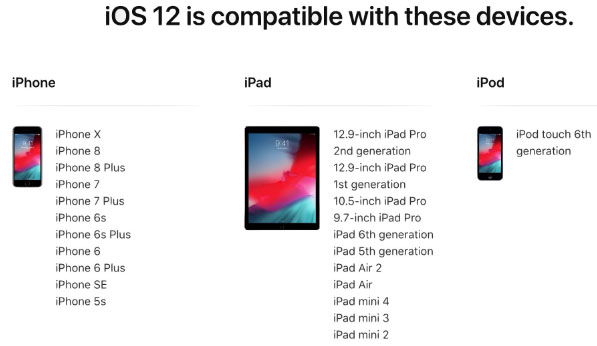
    iOS 12 Supported Device list

    Given below is the devices that use iOS 12 and also list of devices where you can upgrade iOS .Here is the list of Apple devices capable to do iOS 12 download. We will also guide you about how to update iPhone with latest iOS  .

    iPod Touch

    On the series of iPod touch devices the iPod Touch 6 (iPod 6th generation) is compatible for iOS update . You can download iOS 12 for iPod Touch 6 . The iPod touch 6 G that initially was iOS 8 which can be now updated. So you can update iOS 8 to iOS 12 .

    Read Also :  38 Best iPhone games you should play

    iOS 12 for iPod Touch – How to Install iOS 12 On iPod Touch

    In order to update iPod touch with iOS 12 follow the given steps –

    • First take a iTunes Backup / iCloud Backup of your iPod Toch device
    • Install latest iOS (download iOS 12) either by wireless method or by iTunes

    The steps to installation of iOS is same for iphone , ipad and iPod .So read the common section for understanding how to update iPod software .

    iPad iOS update Supported Devices 

    Given is the list of iPad devices that can be upgraded to iOS 12 . So lets see how to update iOS on iPad .

    • iPad Air – Initially used iOS 7 , now this can be updated from iOS 7 to iOS 12

    • iPad Air 2 – Initially used iOS 8 , now this can be updated from iOS 8 to iOS 12

    • iPad 2017 – Initially used iOS 10.2.1 can be upgraded to iOS 12

    • iPad 2018 – Initially used iOS 11.3 can be updated from iOS 11 to iOS 12

    • iPad Mini 2 -Initially used iOS 7.03 can be updated to iOS 12

    • iPad Mini 3 -Initially used iOS 8.1 can be upgraded to iOS 12

    • iPad Mini 4 -Initially used iOS 9 can be now updated from iOS 9 to iOS 12

    • iPad Pro (9.7 inches) , iPad Pro (10.5 inches) , iPad Pro (12.9 inches ) Generation 1 and 2 – Initially used iOS 9.1 can now be upgraded with latest iOS 12 .

    iPhone iOS 12 supported

    Here is the list of iPhone that can be available for iPhone software update to the latest iOS 12 . These devices can be upgraded to iOS 12

    • iPhone 5S – Initially run on iOS 7 can be now upgraded to iOS 12

    • iPhone 6 – iOS 8 to iOS 12 can be updated for iPhone 6 users

    • iPhone 6 Plus – This iPhone 6 Plus users using iOS 8 can update it to iOS 12

    • iPhone 6S & iPhone 6S Plus -Initially run on iOS 9 can be upgraded to iOS 12

    • iPhone SE – updating iOS for iPhone SE is available , here you can upgrade iOS 9.3 to iOS 12

    • iPhone 7 – iOS 10 to iOS 12 software update is available for iPhone 7 series

    • iPhone 7 Plus – iOS 10 to iOS 12 update is possible for even iPhone 7 Plus

    • iPhone 8 – You can update the old iOS in iPhone 8 which was iOS 11 to iOS 12

    • iPhone 8 Plus – iOS 11 is the OS running on iPhone 8 plus hich was available for iOS 11 update earlier . Now you can upgrade iPhone 8 Plus to iOS 12 .

    • iPhone X – iOS 11 was the iPhone X OS , now those who are using iPhone X can update iPhone to iOS 12

    • iPhone XS – iOS 12 is the OS for the new flagship Apple phone

    • iPhone XS Max – This apple flagship phone uses iOS 12

    • iPhone XR – Most modern apple phone , iPhone XR runs on iOS 12

    Why iOS 12 – Best Features of iOS 12 

    The newly released iOS 12 has so many features to make you fall in love with iOS 12 . Let’s take a look at some of the most exciting and best iOS 12 features –

    Navigation Apps is Not Limited Anymore 

    You may be aware that earlier versions of Apple OS has allowed its users to rely upon only the Apple Navigation app , that is the Apple Maps . Those who had voted more for Google Maps on a comparison between Google Maps Vs Apple Maps , can be happy now . Your iOS 12 allows you to use Google Maps and other third party navigation apps with the Apple CarPlay .

    That’s quote a good news , isn’t . Don’t worry we will guide you on how to Google Maps with Apple CarPlay in our upcoming write up.

    Group FaceTime Call is Latest in iMessage Group Chat

    Now , this feature is not live but it will be rolled out soon in iOS 12 . Thus allowing the iPhone , iPad and Mac users to enjoy group Facetime Call with new iOS .

    Read Also : Best Triple Camera Phones to Buy This Year

    iOS with More App updates

    Seriously not a major app updates but yes there are few excellent app updates with the iOS 12 .

    • Apple News App with a scroll option in iPad.
    • Stock Analysis , Performance and top stock related news updates throughout the day.
    • iPad now gets Voice memo apps . Also there is iCloud support to sync your Voice memo with other Apple devices .
    • iBooks turned to be Apple Books . It has got Book store feature and Reading now feature to make it much more easy to use .

    Access Apple TV with Apple Control Center 

    Add Apple TV tile to your iOS 12 Control center , now just swipe and tap to access Apple TV

    Managing Screen Time

    Now iOS 12 lets the Apple iPhone and iPad user to understand the pattern of their device usage time , a clear and detailed summary of how much you have used your device . Also which app you spend more time etc.

    App Limit Feature 

    Along with managing screen time , apple also introduced an efficient and smart feature that allows the users to limit their usage by setting time limit for each apple apps . So that’s how the App Limit feature adds more power to the screen time management feature in iOS 12.

    Downtime Feature in iOS 12

    This is a boon to parents where they can remotely manage their kid’s apple device usage with Family sharing app . The downtime feature in iOS 12 aims at helping parents to limit their kid’s access to apps or websites and even set time to each applications .

    Bye bye to Long list of Notifications

    No more irritating thread by thread notifications to pile up your home screen . Everything is now sent as a grouped notification on a single thread . This single thread notification is one of the best things that happened with iOS 12

    Read Also : iPhone Vs Samsung which is better – iPhone Vs Galaxy Compared

    Do Not Disturb & Critical Alerts

    Set time to enable Do not disturb and toggle on Do not disturb whenever you want to stay away from getting distracted because of mobile. But one better thing is Critical alerts from healthcare persons will work even when your Do not disturb is enabled .

    There are more features like – iOS Photos – For You Tab , Siri shortcuts for iOS 12 , ARKit 2.0 , USDZ format , Add 2 Face Id Profiles , Better password manager , Apple camera app with Improved Portrait mode , better battery health , better QR scanner , Better screenshots on iPhone , New Apple map design , location sharing , Animoji and memoji trends , iOS 12 Siri suggestions improved .

    How to update iPhone / iPad to the Latest iOS update

    Now let us dive into the core topic ,that is how to update iPhone/iPad with latest iOS . Before you do iPhone Sofware update you have to backup iPhone /iPad before you update iOS .

    How to Backup iPhone /iPad /iPod before updating to iOS 12 

    Before you download iOS 12 , You have to backup iPhone /iPad /iPod to prevent loss of data while software upgrade.

    You may be aware that there are two methods to update iPhone –

    1. Update iPhone using iTunes
    2. Update iPhone using iCloud

    Now before that all you need is to learn to back up iPhone / iPad /iPod

    Read Also : Factory reset iPhone without password or iTunes with data backup

    How to Take iTunes Backup of iPhone/iPad/iPod

    To prevent iPhone data loss before you update iPhone or any of your iOS device , take a iTunes backup . Follow the given steps –

    • Ensure that you have updated latest iTunes version , if no install latest iTunes version first .
    • Now open iTunes
    • Connect your iPhone/iPad/iPod to your computer
    • Now you will be asked to verify the computer by entering the passcode .
    • Next you have to enter your Passcode information correctly .
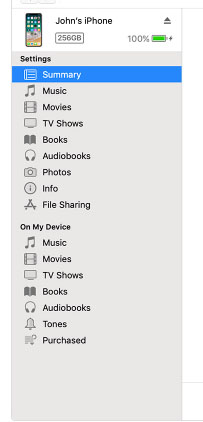
    • Now select your device on iTunes window’s left corner .
    • You have to click on the Summary option that you can see on the left corner of the window
    • At this time yo can see your device information on centre of the window displayed out . Also there you can find an option This Computer
    • Toggle it and below that there is an option Encrypt device backup , Click that and enable tick mark for that to protect it with password
    • Now on Manually backup and restore option click on Backup Now
    • Click done .

    Read Also : Best iTunes Cleanup Software for better iTunes experience

    This is how you can restore iPhone/iPad /iPod using iTunes . Make sure that you do take a back up iphone /ipad before updating to ios 12 .

    How to update iPhone / iPad to the Latest iOS update

    Now let us learn how to download iOS and install latest iOS on your iPhone , iPad and iPod . So i guess you have taken back up of your iPhone . If so proceed on how to download latest iOS ( How to dowload iOS 12 ) –

    • To update iPhone with latest iOS 12 you must either take iClod / iTunes backup of your device first
    • Now to install iOS 12 using iTunes follow the given steps
    1.  Go to iTunes
    2. Plug your Device , that is plug iPhone / iPad / iPod
    3. Now select the device icon that can be found at top left
    4. Go to Summary
    5. Now click on Check for Update
    6. Select Download and update option
    7. Now click Agree button mentioning you agree to all the terms and conditions
    8. Enter your device passcode
    • Now to install iOS 12 using iPad / iPhone software update follow these steps to update iPhone iOS with iOS 12
    1.  Take iCloud Backup
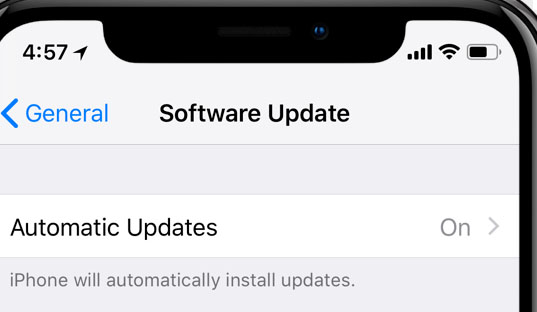
    2. Go to device Settings option
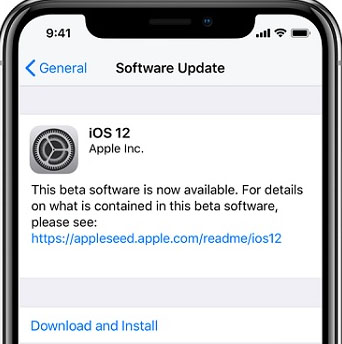
    3. Go to General 
    4. Now click on the Software update 
    5. There you can see and option called Download and Install , just click that
    6. Proceed with entering your device passcode and simple agree to terms and conditions4
    7. Click Agree to confirm

    That’s it , this is how to update iPhone with iOS 12 , hope you are clear with how to download iOS 12 and install iOS 12 .

    Android Vs iOS – Comparing Android P Vs iOS 12

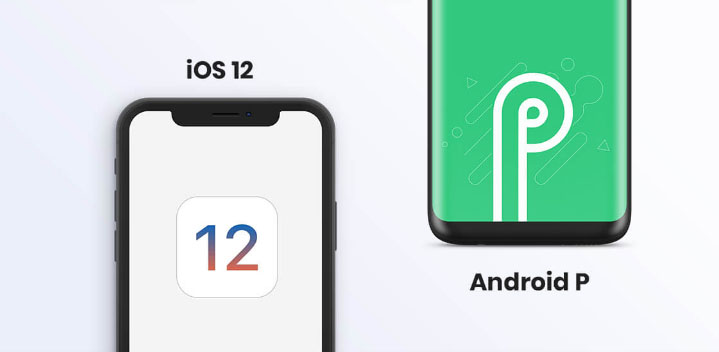
    After Android O (Android Oreo) google has released Android P , that is Android Pie , the very latest Android OS . So with the release of iOS 12 , most of the users have a confusion which is the best Android Vs iOS ( On a cross comparison between Android or iOS) . So here we will take a look at Android P Vs iOS 12 .

    Many of the devices are apt for Android 9 Pie as OS . And we have already discussed iOS 12 supported devices and how to upgrade to iOS 12 . Google Pixel 3 XL will come with Android 9.0 (Android P) . And in many other devices using Android Oreo you can update Android Oreo to Android Pie ( Android O to Android P )

    Read Also : Android Oreo Vs Android Nougat Vs Android Marshmallow Vs Lollipop

    Now lets take a look at iOS 12 Vs Android P –

    • iOS 12 Vs Android 9.0 comparison Google’s Android P is the best with respect to maps and navigation performance when your compare with iPhones. So google maps is best when compared to apple maps .
    • While encountering comparison between the virtual voice assistants in Android P and iOS 12 , Android wins the heart . Even though Apple has brought so much of new updates to Siri , still Google assistant remains favourite for majority .
    • Digital health aspects is taken more carefully by iOS than Android , so in that case iOS is winner

    Read Also : iOS 11 Vs Android Oreo – Who wins gadget lover’s Heart

    Read Also : Update to Latest Android OS : Android Pie -Stay with Nougat / Marshmallow/ Oreo

    Read Also : Backup Android Device to PC or Google

    There are more differences that will be discussed separately and in detail .

    So i guess we have given our users a very detailed idea on iOS 12 and iOS 12 supported devices , a cross comparison between iOS 12 Vs Android P & our core point how to update iPhone / iPad / iPod to latest iOS 12.