Today Hacking news is nothing new on the board . This could be due to weak or no firewalls for the systems. In case of emails, they might not have strong passwords. In the recent years, there have been hacking even on Bank accounts. The high number of hacking on personal computers or phones is due to misuse of internet and visiting unsafe or irrelevant websites and even downloading not so reputed apps which have some secret hacking enabled on them. So it is really a must to do list on your devices to Prevent Malicious Spying Apps .
In this article, we will thoroughly study about :
- What are the Malicious spying apps
- How to Prevent malicious spying apps
- How to Prevent malicious spying apps on Android
- How to Prevent malicious spying apps on iPhone
- How to Identify & prevent malware apps on phone
- How to Identify apps that spy Bank details
- Apps secretly hack Bank account
Let us learn each topic in detail.
What are the Malicious Spying Apps
The devices which are always online are normally the victims of the so-called malicious spying apps. For example, certain social networking apps were caught for silently absorbing the user’s complete contacts to other servers.
It is safe to download apps from both Apple’s App Store and Google PlayStore. However, there are some malignant apps hiding in these official stores.
Most Android phones are becoming victims of harmful apps and it has been drastically increasing. Though Google PlayStore is believed to be safe, such dangerous apps sometimes crawl unknowingly and create a space in the app store. Google Playstore has detected two harmful apps in the PlayStore- Skin Care Magazine and App Play Store.

These apps are designed in a way that it can silently take away your text messages or the SMS. Certain scammers are waiting to steal your personal information, thus leading to identifying a theft or similar dangerous results.
This is how a scam works: When an app is installed, it starts downloading certain harmful plugins from a local website. Safe apps retrieve plugins the same way via other sites. This way it seems quite difficult to identify the malicious apps.
Prevent Malicious Spying Apps
Under this topic, we will look at some key points to stay away and be protected and Prevent malicious spying apps .
- App Stores : It is important to keep your device away from certain third-party app stores as they assess certain apps so as to make it easier for scammers to spread the damage intended software. The safest way to download the apps is through Google Play & Apple’s App Store.
- Have strong anti-virus software : Anti-virus software is indeed the best way to block the malware from harming your device.
- Check the apps’ developer : It is very important to check the developer of the app you are trying to download. Duplicate apps will have a different developer name when compared to the actual app’s developer. Hence, it is ideal to check the details of the app’s developer via Google Search.
- App Reviews : The app stores will always have reviews on popular apps from other users. There can also be reviews from experts, online. This way we can differentiate the malicious apps. If the review gives the warning of the app being malicious, do NOT download it.
- Update your device : It is quite important to ensure of having the latest security and operating system updates. The updates include certain areas to protect the device from threats.
Follow the things discussed to Prevent Malicious Spying Apps on your device .
Prevent Malicious Spying Apps On Android
Have you felt that someone is spying on u? Is your phone’s battery draining out?Are web pages taking time to load due to internet traffic? It is time to check if your phone’s data is protected by the latest security software. Privacy is quite a big issue and you realize that the personal data is no longer “personal”. If a person accesses your phone, it will be easier to spy on you via a hidden app on your phone.
These malicious spying apps can control the camera on your phone, get your location through GPS tracker, check the contacts, read private text messages and also listen to your conversations over the phone.
Read Also : Android: Prevent apps from running at startup(Stop/Disable Apps)
Here, we will have a look at some free Android apps to prevent the phone from spying apps . If you follow these tips you can Prevent Malicious Spying Apps on Android –
- Anti Spy Mobile Free : The Anti Spy Mobile app enables you to solve all the spying problems. It is a free anti-spyware scanner for checking and removing spyware apps hidden on your phone. Its professional version can be upgraded; thereby getting automatic background along with fast scanner plus status bar notification.This app uses the recently updated detection techniques that can check even the new Spywares found online.
- Hidden Device Admin Detector : This is a scanning tool to detect malicious spying apps having the privileges of a device administrator and are hidden from being viewed. Malicious apps on Android devices can control the weaknesses so as to protect them from being found or removed.The app checks the device for the hidden harmful software help in removing the settings of device administrator and hence removing the malware completely.
- Privacy Scanner (Antispy) : This app was designed to check the smartphone to know if you are being spied on. The parental controls and the surveillance apps are verified; as they are used to spy on your family members via GPS tracking techniques, read contacts, call history, calendar etc. The app checks SpyBubble, eBlaster Mobile, UonMap Spy, a few parental control apps and surveillance apps. It checks by using certain doubtful permissions such as reading SMS, profile, contacts etc.
- Stop Spy:-Anti Spy Checker : The app enables to check if you installed the software as well the spy software, quickly safely and accurately. If the spyware is found, this Antispy checker enables to remove it from the device.
- SMS/MMS Spy Detector : The app quickly scans those apps that send or write SMS/MMS/WAP messages automatically.
Read Also : WannaCry Attack Security Tips- Protect computers from Ransomware
By this way you can Prevent Malicious Spying Apps on Android phone
Prevent Malicious Spying Apps on iPhone
It’s not just the Android phones that are attacked by spyware. Even iPhones become the victims of such malware. These iPhones are connected to a remote iPhone spy app, which keeps a close watch on every move you make.
Let us see how to find the spyware on iPhone , mean what are the ways to Prevent Malicious Spying Apps on iPhone –
- Can others spy on my iPhone ? Wondering if others can spy on your iPhone? Well, then it’s a YES. It is really easy to spy on iPhone without your knowledge. The best example is an ad, wherein you are asked to click on it to win prizes. A similar instance is a mail, saying that you have won prize money for a contest that you never took part in. If your data is really valuable, then you need to be alert to such ads. Once you click on these ads, you never know in what ways would your data be exposed and to whom. Anyone can get spied on. The motive of spying varies from one person to another. This means that people spying on you will never have good motives. Hence, you need to watch out who has ‘Eye Spy’ on you.
- How to detect spyware on iPhone ? A very important fact you need to know is that a spyware spying on you will make sure you don’t catch the ‘culprit’. So the developers designing this spyware has to set it in a way that it is not caught easily. If you ever feel someone is really sneaking, you need to be more alert and not give too personal data to undeserving person.
- Unexplainable Data usage : Did you observe that your data usage has been on the lower side recently? The core reason is the data consumption by spyware on the phone. Spywares send data to the spy, which means that every time you send a text message or talk over the phone, the spy automatically receives the information. So, you need to keep a record of the data all the time.
- Phone Heating up : The main cause of the phone heating up is that there is an app working in the background without your knowledge. Spywares are apps that work in the background, no matter whether you are using or not. In such situations. you must refine the untrusted apps by removing them from the phone, thereby keeping only the relevant apps.
Read Also : Battery Health : How to keep your phone or tablet battery healthy
- Background noises : If you ever hear unbearable noises in the background while having a conversation, it shows that you have been spied on. Spywares are designed in a way that it interrupts your active calls with background noises. You should take steps to get rid of such apps on the first hand.
- Cydia app : This app shows that your iPhone is not safe anymore. If you did not protect your iPhone from being spied on, then it is too late to have concentrated on your personal data. The main drawback of this app is that it is not easy to detect on your phone. The ultimate solution to protect your phone is to update the iOS system.
- Encrypted Text messages : Spying apps are designed to control the phone via remote through certain encrypted text messages or commands. In case of spying apps designed with good quality, the messages or commands should not be viewable by the spied person. On the other hand, in some fake apps, these messages could be viewed. Hence, when you see funny messages on your phone, start planning about the privacy of your phone and the data.
3. How to remove spyware from iPhone ? Considering the amount of information a spyware could retrieve from your phone, all you need to do is ensure that such apps are completely removed from your iPhone. You will be glad to hear that these spying apps can be removed like any other apps. Let us look at some ways to prevent malicious apps on iPhone.
- Install Anti-spyware program : This is the simplest way to remove such harmful spyware apps. These programs examine the phone and remove them.
- Update iOS System : This is yet another method of keeping the iPhone away from the spyware apps is by updating the iOS operating system on your phone. As a company, Apple makes out when the threats appear and that is the reason the programs are always up-to-date. Once the iPhone is updated, you can easily detect the spywares and can be deleted using the old operating system. Hence it is important to always update the iOS software.
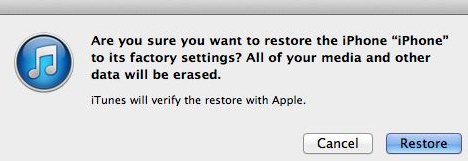
- Restore your iPhone : Restoring your iPhone will also help you in removing the spyware. However, you may be reminded that the restoring process erases all the existing data from your iPhone. Hence you need to ensure that you have saved a copy via iTunes.
Read Also : Factory reset iPhone without password or iTunes with data backup
By this way you can Prevent Malicious Spying Apps on iPhone.
How to Identify & Prevent Malware Apps on Phone
A phone is said to be infected when you see the following symptoms:
- Unexplained data usage
- Poor performance
- Low battery life
- Unable to answer calls

You can prevent Malware Apps on your phone in following ways –
- 360 Mobile Security : Full scan of your device is essential to get rid of spyware. It can be set to Manual or automatic.
- Avast! Mobile Security : This software checks the device, either manually or as per the schedule set. As you browse, it checks and blocks the infected links and also keeps a close watch on the traffic for threats.
- AVG Antivirus Security : AVG’s app checks the new files and apps for certain possible threats like the malware, spyware and certain viruses. It also recognizes unsafe settings, thus giving suggestions to connect security holes
Read Also : Google Datally App to Control Mobile Data & WiFi Finder
Identify Apps That Spy Bank Details
You can prevent your bank account from theft and protect bank account from spy apps by following the proper guidelines .
Also it is mandatory to Identify Apps that Secretly Hack Bank Account.
In this article, we have seen certain harmful spying apps, how it affects Android and iPhones. We also covered topics like how to Prevent Malicious Spying Apps. Moreover, we learned about certain spying apps that access the Bank account secretly.
Read Also : Safe Online transactions Tips & top 12 safe online transactions methods
Hope this article has been helpful to you. Enjoy a ‘hack-free’ time.



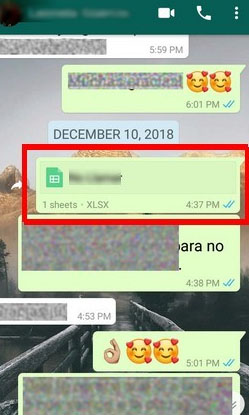


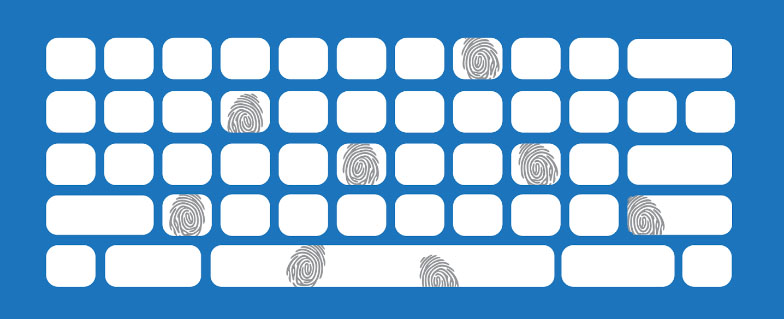
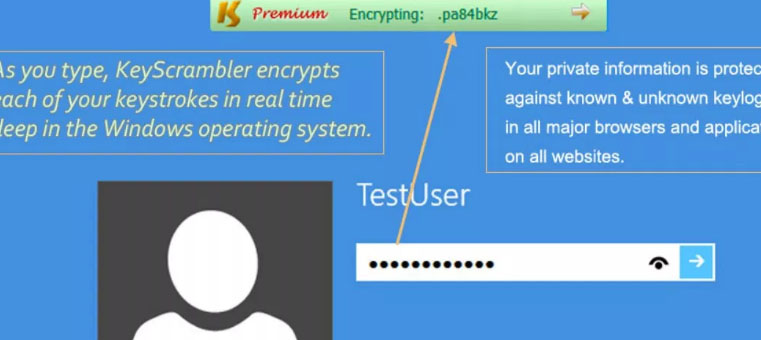
 Keyloggers can be installed remotely through virus or ransomware . Very recently you can see ViRobot Ransomware is having keystroke detection . Even someone can transfer this keylogger software with usb . So beware of your keystrokes , sometimes you may be monitored when you type you password , bank account pin , debit card cvv etc .

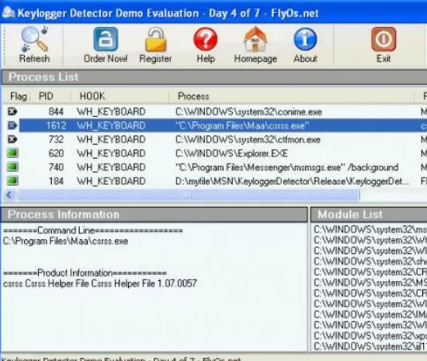

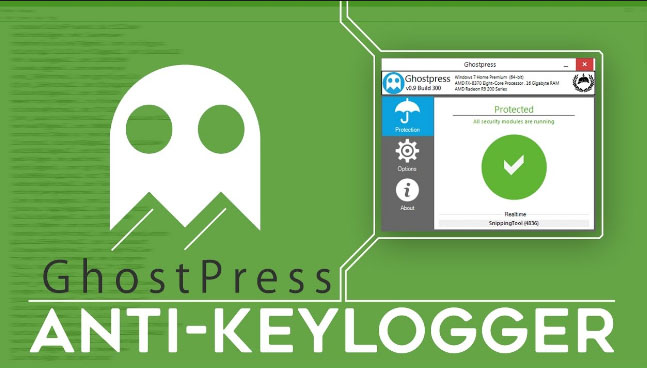 Also allows you to enable and disable safe mode and options open to white list softwares . You can try this free keylogger detector .