Tag: Apps

  • App Store Alternatives for iOS Apps & Websites

    App Store Alternatives for iOS Apps & Websites

    App store is familiar to most of the readers who are using Apple devices such as iPhone , iPad , iPod and so on . You may be in need of different sort of Apps in your day to day life to make your Apple device more useful to your needs. May be for entertainment apps , sometimes for exam apps , even sometimes for music apps on iOS app store and mostly for iOS game apps and iPhone camera filter apps . Even for using Facebook for iOS , WhatsApp for iOS you need to visit Apple App store right ? But you can use something else that are best Apple App Store Alternatives for iOS Apps and websites .

    App Store Alternatives for iOS Apps & Websites

    Now we will discuss some of the best iOS App store alternatives that can be used easily .

    Apple App store

    App store is the official mobile app distribution platform by Apple . This work with all iOS devices and thus allows users to search for different apps and download them . Even developers can upload their newly developed iOS apps and monetize it with apple , just like you do with Google play store .

    Read Also : How to update iPhone / iPad to the Latest iOS update

    Cydia

    Cydia is one of the best iOS App Store Alternatives available for the jailbroken Apple iOS devices . This works for the same purpose on iOS devices to search and download softwares and apps .

    There are ways to install Cydia without jailbreaking your iOS device .

    TutuApp

    TutuApp is available for both android and iOS . This will also allow you to download apps just like you do with the Apple iOS store . 

    Read Also : Best iMessage alternatives for Android/ Windows/ Mac/ iOS

    Read Also : Phone Conference Calling Step by step guide

    Apps4iPhone

    This Apps4iPhone is a free alternative to apple iOS app store that allows users to download the apps available on the app store for free .

    There was one more alternative which was one among the popular recommendation that is vShare , you can check out if that is working .

    So try out any of the iOS store alternatives and do let us know if you have any popular alternative to app store that is not included in our list .

  • Mock location app for Android & iPhone to fake location

    Mock location app for Android & iPhone to fake location

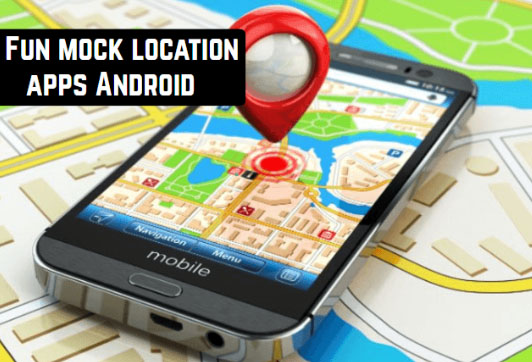
    GPS Tracking is not something new for the present generation , most of the applications we use these days like Facebook , WhatsApp , YouCam all tend to track your location . But there are some instance in which we really don’t want to reveal exact location . Sometimes we want to fake location , for this you can make use of the certain Mock location app for phone .

    GPS Spoofing or location Spoofing is more popular after Pokemon Go game has hit the market . Whatever may be your purpose here is certain applications that are best Mock location app for Android & iPhone to fake location / mock location .

    Read Also : Pokemon Go Earning methods works for Pokemon Lets Go

    I seriously won’t recommend in using fake GPS location but for certain GPS games you can change GPS location with the help of certain location spoofer apps .

    How to Spoof location on Android ?

    You can spoof location on Android by certain ways like –

    • With the help of developer options
    • Using Location spoofer apps / mock location apps

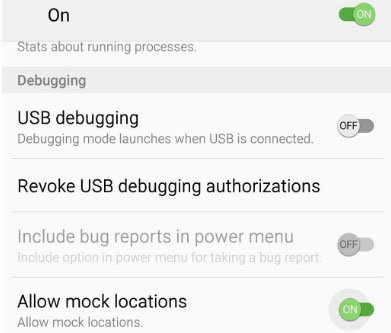
    You can fake android location of your phone by enabling Allow mock locations . So that any of the location spoof apps can work on your device to give a totally different location as per your choice . So on your Android developer option do certain changes within the settings just as given below –

    • In order to allow mock locations – Go to About from Settings 
    • Repeatedly tap over the Build Number so it would give out a message as You are now a developer 
    • On your device developer settings toggle on the Allow mock location

    You are done with it .

    Read Also : Disable Developer Mode on Samsung Galaxy

    Read Also : Google Maps List Create, Share and Edit on Desktop & Mobile Now

    How to Spoof location on iPhone

    You can fake iOS location by jail breaking iPhone else take a Apple developer account and apart from this you can use the iOS location spoof apps .

    Mock location app for Android & iPhone to fake location

    There are so many best fake GPS apps to change location on your phone

    Android fake location apps

    Check out the apps listed below that are best to spoof location on any android device .

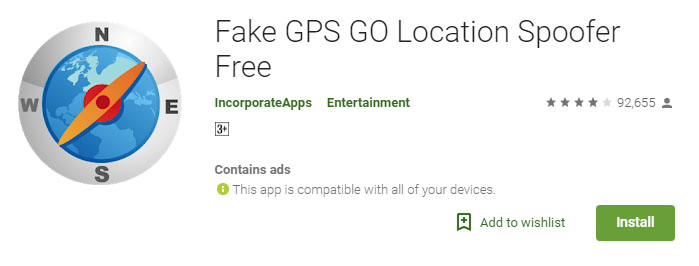
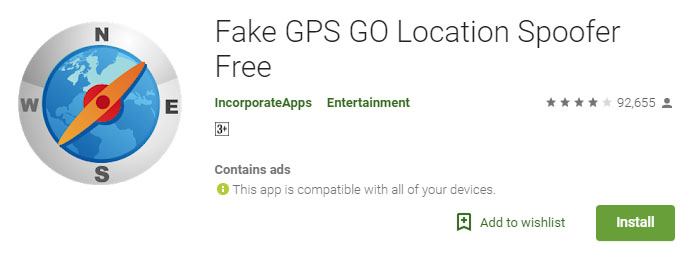
    Fake GPS Location Spoofer

    This has both paid and free versions . If you want to use this for playing Pokemon by location spoofing then you should go for paid version . Because the free fake GPS Location spoofer app is good at masking your GPS location . The paid version costs you about less than 5 dollars (most probably 3 dollars) .

    Make sure you have already worked on your Android developer option settings before installing , so the task would be very easy for you .

    You can get both free Fake GPS GO Location Spoofer app and premium version

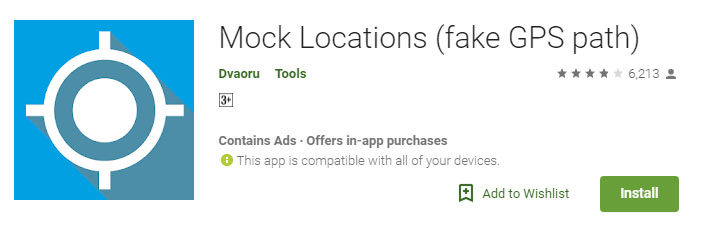
    Mock Locations (fake GPS path) App

    Mock location fake GPS path is available as free version just for 24 hours from the time of installation . And you can trial the premium version and check out is compatibility with your device before you buy premium mock location app version.

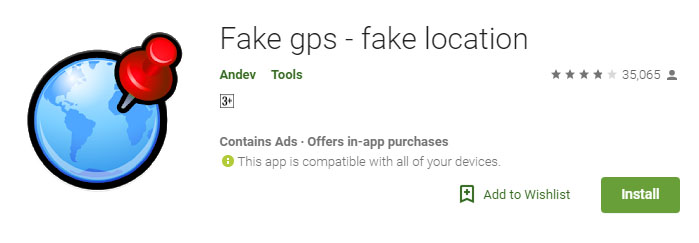
    Fake GPS – Fake Location

    You can use this to fake android location by simply searching for the location you want to set as your location , or you can even move the red dot to the location you would like to choose and set it .

    This works well to fake Facebook location or to fake Whatsapp location . In case with certain games this won’t work well .

    Fake GPS Location- Hola

    Not only a Fake GPS app but also ideal for stranger chats . You can choose between a wide list of locations to fake your location .

    While using this keep your settings as Device only .

    iPhone Mock Location Apps 

    Check out the apps that are ideal to change iPhone location or to mock iPhone location .

    Fake location – change your location & address

    This is one of the highly top rated location spoofer apps on iTunes store . This works on iOS 8 and its higher versions. This app is free and it claims that its useful to fake tinder GPS location as well .

    Fake GPS Location

    Fake GPS location app this will be useful to change iPhone / iPad GPS location .This allows you to share the fake location and prank someone . 

    Fake GPS location – Spoofer Go

    This is again a highly good rated iPhone mock location app , this works with iOS 8 and higher OS . You can use this to swiftly change iPad location , iPhone GPS Location and so on.

    So hope these helps you , there are so many other apps but here we have listed out only the top high rated apps .

  • Best Media players for Computer & Smartphone

    Best Media players for Computer & Smartphone

    When it comes to Media players most of us might know one common name that would be Windows Media player and few of us may know even VLC Media player . But know what there are so many which can be pointed out as the best media players and really the best free alternative to Windows Media Player .

    So let’s take a look at some of the best Media players available .

    Best Media players for Computer & Smartphone

    You all might be familiar with some of the media players that are commonly available. For the people who are still in search for the best free media players, please have a look at the following options.

    1. Windows Media Player
    2. VLC Media Player
    3. iTunes
    4. KM Player
    5. GOM Player
    6. Kodi
    7. Media Player Classic
    8. Winamp
    9. MPlayer
    10. Plex
    11. Real Player
    12. Serviio
    13. Boxee
    14. Dragon Player
    15. MPEG Audio Decoder
    16. JRiver Media Center
    17. Flip4Mac

    Now we’ll have a look at some of the Best Media players for Computer & Smartphone that are quite popular and most preferred .

    1)      VLC Media Player

    This is one of the most commonly used best media players for both computers and smart phones. People who watch videos in their phone or computer will surely be aware of the VLC media player. This customizable media player is one of the most flexible players these days. The android app of VLC was launched in 2012 and it became very popular among the android users. Thus making it a best android media player .

    The users can easily play HD content with VLC media player since this player is supported by open source codec files which can be installed as an add-on. VLC Media Player is compatible with and Windows platforms too. Some of the key features of VLC media player are:

    1. a)      It supports files, Discs, webcams, devices and streams.
    2. b)      Codec packs not required
    3. c)       It runs on platforms like Linux, Mac, Windows, OS and UNIX
    4. d)      VLC media player also supports media conversion and streaming.

    2)      MX Player

    MX player , one of the best video players for android phone users. Also compatible with both iOS and Windows. The layout of MX player is very simple and this makes it easier for all the users to run it without much effort. Apart from this, MX Player has an advanced hardware decoder which helps in supporting playback of high quality videos. This is one of the best iOS Media player .

    MX player also works well with devices that have multiple core processors since it supports multi core decoding. One of the major highlighting features of MX player is that, it can transfer you old collection of movies into digital format. Once the transfer is done, you can easily play the movie in MX player without any issues.

    Read Also : Best Torrent Managers for Computer & Smartphone

    3)      KMPlayer

    When it comes to video streaming, KMP is one of the best options that can help you with high quality streaming. KMP Media Player with its floating screen allows the users to work on different windows, making it a perfect multitasking media player.

    KMP media player is compatible with Android, iOS and Windows. One of the major attraction of KMP player is its ability to support more than 30 languages which in inbuilt. Likewise, it also supports multiple audio tracks and subtitles without any lags and slowdowns.This is one of the Best Media players .

    KMP Media Player also supports 3D formats and it also has an option to add the quality of album and includes plug-ins and playback options. While playing any music track, KMP media player automatically supports the album art with changing colour themes for each new track.

    Read Also : Alexa Tips, Tricks and Commands

    4)      SM Media Player

    Developed by Mr. Ricardo Villalba, this media player has features like:

    1. a)      Switching of Audio Tracks
    2. b)      Mouse scrolling and multiple speed playbacks
    3. c)       Codec free playback
    4. d)      Remembers setting of the files you play

    SM Media Player is an open source player which is compatible with Windows, Linux and Androids. To use this media player, all you have to do is download it and start using. You will not need any external codes to pay the videos. SM media player also support YouTube videos and the user can easily download subtitles.

    SM media player consists of different skins and icon themes. So when the user wants to change the look for the player, they can do so by choosing the options of themes. This is one among the Best Media players and also has video and audio filters, changing the playback speed, video equalizer etc.

    Read Also : YouTube Dark Mode Android Version Without Rooting

    5)      DivX Player

    This is another media player which is compatible with both computers and android phones. You will have to download the DivX App in your android phone from Google Play Store to start using it. For iOS devices, you can make use of the Apple Store. To watch the videos that are saved in your phone, all you have to do is click the “My Videos” option and start watching by selecting a video. If you have stored the videos in your computer, then click “Media Servers” and select DivX Media Server.

    This media player support all file formats and it also helps in adaptive streaming. The DivX Player automatically adjusts the quality of a video you watch. In this player, the users can save videos according to title, genre, date or time. It acts as a fully featured video library manager. Moreover, the user can embed high quality videos with all its features in websites or blogs.

    Read Also : Apple Homepod Tips, Tricks and Review

    Read Also : Spotify Tips and Tricks to Enjoy Spotify Subscription More

    6)      Real Player

    Real Player is one the media players that allows users to download web videos and watch it offline. The user has all the control of this media player. To keep the videos safe, this player helps the user to create a unique pin to access the videos. This player is works very fast and it also adds mobile sharing of clips. Streaming is possible with Real Media Player and the user can convert the videos and watch it on TV, computers or android phones.

    Real Players comes with a downloader and trimmer, helping the users to edit the videos that way you want. This player also helps in sending photos, clips and videos with your friends easily. Real time offers two premium plans to the users to choose from and they include more space, better quality video, more music choices and last but not the least the ability to create unlimited real times with any music track. Apart from being a media player , this is an effective video editing tool and video trimmer tool to rely upon.

    Know these media players first and choose one that suits your needs.  Hope this article helps you to opt the right media player for your android phone or computers.  Enjoy watching videos with these high quality media player to keep you engaged during a holiday or while you travel.

  • Best iMessage alternatives for Android/ Windows/ Mac/ iOS

    Best iMessage alternatives for Android/ Windows/ Mac/ iOS

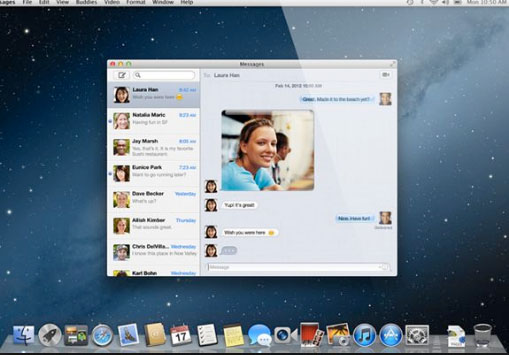
    iMessage , SMS/ MMS Alternative on Apple’s iPhone devices is an instant messenger application used to share different types of media files / text with help of mobile data . This iMessage, by Apple Inc is available for iPhone and Mac . Best iMessage Alternatives Applications for different devices is listed here .

    What is iMessage ?

    iMessage in an Apple application developed for instant messaging service by Apple Inc . Best alternative to SMS / MMS service .

    iMessage Encounters Problems with Latest iOS

    Have you felt that after the launch of new iOS version , iMessage functioning is affected ? Many of the users who have updated iOS in their device felt that they face problem with iMessage .

    If iMessage is not working properly then you can rely on some of the best iMessage alternatives .

    On iOS , i mean on your iPhone / iPad you can try these iMessage alternatives for iPhone

    Whatsapp , Facebook Messenger app , Slack , Telegram etc .

    Read Also : Best free calling Apps for all Smartphones

    Best iMessage alternatives for Android

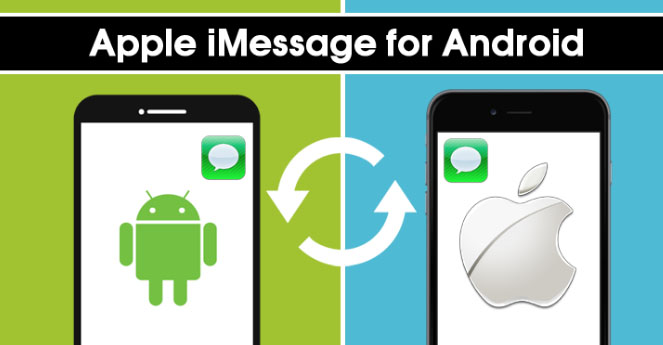
    As iMessage is only available for iPhones and not for Android to compensate that there are many iMessage alternatives for Android those works in a same way like iMessage. Below mentioned are given some Best iMessage Alternatives for Android.

    • Whatsapp Messenger
    • Telegram Messenger
    • Facebook Messenger
    • Google Allo
    • Google Hangout
    • Skype
    • Push Bullet
    • Line
    • Mood Messenger
    • Textra

    Best iMessage alternatives for windows

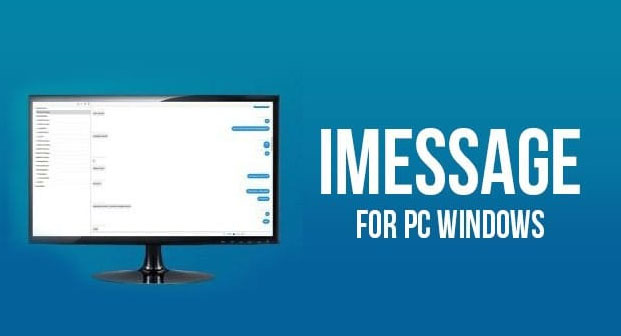
    Windows also doesn’t have any inbuilt iMessage feature but users can go for alternatives that are available in the market. For windows, below listed apps are best iMessage alternatives for Windows.

    May be in the upcoming years iMessage for Windows will be available as Microsoft and Apple is working on together to make Windows support iMessage version , thus making iMessage for PC possible .

    • Viber
    • Line
    • We chat
    • Facebook messenger
    • Google Hangout
    • Whatsapp messenger
    • Skype
    • BBM Messenger
    • GroupMe

    Best iMessage alternatives for Mac

    Mac users can install iMessage app for Mac however still there are iMessage alternatives available for Mac. Some of the best iMessage alternatives are mentioned below:

    • Viber
    • Wire
    • BBM Messenger
    • Whatsapp Messenger
    • Skype
    • WeChat
    • Facebook Messenger
    • Kik
    • Line
    • Google Hangout

    Best iMessage alternatives for Android / Windows / Mac /iOS

    As we already know that there are many iMessage alternatives available for Android, Windows and Mac. So now we are going in depth discussion of some common best iMessage alternative apps that are available for all the three operating system.

    Here is the list of best iMessage alternatives for Android, Windows and Mac.

    Whatsapp Messenger

    Whatsapp Messenger is the best iMessage alternative that can be downloaded on Android, Windows and Mac. This messenger helps users to send and receive message instantly and for it they don’t even have to pay charges as it is free of cost it just need internet connection.

    On Whatsapp you can send pictures, videos, gifs and you can also create group. It also allows you the options of like voice calling and video calling.

    Read Also : WhatsApp Exclusive Guide – Everything about WhatsApp Features

    Read Also : 10+ Best Alternatives to Whatsapp you will love this year

    Read Also : WhatsApp Data Sharing Disable Methods to Protect WhatsApp Data

    Facebook Messenger 

    Almost everyone have Facebook account and Facebook messenger is the second best iMessage alternative available. Facebook messenger helps its users to send message to each other by using internet. You can download it on any platform like Android, Mac and Windows, as it is compatible with all of them. Some of the best features of Facebook messenger are stickers, emoji, voice call, video call, sending link, location, pictures, videos and more.

    Read Also : View Facebook Full site – Facebook Desktop Version on Android

    Read Also : Safeguard Facebook Pictures-Prevent profile picture downloading

    Read Also : Best Facebook Ad management tool – Facebook Advertising

    Read Also : Instagram tips and tricks to be a Pro Instagrammer

    Viber Messenger 

    Viber Messenger is a free messenger that can be install in Android, Mac, and Windows. You can send message in anywhere in the world only by using internet. Viber offers exciting stickers and emoji to share with family and friends. You can also make international phone calls or video calls through Viber. On Viber you can also make a group of approximately 250 people. Some other attractive features of Viber are that you can send audios and video messages to your contacts. Viber Messenger also allows its users to play exciting games on Viber with contacts, followers and people near your location.

    Skype 

    Skype is available for Android, Windows and as well as for Mac. Mainly Skype is used by people to do video calls but it can also be used as iMessage alternative. Skype allows its user to chat, share, voice call, sends giphy and more. So this is the multipurpose app you can use it for calling as well as for messaging.

    Read Also : Skype for Business: Fix “Cannot sign in because the server version is incompatible with Microsoft Lync” error

    WeChat 

    WeChat is one alternative for iMessage, and one can download WeChat on any platform. WeChat is used for messaging, calling people all over the world. It is said to be a all in one app that is used for sending any type of message whether voice, photo or txt, group calls and chats, send stickers from  stickers gallery, share special moments, share location, translate your message in different languages and more. It also assures best privacy policy and one other attractive feature of WeChat is that it allows you to find new friends as it gives options like Friends Radar.

    Read Also : Get Celebrities Notice Maximum on Twitter – Popular Tweeter Hacks

    Read Also :  View Twitter Full Site – Check Twitter Desktop Version on Android

    Hangout 

    Google Hangout also used as iMessage alternatives and users can use them on any platform and device. Hangout allows it users to do free calling, send free messages and do free video calls. By using Hangout you can do video call with almost 10 people at a time.

    Read Also : Google Datally App to Control Mobile Data & WiFi Finder

    So these are some best iMessage alternatives one can use in place of iMessage. All of these iMessage alternatives provide best features so user can have good using experience also. All of these iMessages are good but users can try and select which one is the best for them.

  • Spotify Tips and Tricks to Enjoy Spotify Subscription More

    Spotify Tips and Tricks to Enjoy Spotify Subscription More

    Spotify is one of the trending in chart , so let’s discover some of the exciting Spotify features , Spotify Tips and Tricks to Enjoy Spotify Subscription More .

    What is Spotify 

    Spotify, many of you must have heard this name as it is one of the leading platforms for music streaming online. Spotify was founded in Sweden in 2008. As per May 2018, it had as huge as 175 million active monthly subscribers.

    Spotify has come a long way from Sweden now has expanded to most parts of the world. Over 35 million songs can be played using Spotify.

    Spotify is available for all leading platforms including Windows, Mac OS and even Linux. It has mobile applications for android, apple and Windows. It can also be used to play songs on play stations and Xbox.
    Everyone loves listening to music, music can be our best companion under any kind of circumstances whether happy or harsh or sad, and Spotify can be just the perfect way for you to meet your best companion.

    With Spotify app we can access to huge number of songs from all genres and from a number of artists. We can share our listening sessions and playlists with your followers and on other social media networks as well.

    Read Also : Top 8 Smule alternatives – Best Karaoke Singing Apps

    Spotify Tips and Tricks to Enjoy Spotify Subscription More

    Here are the features and some of the Spotify Tips and Tricks which justify why Spotify is one of the leading music streaming platforms:

    Discover Weekly Playlist

    It is a personalized playlist created by Spotify for each of its user. The playlist is updated every Monday. The playlist is based on the type and genre of songs you listen on Spotify, means that study your recent music choices on spotify then create a playlist of similar songs it thinks you will love to listen to.
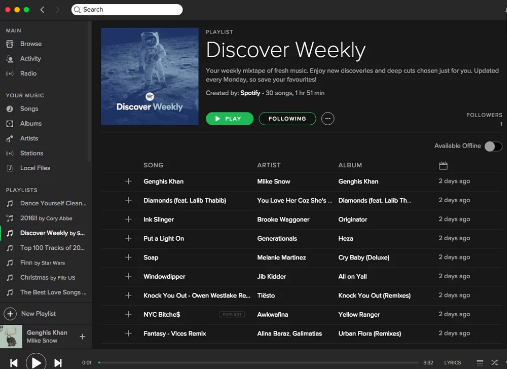
    For accessing this playlist you simply go to the Playlists section and can find it there. You can thumps up or down the songs in this playlist to help spotify further create even more awesome playlists for you.

    Read Also : Best Garage Band Alternatives for Windows and Mac

    Read Also : Garageband Alternatives- iPad / iPhone / Android

    Daily Mixes

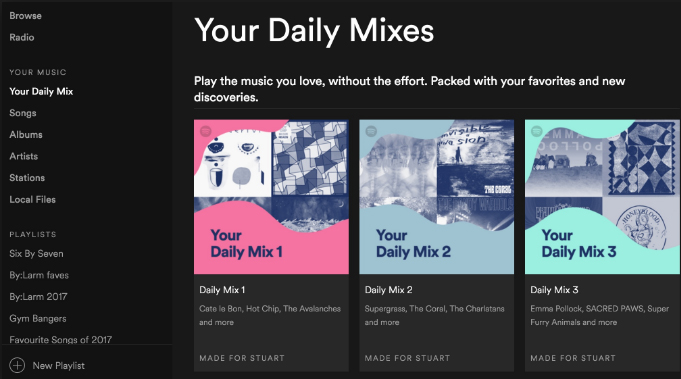
    These are also personalized playlists created by the Spotify like the Discover Weekly playlists. The only difference that these are updated on a daily basis rather than weekly basis. Use like and dislike for improving the playlists as per your interests.
    Add tracks from Shazam

    If you discover some new track on some other app like Shazam you don’t need to go search it separately in Spotify app to add it to your playlist or library, you can directly add it using the Shazam app only.

    For this you need to link your Spotify account to Shazam. After this whenever you identify some new song click on the arrow along the song and select the Spotify option. This plays the song in the Spotify app.

    Read Also : Best Streaming Devices – All Top Media Streaming Box on Market

    Read Also : Streaming Services – Netflix Vs Prime Vs Hulu Vs Sling Vs Directv Now etc

    Private Listening Sessions

    Sometimes you might be in a mood that you don’t want to share whatever you are listening to with your followers, or you want to stop sharing for a while then you can use the Spotify Private listening mode. Just go to the settings and enable this option. It is the perfect way of enjoying your guilty pleasures.

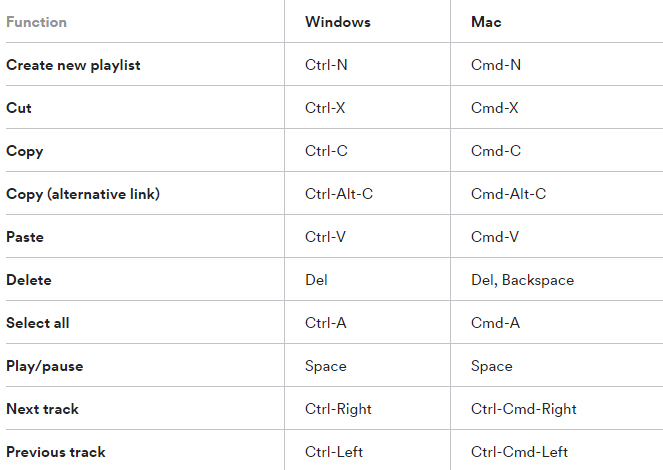
    Spotify Keyboard’s shortcuts

    Some Spotify shortcuts always come in handy so why not some for the Spotify application. Here are some Spotify keyboard shortcuts which will help you master in using Spotify –
    Recover deleted playlists

    Sometimes you might have deleted some playlist accidentally or you just want to listen to a playlist you deleted earlier, no problem. Spotify creates backups and keeps them for a considerable time period. For accessing these simply go to the Recover Playlists in the Main menu on the desktop app of Spotify. Then select the desired playlist and click ‘Restore’.

    Your Personal Karaoke

    On the Spotify desktop app when you play a song you can read its lyrics on your screen without exiting the app. Thus it can be your very own personal karaoke, have fun and sing along with your favorites.

    Collaborative Playlist

    As the name for the feature a collaborative playlist with your friends on Spotify such that all of you can add and remove songs from the playlist. So go check out this feature and create some amazing playlists and for doing so, in your library select whichever playlist you want to collaborate and select ‘Make Collaborative’.

    Radio Station

    Radio stations are playlists based on the artist or the song used to create it. You can create radio stations for the artists you listen to and similar ones. A radio station can also be created using a single song containing songs from the same artist and similar to it. For creating radio playlist click on the three dots and from the options select ‘Go to Radio’ and the radio playlist appears.

    Read Also :  Find the best radio station for iPod or iPhone FM Transmitter

    Read Also : Top Satellite Car Radio Installation and specification guide

    Discover about live gigs

    You can discover about all the concerts in and around your location. Just go to the browse section and then to concerts. There you can find about the live gigs of the artists you listen to and all the top artists as well. You can get all the details with one simple click.This would be a least familiar Spotify Tips and Tricks for most of the readers .

    Learn more about Spotify Live gigs to make use of this Spotify tips .

    Smart Search

    You can search any song or album on Spotify using its full name on Spotify easily. Besides this you can search using keywords like genre: jazz for searching songs of particular genre, year: 1980-1985 for songs of this specific era. You can use keywords like AND, NOT for including and excluding certain artist from the search.

    This will be a familiar Spotify tips for most of you .

    Hear a quick Preview

    If you want to add new albums or songs to your library and playlists, Spotify can help you lessen your work. No need to listen to complete songs or albums, just long tap on whichever song you want to listen to then spotify will play a small section for you to decide whether you want to add it or not.

    Read Also : Fast Forward , Rewind , Scrub Music in iPhone & iPad Music Player

    Read Also : Best iTunes Cleanup Software for better iTunes experience

    Crossfade feature

    If you hate the time when one song ends and the next one begins to play, the crossfade feature is definitely there for your rescue. It simply blends the two songs and you can customize the Spotify crossfade time between 1-12 seconds.
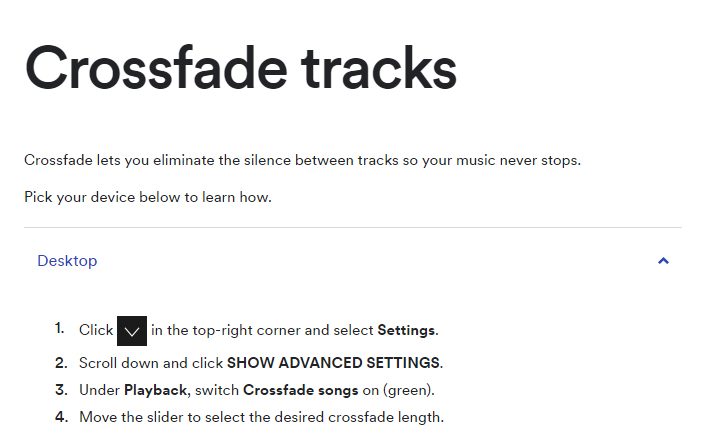
    Just access the settings then go to Show Spotify Advanced features, scroll down enable and then customize this option the way you want.

    Running Playlist

    Spotify has this amazing feature where it plays songs which matches your tempo while you are running. For this select any running playlist from the browse section. Then through your phone sensors it will find your tempo and play songs with similar tempo, thus taking your running experience to next level.

    Listen to Spotify on your Uber ride

    You can listen to any of yours Spotify playlists by linking your Spotify account with your Uber account. If the feature is allowed by your Uber driver then you can have the access the stereo of the uber car and enjoy your ride to its fullest with your favorite music playing.

    But this feature is not available in all countries yet, for checking if it’s available in your country, check it in the uber app.

    Behind the Lyrics

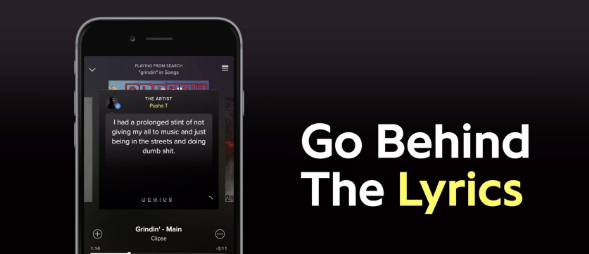
    This feature was launched by Spotify in collaboration with Genius. What this features actually does is that provides the listener with the meaning of the lyrics or some facts and trivia about that song. Although behind the lyrics is not available for all the songs in the App or website but still is definitely an amazing feature
    Be picky

    Be picky in whatever music you add to your library since spotify allows you to add only a finite number of songs to your library. Once the limit is reached you will have to clean your library by going through all of it, instead add carefully initially. You can also save you some space by adding songs to your playlist instead of the library. This Spotify tips is a must to avoid messy situation in future.

    By reading the loads of cool stuff you can do on spotify all your doubts that why Spotify is one of the leading music streaming platform among the music lovers across the globe. But many of the above Spotify features mentioned only for Spotify Premium Accounts. There are offers for complete family subscription or Student discounts are also available. You can opt for these ways for a cheaper subscription.

    Do tell us which feature do you find the coolest and don’t forget to share any of your favourite Spotify tips and tricks with us in the comments below.