Tag: Android Latest OS

  • Update Latest Android OS – Top reasons to upgrade Mobile OS

    Update Latest Android OS – Top reasons to upgrade Mobile OS

    Android has come up with even the most recent OS , it is like latest Android OS is the trend everyone look for . This version provides several good and catchy features to Android users and which have attracted many users towards it . We can find the constant demand of android users to Update Latest Android OS

    From multi-window support to improved battery life with Doze, a smarter settings menu, instant apps and many more things attracted every marshmallow user to it. Android releases another version 8.0 named as ‘Oreo‘ which have provided several features better than Nougat. This version provides 2X Android boot speed. It has also improved the problem of operating system update tackles with pesky background activities that drain a huge amount of battery. These things make ‘Oreo’ different from Android ‘Nougat’ and any other previous versions and that’s why every Android user wants to update to Android Oreo .

    Now many of us has a question that why to update to latest Android OS . What’s the need ?. The answer is simple, as the rule says , if you want to be successful , you need to be updated with the world. Every version is the best and it has overcome and fix all the bugs of previous versions. Now with these updates almost every year , we need to be updated and aware of these updates . But for this , firstly we need to learn how to update to latest Android OS. There are several mobile phones which automatically give this update and some don’t give updates as the new Android versions are currently not available for that device  .

    Read Also : Android Oreo Vs Android Nougat Vs Android Marshmallow Vs Lollipop

    Read Also : Convert 3G Phone to 4G Phone to support 4G Sim in 3G Mobile

    Why you Can’t Update Some phones to Latest OS ?

    A device manufacturer writes Android device drives for their hardware to make Android work on their hardware . These are closed-source and the device manufacturer have to himself update them.  It is not possible for Google to release a new version which works on all devices. Some Android versions comes with increased hardware requirements . That’s why sometimes you can’t get update to latest Android OS.

    So now the question is that , what do do with those mobile phones which doesn’t give the latest updates . 

    Today we will show you several methods to update your phone to latest android OS, so that you can easily update your android OS by yourself by following some simple steps .
    Method 1: Updating your Android OS using WiFi ( Update Latest Android OS )

    Step 1: Make sure your device has been connected to a working WiFi network .

    Step 2: Open your device settings.

    Step 3. In settlings , find About device and tap that to open it .

    Step 4: You will find an ‘Update’ option there. Tap it .

    Step 5: Now tap ‘Check for updates’ . Now your device will search for avialable updates.

    Step 6: If there is an update available an ‘Update’ option appears on the screen . Tap on it your update download will start .

    Step 7: Now an ‘Install’ button will appear on the screen . Install the update the device will be rebooted and after successful rebooting you will get updated OS in your device .

    Read Also : Android Vs iOS – Pros & Cons of Buying Android Vs iOS

    Read Also : iOS 11 Vs Android Oreo – Who wins gadget lover’s Heart

    Method 2: Updating using a Computer( Update Latest Android OS )

    Step 1: In desktop browser, open device manufacture’s official website .

    Step 2: Select your device there and download and install device management software .

    Step 3: Now return to the device manufacturer’s website and search for available updates .

    Step 4: Connect your device to the computer using USB cable.

    Step 5: Now open device management application .

    Step 6: Locate the update command . In Samsung phones , you will find this under ‘Tools’ drop down menu .

    Step 7: Click on the update command. After clicking , the update process will start .

    Method 3: Update using a rooted ROM ( Update Latest Android OS )

    Step 1: Firstly download a rooting software and install it in your computer .

    Step 2: Connect your device to your computer using an USB cable .

    Step 3: Open the rooting software in your computer .

    Step 4: Follow the on screen prompts and start the rooting process .

    Step 5: Now restart your device .

    Step 6: Install any Android version you want to use in your device .

    Step 7: Restart your device . Now your device will run on the Android version you have installed .

    Before doing the Method 3 , For precaution I will suggest you all to backup all your data as we know rooting can prove sometime dangerous for your device . It can harm your device and data. So , it will be better if we will backup our data to some USB or hard disk before updating to other android version.

    By using above simple methods and steps you can update any android device to latest android OS to use the more advanced and catchy features of these newer versions. But I will suggest you to first try Method 1 , as it is the safest and natural way to update you device and it will not cause any harm to your device . Method 2 and Method 3 are forcefully methods to Update Latest Android OS which can harm your android device and can lead to data loss . But if the Method 1 fails and you can’t restrict yourself from those catchy features of latest android OS then you can simply opt for Method 2 and 3 .

  • Android Q – What it would be Named ?

    Android Q – What it would be Named ?

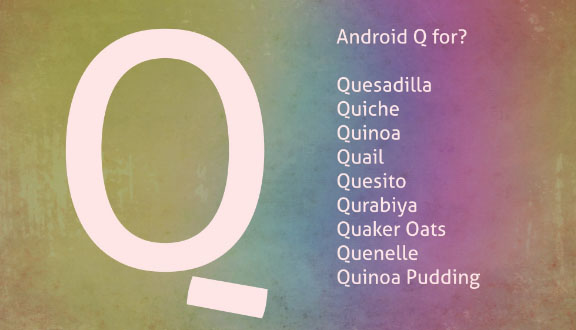
    Android Q , the next Android OS that might be released . You may be aware that Android always gives out a good desserts name for each of its release . Android O as Android Oreo , and now the latest is Android P as Android Pie , So guess what would be the name for Android Q .

    Android Q – What it would be Named ?

    This is not really as simple as you think to guess out a dessert name with Q . But still we would take a look at some of the names we guessed for Android Q .

    Since you might have noted that Android H is not named as a dessert item , may be if that is the case Android Q might also get some other popular Q words . Also we have a personal guess that we can also expect any bird / animal / fish names . Sometime just like using some brand names like Oreo , kitkat we can expect even such names from Android for Android Q

    Quince

    Android Q might sometimes be called as Android Quince . Because Quince is a fruit , exactly the taste of Quince is just like a mix of apple and pear fruit .  This can be a wrong guess even .

    Quince Jelly 

    I personally believe this name has higher probability just like Android gingerbread combination . Here Quince is the same fruit that we mentioned above . This can be used to make a really sweet jam , Since Android is using dessert names there is a chance it can take up a name Android Quince Jelly .

    Already Android Jelly exist so may be Google might prefer to use this more . Just a guess work , lets see next guessing .

    Read Also : Update Latest Android OS – Top reasons to upgrade Mobile OS

    Quince Jam

    Android Q as Android Quince Jam , this is my next guess word for the latest Android version .

    Quince cheese

    I have got one more combination for Android Q with Quince that is sweet . How about Android Quince Cheese ? Not sure , but again my last guessing on Android Q for Quince .

    Read Also : Android Oreo Features to fall in love with Android mobiles often

    Queijadinha

    This might sound bit weird to most of the readers . Well Queijadinha is a sweet confectionery with Portuguese origin.  It is a type of sweet candy . Even though weird may be we can guess that Android Queijadinha can be the name for latest Android version .

    Queijada

    One of the Portugal sweet , if this can be the Q in Android’s Q version , then it will be Android Queijada . But you can notice that Google have always chooses common English words  not any regional or country language .

    Queen Cake

    This can be a rare choice to hear as Android Queen Cake as the name sound sorta weird .

    Read Also : Android Oreo Vs Android Nougat Vs Android Marshmallow Vs Lollipop

    Read Also : Android Oreo Features to fall in love with Android mobiles often

    Read Also : Android Vs iOS – Pros & Cons of Buying Android Vs iOS

    Quick Bread

    Just like Ginger Bread may be Android can get this name for its Q word – Android Quick Bread . That sounds sorta cool as per my choice .

    Qistibi

    A perfect non fermented roasted flat bread . This can also stand for Android Qistibi , but just like we mentioned before this name can sound too regional not a common English word .

    Quark

    Android Quark can also be a name or even Android Quark Cheese can be the next versions name . Quark is a form of milk , a perfect diary product just like Paneer .

    Quillback

    If Google may consider fish name since the Q words are few , then Android Quillback can be its name for the Q version Android OS .

    Quartz

    Quartz Watches being popular , the mineral name Quartz can be the Q in the Android Q version . If so we can guess that Android Quartz can be the next name .

    Quad

    Android Quad can also be possible mostly , Do you know what exactly Quad means – Quad just means 2 bits , note that it is not the computer bits ..

    But technically Quad is used as a word to describe the numerals on the IP address ( One IP Address consist 4 Quads (numbers) and periods (Dots) generally )

    Quiche

    This is a type of savory flan with french origin , may be Android Quiche can also be the name .

    Qurabiya

    It is basically a biscuit ( A shortbread – Scottish biscuit ) type made with nuts . This being a regional word the chances are very less to make up to Android Qurabiya for Q version .

    Queen of Puddings

    Famous British pudding that is one among popular British desserts , But its quite a long three word to take up for Android OS name .

    Quindim

    Android Quindim also can be the preferred name choice for the latest Android OS .

    Qottab

    Its again a dessert item , form of cake or pastry . If Google prefers this can be Android Qottab .

    Quesito

    Android Quesito is a pastry made of cheese . If Android likes this pastries then Android Quesito can be the name in the next list .

    Quetschentaart

    This is a dessert with Luxembourg origin , since google used dessert names for all other versions may be it can be Android Quetschentaart .

    Quail

    You may be aware that Google Algorithm update gets new name each time like – Penguin update , Panda update etc … So what if Android OS gets a bird name this time as Android Quail .

    I think i am done guessing out , apologies to Google Android if all the guesswork names are so stupid . And to our readers do let us know the names you think as the Android Q name .

    Note : Names mentioned here are not official , just random guess words which we think can be Android Q name . We will notify the Android Q release date and more about Android Q features .