Tag: online transactions

  • Samsung Pay Guide with Exclusive Samsung Pay FAQ

    Samsung Pay Guide with Exclusive Samsung Pay FAQ

    This is all about Samsung Pay , here is the exclusive guide on Samsung pay with all FAQ related to Samsung Pay .

    Samsung Pay Guide with Exclusive Samsung Pay FAQ

    We are presently living in a ‘Digital Era’ where everything is done online. This has been one of the tremendous transformations of technology seen in recent years. We have got online shopping through sites like Amazon, Flipkart, eBay and so on. The transformation begins here. They have options to pay online through Credit or Debit Cards. Digital payment is involved here.

    And now? Technology has made it more convenient and ‘Cash free’. Even in supermarkets and malls, they accept cash free payments such as Paytm, wherein a QR Code is scanned to do this task. There you go. The payment is done in a second. In other countries, PayPal is in use.

    Did you know? The latest trend in the digital payment is the Samsung Pay. 

    Here is the Exclusive Samsung Pay Guide with Exclusive Samsung Pay FAQ that explains a lot about everything related to Samsung pay service.

    Let’s begin the Samsung Pay Guide by knowing about what exactly is this novel way of making payment “Samsung Pay “.

    What is Samsung Pay ?

    Samsung Pay is a payment via mobile, as well as a digital wallet service designed by Samsung Electronics, enabling the users to make payments using compatible smartphones and other Samsung devices. This service has a good support for contactless payments; i.e. payments through debit or credit cards or other devices via Near-Field Communication (NFC); along with Magnetic Secure Transmission which also enables Contactless payments via magnetic stripe and usual contactless cards.

    This payment service was designed from the creative asset of LoopPay, group funded startup company bought by Samsung.

    Samsung Pay Compatibility

    Here is the list of devices that supports Samsung Pay .

    Top-listed smartphones that supports Samsung pay

    Galaxy S

    # Samsung Galaxy S6 (includes S6 Edge, Active & Edge+)

    # Samsung Galaxy S7 (includes S7 Edge & Active)

    # Samsung Galaxy S8 (S8+ & Active)

    Galaxy Note

    # Samsung Galaxy Note 5

    # Samsung Galaxy Note 7 (*discontinued*)

    # Samsung Galaxy Note FE

    #Samsung Galaxy Note 8
    Other Smartphones supporting Samsung Pay

    # Samsung Galaxy A5 (2016)

    # Samsung Galaxy A7 (2016)

    # Samsung Galaxy A8 (2016) -accessible to Samsung Pay users in South Korea

    # Samsung Galaxy A9 (2016) -Samsung Pay users in Brazil & China

    # Samsung Galaxy A9 Pro (2016) -Samsung Pay users in Brazil, China, India & South East Asia

    # Samsung Galaxy A3 (2017) -accessible to most of the countries except Europe

    # Samsung Galaxy A5 (2017)

    # Samsung Galaxy A7 (2017)

    Smartwatches supporting Samsung Pay

    # Samsung Gear S2 (NFC access only)

    # Samsung Gear S3 (MFS & NFC)

    Here is the devices and smartwatches & smartphones supporting Samsung Pay.

    How Samsung Pay Works ?

    As you know that Samsung Pay is already in great demand and in use in India, it is high time you get to know how it really works. Samsung Pay can be accessed only by those having the latest version of Samsung smartphones; the Samsung A series, and a few versions of Galaxy S6 & Galaxy S7.

    Here we will discuss on the working of Samsung Pay app , i mean how Samsung Pay works.

    At first, look out for the Samsung Pay app on your phone. Set up the app for payments. To let the app that you are using it, it is important that you either user the fingerprint or a PIN. Obviously, it is the fingerprint that would be the fastest to access, once the app is setup. However, if your phone or device does not respond well, it would be ideal to choose the PIN version for recognition.

    Secondly, you have to connect Samsung pay app to credit card or the mobile wallet. Remember that this app does not support credit cards of all Banks, and also not all the mobile wallets. In such cases, it is ideal to use Paytm. It is quite easy to use if you link the Credit Card or the Debit card or even a particular Bank is supported.  You could save an image of the credit card or enter the details manually.

    Thirdly, connect the Paytm through an OTP (One Time Password), which you can get as SMS. Now, you are all set. Go shopping with your phone and you can make payments. Samsung Pay can be used anywhere, as it uses NFC and MST (Magnetic Secure Transmission); this means that he does not have to use the latest gadget to accept payments through Samsung Pay.

    Hence, to make payments easier, you just have to get the Samsung Pay app and hold the phone closer to the top or side of the swiping machine. However, with the difference in each device, there might be some issues initially. Don’t get panic.

    Samsung Pay Guide : How to Use Samsung Pay

    Samsung Pay is the most innovative way to make cashless as well as cardless and most importantly, the ‘walletless’ payments. If you are worried that you haven’t got your credit in you wallet, don’t get panic. If you have linked your Credit card to Samsung Pay, consider your work done. All you need to do is open up the pay app, keep it close to the swipe machine; there you are , the payment is complete.

    Now, let us get to know this latest app through Samsung Pay Guide. 

    Get Setup- Fast

    Samsung Pay’s setup is a task done in a snap.

    Here is the steps to setup Samsung Pay and add your card on Samsung Pay –

    # Just add Debit and the Credit Cards through a few simple steps.

    # You start by clicking the Samsung Pay icon on your phone or device.

    # As it prompts, open the camera app to scan the credit card information and save the account with fingerprint or PIN.

    Read Also : PayPal Vs Venmo : Best Online Money Transfer System Compared

    Easy like NFC or simple Swipe

    Here  is the simple steps on how to use Samsung Pay app to make payments –

    # As the credit card and debit card information are loaded, all you need to do is swipe the lock-screen up from the bottom of the screen display so as to start the Samsung Pay app.

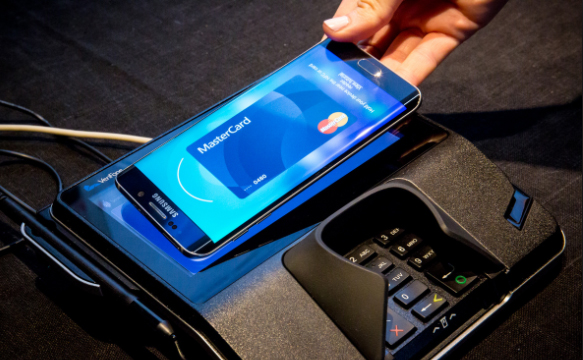
    # If the terminal of the retailer has a support for NFC, just keep the phone near the NFC receiving area.

    # For a normal card swipe machine, keep the phone vertically over the slot until you get a vibration for the payment confirmation.

    Samsung Pay’s licensed technology has ensured the compatibility with both, magnetic stripe card readers or the MTS and the NFC depots; hence proving the virtual acceptance anywhere when swiped or the card being tapped.

    Read Also : Safe Online transactions Tips & top 12 safe online transactions methods

    • Safe & Secure

    Is it Samsung Pay really safe method to pay ?

    Approved by Samsung KNOX security program, Samsung Pay is a very safe technique of making payments. These  transactions would be approved only after the fingerprint or the PIN is configured to verify your identity, hence card is displayed for representation instead of showing the card number. The retailer does not have to verify your credit card number or any personal information since only a code is shared through this transaction process.

    Read Also :  Pros and cons of credit cards – All the Hidden Facts on Credit cards

    Samsung Pay FAQ
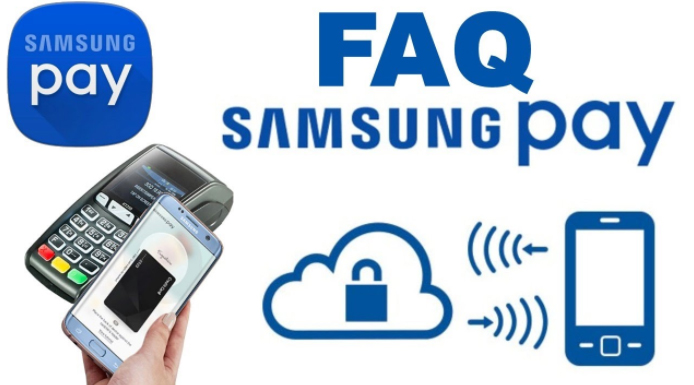
    Samsung Pay is all set to take a permanent space as the most innovative way in making payments and ‘swipe’ away the regular plastic cards from the wallet. This app works almost everywhere and even on the conventional magnetic POS machines.

    The Samsung Pay FAQs are here to answer your queries about all that you need to know about this latest app.

    Let’s begin:

    Where is Samsung Pay Available  ( Countries supporting Samsung Pay )

    Presently, this app is accessible in the U.S, the U.K, South Korea, China, Australia, Brazil, Canada, Singapore, Spain, India, HongKong, Malaysia, Puerto Rico, Russia, Sweden, Switzerland, Thailand and the UAE.

    What device/bank/card/Carrier do I have to use for Samsung Pay

    Devices supporting Samsung Pay : Samsung Pay app works with the Galaxy S8, S8 Plus, S7, S7 Edge, S6 Edge+, S6, S6 Edge, S6 Active, & Galaxy Note 5. You can also access on Gear S2 (to use only on NFC depot) & Gear S3.

    Carriers supporting Samsung Pay : Most carriers in the U.S has a great support for Samsung Pay- AT&T, MetroPCS, Sprint, Verizon & US Cellular.

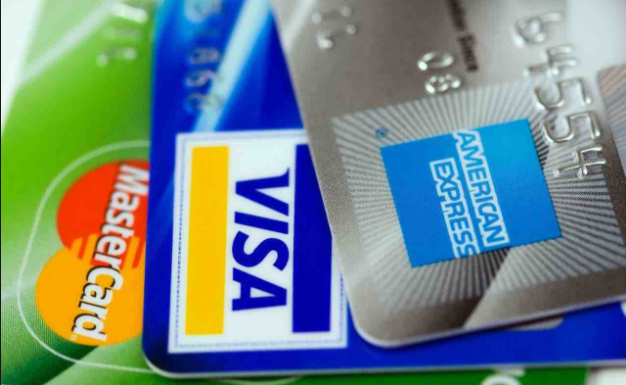
    Cards supporting Samsung pay : The most compatible cards for Samsung Pay are Visa, MasterCard, Discover or American Express.

    Where can I use Samsung Pay

    Samsung is content about the fact that its app Samsung Pay works in almost all the POS (Point Of Sale) machines- NFC, MTS or the Magnetic Secure Transmission and the EMV (Europay, Mastercard & Visa) depot for the chip-based cards. However, this app does not work on those traditional card readers that we see at gas stations and ATMs.

    One of the POS system where the Samsung Pay app does not work is the iPad based payment depot named Shopkeep. Though it finds that you were to make a payment, yet, it would show that Samsung Pay is not a valid credit card.

    Read Also :  Venmo User Guide for Safe Transactions – Venmo payment

    Read Also : Credit Card Debt Pay Off- 5 Things to Consider About Debt Pay Off

    Read Also : Pros and cons of credit cards – All the Hidden Facts on Credit cards

    What does the Samsung Pay setup process involve

    After the installation of Samsung Pay app, you have to register your fingerprint if not done already. The camera app will be open to scan the debit or credit card. It is important to double check if the number, name on the card and expiry date are all correct. And finally, the app verifies the card by sending SMS from the corresponding bank.

    How many cards Samsung Pay supports 

    Samsung Pay app can hold upto 10 cards.

    How does Samsung Pay work
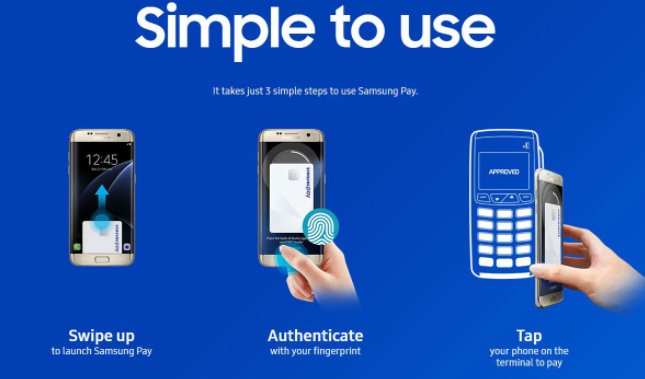
    Samsung pay uses NFC (Near Field Communication) technique to process the payments at certain ‘tap and pay’ depots. The app works in all the conventional magnetic stripe depots too. These older versions are used in most of the retail stores in the U.S. Samsung Pay uses MST as the phone is kept near these machines. This is how Samsung pay works .

    How to make payments with Samsung Pay

    Follow these simple steps to pay using Samsung Pay app –

    @ Swipe up the lock screen from the Samsung Pay bar above the Home button.

    @ Select the card to make the payment, keep  the finger on Home button to verify the fingerprint.

    @ Back side of the phone should be placed against the terminal for payment.

    Read Also : How to secure bank account from hackers

    How Samsung Pay is different from Android Pay & Apple Pay

    The important factor that makes Samsung Pay differ from Apple Pay is that Samsung Pay can be used at almost all the retail stores accepting debit and credit cards, besides the tap-to-pay NFC depots. This chart depicts how Samsung Pay is unique when compared to Android Pay as well as Apple Pay.

    So here is the comparison between Samsung Pay Vs Apple Pay Vs Android Pay .

    Samsung PayApple PayAndroid Pay
    Devices supporting Samsung Pay app includes- Samsung Galaxy S8, S8 Plus,
    S7, S7 Edge,
    S6 Edge+,
    Galaxy Note 5,
    Galaxy S6 and S6 Edge, Gear S2 and S3
    Devices supporting Apple Pay app includes –
    Apple iPhone 7/7Plus, 6/6 Plus,
    6S/6S Plus, SE,
    Apple Watch,
    MacBook Pro with TouchID,
    iPad 5th generation,
    iPad Air 2,
    iPad Pro and
    iPad Mini 3 and 4
    Devices supporting Android Pay app includes –
    Android phones with NFC and HCE support running KitKat (4.4) or higher
    Countries
    using
    Samsung
    Pay app –
    US, UK, Australia,
    South Korea,
    China,
    Brazil,
    Singapore,
    India,
    Hong Kong, Malaysia,
    Puerto Rico, Russia,
    Spain,
    Sweden,
    Switzerland,
    Thailand,
    UAE
    Countries using Apple Pay app US, UK, Australia,
    Canada, China,
    France,
    Hong Kong, Ireland,
    Isle of Man, Italy,
    Japan,
    New Zealand,
    Russia,
    Singapore,
    Spain,
    Switzerland,
    Taiwan
    Countries using Android Pay app
    US, UK, Australia,
    Canada,
    New Zealand,
    Ireland, Poland,
    Singapore, Hong Kong, Taiwan, Belgium,
    Japan, Russia
    Fingerprint or PIN authenticationFingerprint (TouchID) authenticationFingerprint authentication on supported phones, otherwise PIN
    Works with NFC, magnetic stripe or EMV terminals, in-app purchasesWorks with NFC terminals, in-app purchases and web purchases in SafariWorks with NFC terminals and in-app purchases
    Credit, debit, loyalty and gift cardsCredit, debit, loyalty cardsCredit, debit, loyalty and gift cards
    Wide variety of banksWide variety of banksWide variety of banks

    Is it Samsung Pay Secure

    The account details or the credit card number is not stored on the device by Samsung Pay. Transactions are processed through tokens. Whenever you make a purchase, the device having Samsung Pay send two sets of data to the payment device. First set of data holds a digit token depicting the credit or debit card number and the latter represents one-time code or the code generated by the phone’s symbolic key.

    What do I do if I lose my phone when it has Samsung Pay app

    You cannot make any payments from the phone unless the PIN or fingerprint is authorized during the setup process. In case you have registered on Samsung’s Find My Mobile service, relevant information related to cards stored in Samsung Pay can be erased remotely.

    So if you lose your phone or mobile gets stolen , don’t worry about phone lost with Samsung pay app . It is safe than your thoughts.

    Can I use Samsung Pay even without a WiFi/cellular connection

    Yes, It is possible, though only 10 payments can be done through Samsung Pay without connecting to WiFi or mobile data. There should be an active internet connection so as to add a card and access the transaction history.

    Can Samsung Pay be used overseas

    Taking into account the U.S customers, if a card can be used overseas, it is obvious that Samsung Pay can also be accessed. The limitation is that if you wish to add a card while traveling outside the country, you will need to contact the respective bank.

    Does Samsung Pay also work for returns

    Yes. In such situations, the retailers or merchants would ask you to keep the phone against the payment device, just the way you do when making a payment, so as to avail the return. Besides, you need to match the payment information on the receipt that has the last 4 digits of the ‘virtual’ card number. This can be done using Samsung Pay app.

    Review

    Samsung Pay will be completely taking over the physical wallet completely and make the pockets free.

    In this article, we have come across what is Samsung Pay. The setup process, how it works and how to use Samsung Pay is explained through Samsung Pay Guide. We have also covered a topic – Samsung Pay FAQ, where all the queries related to this app hasd been answered. Hope this article has been helpful to you.

    GO CASHLESS…. CARDLESS….. WALLETLESS!!! Enjoy Samsung Pay TENSION ‘LESS’ to make your payments!!
  • Square Online transactions Pros – Why Square is Better

    Square Online transactions Pros – Why Square is Better

    There are so many best and secure online transaction available . Here we detail about Square cash and the pros of Square Online transactions which makes it better .

    Square Online transactions Pros – Why Square Cash is Better

    Square Online transactions was born out of necessity when one of its founders had problems while accepting payment via credit card for one of his art works. Square helps you to go online. You can create a website for free to sell your goods. They believe in giving everyone an opportunity to showcase their talents be it big or small. According to them economy is for everyone to make use of. The technology shouldn’t make someone greater and another smaller. Equal importance should to given to all.

    The tools by Square help to empower and enrich the people. A good idea put to use at the right time can create wonders and get the business started. Square started their business with a card reader that can accept credit card payments on mobile through a plastic reader/dongle. The dongle need to be inserted into the phone port. Like all credit card companies they too take a transaction fee of 2.75% per swipe. Square cash another option is the easiest method when hanging out with friends and paying while splitting the bill.

    They also introduced Square POS system for cafes and restaurants. They had a tie up with starbucks which later had fallout due some issues. The POS system works on the square registered app and helps in inventory management, gift cards, and employee log in etc.

    Read Also : Safe Online transactions Tips & top 12 safe online transactions methods

    Square Connect

    This is another wing of Square. Square connect is an e – commerce option that allows a person to make online purchases from a website without leaving the site. It is quite helpful to small businesses. Local businesses and small time owners have found satisfaction with the online transactions of square app. Sites like PayPal are their rival companies. There are also many online transaction companies that are really safe including latest Google Tez .

    Read Also : Best Low Cost Fund Transfer Methods An Overview

    Why is Square online transactions better than other online payments site?

    The best POS (Point of Sale) mobile services Square product and services are what makes them stand apart. Unlike other services Square offers few additional services free of charge. Some of them include low stock alert, employee management, inventory counts, customer loyalty points etc. which is not available with PayPal or Venmo. One can even create a cash register and sue it on the mobile for sales. All of these are consolidated and easily viewable on the Square Dashboard.

    Read Also : PayPal Vs Google Wallet : Best Online Money Transfer / Payment System Compared

    Square Online transactions Pros

    Below is the point by point description of Square Online transactions pros that makes people to rely on this online money transfer system.

    • Fast and easy

    The process of using square in small businesses is a fast and easy process. Square Cash helps to accept payment from any cards.

    • Seamless payments

    The process of online payments happen seamlessly through Square online transactions.

    • Affordable – Square’s Fees

    The transactions fees are light on the pocket. Unlike other credit cards companies where you need to shell out thousands of rupees per month as fee here the transactions fees are 2.75% per swipe or 3.5% fee + 15 cent extra when typed in manually. If you are looking for low transaction fee payment app that works like PayPal then Square is your option . Square fees is an attraction to choose square as the online transaction method.

    • Secure 

     Transactions through the app is very secure. The personal details are kept secure and hidden. They have a fraud detection system to catch discrepancies happening in the system or with the accounts of customers.

    Read Also : How to secure bank account from hackers

    • Accepts offline payments

    With Square one can accept payments anywhere anytime. Offline payments are accepted via card reader. The companies need to invest in a card reader that can be fixed to any mobile or iPad. The customers can then swipe their debit or credit cards easily and make instant payments offline.

    • Payment deposited in 1-2 business days

    Almost all card companies process the payments in 5-7 business working days. Square processes it faster in 1-2 business days. This is a huge advantage to the company as well as the customers. While the company gets more customers for this offer people are also benefited with this early deposition.

    Read Also : Pros and cons of credit cards – All the Hidden Facts on Credit cards

    • Assistance with problems faced 

     There is 24/7 customer support to clear all queries related to Square transactions. Customers can contact the support team via emails, social media or support forums. Immediate action is taken on all tasks. During swiping or cards too, the customers receive a receipt via SMS or email then and there as and when the card is swiped. There is no third party interference.

    Read Also : Purchase without credit card top hacks

    • Reliable 

     The source is very reliable i.e. including the app and the payment gateway. The online store similar to eBay provides merchants or anyone who wants to create an e commerce website a platform to showcase their goods

    • No monthly fees 

     For those interested in setting up an e commerce website this is good news. There is no start up fees or monthly fees to work the site. It is free and can be got made ready in a matter of 15 minutes.

    Read Also : Venmo User Guide for Safe Transactions – Venmo payment

    Read Also : Cancel / Reverse Venmo payment : When a Venmo payment goes wrong

    • Not contract based 

     Finally there are no commitments or contracts that need to be signed for setting up a website. This simple and easy method is what attracts people to Square. While keeping it free and easily accessible to all the security is not compromised.

    Square is economical in terms of transaction fees and it is easy to install and use. Local business owners find it a boon to their business and it has helped them and their business in this world of technology and marketing. The card reader functions are also useful to many individuals who find the need for sudden debit or credit card purchases and do not carry any hard cash.

  • Venmo User Guide for Safe Transactions – Venmo payment

    Venmo User Guide for Safe Transactions – Venmo payment

    Gone are the days when you shuffle your pockets for cash or run frantically for a cheque or DD to be cleared for transaction. Now it’s the time for Venmo, a mobile payment app where you can transfer money on the go. So this will be all about making you familiarize with this mobile payment , in detail a  Venmo user guide.

    WHAT IS VENMO?

    “Necessity is the mother of invention”. Same was the case with the founders of Venmo. Started out in 2009 by two friends, the idea of a digital wallet came up when one of the two friends forgot his wallet on a trip. The tension and hassles that followed led them to create Venmo. It’s a mobile wallet that helps the masses to transfer money to each other through the website or the app.

    HOW DOES VENMO WORK?

    Venmo works like a virtual bank. Thus the working of Venmo is too simple .Users can connect to Venmo through their Facebook profile or create a new account in the Venmo app. They can link their bank accounts, debit or credit cards or use their Venmo balance for transactions. A 3% fee is charged for each credit card transaction while it’s free when done through bank or debit cards. Venmo will first use your venmo balance, In case there is a shortage of funds the app will automatically retrieve the remaining amount from the bank or card linked.

    HOW TO TRANSFER MONEY USING VENMO?

    If you want to transfer money using Venmo then it is very simple as the normal transaction.

    On the top right corner of the screen is a pen and paper icon. Click on it to get a payment and request form; fill the necessary amount and details and. You can decide to pay one or many friends the amount with a note. Once done select “pay”. If your requesting for money click “charge”.

    HOW TO ADD DEBIT/CREDIT CARD ON VENMO?

    It’s the same method as all websites.If you want to add debit/credit card on venmo then follow these simple steps.

    Click on “Add debit/credit card” and provide your card information.

    If using Venmo app:

    1. Tap the drop down icon on the upper left corner of the screen
    2. Go to “settings”, click “Bank & Cards”
    3. Click “Add Debit/Credit card” and provide the card information.

    Once completed you can set a primary funding source from Settings

    “Bank & cards”

    One important thing to keep in mind is that 3% is charged for credit card transactions while for bank and debit cards it’s free. The processing fee is generally applied for all credit cards.

    Read Also : Pros and cons of credit cards – All the Hidden Facts on Credit cards

    Read Also : Purchase without credit card top hacks

    IS IT SAFE TO USE VENMO?

    Security and privacy are two main points that tops our checklist during an online transaction. It is quite risky to provide bank and card details on an app at a time now when there’s a lot of hacking happening. However, if you have checked their app they have mentioned the precautions taken such as: data encryption, encryption and storage, account protection. As a safety measure always monitor your accounts and opt for notifications/alerts. With proper privacy settings Venmo is safe to use.

    Read Also : How to secure bank account from hackers

    Read Also : Safe Online transactions Tips & top 12 safe online transactions methods

    PROS AND CONS OF USING VENMO

    Like the two sides of a coin every man-made material has a good and bad side to it.

    The pros of Venmo are that it is free to use, easy and friendly in terms of understanding the app. It is a fun way to pay friends or contacts in the list with quick payments. You can also split the bills with friends while on an outing.

    The Venmo cons or the disadvantages include questionable security claims along with transactions to be made through an email ID which is unsafe considering hacking while the details are open. Transaction takes up several days though you pay 3% fee for credit card transactions. The transfer limit is restricted and does not work outside the US. Once a payment is done, it can be cancelled and there is no seller and buyer protection. Thus it is avoided for goods and services.

    HOW TO CANCEL A VENMO PAYMENT?

    Once a transaction is done the amount is available in the venmo account of the other person to use. While you have no way to cancel a wrong payment in venmo you can send a request for the money back. The only exception is if it was sent to an address or number that’s not signed up on Venmo.

    You can send reminders. If you still haven’t heard from them after a day or two contact the Venmo support team will help out. Though this is a disadvantage for sellers, Venmo has the option of cancelling a venmo payment.

    HOW TO REVERSE A PAYMENT?

    A completed payment means the amount as reached the receiver. The only time when a payment is reversible is if the amount is still in Venmo systems. The support staff at Venmo can reverse it only with the recipient’s permission.

    Few details you need to provide the support staff to reverse Venmo payment :-

    • Username of the person you sent the funds
    • Amount sent
    • Date it was sent
    • Username and phone number of the person you originally had to pay

    HOW TO USE A CARD ON VENMO?

    We have discussed above how to add a debit/credit card to Venmo. Once the card details are added you can set the primary funding source for all your transactions. Go to settings  –>    Banks and cards –> Add card.

    Conclusion

    Depending on the features and feasibility many would suggest Venmo is more user-friendly since we live in a digital world. Nonetheless PayPal has its own set of followers. Venmo is easier to use for peer to peer transactions and Paypal is better for person to business transactions. Venmo, as an App is easy to use and a very friendly app. Any common person can use it if you have a smartphone and a valid email ID since the transactions are done through email.

  • Purchase without credit card top hacks

    Purchase without credit card top hacks

    In a world of online transactions many people fall short of the payment options they have to their disposal. Online transaction when thought of the first thing that pops out of our pocket is our credit cards, isn’t it ? Well good news people, out there we have got a plenty of options to get debited from and credited by the product or services we ordered.For some making purchase without credit card is “Taboo” involving a lot of risk and complication. As a matter of fact paying through any option other than credit card is as easy as to pay it through credit card, Confused huh? Here are quite a few options and facts to go through and enhance the shopping experience without a credit card yes you heard it right.

    Excellent hacks to Purchase without credit card 

    Here we are discussing about the 10 excellent ways to make payment without credit card. So this will expand your world of online transactions really. For masters in internet and cash dealings online this is not going to be a great deal but still have a look ,what if you could found something new here . And for newbies to online transaction world just go through it as you can find it quite relaxing and helpful i guess.

    So here is the top 10 ways to Purchase without credit card :- 

    1. Debit card

    Debit card can be considered as primitive mode of transaction and feels like it is with us since ages easy, involves less risk and identical twin of credit card is widely acceptable. Debit card hold a whopping 45.7% of total online transactions made globally since 2010, technically speaking if 1000 transactions are made 457 will be accounted by debit cards. Huge!

    Debit cards are easy to use payment options and almost every online platform supportive, user should know the Card Number, Expiry Date, CVV code and Card Holder Name to initiate a debit card transaction and guess what all the details are very well printed on the card you are using.

    1. Cash On Delivery

    “Cash on Delivery” is very hassle free way to get the payment done. Order the product in the stipulated time delivery men swoops in gets the product and demands cash, in no time transaction is complete, provided if you pay the cash. Also referred as COD is a secured mode of payment as it is much of a hand-to-hand cash transfer. COD is also supported by most of the platforms out there.It is a method of not just Purchase without credit card but its like no need to know about card purchases at all. Just like you buy and you pay the paper cash .

    Read Also – Pros and cons of credit cards – All the Hidden Facts on Credit cards

    3. Bank transfers (EFT)

    EFTs otherwise known as Electronic Fund Transfer is yet another mode of payment which takes place using a internet account provided by the respective banks. For example XYZ bank will provide username and password which can be used for internet banking to login, it is a virtual account through which user can make payment to specific website, seller or individual. As far as security is concerned the transactions are encrypted from bank’s end hence provides trustworthy security.

    4.Virtual wallets

    A range of wallets are available online to cater the need. Virtual wallet works in a way similar to a physical world wallet, user needs to en-cash the wallet post which it can be used for online transactions. Virtual wallet can be used without the bank account being involved while the transaction which is a bright side, most of this wallets also back you up with mobile application. In terms of security virtual wallets are pretty tight, virtual wallets are a good way to pay because user need not input data and fill up forms which makes it easy to pay option.One of the excellent and risk free way to Purchase without credit card.

    Companies like Google, Apple, PNC, Samsung, PayPal are few of the companies which provides virtual wallet, in a need to be the best in the market companies shell out a lot of offers which in a way can help users save a few bucks.

    1. Virtual Credit Cards

    Virtual credit card can be used rather than a physical credit card as it involves risk and fraud, virtual credit cards can’t be stolen, lost or cloned as they are issues for a period of two and twelve months. Virtual credit cards have a limit of transactions and the credit card numbers generated are either by a web application or client software making it more secure. It is a best alternative to credit card .

    Virtual credit cards are also famous by the names : “Substitute credit Card Number” , “One-Time Use Credit Card” , “Disposable Credit card”.
    1. Bitcoin

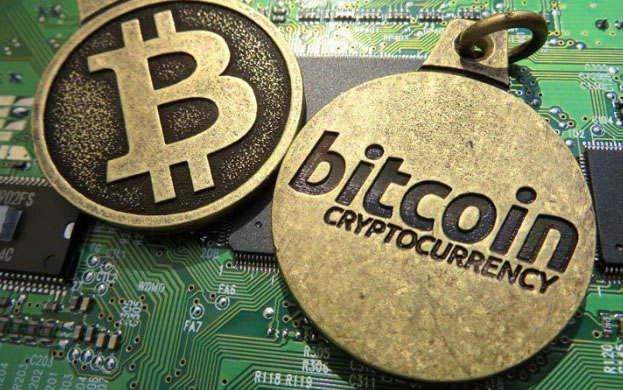
    Cryptocurrency are a new and innovative way to make online payments. Bitcoin is one of those currency option which is in use. Invented by Satoshi Nakamoto on 31st October 2008, bitcoins; since then many platforms do not provide support for the same however they are constantly developing methods to get the currency in implementation. Bitcoin are a peer-to-peer transfer technology where in there is no regulation of bank in between.Its one of the effective way to choose to Purchase without credit card system.Bitcoin have a equivalent value to the real currency. Bitcoin can be stored in a virtual wallet provided by the bitcoin organisation and can be paid to any particular or organisation. Bitcoin is currency of future.
    Read Also – Safe Online transactions Tips & top 12 safe online transactions methods

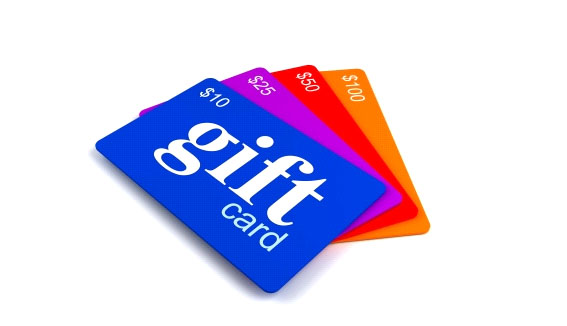
    1. Gift Cards

    Gift card can serve two purpose at a time one being the method to pay for a product or service and the  later being gift to someone special. The user can use the gift card  in the specific website that has issued the card or they can use it across the platforms. Gift cards have a specific value attached to it, gift cards come with a expiry date so be cautious with the time they will be valid.

    Many platforms namely Amazon, E bay and many other companies provide these gift cards.

    1. Redeem Points or Rewards

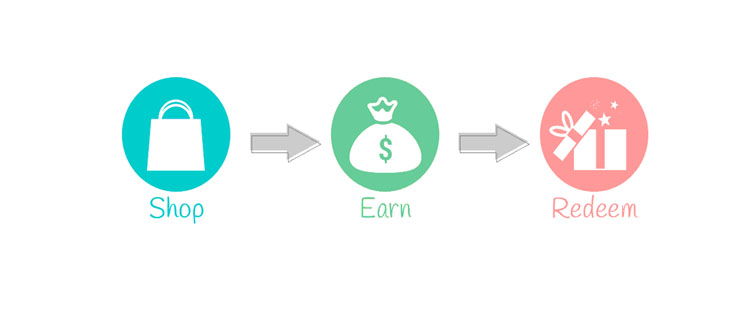
    Who wouldn’t like rewards or points to redeem? This payment mode is personally my favourite because it is the reward that one gets against purchase made. Points or rewards are loyalty programs initiated by companies in a way to retain customers and making an effort to reward customer as a result of continual purchase.

    These points can be redeemed as and when they reach specific value fixed by the companies providing the points.

    1. Pay near me

    As the name suggests user can order the product or service online and can choose a spot nearby and go and make the payment. Pay near me is beneficial when the user is in a place where pay near me location is near by. User can get the product and then make the payment in fixed time at the location.This is like just safe on hand and one most loved way to Purchase without credit card.

    Read More – How to secure bank account from hackers

    1. Cheques or Money Orders

    Last but not the least, some might call this methods old school however they are still alive and robust mode of payment. User can buy product online and send a cheque of the amount and once the cheque is cleared and amount is received by the seller the items are shipped. Money orders works in a similar fashion once you get them issued by the banks or post office they should reach seller and post cash is drawn from them items are shipped. These methods are on average of extinction as they involve a lot of time to complete. But still just to remember something which was popular old school trick i thought to add it .

    Hope i have discussed about something worth related to methods to Purchase without credit card . If i have missed out any of the important methods i really apologize for the same as well , may be sure i will post on those i miss in this shot.