Category: Tech

  • 10+ Best Alternatives to Whatsapp you will love this year

    10+ Best Alternatives to Whatsapp you will love this year

    Today WhatsApp has become a heartbeat for mobile users all over the world. If you say “I don’t have WhatsApp”, then people will think of you as someone from another planet. Whatsapp has eventually replaced all kind of messaging options like SMS, Email, Messengers like Yahoo, MSN etc.  After the recent introduction of video calling feature, WhatsApp started competing with other video calling apps like Skype.

    You may wonder what makes WhatsApp so special. The app can be downloaded and used without any cost. It has all the features of communication like audio calls, video calls, sharing audio/video/text. WhatsApp group is the most popular these days as it helps to create different groups for friends, family, work related etc.

    Is WhatsApp is the only app available for messaging? Of course, not. There are many alternatives to WhatsApp with similar functionality.

    10+ Best Alternatives to Whatsapp you will love this year
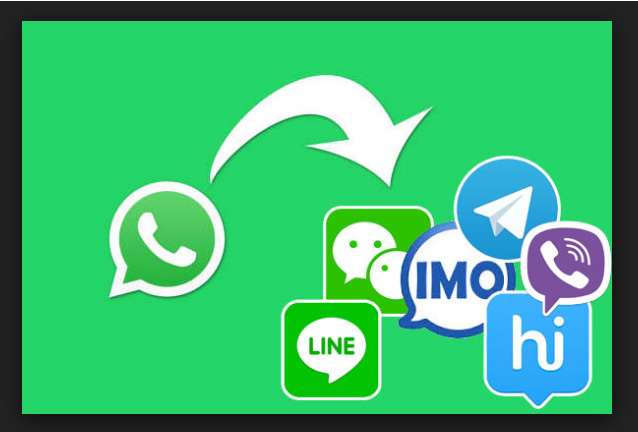
    10-best-alternatives-to-whatsapp

    1. Telegram

     Telegram was developed by Nikolai and Pavel Durov and released in the year 2013. It can be used as a good alternative for WhatsApp as you can send unlimited messages and media files using it.telegram

    The messages and media files in telegram are stored in cloud space. So you don’t have to worry about the memory space and you will not run out of storage. Another feature to watch out is ‘Secret Chats’. In this, the communication is encrypted between the two persons so that the message is secure and can be seen only by the recipient. Telegram does not support calls. Group chat feature is also available in Telegram.

    Platforms Supported: Android, iOS, Windows

    Read Also : Improve The World With Smartphone -Top 10 Hacks

    1. Viber

     Viber is very similar to and has almost all the features available in WhatsApp. Like WhatsApp, you need the mobile number to activate Viber and it imports the contacts from your address book and shows you the contacts having Viber. Viber supports audio/video calls, group messaging and sharing photos/videos.viber
    It has a feature named Viber Out which helps to call other non Viber mobiles or landline phones at low rates.

    Platforms Supported: Android, iOS, Windows

    1. WeChat

     WeChat is developed by Tencent, China in the year 2011. It supports audio/video calls, sharing photos/videos, broadcast messaging and group chat. WeChat has a special feature named ‘Moments’ where you can create, like or share posts like in Facebook. But it will be only visible to the contacts in your friends list.wechat

    Apart from messaging, WeChat also has a payment system and the users can link their bank accounts/credit cards and send money to the contacts easily. Like Viber, WeChat Out helps to call other non-WeChat mobiles or landline phones at low rates.

     Platforms Supported: Android, iOS, Windows 

    Read Also : WhatsApp Data Sharing Disable Methods to Protect WhatsApp Data

    1. LINE

     Line app is developed by Line Corporation in Japan in the year 2011. It supports messaging, audio/video calls, sharing photos/videos and group chats. It has a good handy feature named ‘Keep’ where you can add all your favorite messages and media files so that you can see it whenever you want and share it easily. Line also has video conferencing facility.

    wechat

    Platforms Supported: Android, iOS, Windows 

    1. Facebook Messenger

     Almost every internet user knows Facebook or in short FB but might not have explored its messenger fully. Facebook messenger is a very good alternative for WhatsApp as it has messaging, audio/video calls, sharing photos/videos and group chats. Group video calling has also been added to the Facebook messenger recently.facebook-messenger
    Platforms Supported: Android, iOS, Windows

    1. Skype

    Skype is the most popular messenger and video calling app for computers using windows. It can also be used in mobiles and can be used as an alternative for WhatsApp. It has messaging, audio/video calls, sharing photos/videos and group chats. Skype also offers low rates for calling international mobiles and landlines.skype

    It does not need any phone number for creating the account.

    Platforms Supported: Android, iOS, Windows

    1. Kik

    Kik messenger is developed by a company named Kik Interactive in Canada. It does not need any phone number for registering with it. It does not support calling feature but it has messaging, sharing photos/videos and group chats.kik The salient feature in Kik is its anonymous nature as there is no verification of the user name or date of birth.
    Platforms Supported: Android, iOS, Windows 

    1. Hangouts

     Hangouts is nothing but the Google Hangouts used in computers for making audio/video calls. It can be used as a good alternative for WhatsApp as it has messaging, audio/video calls, sharing photos/videos and group chats. hangoutsHangouts offer very low rates for calling international mobiles and landlines.

    Platforms Supported: Android, iOS, Windows

    1. Groupme

    Groupme is a popular messaging app that can be used as an alternative to WhatsApp. It supports messaging, sharing photos/videos and group chats. The salient feature in Groupme is its Group SMS feature. It is very handy in case of a network failure or remote places where internet network is not available.
    groupme

    Platforms Supported: Android, iOS, Windows 

    1. Tango

    Tango is developed by a US based company named TangoME Inc. It is a very good alternative to WhatsApp as it has almost all features like messaging, audio/video calls, sharing photos/videos and group chats. tangoIt does not need any phone number for registration. Tango can also be used in Tablets.

    Platforms Supported: Android, iOS 

    1. BBM

    BBM stands for Black Berry Messenger and was developed by Blackberry Ltd in the year 2005. It not only works with Blackberry but also with other platform smartphones. Though it has lost popularity these days, BBM is a good alternative for WhatsApp as it supports messaging, audio/video calls, sharing photos/videos and group chat. The salient feature in BBM is ‘Retract’.
    bbm-appYou can delete the already sent message before it is read so that user doesn’t even know that they received a message like that. It has other features like Private chat and BBM Pin (You can block certain contacts from messaging).

    Platforms Supported: Android, iOS, Windows, Blackberry

    Read Also : 38 Best iPhone games you should play

    1. Kakao Talk

    Kakao Talk is developed by a company named Kakao Inc in South Korea. It supports messaging, voice calls, sharing photos/videos and group chats. Like WhatsApp it needs a phone number to get connected and use it.kakaotalk

    It shows the contacts who are having Kakao Talk. It can be a good alternative for WhatsApp.

    Platforms Supported: Android, iOS, Windows, Blackberry

    WhatsApp is not the only way for messaging and calls. Check out any of the apps above when you find some time and communicate with the world without WhatsApp.

  • Web Servers A detailed overview – Popular Webservers

    Web Servers A detailed overview – Popular Webservers

    You cannot browse and get information from World Wide Web without a Web servers.  The relation between web and a web server is like that of a baby and its mother. A web server is nothing but just a big computer that helps the users to retrieve the information they want from the World Wide Web. It uses a format for getting queries from the user and it is nothing but the HTTP protocol.

    Introduction – Web servers

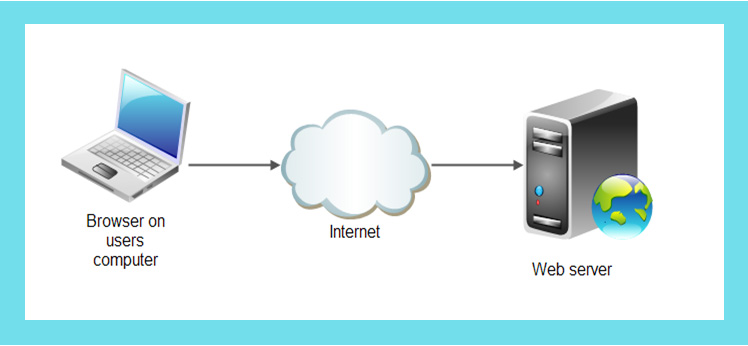
    What happens when we type http://xxxx.com or https:xxxx.com to visit a website? The client computer sends a request to the web server to retrieve the file mentioned in HTTP command. The file can be an image, text, scripts or anything that is stored in the web server’s storage. After receiving the HTTP command the web servers send the information back to the client computer which we are seeing on the screen. The web server can return static web page as well as dynamic web page contents to the client.

    webserver-working

    A web server not only retrieves and sends information but can also save information received from the client systems. For eg. You might have filled information like Name, Email Id, and Address etc. in various websites. These are called web forms and the information you have entered is stored in the web server.

    Read Also : Perfect Guide to Know All About Web server

    Do you know the name of the world’s first web server is? It is called CERN httpd and was found by a computer scientist named Sir Timothy John Berners-Lee in 1989.

    Now let’s take a look at the most popular web servers used in the world of web.

    Most Popular Web servers

    Here is the list of most popular web servers that are preferred world wide.

    1. Apache HTTP server

    Apache HTTP server is the oldest and most popular open source and best web server till today. More than 50% of the websites are using this server only and it is ranked #1 in the server market. The biggest advantage in Apache Server is its open source nature and hence it becomes the cost effective web server in the market.

    apache-http-server

    Apache server can be customized and expanded easily because of its excellent modular based architecture. As it is open source, people can add their own modules easily without affecting the base of the web server.  It is also one of the most stable web servers and does not crash easily. The server is developed in the 1990s and owned by Apache Software Foundation. Apache server supports static as well as dynamic content.

    • Operating Systems supported: Windows, Linux, Mac OS X, UNIX
    • License Type: Apache
    • HTTP/2 support: Yes

    Some of the well-known websites using Apache server are Etsy, Adobe, PayPal, BBC and Apple.

    2. NGINX

    NGINX is the one of the best open source and cost effective web server next to Apache Server. It was developed by a Russia based software engineer named Igor Sysoev.  Over 30% of the websites are running in NGINX only making it #2 in the world of web. The most salient feature of NGINX is its ability to manage or handle more than thousands of concurrent connections.

    nginx

    The resources needed for running a NGINX based web server is very less compared to other servers. Like Apache, it is also expandable and new modules can be added easily. NGINX web server can be used effectively for dynamic content of data because of its event driven and asynchronous architecture. As NGINX is very effective in handling concurrent connections it can be effectively used as a load balancing server or a good proxy server during emergency situations.

    • Operating Systems supported: Windows, Linux, Mac OS X, Solaris
    • License type: BSD variant (Berkeley Software Distribution )
    • HTTP/2 support : Yes

    Some of the well-known sites using NGINX server are Dropbox, Upwork, Quora and WordPress.

      3. Microsoft IIS

    IIS (Internet Information Services) web server is developed by the software giant Microsoft and is not open source webserver like Apache or NGINX. Since its creation, IIS is competing with Apache to catch the server market but has not succeeded so far. Even though IIS has excellent architecture, adding new modules is difficult as it is not open source. This is a big limitation of IIS web server. IIS server can run in user as well as kernel space. IIS has different levels of authentication making it a very secure web server.

    microsoft-iis

    • Operating Systems supported: Only Windows NT and some versions of Windows
    • License type: Proprietary (Non-free)
    • HTTP/2 support: Yes

    4. IBM HTTP Server

    IBM HTTP Server is a reputed web server used by many IT related companies. Like NGINX, IBM HTTP Server is also very effecting in handling concurrent connections and can be used as an effective load and proxy server. The server can be downloaded for free from the IBM website. But the IBM support is not free for such downloads. The most attractive feature of IBM HTTP Server is its offline access. You can work with presentations or any data related task offline as it will save some cost. IBM HTTP Server offers web conferences which help users to discuss things and collaborate their systems as well.

    ibm-http-server

    Operating Systems supported: Windows NT, Linux, Solaris
    License type: Proprietary (Non-free)
    HTTP/2 support: Yes

    Some of the well-known websites using Apache server are HSBC, Americanexpress and Kotak.

    5. Lighttpd

    Lighttpd is also an open source web server which is obtaining popularity in the recent years. The short form of Lighttpd is “lighty”. As the name indicates, lighttpd is very effective for handling environments where speed is very critical. Lighttpd is very cheap and cost effective as it requires minimum resources thereby saving lot of money. Like Apache, it is very flexible and has an even driven architecture which helps to add new modules or make modifications easily. Lighttpd can be used as an effective load server for websites that are having heavy traffic as it can handle concurrent connections. It can handle static as well as dynamic data.

    lighttpd

    • Operating Systems supported: Windows, Linux
    • License type: BSD
    • HTTP/2 support: No

    Some of the well-known sites using Lighttpd are Whatsapp and mangapanda.

    6. Apache Tomcat

    Apache Tomcat is a popular open source and cost effective web server written in the Java Language. It is mainly used for websites which involves the use of Java Servlets, Java Scripts (JSPs) etc. It can be used as standalone or along with Apache HTTP Server.

    apache-tomcat

    • Operating Systems supported: Windows, Linux, Unix, OS X
    • License type: Apache
    • HTTP/2 support: Yes

    Some of the well-known sites using Tomcat server are Linkedin, SnapDeal and Ebay.

    7. JigSaw

    JigSaw is a popular open source web server developed by the World Wide Web consortium. Like Tomcat, Jigsaw is also fully written in Java using modular architecture.

    jigsaw

    • Operating Systems supported: Windows, Linux, Unix, OS X
    • License type: Free

    8. Abyss web server

    • Operating Systems supported: Windows, Unix
    • License type: BSD

    abyss-web-server

    Abyss is a cost effective and free web server developed specifically for Unix and Windows systems. It is mainly used for websites which involve scripting language like PHP, Perl etc with a database like Oracle, MySQL on the back end.

    9. Klone

    • Operating Systems supported: Windows, Unix
    • License type: BSD

    klone

    Klone is one of the most popular web server developed for embedded systems and it can run static as well as dynamic websites. The server is developed fully using C/C++

    10. Zeus

    • Operating Systems supported: Linux,Unix, Solaris
    • License type: Proprietary

    zeus

    Zeus is an effective web server for websites where speed is the main criteria as Zeus can handle concurrent connections. It can be also be used for static and dynamic content.

    11. X5 (Xitami)

    • Operating Systems supported: Cross Platform
    • License type: BSD-Like

    x5-xitami

    X5 also called Xitami is initially developed as an open source server by the company iMatix and converted to proprietary later. It is a very simple web server with small memory but can handle concurrent connections efficiently.

    12. Oracle Web Tier

    • Operating Systems supported: Cross Platform
    • License type: Non-free proprietary

    oracle-web-tier

    Oracle Web Tier is a very high performance web server that combines the functionalities of two web servers namely Oracle iPlanet Web Server and Oracle Web Cache. The salient features of this web server are caching and reverse proxy which helps it to become fast and handling concurrent connections efficiently.

    These are popular web servers and as you all know that to view your website on internet it need to be hosted . Storing or hosting a website on special computers known as servers.There are so many companies providing website hosting. So here is the list of some popular hosting service providers you can choose .

    Hosting service Providers

    Best dedicated server web hosting service providers :-

    • Liquid Web
    • InMotion
    • Bluehost
    • iPage
    • HostGator
    • FatCow
    • JustHost

    All the hosting companies need a domain name of your own to host it with them . But if you don’t own a domain name they do help you with the process to . Thus makes your job simple.

    So we have looked on about detailed overview of some popular web servers and popular hosting service providers.

  • Fix Excel Freezing or Slow -Excel not responding / hang issues

    Fix Excel Freezing or Slow -Excel not responding / hang issues

    Excel not responding often we get this type of messages when we work on Microsoft excel workbook. Sometimes Excel crashes, hangs, freezes or  stops responding. In this situation you receive messages of ERROR.  Microsoft excel is very robust program that we use for the making sheets, files, documents etc. But when Excel doesn’t respond while working we get irritated and have to stop our work in between.  In this article you will learn some troublesome aspect of excel freezing that can help resolve the common issues when you receive an Excel not responding error or hangs when you launch Excel or open a file. Sometimes it happens that problems with Excel files crashing, hanging or freezing may be caused by  several things and you need to Fix Excel Freezing or Slow -Excel not responding / hang issues

    How do I start Excel in Safe mode ?

    It is a difficult problem when your excel hangs so to Fix Excel Freezing all you can do is to start MS Excel in safe mode.

    Does excel freezes every time when you use ?

    If you find any problem(freeze) with excel files then you can follow these steps given below.This will help to Fix Excel Freezing

     Try to Start Excel in Safe Mode

    You are having problems with Excel ?  If so, then here is the easy way for you to start Excel in “safe mode” that would help you to display Excel very easily, you are just required to follow few steps given below:-

    1. First, make sure Excel is not running or close it completely.
    2. Then hold the Windows key and press “R” to run the dialogue box.
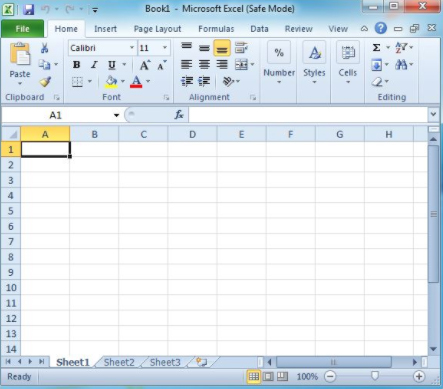
    3. In the search box type excel.exe /s then press ENTER. Now you will see Excel starts in fixed mode. If there is any problem occurs in excel mode you can follow the next steps.
    4. Select “File” } option”.
    5. Now choose “Adds-ins”.
    6. In the Manage, select “Excel Adds-ins“. then Select “Go“.
    7. Now normally exit the program and select “OK“.
    8. Finally close Excel, and Restart it normally.

    With all above steps you would be able to start Excel in safe mode.

    Now first you need to check if Excel sheet is freezing or hanging in between more then one time. If you find any problem with Excel as you open it so you don’t need to worry about it as it is the part of the program itself. And if it is happens only in one file then you will have to check what exactly the problem is.   

    Read Also : Enable / Disable Windows File Protection & Fix Windows File errors

    Reinstall MS Office

    1. First Right-click the “Start” button, then select “Control Panel“.
    2. Choose or Select “Programs“.
    3. click on  “Uninstall a program“.
    4. Now Locate “Microsoft Office” in the list. Right-click it, then choose “Change“.
    5. Select “Quick Repair“, then click “Repair“.
    6. Once the repair and every thing is complete. Try to launch Excel properly and see if you have a freezing problem. If the problem persists, try the “Online Repair” option.

    This is one way to Fix Excel Freezing when no other options work out.

    Read Also : Connect dual displays / monitors to one computer on Windows & MAC

    Excel Freezes in Only One Spreadsheet

    If the problem only occurs  only with one spreadsheet file is open, there is something in the file causing the problem. You can apply given steps to solve the problem if excel freezes in only one spreadsheet.

    Clear Conditional Formatting

    1. If you have problem with opening in excel file then, select “Home” } “Conditional Formatting” } “Clear Rules” } “Clear Rules From Entire Sheet“.
    2. At the bottom of the sheet select additional tabs, and repeat step one on each of them.
    3. Now,Select “File” > “Save as” and make a additional/new copy of the spreadsheet with a different name. The old one will exist if you need to revert to it due to lost data.

    These above step will help you in excel file. If you no longer experience freezing or slowness or any problems in the Excel file, you will need to narrow down which section is causing the problem and reapply the conditional formatting.

    Remove/Delete Styles

    First, Download Remove Style, then run the file. At the button option of “Home” select the “Remove Styles“, and see if speed of files are good or not.

    Clear Objects (Shapes)

    You have to be very careful with this solution if you wish to keep objects.

    1. First hold CTRL and press “G” to bring up the “Go To” box.
    2. Select the “Special…” button.
    3. Now first select the “Go To Special” screen, select “Objects“, then select “OK“.
    4. Press “Delete“ option.

    Read Also : The ultimate guide to make Windows run faster (Boost Computer Speed)

    How can I repair corrupted Excel files?

    Corrupted excel files can harm your data and documents. As recovery of corrupted excel files allows to avoid the important information. Microsoft recovery excel is designed for effective data recovery from corrupted Microsoft excel sheet. So to prevent your excel files from any harm you can recover your corrupted excel files by scanning or analyzer. Here is step by step process that you can use to repair corrupted excel file.

    1. First open your Microsoft excel
    2. Open the folder that contains corrupted files
    3. In the open dialogue box, select the corrupted files
    4. Next to open button click the arrow, and then click open and Repair.
    5. Now you can repair as much as you can cover your workbook or files.

    It is the good process to cover Microsoft excel files but if by chance, Repair isn’t able to recover your data, then you can extract data to extract value and formulas from the workbook. You can also take some measure to avoid your files from being corrupted by automatically a backup copy  of your work book and by creating recovery file from time to time.

    What to do when Excel Freezes on MAC ?

    Freezing, hanging, corrupting files these are the common issues for Microsoft excel but can be very dangerous for as it can detect your important files. But to recover excel files on Microsoft Mac is different thing as you would experience some issues like program will close automatically, you will receive error message, files could crashes and you won’t be able to access normal computer functions. To resolve excel freezing on Mac problem you can follow these steps given below:-

    1. First leave all program and close all windows
    2. In the file or apple menu click force quit
    3. Now remove excel preference and office setting
    4. Make sure all your mac program are closed, now on Go menu, open the hidden library
    5. Open the group container folder , and open the “office” folder
    6. In this folder, look for the Com.Microsoft.officeprefs.plist file.you can delete this file
    7. Restart the folder and check is issue resolved, if it isn’t you can delete the whole folder that will delete your previous setting
    8. Now you can restart your Microsoft excel
    9. If there is any problem while restarting it then you can remove and reinstall office again.

    Read Also : Record iPhone iPad Screen on Windows & Mac

    What Should I avoid to stop Excel freezing or to avoid Excel running slow – Fix Excel Freezing

    Slow excel work is hindrance foe many of us. Sometimes it is frustration keep up with a slow excel sheet.

    • Use faster formulas technique – Excel gives you many techniques that can can do same thing if you would able to find new technique then it can be very helpful for you.
    • Avoid volatile function – Functions such as NOW, TODAY, INDIRECT etc. These function recalculate everything every time there is a change in the workbook. This takes additional processing speed and you end up with a slow excel workbook.
    • Use less data – if you use less data then you would find that excel is not freezing and working properly.
    • Use excel tables and named ranges – This is the amazing feature that hold your data and makes referencing super easy. It almost good idea to make your excel easy and faster.
    • Keep all reference and data in one sheet – If you keep your all data in one sheet then your excel would run faster. Although it is not easy to keel data in one sheet but you can try.
    • Use Manuel calculation mode – Using Manual calculation gives you the flexibility to tell excel when to calculate, rather than Excel taking its own decisions.
    • Function ,Efficiency usage – While doing a huge matrix if you tend to use so many formulas other than using VLOOKUP ,This would enhance your excel speed .

    This will help you to Fix Excel Freezing both in windows as well as in MAC .

  • 38 Best iPhone games you should play

    38 Best iPhone games you should play

    When the iPhones were released everybody was looking forward to get something new in it for entertainment. In all other phones, it is very easy to find the games to download and use, that too free of cost. The iPhone is also having enough number of free games to download, but that is not familiar to most of the users. There are so many addictive and attractive games available which can entertain you in your free time. Nowadays everyone is playing games with phones and that is the primary craze as well. The games for iPhones are available in internet. We don’t want to waste too much of time to find the best entertaining game now. There are sites like Torrent from which you can browse and download the Best iPhone games.

    38 Best iPhone games you should play

    Here are the 30 plus Best iPhone games all would love to play .

    1. Clash Royale 

      Clash Royale is now talk of the game industry as recently apple announced Clash Royale as their best game. On the Top 10 best game Clash Royale was there and even Pokemon Go didn’t got into the list . clash-royale-best-iphone-gamesSo that’s really amazing to know that Clash Royale have won the hearts of the majority of iPhone game lovers. Clash Royale is a multiplayer video game. The game is all about destructing the opponent’s king’s towers . It is the best free iphone games.


    2. Reignsreigns

      Reigns also took its position among the Top 10 best games of this year list announced by Apple .It is the best paid iPhone game of the year.  Its a game where you play as a monarch of modern times and take decisions . Here extending your reign is all that comes as your goal.

    3. Temple Run

      temple-run-game

    Temple Run is one of the most popular single player iPhone game under the category Adventure.  You can jump, run and do all kind of gymnastics in this game to clear the obstacles. Temple Run 2 (Version 2) of the game has been released recently and it is very addictive indeed. I think its one of the most interesting game , its not just a game to kill time. But it is really something we play with good excitements , a real game to play. Temple Run 2 is just released and it is extra special as it is one of the best iphone games without internet.

    4. Bejeweled Blitz

    Bejeweled Blitz is a classic and interesting puzzle game in the iPhone. You have to match the jewels quickly to get more points and to the next level. It is a good time killing game.Almost all single players would love this game for sure.One of the interesting Best iPhone games.

     bejeweled-blitz

     5. Candy crush Saga

    candy-crush

    Candy crush Saga is the most popular iPhone game that has reached its peak because of the social media Facebook. Getting help from your friends by sending them life requests and checking out their levels makes it more interesting.

    6. Angry Birds 

    angry-birds

    Almost everyone having iphone must have heard about the Angry birds game as it is that much popular. The first version of this game was developed in 2009. It is a kind of puzzle game where the player destroys the various pigs by using the birds in the field. As the level progresses, various birds with special skills will come to make the game more interesting. Angry birds 2 has also been released recently and you can play it without internet connection. Angry bird 2 is one of the top rated offline iPhone games.

    7. twofold inc.

    twofold-inc

    If you are a puzzle lover than i should say you should not miss this . It is the best puzzle game for iPhone . Not about luck , it is really about smart brain work. Challenging and deep hard puzzles are there before you .This game also took its place on the list of Apple’s best 10 games of the year.

    8. Plants vs Zombies

    plants-vs-zombies

    Plants vs Zombies is also an interesting and different iphone game released in 2009. The game is how to save the plants in the house from the zombies. It is basically a defense game. Version 2 of this game has also been released.It is one of the best iphone game 2016. Surprisingly Plants vs Zombies got a great importance this time , what is so surprising is that this game got into the top 5 games of 2016 . Apple announced their “10 Best Games of the year” 

    9. Real Boxing

    real-boxing-iphone-game

    Are you a great fan of boxing game? Then definitely you should install this game in your iphone to get the feel of real boxing. The effects used in the game are very good in such a way that you get the feel you are playing in a gaming station.It is one of the best iphone game apps 2016 for anyone who wanted to feel the kick of boxing anywhere. So its a perfect deal of game for you if you like to kick and punch .

    10. Clash of Clans

    clash-of-clans

    Clash of Clans is a strategy based video game for iphone which was released in 2012. In this game, you become the leader of a big army and fight with the clans. It is a very interesting game.

    Read Also : All Possible ways to Make Money by Playing Pokemon Go

    11. Riptide GP: Renegade

    riptide-gp-renegade

    One among the top 10 iPhone Games of the year which have taken place in the prestigious top game list published by Apple. It is a paid game .If you love to be play sporty game then it is for you . This game gives you the experience of being an hydrojet racer which is so thrilling when its illegal racing game as it involves stunts and chases.

    12. FIFA Mobile Soccer

    fifa-mobile-soccer

    Ideal game for all football play lovers . Experience to play football in your mobile is the highlight of the game . This is one among the best game list announced by Apple .

    13. Rodeo Stampede

    rodeo-stampede

    It is the best free ios games which is so cool and rated as one of the top 10 game by Apple recently . Managing a zoo of your own and get rewards . It is all about befriending different animals .

    14. Klockiklocki

    Klocki is yet other best puzzle game on iPhone which also fall into Apple’s best game list of 2016. It is a simple puzzle game which is not gonna storm your mind as it has relaxing music . So that is really lovely about the puzzle.

    15. Steppy Pants

    steppy-pants

    One of the best phone games 2016 its the realistic walking simulator game you will fall in love . It is fun to play the game  and addictive game indeed.

    Read Also : Improve The World With Smartphone -Top 10 Hacks

    16. The Trail

    the-trail

    It is a best iphone games ever because it is really unique . This is not like any other game you have played before . Make fortune , do trade , travel to unknown countries and you even make your own community in this game . Many of us are in love wih this game this year it is one among the top 10 games according Apple’s list.

    17. Smash Hit

    smash-hit

    Smash hit is a very popular and most addictive iphone game for young people. In this game, you have to go through many tunnels and experience many attacks. If you throw a marble and if hits the specified objects, you will get a life. Otherwise the game is lost.

    18. WGT : World Golf Tour

    wgt-world-golf-tour

    Many of us can’t go to a golf field and play real golf due to lack of time. Why not play it in your iphone? It is a best 3D golf game and simulates the popular championship leagues in golf.

    19. Spaceteamspaceteam

    Spaceteam is a multiplayer iphone game which involves more than one player. The goal is to save the spaceship from crashing by discussing and spitting tasks between players. It is a good team game. It is one of the most loved Best iPhone games.

    20. iBasket

    ibasket

    The iBasket iphone game is very popular in USA as they are die hard fans of basketball. You can virtually play all the major basket ball tournaments like NBA.Many countries selected this as the Best iPhone games.

    21. Threes

    threes

    Threes is a very simple iphone game but very interesting and addictive. As the name indicates, you have to make three’s by moving cards from the 4×4 tiles. It is a kind of puzzle game.

    22. POLITAIRE

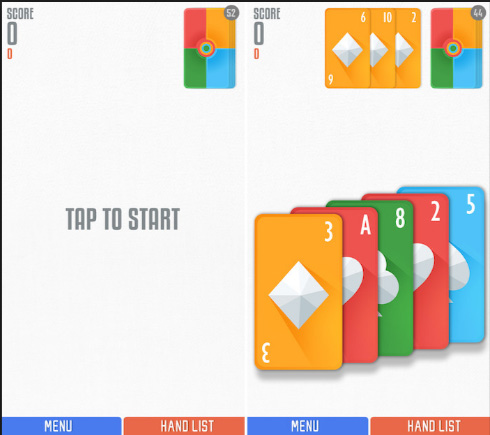
    politaire Sage solitaire is the game that  already existing and POLITAIRE is created as a combination of both poker and solitaire.This game basically needs a little luck, which may give you an opportunity to score combos. It is one of Best iPhone games. In this game without any cost you will be able to play the single-deck game, going forward if you are done with this level, you can buy next level with a cost of around US dollar 1.99. Once you purchase this game you don’t need to worry about the ads which are coming in the middle.



    23. ILLI

    illi

    This game is a complete entertainer as it is very simple to play, at the same time it is having puzzles to solve. Al these makes it absolutely a Best iPhone games.In this game, you just need to tap on the screen to move from one ledge to the other. You must use some tricks to finish the puzzles that are coming in the middle to move on. This will make you more interested. There are 60 levels for you to play and mesmerize.

    24. Outdodge

    outdodge

    This game is interesting as it is just the case of how quickly you are moving the jelly so that the ball will not hit it. The balls will be coming from random area and you must either jump or stand in that place without getting hit by the balls.

    25. DINOBASH

    dinobash

    In this game the dinosaurs are your helper to defend the egg from the attack of hordes of cavemen. You will be getting a variety of dinosaurs with different skills to help you.

    26. Mission Z

     mission-z

    Mission Z is one of the best iPhone game for those who likes attacking or defending others. This game is all about defending the dead people and staying alive until you reach the next level.

    27. Risky Road

     risky-road

    In this game, we must tap and hold the screen to accelerate the speed of the car and reach the destination without hitting any obstacles. This also one of the best iPhone games that will make us addicted to it.

    28. Monster Raid

    monster-raid

    In this game, all you need to do is to create a set of monsters and to explore several islands. On each island that you are going there will be powerful trained monsters which will compete with your team. It is regarded as one of the Best iPhone games.

    29. Loop Mania

    loop-mania

    One of the top-rated games on the iPhone is Loop Mania. This is quite interesting to play as we play through different levels. To increase your score, you must collect as many dots as possible.

    30. Line Runner 3

    line-runner-3

    This is a game which will test our concentration. We need to act against the obstacles in front of us and make the stock man run always without hitting any of these disturbances. The more we play, the speed will get increased and the game level gets harder.

    31.Cube Escape Theater 

    cube-escape-theater

    This game is full of puzzles. Those who are interested in playing puzzle games can very well install this. In each of the rooms that you enter you need to tap and check each thing, so that you may get something to store in the inventory or a puzzle to clear.

    32. Impossible Words

    impossible-words

    This is a word unscramble game, which will ask us to identify the word that is scrambled without any hints. The word complexity will get higher as you play more.

    33. Spell Spire

    spell-spire

    The spell spire game is an interesting one at the same time will increase your vocabulary also. The more vocabulary you have, you can play more levels in this game.

    34. Mars Mountain 

    mars-mountain

    This is an arcade game in which you need to climb the mountains as high as possible by avoiding the obstacles like meteors, cannons etc.

    35. Fear The Walking Dead : Dead Run 

    fear-the-walking-dead-dead-run

    This is a pretty interesting game as it is having more and more adventurous levels in it. All you must do is to keep your man alive without hitting any dead man who is coming closer to you. Just tap on dead man to make him disappear.

    36. Tap Tap Trillionare 

    tap-tap-trillionare

    This is also an arcade game, which is not just tapping and earning points, this will allow us to play something which is almost same as what we are doing in share market.

    37. KINGDOM HEARTS UNCHAINED X

    kingdom-hearts-unchained-x

    In this game, we should defeat the opposition by fighting with them and to get the control of the limited light that exists in the ever-darker world.

    38. Slide The Shakes 

    slide-the-shakes

    As the name suggests the player needs to slide the shake and make them reach the specified location. The complexity of the game increases as you play more levels and the scores can be used for getting special skills.

    There are so many varieties available nowadays to choose the best one for you. One thing that you must think before downloading any games from the internet is that it should not do any damage to your phone. So many viruses and harmful sites are also existing, which will cause damage to your phone. The only way to find the right one for your phone is to make sure about the rating given for the game.

    So hope we have come across about most of the favourite and Best iPhone games that all of you would love to play.


  • SEMRUSH EXCLUSIVE GUIDE FOR DIGITAL MARKETTING

    People who are into digital marketing always look for a perfect all-in-one tool that can provide all the requirements to run marketing successfully in a unique way. If you are having a digital marketing business or planning to start one, then I would say Semrush is one of the best options you can choose. For people who have not heard of this tool before, this article is going to give you a detailed idea about what Semrush is and how it works. Semrush is a tool for enhancing online visibility and discovering marketing visions.

    The tools, reports, and features of Semrush help the marketers in various services like SEO, PPC, SMM, Keyword Research, Competitive Research, Content Marketing, PR, Marketing Insights, and Campaign Management. Semrush gives the users great access to 20 billion keywords in the world’s largest database. It also gives access to 310 million ads and 17 billion URLs since Semrush has great knowledge about your market and website.


    This digital marketing tool examines your data and gives instant commendations on SEO, advertising, and content marketing which can improve your online visibility in a few days. As a digital marketer, to find the best solution to your digital marketing challenges, you can explore 40+ tools and reports with SEMrush.


    How to use Semrush


    The method to use SEMrush is based on the specific goals you have. No matter what your objectives are, there are three main things a digital marketer needs – Measuring, Reporting, and Improving. With SEMrush, you can easily get assistance with all these three areas regardless of your area of expertise or emphasis.  


    1. Toolkits

    Before you start using the SEMrush, first you should be familiarized with the five different toolkits available with SEMrush. The first toolkit option you can find is the SEO Toolkit. With this feature, you can conduct competitive research, keyword research, link building, and rank tracking, on-page, and technical SEO. The second kit is the Advertising Toolkit with which you can handle your PPC campaigns. It can also be used to see what your competitors are doing. Next comes, the Social Media Tool kit under which you can see three options – social media poster, social media tracker, and social media ads.

    The content Marketing Tool kit is the next one you should know since content plays an active role in promoting and ranking your business. With Content Marketing Toolkit, you can easily create content templates, write content, and optimize the content. The competitive research toolkit helps in analyzing competition and informs your decisions. This tool helps in estimating traffic and trends, PR/content, organic search/SEO, paid search, and social media.


    1. Create a Project

    You might think about why you need to create a project to start the work. It is important to create a project and set up a site audit to start measuring the current online visibility of any website. Go ahead and set up a project on a domain. If you work with any other clients, enter your client’s domain in the Project setup window. In case if you are working on your own then enter the domain of your website there. There are about 12 tools in the project section which you can see below.


    1. Audit your Website

    To get instant insights about the growth of a website, a Site Audit is a great tool. It can hunt your site the same way Google does and will give you a report regarding the issues they found on the visibility and health of the website. The result received from this will showcase the errors, warnings, and notices which need to be improved for the website to work better in the market. The score of your site health will gradually improve when you improve the site and re-run the audit.


    1. Track your website’s visibility

    Before you start tracking, you need to have a list of the target keywords to do your campaign. Then you start tracking them using the Position Tracking tool. What exactly this tool does is, tracks your custom list of keywords in any location across the globe. Thus, you can track your website’s improvements for a particular keyword. Moreover, you can also track your competitors for the same keywords.


    When the Position Tracking Campaign runs, the user can set up Alerts to receive emails automatically when your site or competitor’s crosses a particular brink. This tool makes it easier for a digital marketer to present a report to the boss as it is very easy to integrate Position Tracking reports into a PDF file using the PDF builder tool in My Reports.


    1. Collect SEO ideas

    SEO plays a very crucial role in an online business. SEMrush helps in taking a list of pages on your site along with accompanying target keywords with the help of the On-Page SEO Checker tool. It also provides you with many ideas to optimize every page for its target keywords. Some of the ideas you get from this tool will be varied from technical SEO improvements to increasing the number of words on each page. Likewise, it also helps in acquiring backlinks from particular domains.


    1. Social Media Tracker

    This tracker helps in tracking your competitors and later compares their engagement levels and growth to yours. You can track the details running on Facebook, Twitter, Instagram business accounts, YouTube, etc.

    1. Social Media Poster

    This tool offers an easy way to draft schedules and post content on social media pages. Hence, you can easily manage your social media workflow with the help of the Social Media Poster Tool.

    1. Brand Monitoring

    This tool helps n tracking online mentions of any word or phrase you would like to track. The words or the phrase should be a related term or product of yours. The tool makes it easier for you to stay on top of the brand reputation and mentions on blogs, reviews, and news sites.

    1. Backlink Audit

    The tool is created to look at your backlink profile to help you to avoid Google penalties related to toxic backlinks. The tool audits all of your links; analyzes the toxic signals, sends emails to the website owners, etc.

    1. Link Building Tool

    It helps in collecting the list of link building opportunities for your domain and provides you with an outreach campaign platform.

    1. PPC Keyword Tool

    It offers an easy way to plan and set up an optimized Google Ads campaign. Using this tool, you can organize keywords for the campaign. Besides, Ad Builder allows you to write ad copies and headlines for your PPC campaigns. It also provides you with copies of your competitor’s ads and an interface to use their ads as a base template for writing your own. Organic Traffic Insights pools your Google Analytics, Google Search Console, and SEMrush data all into one. This also includes data such as click-through rate sessions and volume with organic keywords and rankings found by SEMrush and Google Search. The content Analyzer tells you how your digital content is performing both on and off your site. The tool measures social shares backlinks, keyword rankings, and even Google Analytics data like sessions and bounce rate.


    1. Analytics tools and reports


    It helps to get benchmarks of where your competitors have strengths and weaknesses. You can also measure all of your competitor’s SEO and advertising strategies to then gather ideas to improve your site. Under this tool let us see what Domain Overview does. The domain overview shows metrics about a domain’s online visibility to get the full picture of a website’s online presence. You will see the domain’s organic and paid search traffic use of display advertising and backlinks. The next feature I would like to explain is about Organic Research. This feature will tell you about a website’s top organic search competitors, using what keywords they get their traffic from, and if they are ranking for any search features.


    You can run a research on any domain in the SEMrush database, making it easier to analyze the SEO of any of your competitors. To discover your closest paid search competitors, to see the keywords they are ranking for and bidding, and analyze live ad examples from their campaigns through the Advertising Research Tool. The next tool you should know about is Traffic Analytics, which is a market intelligence and competitive research tool that provides estimations of any website’s desktop and mobile traffic. This tool can also help in evaluating the benchmark for a new market and can also build a media buying strategy.


    The Market Explorer tool can fully dive into a niche and understand the audience you want to target for your marketing. This tool also helps to benchmark how your site compares to the competition and get a better understanding of any market. Also, it can evaluate the demographics (age, gender, and interest) of the audience.


    Another tool known as Keyword Gap is built with SEMrush. It offers a side-by-side comparison between the keyword profiles of up to five competitors. The report will showcase all the top opportunities for each site’s total keyword overlap and common keywords shared by all sites. The tool Backlink Gap is to compare the backlink profiles of up to five competitors. SEMrush will list the referring domains that are sending links to these sites.


    1. Content Marketing and Other Tools

    There are a few more tools SEMrush offers and they are – Topics Research Tool, SEO Content Template, and the SEM Rating System. They are located in the content marketing toolkit. The main use of this toolkit is to help you find interesting and trending topics to write about. It will also help in writing and optimizing your content while making the content SEO friendly.

    Other tools for your support are the Content Marketplace, Traffic Jet, Listing Management, Lead Generation Tool, and Oppty. The marketplace tool appearing in the black bar produces quality content that you can order and is written by experienced copywriters.


    To assist you with automation and acquisition of traffic and to give access to hundreds of premium traffic sources for your Adwords campaign, the traffic jet tool is built. The tool Listing Management automatically distributes your business’s information on more than 80 different directories with SEMrush. To have a custom widget on your website that collects email addresses from visitors in exchange for a website on it, you can use the Lead Generation Tool. The next tool, Oppty is a great tool for sales representatives that generate leads. The leads are based on a target location and business type as well as SEMrush data.


    Is Semrush Legit


    SEMrush is a great SEO tool for all the people working in the digital marketing industry or even if you own an online business. It can give you all the essential data required for a successful SEO project. Also, you can increase the search ranking of your website with the help of SEMrush.


    Does Semrush have a free plan?


    SEMrush does have a free plan, but you will not be able to access all the features it offers with the free plan. If you are using SEMrush for the first time, you will have the option of starting it with a 7-day free trial with either a Pro or Guru Subscription.


    Semrush Pricing

    SEMrush offers three different subscriptions to choose from.

    1. Pro – $119.95 per month

    This plan is perfect for freelancers, startups, and in-house marketers who have a limited budget. You can run your SEO, PPC, SMM projects with 40+ advanced tools if you choose Pro Plan. Knowing your competitor’s traffic sources, social media results, rankings and many more can be easily done.

    1. Guru – $229.95

    This plan is perfect for SMB and growing marketing agencies as this plan offers all the features of Pro along with content marketing platforms, historical data, extended limits, and Google data studio integration.

    1. Business – $449.95

    Perfect for E-commerce projects and businesses, agencies, etc., with an extensive web presence, the Business plan of SEMrush offers all the features Guru offers. Moreover, it also has API access, extended limits and sharing options, and share of voice metrics.


    What is Semrush Academy?

    It is an online course offered to people who wants to take certification various specializations in the world of digital marketing. Their courses and exams cover all the major disciplines of digital marketing. This can allow you to become a specialist in this stream. The courses are taught by leading digital marketing experts like Greg Gifford, Ross Tavendale, and Bastian Grimm. The main attraction of SEMrush Academy is that all their courses and certification exams are free. All you need to start taking the classes is by simply registering on SEMrush as a user.


    Best Semrush Alternative

    There are several alternatives that you can look into when it comes to digital marketing tools. Below are a few names of the tools along with their starting price.

    1. Ahrefs – $99 per month
    2. Moz Pro – $99 per month
    3. WebCEO – $39 per month
    4. SEO Powersuite – $320 per year
    5. SpyFu – $39 per month
    6. Monitor Backlinks – $25 per month
    7. Majestic – $ 49 per month
    8. Serpstat – $69 per month
    9. UpCity – Free
    10. SERanking – $ 39 per month


    Ahref vs Semrush


    If you look deeply into a comparison between Ahref and SEMrush, there are many features and tools that you have to take into account. In this article, I will compare the two tools for digital marketing, in terms of keyword research, backlink analysis, technical SEO tools, pricing, unique features, etc. Ahref is known as a backlink analysis tool, but within the last two years,m they have brought many new features that stand out. It can generate millions of keyword ideas across 170 countries.


    You can see newly discovered keywords every month with Ahref. You will find it easy to identify traffic estimations for all pages ranking in the top ten, and you can also see the ranking history of your pages for any keyword. Hence, Ahref is one of the direct competitors to SEMrush. SEMrush app lets you check the competitor’s ranking, and you do not have to sit and find out the best keywords to increase your ranking. Since you can easily find your competitor’s top keywords easily. Both the digital marketing tools have similar features with a few changes that can help you in enhancing your digital business.


    The pricing for both the tools is almost the same with plans starting from $99.95 for SEMrush and $99 for Ahref per month. In SEMrush you might get a free 30-day trial, whereas with Ahrefs you get a 7-day trial for $7. When it comes to competitive analysis, SEMrush takes it to another level by offering deep insights into the traffic techniques of your competitor. Ahref offers an analysis toolset with more centered on SEO and content. SEMrush has been voted #1 for the keyword research tool as it has the largest keyword database with 20 billion keywords.


    Ahrefs has a smaller index, but the interface is more user-friendly and is also easy to navigate. When you compare the rank tracking capability, both SEMrush and Ahref has a similar feature. The only difference is, SEMrush will provide daily ranking updates, but Ahrefs will update it every seven days. Both SEMrush and Ahrefs offer a full suite of tools to help with the backlink analysis and link building. But if you want to access backlink auditing in SEMrush, you have to create a project, whereas, in Ahrefs, you do not have to create one. It is up to you to decide which tool you should be taking into your consideration.


  • YouTube TV Review Exclusive guide

    YouTube TV Review is all here for your better understanding . The majority of the people across the globe know what YouTube TV is. But some may not know what exactly YouTube TV is used for and how to use it. It is a TV that streams services, including live TV from more than 85 broadcasts, regional sports networks, and cable. If you subscribe to YouTube TV, you get to access live sports and a variety of entertainment shows.


    It offers an unlimited DVR space and you can avail of up to six accounts for one price. One of the major highlights of YouTube TV is you can watch the shows on it using any of your devices such as android phone, tablet, and computer and even on your television. You can also find YouTube Originals and YouTube Videos along with it.


    What Is YouTube TV

    YouTube TV is a product of Google’s live TV streaming, which is designed to offer a wire-free entertainment option. You do not have to connect a cord or it does not require satellite subscriptions. Wherever you go you can watch YouTube TV without any hassles. YouTube TV might have a lot of features in common with other live streaming platforms, but it does have many unique features, making it more attractive to the users.

    A few of the inimitable features include PBS stations and content, and the selection of more than 85 traditional cable and broadcast channels. Moreover, the pricing of YouTube TV attracts a lot of customers. Unlike other live streaming providers, YouTube TV does not charge a huge amount except for some premium channels to watch the programs on it.


    How much Is YouTube TV?

    Is YouTube TV free? Many of you might want to know how much does YouTube TV cost. Here is the answer to it. For one membership, YouTube TV charges only $ 64.00 per month, including 6 accounts. Your membership will include the local ABC, CBS, FOX, and NBC stream along with ESPN, regional sports channels, and many more. Besides, you also get a free unlimited cloud DVR storage space with this membership.


    Read More : YouTube Dark Mode Android Version Without Rooting / Modifying APK

    How to record on YouTube TV?

    If you are using YouTube TV, you will never have to miss watching any programs. You can easily record the shows in your library and watch them later when you are free. First of all, you should know that recording programs from YouTube TV does not take up any space on your device, which is the best part. Also, you can record as many programs as you want. All you need to have is a good internet connection on your device to record and view the recorded programs.

    Read More : Best Streaming Services -Netflix Vs Prime Vs Hulu Vs Sling Vs Directv Now Vs Youtube Vs Vudu Vs Vue .

    Read Also : Best Streaming Devices – All Top Media Streaming Box on Market

    Here are the steps to add/remove a program to youtube tv library in a few simple clicks.

    • Tap the plus icon next to the program title(this will record all current and upcoming airings)
    • To delete a program from your library, select the remove icon next to the title on the program page
    • Your show will not be recording anymore. But your recorded programs will be available to you until the expiry date.

    To watch YouTube Tv recorded programs, visit your library by clicking on the library button. If you want to record sports programs, keep in mind that it is usually stretched to 30 min beyond the scheduled end time. But sometimes, YouTube TV will identify the precise end time of the game and extend the recording as needed. Rests of the recordings are extended one minute past the scheduled end time.

    After you add a program to your library, all the forthcoming airings and reruns will be recorded spontaneously. It is not possible to record a single episode. But why can’t you tape all the episodes since the YouTube TV does not take up any space on your device?


    You can easily add your favorite teams to your library if you want to record sports programs. This will help in recording any games of that team available in your area. Sometimes, certain sports events might not be available. If you need one–off events such as an award show you can just add the event to your library. Once you have added an even to your library, by default you will be able to watch SVR recordings. You can also skip ads and pause the video or even rewind the recordings as per your wish.

    Rarely, you might get unskippable ads in the recorded program which is due to the network specifications.

    If you want to open a menu that covers options like adding a program to your library, go to the Home Tab of the YouTube TV mobile app and long-press the program’s thumbnail. In case if you add a program to your library while the show is in progress, the recording will start from the time you added the program. Please note that your partial recording will be replaced by the full episode of a repeat of the episode airs.

    Read Also : Roku remote control doesn’t work-Fix Roku Remote

    How does YouTube TV work?

    The mobile app of YouTube TV works on both iOS and Android. Using this, it is easy to watch YouTube TV on your tablet, computer, and on your phone. It is also possible to stream the YouTube TV to your television at home with the help of a Google Chromecast. If your television already has a built-in Chromecast, then it would be easier for you to connect. It can also work with Google Home, letting you ask Home to play a show on your Chromecast.


    How to get YouTube TV?

    Downloading YouTube TV is not a time-consuming task. All you have to do is to download it on a selected device by simply searching YouTube TV in the app store. Now, let us see the steps to downloading the app on various devices.


    Phone, Computer or Tablet

    If you are planning to watch programs on your computer, you just have to visit  tv.youtube.com and log in. But if you are using your phone or tablet, then open the YouTube app and begin streaming. One advantage is you do not need Wi-Fi or mobile data to use the YouTube TV app.       

    To use the YouTube TV on a computer, just go to tv.youtube.com and log in. If using a phone or tablet, just open the YouTube TV app to start streaming. Note that your devices need to be connected to Wi-Fi or using cellular data to use the YouTube TV app.


    Smart TV

    • Download the YouTube TV if your smart TV does not have it by default.
    • The process of downloading may vary according to the type of the smart TV.
    • Search for YouTube App
    • Click the download icon
    • When App is installed, log in using your Google account.


    PlayStation 4

    Now you can even watch YouTube TV on your PS4. Steps to download are below.

    • Sign in to your PlayStation Store Account
    • Search YouTube TV
    • Click Add to Cart
    • Access the app on PS4 and enjoy watching


    How to cast a show to your TV?

    You can cast your favorite show to your television from your android phone, computer, and iPhone and can easily watch the program on a big screen. Find the cast icon button on your TV that looks like a box with a Wi-Fi signal in the lower-left corner. In case if you are having a Mac or an iPhone, then use Airplay as an alternative to Chromecast.


    On an Android or iPhone                                                    

    1. Your phone should be connected to the same Wi-Fi network as Chromecast/Airplay
    2. Open the YouTube TV app on your phone.
    3. Click on the Casticon located at the top right of the home screen.
    4. Select the device you want to cast to.
    5. Select the program you want to watch.
    6. Tap Play.


    On a Computer

    1. Your computer should be connected to the same Wi-Fi network as Chromecast.
    2. Go to tv.youtube.com in your favorite browser.
    3. Select the program you want to watch.
    4. Once the video opens – click the Casticon (select the AirPlay on the menu bar button if using Mac).


    So, go ahead and download the YouTube TV app on any of your supported devices like Amazon Fire TV devices, Roku players and TVs, Apple TV and Apple TV 4K, Vizio SmartCast TVs, Samsung & LG smart TVs, Hisense TVs, Xbox One, and many more.


  • Mac screenshot Not working – Quick Fix

    Mac screenshot Not working – Quick Fix

    How to take Screenshot of Mac? What if my Mac Screenshot is not working?

    Are you using a MacBook and wondering how to take screenshots on it? Taking screenshots is very common these days. People take screenshots from their laptops and mobiles for personal use or to even share with their friends or for any official purposes. If you are new to a MacBook and if you do not know how to take screenshots in it, then this article will guide you through it. 


    How to take Screenshot of Mac?

    First, you need to choose what screenshot you want to capture from your MacBook. You can take screenshots of the entire screen, a window, or even a portion of the screen of your Mac.


    1. If you want the screenshot of a full screen then follow three steps: all the three keys shift, command, and 3(#) should be pressed together. A thumbnail might pop-up on the corner of your screen which can be used to edit the screenshot taken. If you do not want to edit the screenshot, then wait for the MacBook to save the captured picture.


    1. If you want the screenshot of a portion of the screen, follow these steps: Press and hold the shift, command, and 4($) buttons together. Drag and select the portion using the crosshair that appears on the screen. You can move the selection while dragging it and pressing and holding the space bar at the same time.

    Once the portion of the screen is selected, release the mouse or the trackpad button.

     Esc key can be used to cancel taking the screenshot. You can edit the screenshot by clicking on the thumbnail that appears on the corner of the screen. If editing is not required then simply wait for the Mac to save the screenshot on the desktop.


    1. How to take a screenshot of a window or a menu: First, select the window or the menu you want. Press the Shift, Command, 4($), and space bar keys together. Now you will see the pointer changed to a camera icon. Click on the window or the menu to capture and save. (You can avoid the shadow of the window in the screenshot by simply pressing and holding the option key while you click the window or menu).

    Use the thumbnail that appears on the screen if you want to edit the screenshot taken. The screenshot taken will be saved on the desktop. Remember, you can always use the Esc key to cancel taking the screenshot. The screenshot taken in your MacBook is automatically saved in the desktop as -” Screen shot [date] at [time].png.” You can change the location and select the one you want according to your convenience.

    What if  Mac Screenshot not working?

    If you cannot take a screenshot using the steps stated above then try the following steps:

    1. Restart your MacBook

    Try restarting your Mac – Press the power button and click on the Restart button. You can also restart your Mac by choosing the Apple Key and select the Restart option or press Control, Command, and Eject to restart.


    2.Check if shortcuts are activated

    Go to System Preferences on your Mac, select Keyboard and Mouse – Choose Keyboard Shortcuts and see if the shortcuts are activated.


    3.Make use of Grab

    If you find the above 2 options not working, then go to Application > Utilities > Grab > Capture and choose what screenshot to take. 


    1. Use Preview to take a Screenshot

    You might be familiar with the Preview button. Click on Preview > Click File > choose “Take Screenshot” from the drop-down menu.


    Hope now you can enjoy taking mac screenshots as we believe this helped to fix mac screenshot 


  • Google Maps Features Exclusive guide

    Google Maps Features Exclusive guide

    Google maps have become an essential part of our life and business . Here we will take a look at exciting new Google maps features .


    google maps features guide

    It is always difficult for everyone to travel to different places without knowing the route. Checking the signboards, asking someone for direction every time is time-consuming and difficult. Also, if you miss out on any exit, then we will have to look for the next exit and take a diversion. When Google introduced maps (maps google , google my maps ) , all the chaos in finding the correct route to a destination was over. Google Map makes it so easy to find shops, restaurants, tourist attractions, and a lot more. You can drive alone to anywhere you want to visit without any anxiety about finding the route. But one needs clear understanding of all google maps features to use it for their convenience .

    First, you should install google map on your phone , select the starting point and destination, and follow the route shown on the map. You can turn on your location on the phone, so that, Google Map will automatically enter your current location. Click on directions and you can choose the mode of transport you are using as a car, two-wheeler, train or bus, walk, etc. Google Map offers aerial photography, street maps, satellite images, real-time traffic environment, and 360-degree interactive panoramic views. 


    How to Save Route in Google Maps

    To save a particular route in google maps that you use often, you have the option of saving the route to your home screen. Once you have installed Google Map on your android phone, choose your starting point and destination. See the top right corner, tap on the three dots or it will be given as the first alphabet of your name and you will be able to see a few choices to select. Click on add route to the home screen. Click on Add.

    This is a Great google maps feature for my life i must say .

    Why Google maps not available in my country

    Google Maps are available in the majority of the countries and regions. But still, there is 1% where Google Map will not be accessible. It can be because of any legal or political issue. We cannot accurately conclude the reason for google maps not being available in certain places and when you search for the Google Map App, it might show as Google Maps not available. 


    Fix Google Maps not updating location

    Make sure the location in your android phone is enabled. If you cannot find the blue dot (your current location) when you open the map, tap on Location at the bottom. If you find it difficult to select the precise current location, you should use a high accuracy mode. In your android phone, go to Settings > tap Location > switch on location > clock on Mode > High Accuracy. Google Map usually finds your current location with the help of Wi-Fi, GPS, and Cell towers. You can also try switching on the Wi-Fi/mobile data, try restarting your phone, or calibrate your phone by opening the google map and make a figure of 8 with your phone until the blue dot is in an accurate position. 

    This google maps features easy tip can help you have your accurate location on google map .


    Google maps not talking or giving direction – How to fix

    When you are driving, you do not need to check the map on your phone over and over. Google map comes with voice over and you can just hear the navigation while driving. If you cannot hear the voice, there are a few remedies. First, check your phone’s volume to make sure that it is not muted. Enable the play voice over Bluetooth – If you are using the google map on your car’s Bluetooth system, you should enable the play voice over Bluetooth to hear the navigation. 

    This is one of the safest driving assistance available in form of google maps features.

     Avoid toll roads on google maps

    We always like to avoid tolls and ferries enroute to our destination and with the help of Google Map, we can avoid such toll roads. If you want to reach a destination soon and if you want to avoid the toll, first you should select the starting point and destination. Click on three dots on the right top corner of the screen and you will see a few options to select. Click on > Route Options > Select avoid toll roads on google map from the three options given. Click on the Done button. The Google Map will show the route avoiding the tolls present on the main highway. See how superb are these google maps features thanks to such good inventions 🙂 


    Fix Google Maps not showing street view

    Street View map is one of the most commonly used google maps features  by the majority of the people because it shows the real images of the places you are going to visit which will be much easier to spot. But if the street view option is not showing on your android, then there might a glitch or some other problems. Check the following steps for the issues.

    Sometimes this problem may occur when you update your Google Map App. Check if you have recently updated the app and the street view is not showing. Also, check with other users if they are facing the same issue in your region. Try using the older version of Google Map to solve this problem. Or you can even try using the google map offline mode. 

    Check if the street view option is available in your area since the street view map type is not available in all the regions. 

    You can also check for map google nearby places to the destination you want to visit. All you have to do is select one of the famous spots and click on nearby places on the map to see all the nearest shops, restaurants, shopping malls, etc. So that might be able to get a street view near to the destination you are looking for. 

    This google maps features always helped me with shopping and travel whenever am in a new place .

    Try getting the map through a google search. Give your current location first in the search bar and then select the maps section. Drop a pin anywhere you like to get the image of the area you are looking for.


    Zoom on Google maps with one finger

    When you have selected your origin and destination point, the map will be reflected on the screen. If you want to zoom a particular spot on the map, you can do so by simply double-tapping the spot. To zoom in you can just pinch in the spot. You can also use two fingers to zoom out the spot you want too. Likewise, to move the map and see the route you can just press on the screen with one finger and move your finger right, left, top, or down to see.


    Set up plus codes on Google maps

    Getting the plus codes on google map is very easy. You can share the plus code with anyone and with that plus code your friends or relatives can search the map on their android just like a street address. Open the Google Map on your android and select the destination. Tap and press on the drop in on the map to the plus code and you can find the address and the plus code below.   this icon shows the plus code and you can share the plus code by simply copying the code and paste it into mail or WhatsApp etc. 


    How to set multi-stop directions in Google maps

    With Google Map, you can set up multi-step directions easily. This means, other than entering the origin and destination point, you can add other stops between the journey. To add other stops, open Google Map on your android and click on the Go button on the left bottom corner. Enter the origin and destination point. Click on the settings option which will be represented by 3 dots on the top left corner. From the drop-down menu, select Add Stop. You can add several stops as you wish in your Google Map. The stops will be shown in alphabetical order (A, B, C, etc.) You also have the option to reorder the destinations by simply dragging the leftmost button shown as small circles. 


    Restrict Google maps data grabbing

    Google Map is a very convenient technology used by the majority of people to travel. It is so easy to find the routers and landmarks using the Google Map. But using Google Map throughout your journey can consume your phone battery charge quickly and it also used mobile data. If you are thinking about using the map without grabbing the data then, there are a few options that you can try.


     Read also : How to Spoof location


    Use offline Google Maps: Before you start your journey, you can download the offline map on your android phone easily which will not consume much data of yours. Open the Google Map, click on the setting button on the top left corner and the drop-down menu will show the option of Offline Map. Click on that and download the map. 


    Disable Data Access: Another option to avoid usage of data is to disable unrestricted data usage. To do that, go to setting in your phone and select the apps from which you can click on the Google Map app. You will see a few options like permissions, storage, data usage, etc. From that, click on data usage and if the unrestricted data usage is on, then turn it off so stop using mobile data.


    Use Wi-fi Only: It is not feasible to use wi-fi on the road while you are traveling. But you can stop the usage of data by setting this up on your phone. Go to Google Map, click on the Settings button, and enable the Wi-Fi only option. 


    Share real-time location on WhatsApp and Google maps

    It is very easy to share your real-time location with your friends or family. Open WhatsApp and click on the attach option (a pin). Click on Location and tap on share the live location. You can select the duration of time below the same page and also add a comment and share the same with anybody you want. 

    To share the real-time location on Google Map > Click on three dots on the top left corner (or an alphabet). From the menu, click on Location sharing and share your live location through WhatsApp, mail, messenger, etc. 


    Create and share custom google maps 

    It is not feasible to create a custom map just using your android phone. First, you need to use your computer to set up a custom google map, and then you can share the same with your phone. To do that, open google map on your computer and select the origin and destination. Create your custom map by clicking and moving the various routes shown on the map. Once you have fixed on a particular route, click on> Send directions to your phone. You can share the same via mail, text, etc. 


    Steps to use google maps offline

    To use Google Maps offline, first, you need to download the map on your phone. Open Google Map> Click on three dots on the top left corner. From the options given, click on Offline Maps. Select the area you want by zooming in or out using your fingers and select the area. The size of the map you selected will be given below. Click on download map. Once it is downloaded, you can give your origin and destination and find the route offline.


    Save locations in Google Maps for – Android and Apple

    If you are using the same location often, then you can easily save the location on your phone. Open google map in android or Apple, select the location you want either by typing the destination or by clicking on the map. Then at the bottom, you can see many options including SAVE. Click on the save button and the location will be saved in your phone at that moment.


    Google maps clear navigation and search history

    If you want to clear or delete the navigation and search history from your phone, click on settings > click on maps history. There we will see many options that you can choose from. You can turn on the auto-delete option if you want which will automatically delete the history from your phone. You can even select months, years, or weeks according to your need and select it so that the search history for that particular period will be cleared. 


    How to turn off Google map voice search permanently on android

    When you use Google Map, once the navigation starts, the google voice will automatically give you directions which is easier for people who drive. If you want to turn the voice off, then once you click on start navigation, you will be able to see a speaker icon on the left side of the map. Disable it to stop hearing the voice again. 


    Remove location sharing on Google hangouts

    With the latest update of Google hangouts, location-sharing is unavailable. However, you can share locations through google hangout using the google map. 


    How to access Google services on pc

    If you want to use Google services on your pc, first your need to install google chrome and follow the instructions. Once it is downloaded, open the chrome, and sign in by giving your Gmail address and password. Create a new account with a username and password if you do not have one and begin using the services of Google on your pc. Likewise, you can download any google services on your pc and sign in to use it. 

    Another option is to download Bluestacks on your pc. The bluestack acts as a virtual machine that helps in downloading the apps you need. Once you have Bluestack installed, open it and sign in to your google account. Only then you will be able to use Google Play Store to download any apps of google services. With Bluestack you will get the feel of using your android phone on your pc. But it is way slower if you do not have a powerful pc. 

    Hope this google maps features helps you use this app more conveniently . Let us know your favourite google maps features


  • Best Screenshot Tools for Computer & Smartphone

    Best Screenshot Tools for Computer & Smartphone

    Nowadays, taking screenshots has become very common. People take a screenshot to save a current text in a group or to take a quick screenshot of something that you are searching in google and send it to someone. All the computers and android phones come with the option to take screenshots easily. If you are using a computer, you can simply press the print screen button on the keypad. In androids, you can press the volume key and power button at the same time to take the screenshot. But these options in your computer and smartphone will not have many features wherein you can edit or crop the screenshot. There you need some best screenshot tools to enhance screenshot experience .

    There are many screenshot tools available now that you can download on your computer and smartphone. For those who are seeking for a good screenshot tool, I hope this article will help you find the best. Below are some of the best screenshot tools to download.

    Best Screenshot Tools for Computer & Smartphone

    Take a look at the screenshot tools that are ideal for your phone and computer . Even though all mobile and system has the liberation of giving us an option of PRINT SCREEN button , we find it is not just sufficient to Snapshot / screenshot most things .

    Snagit

    You might have heard about the TechSmith Software Company and the Snagit screenshot tool is one of their products. With this tool, the user can add comments on the screenshot taken. Some of the key features of Snagit include: a preview window with a cursor hovering, the images can be edited with special effects, a quick toolbar to capture the image, recording a video and share it via email, etc. This app helps in taking the screenshot of the whole screen of your computer too.

    Thus it is one of the best screenshot tools in the market .

    Snipping Tool

    This is a default tool on your windows that helps in taking a screenshot in a rectangular form and can also add any notes you want. You can also highlight any sentence with colors or you can strike off any words using the font colors.

    All the screenshot taken can be saved in PNG, JPEG, and GIF format and once the image is captured it is copied automatically, helping in pasting it as you require. With the help of the snipping tool, you can take the screenshot in 4 modes which are: free-form snip, window snip, full screen, and rectangular snip. It is one of the best windows screenshot software .

    Skitch

    Skitch is a screenshot tool of the company Evernote that has been crafted for windows and Mac. This freehand screenshot tool comes with the feature of marking the areas blurry that you do not want to be visible in the image. I find this feature quite useful so that if you want any information on the image like a word or a phone number cannot be visible to any other person to whom you share the screenshot.

    Some of the other features like adding a comment on the image, uploading the screenshot in a mail, highlighting, etc. are available. Skitch screenshot tool can be used in both computers and smartphones and all the editing options come under one menu, making it easier for the user to perform the activities.

    Greenshot

    Another screenshot tool called Greenshot is a free and open-source program designed for Windows OS. You can take a screenshot with this app very quickly and easily. A full-screen window can be captured by scrolling the page and you also get a chance to highlight and annotate. One of the advantages of using the Greenshot tool is that you can save the captured image in a different format and can also edit it later.

    The captured images can be emailed or you can even print it directly. This screenshot tool is available in 26 languages which makes this tool stand out among the other tools. Moreover, it also offers several capture modes like capture the last part, capture region, capture window, and capture the full screen.

    Lightshot

    This is a very convenient screenshot tool that is easy to use and can capture the image quickly that can be customized too. It also allows you to select the area you want to capture and in just two button clicks your screenshot is taken. Lightshot tool can be downloaded on your computer and it supports Windows, Mac, Firefox, Chrome, Opera and Internet Explorer. You can share the captured image using this tool and the quality of the captured images are high.

    AZ Screen Recorder

    The primary function of the AZ Screen Recorder is that it allows you to record your screen in the form of a video. It also comes with the feature of capturing a screenshot as well. Editing features are available with this tool. This screen recorder tool does not come with any ads, watermarks or time limits. This screen recorder can be downloaded in your smartphone from the play store.

    Screen Master

    This is one of the best screenshot tools and a photo markup tool for your smartphone that allows you to crop and rotate the images captured. You can add a text on the image, add an emoji and you can even blur the selected portion if you want to cover any area that you require. Other features include several image annotations, a floating button for easy access, full web page capture and many more. The whole web page can also be captured by copying the URL into the screen master app. This app can be downloaded for free and even a paid version is available that removes advertising and other features.

    Screenshot Touch

    For easy and fast access, this screenshot tool called Screenshot Touch comes with an overlay and persistent notification. Features like image cropper, whole web page capture, screen recording, scroll capture, etc. are available in this app. One of the easiest ways to take a screenshot with this app is just by shaking your smartphone. Like a few other apps, this screenshot tool can be downloaded in your android for free or even paid version without advertising pop-ups can be downloaded.

    Super Screenshot

    With text addition, image blur, image resize and many more features, this Super Screenshot Tool can be one of the right choices for you. It allows you to enable the gesture controls that help in capturing the images on your android. You can share the screenshot on multiple platforms and can be downloaded for free. Other notable features include browsing and copying the screenshot via PC.

    Touchshot

    Another screenshot app for android phones, Touchshot comes with unique features like camera preview capture function, screen record, quality settings and in one touch you can take a screenshot. Editing and sharing the captured images can be done using this screenshot tool.

    Taking a screenshot is very simple in this app which means all you have to do is just to touch on the screen to capture what you want. This tool can be downloaded in all Android devices regardless of the device being rooted or not. You can also screen record videos using the touch shot tool.

    These are some of the best screenshot tools for computer and smartphones. Research the possible options and download the best screenshot tool according to your requirements and convenience.

  • Best Pregnancy Apps to Download for iPhone & Android

    Best Pregnancy Apps to Download for iPhone & Android

    Have you ever wondered how to know the size of your baby each month during your pregnancy period? I bet every mother would want to know how much your baby will grow each month. But how will you know it? Well, we are living in the era of technologies and innovations and yes, we have pregnancy apps that every mommy can download in their iPhone or Android handset. Another concern might be, what are the best pregnancy apps that you can download?

    A lot of fluctuations happen in your body during the pregnancy period and you would want to know or keep a track of every new experience happening to you. These pregnancy tracker apps can help you find what to assume each trimester and can also visualize the size of your baby with the help of these apps. There are many pregnancy apps that you can easily download. But it is always better to do research and then download the best pregnancy apps for your pregnancy and baby tracker. 

    Best Pregnancy Apps – Must for Every Mum-to-be !!!

    This article is all about a few best pregnancy apps for all expecting mommies and daddies to download in your iPhone & Android and keep a track of your maternity period, symptoms and signs.

    1) What to Expect Pregnancy & Baby App

    The first thing that came to my mind when I heard about this app is the movie – What to expect when I am expecting which shows the maternity period of beautiful ladies and their discomfort and lifestyle. Well, this name is also a famous trusted pregnancy brand in the world.

    The app can guide you with day to day, week by week and even hourly updates of your pregnancy period. That sounds pretty good right. You can know what is happening in your body right now. Some of the highlights of this app are:

    • Personalized daily tracker to know the size of your baby, in which week you are and your due date.
    • It supports pregnancy tips, health news and stories from real parents.
    • Weekly information regarding your changes in the body and development of the baby through various stages.
    • You will also receive famous videos on pregnancy to make you understand what changes can happen during this period etc.

    Read Also : Stretch Mark Removal after Pregnancy Methods

    Read Also : Perfect Babymoon Plans – Pre Baby Vacation Guide

    2) Hello Baby Pregnancy Tracker

    Pregnancy period can be irritating, frustrating during a particular trimester and you would want something to cheer you up and see or understand about this prenatal period. So, this Hello Baby Pregnancy Tracker is sure to make you feel good.

    This app not only gives you the required updates and information about your baby and yourself, but it also shows interesting illustrations and pictures for each week of your pregnancy. Try this app and you are sure going to love it and laugh every day with funny images and quotes.

       3)WebMD Pregnancy App

    This app can give you compact information concerning the kicks of your baby, your weight, blood pressure and you can even know about your contractions.

    You will also have the opportunity to record your questions you want to ask your doctor during the next appointments. It is always a good idea to create a checklist during your maternity period and this app can help you in creating one. You can easily list out what you want to purchase for your newborn and what to pack to the hospital when your due date is nearing. 

    4)BabyCenter Pregnancy Tracker & Baby App

    In this app, you can see the development of a baby with images every week. So, it will be easy for you to understand the size and features of the baby being developed during a particular period. You can learn about ultrasound scanning and also study about the feelings of the baby movements with the help of this app.

    Another attractive feature of the BabyCenter Pregnancy Tracker is that it automatically changes into a parenting guide after your delivery as you would have already entered your due date in this app.

    5) Mind the Bump

    The best part of this pregnancy app is that it has been developed by mental health experts who are qualified in meditation and prenatal health. I found this app one of the best pregnancy apps because for those mommies who have never thought of meditation and mindfulness can give a thought about it.

    The pregnancy period is not a simple and easy-going time frame. It takes you to a whole new experience with lots of mood swings and even depression at times. I always suggest all the pregnant ladies engage in some yoga or meditation to keep your health and mind strong and blissful.

    6) Daddy Up App

    Well, it is not just the mommies who should have a baby/pregnancy tracker. All the daddies can also download one, for who wants to know about the pregnancy period to take good care of their partner and the newborn. Daddy Up App is one best pregnancy app for dads that can give notes on every step of pregnancy.

    You can expect notes from this app every week regarding the size of your baby, tips top look after to make your partner feel comfortable and it also has a pregnancy tracker. Checklist, daily log, contraction counter, etc. are also available on this app.

    Read Also : Parenting – How important is Father’s Role in Parenting

       7) Hello Belly Pregnancy Tracker

    This is another best pregnancy tracking app that you can download in your iOS or Android phones for your maternity period. With this app, you will get detailed insights about how your baby is developing inside your womb. Realistic illustrations of a baby in each week can be seen in the Hello Belly Pregnancy Tracker. You will also receive professional advice regarding your pregnancy and what a mother should do once the baby is born. Other features include the due date calculator, details about you and your body, what to eat, what all normal things can happen during your pregnancy period, etc. Moreover, you will also receive information regarding meditation for pregnant ladies, checklists, handbooks, symptoms, nutrition, and to-do list.

    8) Glow Nurture Pregnancy App

    With this pregnancy app, you will be receiving alerts for personal care, a symptom tracker, community support, attractive and useful charts and daily up-to-date information regarding pregnancy.

    Another attractive feature is the all-in-one experience that is crafted with baby bump photo sharing, checklists, what to pack in your hospital bag, images of baby’s development and you can even add the medication timings as a reminder. You will also have the feasibility to email yourself a PDF regarding the health data from this pregnancy app.

    There are many other pregnancy tracking apps like these and you can easily download any app of your choice according to your need, during your pregnancy period. If you have an android phone, go ahead and download your favorite pregnancy app and get all the necessary updates and health information for your safe, hassle-free and relaxed prenatal period. Make yourself updated with enough information regarding pregnancy and the newborns. Pregnancy apps are perfect for all expecting parents, especially the couples who are going to be mommy and daddy for the first time.