Tag: free office software

  • Best Note taking apps for PC & Smartphone

    Best Note taking apps for PC & Smartphone

    Bored of note taking in traditional way , so here you can take a look at the latest note -taking method . Here we list out the Best Note taking apps for PC and Smartphone .

    At work, you will surely need to note down bullet points or you will need to note important tasks and other activities to be done. Since these days everyone uses computers and android phones, use of pen and paper has been reduced. So, in these computers and smart phones, where can you note down your important work easily? I am sure that you all might have come across various note-taking apps for computers and smart phones. These apps make it easier for you to remember your tasks and responsibilities.

    Best Note taking apps of the year

    You will never miss out to complete any work if you have noted all the points in your phone or computer. Now let us see what all note-taking apps are available these days to use in computers and smart phones. The note-taking apps mentioned below are some of the best cross-platform apps that make your work quick.
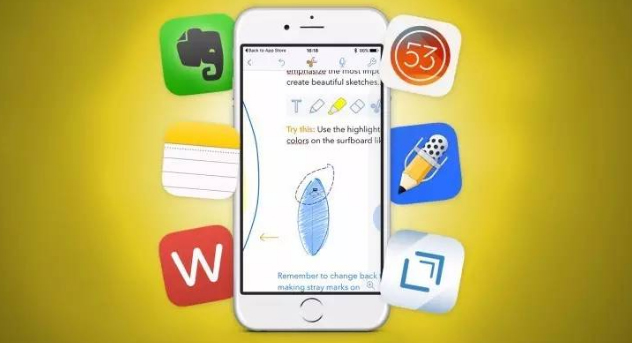
    Now of you ever want to note down anything you don’t have to look for pen and paper use these Best Note-taking apps for Android , iPhone and PC to take easy notes .

    Best Note taking apps for Windows

    If you want to make quick notes in your windows system you can now do it with the comfort of windows note taking apps .

    1. Quip
    2. Cortana
    3. Simple Note
    4. Microsoft OneNote
    5. Evernote
    6. Sticky Notes
    7. Notepad
    8. Scrble

    Read Also : Best free office software for Computer & Smartphone

    Best Note taking apps for Mac

    Below given is the list of best note taking apps for Mac .

    1. Evernote
    2. Microsoft OneNote
    3. Simple Note
    4. Bear
    5. Google Keep
    6. Zoho

    Read Also : Best VPN For the Future

    Best Note taking apps for iPhone / iPad – iOS note taking apps

    Like the above seen note taking softwares for windows and Mac , here is the list of note taking apps for iOS users .

    1. Apple Notes
    2. Bear
    3. Simple Note

    Best Note taking apps for Android

    1. ColorNote
    2. OneNote
    3. Google Keep
    4. EverNote
    5. SimpleNote
    6. LectureNotes
    7. Omni Notes

    Finally given above is the exclusive list of note taking apps for  Android users .

    Read Also : Enable or Disable Superfetch for Windows

    Best Note taking apps for Windows , Mac , Android & iPhone / iPad

    1)     OneNote

    OneNote is one of the best note taking apps with a number of features and majority of them are for free. Since OneNote comes from Microsoft, it integrates with Office tools like Ms Word, Excel etc. Thus, the tool becomes more powerful for you to use. In this note-taking app, you can write, type and draw images related to the notes in your own way.
    Another advantage of using OneNote is that, you can easily capture an image to add in the notes. You will not have to crop the image and waste your valuable time. OneNote will automatically crop the image you have selected to fit in the notes. Moreover, you can easily take the notes and refer for your future use. OneNote is compatible with both computers and smartphones.

    2)     EverNote

    This is the next note-taking app for your computers and android phones which is very powerful. EverNote can organize all your notes very efficientlyand it has a cloud storage space of 60MB to store your data online. Like OneNote App, you can add images to this note as well. But an extra feature of attaching the pages of a website is also available with EverNote App.

    This note-taking app is perfect for students since it can store any kind of data with any size and content. EverNote App is free for anyone to use but it only has a few features and it only provides a few of them to the user.

    Read Also : Must Have Smartwatch apps for Android and Apple watches

    3)     WorkFlowy

    Workflowy note-taking app works fully offline and it is also fast.  It also gives an instant access to the notes you have saved without searching for it from a number o tabs in your browser. This app is very simple and it only has a very minimal interface.  When you are creating a note and if you want to highlight or mark any points that are really important, you can do so with the help of hash tags.

    You can zoom in or zoom out the notes to read and also navigating this app is very easy. You can just use the mouse pointer to zoom in and zoom out the notes you have added. With this Workflowy App, you can share the notes with others at your office. You also have the option of hiding the notes and add to archive with just one click.

    4)     Google Keep

    With features like location reminder, alerts on pre-select times, Google Keep is our next choice of note-taking app which is hooked up to Google services. This app is compatible with IOS, Web, Android, Windows and Mac and has card based notes. Like Evernote and Onenote, you can add images along with the notes you jot down.
    Google Keep App can transcribe the notes you type or write. It has the feature to record even your handwriting. The notes you type will be recorded in the form of messages with its memo feature. You can also synchronize your notes from one device to another with the help of nifty OCR in Google Keep. Apart from these features, you get access to colour codes and attributes to make your notes look unique from the rest.

    Read Also : Google Datally App to Control Mobile Data & WiFi Finder

    5)     Standard Notes

    You can access this note-taking app online with widget support and it comes with 100% privacy and AES  – 265 encryption. The best highlight of using Standard Note is that you can access the notes you have created 5 years back. Isn’t that great? You can recheck all the important notes again if you require.  Standard Notes app is the only one note-taking app which has an end to end privacy. Thus, this app sounds suitable for both office and personal work. Standard notes App is compatible with iOS, Android, Windows, Web and Mac.

    To make your notes look more attractive, you get access to different themes that are changeable and it also allows you to add power extensions. You will never have to worry about losing any notes you have made in Standard Notes. This app is encryption protected with a secret key and no one can decrypt the notes. Only thing you have to remember always is the secret key. Without this, no one can retrieve the data.

    6) Dropbox Paper

    This app is a product of Dropbox in which you can work with your team. Dropbox Paper is another note-taking app that supports themes and is integrated to Dropbox. It also offers great collaboration tools. Usually, everyone uses Dropbox to save files in the cloud storage. The main advantage of using Dropbox Paper is, it gives a flexible workspace for the user to make notes easily.

    This app is very simple since it has a very minimal design aids. You can type your data or copy and paste the link of YouTube or you can even tweet using this Dropbox Paper note-taking app. If you are working in Dropbox as a team or with any of your team member, you can easily make notes with them, share comments and even embed images. For any kind of creative work, this app is one of the best choices.  This note-taking app called Dropbox Paper is free to use if you are an account holder of Dropbox.

    All these above mentioned note-taking apps are compatible with both computers and smart phones. You can use it from anywhere you want. Anybody can use these apps in their computers or in android phones. Read about each app and learn the advantages and disadvantages and choose the best app that suits your need. So, do not wait. Make use of these amazing note-taking apps to make your work easier and hassle-free.
  • Best free office software for Computer & Smartphone

    Best free office software for Computer & Smartphone

    Computers and smartphones are one of the greatest creations made by humans. These electronic devices always make the work simpler and easier for everyone. With the help of some of the best free office software for Computer and Smartphone, all are able quickly finish their work on time.  There are different office suits that are compatible with various kinds of computers and smartphones.

    You should always choose the best office software that is easy for you to do your work. Sometimes the office software that is compatible with Mac, will not be compatible with other computers. Some of the best free office software for computers and smartphones are listed below. Choose the most compatible software for your device.

    Best free office software for Windows , Mac , Linux , Android and iPhone

    Here we are giving the top picks of free office softwares for windows , Mac , Linux , Android & iPhone .

    Best Free Office Software for Mac

    Microsoft Office is the most popular free office software used world wide . Here is some of the best microsoft office alternatives for computers .  Below is the list of free office softwares for Mac –

    1. Google Suite ( Google Docs , Sheets & Slides )
    2. Libre Office
    3. iWork Suite
    4. Quip
    5. Office Online

    Best Free Office Software for Windows

    Here is the best free office softwares for windows users .

    1. Google Docs
    2. Microsoft office
    3. Libre Office
    4. WPS Office
    5. Zoho Docs

    Read Also : The ultimate guide to make Windows run faster (Boost Computer Speed)

    Read Also : Enable / Disable Windows File Protection & Fix Windows File errors

    Best Free Office Software for Linux

    Given below are the Microsoft office alternatives for Linux which are the best Office software for Linux.

    1. Libre office
    2. Apache Open Office
    3. WPS office
    4. Softmaker Office
    5. Google Docs
    6. Zoho Docs

    Read Also : Record iPhone iPad Screen on Windows & Mac

    Best Free Office Software for Android

    Here is the free office software apps for Android users that can help you to do your office stuffs on phone or tablet from anywhere , anytime .

    1. Office Suite
    2. Polaris Office
    3. Google Drive
    4. Quip
    5. Smart Office
    6. WPS office and PDF

    Read Also : Android boot Fix – Steps to Try When Your Android Won’t Boot

    Best Free Office Software for iPhone /iPad

    Here is the list of Free office sftware for iPhone/iPad users to try .

    1. Polaris Office
    2. Good Reader
    3. Documents
    4. Pages
    5. Google Drive

    Read also : 38 Best iPhone games you should play

    Best free office software for Computer & Smartphone

    Here we picked out the best for all devices free office softwares .

    1)     Google Docs, Sheets and Slides

    This is one of the best free office software for everyone to share files, sheets and slides. Google docs or Google Sheets are very useful for employees to share their work sheet with higher authorities or with their co-workers. Using Google Free Office Software, you can make your work easier. It does not take a lot of time of yours to share works with your subordinates or for you to keep a track of your team’s work.

    Moreover, you will never have to worry about losing any of the files created in Google Software. Once you have created a file in the Google drive, it will automatically get saved. Even when you make changes to the document that you have created, the changes will be saved automatically too. This free Google Office Software is compatible with both computers and smart phones.

    Read Also : Connect dual displays / monitors to one computer on Windows & MAC

    2)     Microsoft Office Online

    Microsoft office fully compatible with desktop apps and it works with one drive. Every individual will require the help of Microsoft office Online to make work simpler. Microsoft, word, excel and PowerPoint are the most commonly used apps by everyone.

    With the help of Microsoft Word Online, you can create attractive resume, select templates with various formatting tools and you can also add functionalities to the word document by adding Wikipedia for quick and easy online search.

    In Microsoft Excel Online, you can organize all your data as workbooks. Whatever you type in the excel sheet online, it will be saved automatically. Moreover, you also get a chance to use the modern charts and graphs to make your work report more attractive and precise.

    Read Also : Battery Health : How to keep your phone or tablet battery healthy

    Power point Online helps you to create attractive presentation with various templates and styles. You can also add videos, photos, animations and even transitions, making your presentation look professional and neat. Co-authoring is also available with power point online where your co-worker can also use the same.

    3)     Libre Office

    This huge software suite is fully compatible with Microsoft formats and is totally free to use. Libre office has almost all the necessary features like word, excel and power point. This software suite also consists of other programs like writer, calculator, math, base, draw and impress. Likewise templates and extensions can be selected from various options given in this suite.

    The next highlight of Libre Office is that, anyone can save and open any number of files with different formats like ppt, pptx, doc and a lot more. The coders of Libre always try to enhance the software and bring more features. The latest version of LiberOffice has a number of bug fixes and other features including the new single toolbar for writers. LibreOffice is compatible with Windows, Mac, and Linux since its cross-platform is written in Java.

    Read Also : Must Have Smartwatch apps for Android and Apple watches

    4)     WPS Office Free

    Compatible of Windows, Linux and Android, this free office software has cross-platforms and supports all Microsoft file formats. This a small version of  he premium office suite and has some similar features. It is difficult to find the difference between the premium office suite and the WPS Office Free.

    In WPS, you cannot find a database software, but, an addition has been made with free PDF reader perfect for windows built-in app. The work you do with WPS Office Free Software can be saved easily in the native Microsoft formats and can be shared quickly with office users.

    5)     Softmaker Free Office

    Softmaker free office supports all Microsoft formats and it also includes PDF reader. This software also offers analogs for Ms Word, Excel and Power Point just like the WPS Office. One of the major feature missing in Softmaker is that, it does not have thesaurus. For the people who are writers, it will be very difficult to write an article or an essay without thesaurus. Apart from these features, an addition of PDF conversion and Epub format can be found in Softmaker Free Office.

    6)     Polaris

    Compatible with both computers and smart phones, Polaris offers a cross-platform suite in which the data will be stored in the 1 GB cloud storage. It is important to open a free account since Polaris is cloud-based office software. You can either log in to Facebook or Google to create your Polaris account.  Once you have opened the account, you get a 60MB monthly data transfer along with 1GB storage. This software can be used in three devices out of which one is your desktop and two mobile phones.

    If you need more space, then you can connect the Polaris Office Software with Google Drive Drop Box, Amazon Cloud Drive etc. You can also save your documents or data in your devices too. Polaris free office software is compatible with Mac OS, Android IOS and Windows.

    7)     Office 365

    Office 365 is a full cloud desktop with open source software. This free office software also includes the major components of LibreOffice . This software is easy to use and all the necessary office software like word, excel, power point etc that are required to use at home, school, college or at work are available.

    In Office 365, the desktop client handles all the file transfers and mirroring the cloud storage to the hard drive. But you will still have to run your office 365 software in the browser. This software is perfect for people who use a variety of hardware in the system.

    These are some of the Free Office Software that are compatible with computers and smart phones. Choose the best software that suits your work to enhance the speed and accuracy of the work you do. You can save all the necessary documents or files in these software’s safely and can be accessed from anywhere in your computer or android phones. Make your daily work easy and never lose any important documents or files with the use of these office free softwares.