Tag: best streaming devices

  • Best Kodi Alternatives for Every Streaming Device

    Best Kodi Alternatives for Every Streaming Device

    If we talk about best media player. Kodi is on the first number. Kodi is created by XMBC foundation which is a nonprofit foundation. It is a free open source software created for entertainment purpose. It can stream audio and video from the internet. Everything you need is available on Kodi you can also replace the cable with it. Kodi is compatible with many devices. It is the best media player. But there are many alternatives for Kodi available in the market some of them are Plex, Emby, Popcorn time and more. In this article, I am going to talk about best Kodi alternatives (2017) for every streaming device such as Firestick, Windows, Android, iPhone.

    Best Kodi Alternatives for Every Streaming Device

    Here is the Best Kodi Alternatives for the Top Streaming Devices that you would fall in love with.

    1. PLEX

      Plex is the first best Kodi alternative for firestick, windows, android, iPhone etc. It is compatible with many devices. It is not at all complicated to use you can use it easily. Plex offers many features which give beautiful experience to users. It supports all types of files and also 4k, you can also watch live tv without paying anything extra, there is DVR option available.
      On Plex, everything is encrypted so there are no security issues. Its library organization can easily organize all your data beautifully. If you think that some content is not good for children so for this plex offers parental controls. Plex can easily stream media to all your devices regardless of time and place. You can easily share your content with your friends. It is free of cost but if you want to access additional features, you have to pay $4.99 per month. So, overall Plex is perfect if you use it for iOS or windows it offers many features for both of them you can sync your mobile and you can also sync your mobile data to plex.

      Read Also : Streaming Services – Netflix Vs Prime Vs Hulu Vs Sling Vs Directv Now etc

    2. EMBY

      Emby is the second best Kodi alternative for Windows, iPhone, Android, and Firestick. It is mainly created to manage content and sharing it without any security issue.It is free but if you want to access some additional features you have to pay $4.99 per month.
      Emby even has a Kodi addon that gives Kodi library management features of Emby. You can stream data on any device.You can access it from anywhere.It also organizes media so perfectly and beautifully and it also syncs content to cloud for easy backup.It is compatible with smartphones, tablets, TV. It offers live TV option, DVR option to record videos and child lock. It’s apps also available for Android,iPhone,iPad windows, Amazon fire TV, Roku, chromecast, Android box, home theater computer.

      Read Also : Roku Tricks-Must Try for streaming success (Roku user manual FAQ)

    3. SPMC

      Semper Media Center is one of the best Kodi alternatives for Android and firestick. Semper Media Center is like a Kodi fork that means add-ons that work on Kodi will definitely work on Semper media center.
    4. Media portal

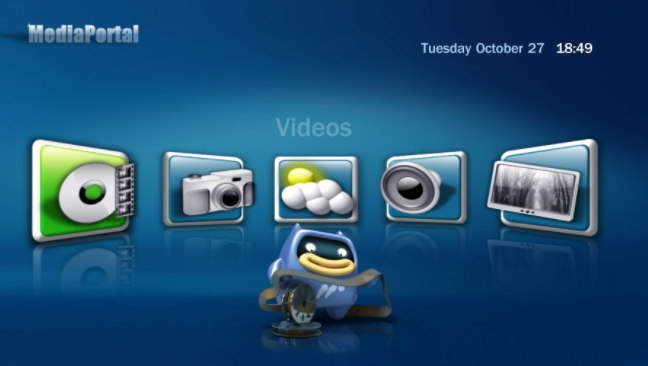
      Media portal is Kodi alternative for Windows. It is very easy to set up and use and you have to pay nothing as it is free of cost. DVR option is also available you can also record live TV. You can also access Media Portal through couch potato app for your iPhone/iPod which allows you to control your media portal through WiFi.
    5. Terrarium TV

      Terrarium Tv is Android app and the best Kodi alternative for Android and Firestick. It offers HD streaming, you can stream and download anything at no cost, there are latest movies also available.You just need a good internet connection to use it. It is not easily available for iOS but you can try some tricks like you have to install Vshare first to use it on iOS.
    6. Popcorn Time

      Popcorn time it is free, open source multiplayer platform It is one of the Kodi alternatives which is compatible with iOS, Android, and Windows. It is not illegal completely but it depends upon the way you use the content, as the content available on this is copyrighted and if you use it without owner’s permission that will be illegal. Popcorn time was created in 2014 and closed very soon but as it becomes popular two independent developers created two forks of it first is popcorn time.io and other is time4popcorn. After sometimes popcorn time.io also shut down all these things gave birth to butter project which is legal. Butter project is an app that offers media streaming.

      Read Also : Roku Pros & Cons -Reasons to Choose Roku Streaming Stick

    7. JRiver Media Center

      JRiver Media Center is an inclusive software that supports all kind of data. It is Kodi alternative for Windows and Mac OS X.

      You can also watch live tv and DVR option is also available so you can also record programs. Its audio and media player is best of all. Streaming services like the most popular Netflix, Hulu and YouTube are also available on JRiver Media Center.

    8. Google Home

      Google Home is an extension for watching and sharing content. It is one of the Kodi alternatives. It can easily control your media player through your Chrome web browser. It offers voice control it means you can ask questions and it will provide answers. It can easily recognize many voices. It supports a limited number of third-party apps.It works great with mobile devices than desktop.

      Read Also : Hard and Soft Reset Roku Manual – Fix Frozen Roku Streaming Stick

    9. Serviio

      Serviio is the free media server. It is also a best Kodi alternative for both Android and iOS also for both windows and Mac . It allows you to stream media files that is music, videos or images to your tv and mobiles. It easily streams online content and also supports subtitles.
    There are some Kodi like apps also available for Android. So, here is a list of all the best apps you can choose from.

    Apps like Kodi for android

    Here are the few apps like kodi for android users which you might surely like .

    • AllCast
    • Bubble Up np
    • Google Home
    • Local Cast
    • Emby for android
    • Plex
    • VLC for android
    • Zappo Tv Apps
    • Remote Media Center

    Read Also : Best Smart Home Gadgets for Home automation- Smart home

    Conclusion

    We are already come to know about best Kodi alternatives for streaming devices. Plex is the most popular and perfect Kodi alternative for Android, iPhone, firestick, PlayStation, Apple TV, Chromecast, Amazon Fire TV, Roku, Android TV and other smart TVs. Plex apps also available for different platforms for free. Plex also offers Plex app,so If you want to access to the latest content, Plex Pass is the best option for you. Its monthly subscription plans start from $4.99. Plex offers a huge number of channels that easily provide access to a variety of freely available streaming digital content. Its Library sharing feature is one of the best things in it. If your device is low powered then don’t worry, as Plex can work on that also. Plex’s streaming is its most attractive feature. It is even better than Kodi’s limited streaming.So, overall Plex is the best alternative but you can choose accord to your need.

    Hope all these information will help you to choose between the Best Kodi Alternatives for Every Streaming Device.
  • Best Streaming Devices – All Top Media Streaming Box on Market

    Best Streaming Devices – All Top Media Streaming Box on Market

    Today, I am going to talk about Best streaming devices as they have become very popular these days . Also evidently the users are rising for streaming devices. At the time of buying a streaming device, all users must have faced one problem that is which is the best streaming device for them as there are so many streaming devices that are available in the market to choose from.

    Best streaming devices

    Before knowing about Best streaming devices we must know what is streaming and how does a streaming device work?

    Streaming – In simple words it means that a video or audio data is constantly transferring while the data which has successfully transferred is being played. In other words streaming means, you can access audio and video listening without downloading them.

    Streaming Device – A streaming device is a device that helps to stream videos and audio from the internet to your television. Most of the people love online programs and wish to see it on a big screen. So by using a streaming device, they can easily watch their favorite online show on television.

    Best streaming devices – All Top Media Streaming Box on Market

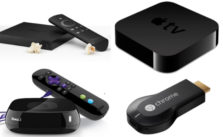
    When we talk about streaming devices there are many options available such as Apple TV, Roku, Chromecast, Amazon fire TV and Android TV these are some best streaming devices. To use a streaming device you need an HDTV, internet connection whether wired or wireless. Once a streaming device is set then you just have to subscribe to service like Amazon Prime, Hulu Plus, Netflix and other to use them. But before this, you have to buy a compatible streaming device for your TV and also on which your favorite shows easily available.

    So for a better understanding of streaming devices, here are some important details about the best streaming devices and comparison between them, which will definitely help you to choose the best streaming device for yourself.

    • ROKU 

      Roku is the first company to do streaming for television. The company manufactured a series of streaming devices as well as Roku TV that has a built-in streaming feature.Roku devices are the most flexible and convenient streaming devices that are very easy to set up and use.

      Roku streaming device , stream shows and movies from services including HBO GO, Amazon Prime, Hulu Plus and much more. It comes with a remote on which Roku search feature is available through which user can easily search what they want to watch. It just needs a cable internet connection to stream the best quality like HDR. You can access a large number of movies and shows both from free and paid channels. There is also a support website available that provide help to a user through articles and videos.

      Read Also : Roku Tricks-Must Try for streaming success (Roku user manual FAQ)

      Latest Roku streaming models

      1.Roku Express
      2.Roku Express+
      3.Roku Premiere
      4.Roku Ultra

    5. Roku Premiere +

    Roku Express offers 1080 HD streaming you can use it on any TV which has HDMI connection, whereas you can use Roku Express plus if you have an old TV without HDMI. Its price is pocket-friendly. Roku Premiere is not so expensive and its performance is quite good. It supports HDR for a better quality of a picture. And the best one is Roku Ultra it is the best streaming device if you use it you will have a completely different experience. Voice search option is also available on Roku Ultra.

    Roku is one of the Best Streaming Devices .

    Roku will turn to be most affordable streaming device with the launch of Roku Premiere and Roku Premiere Plus , both will cost cheaper than that of Amazon 4K Fire TV .

    The Roku Premiere 4K offers the customers to access 4K at the low cost .

    The old Roku Premiere is different from New Roku Premiere model that is coming up . Also this new Roku will support voice assistant . Roku supports Google Assistant from its new batch , and expected changes with Roku Ultra model as well.

    Read Also : Hard and Soft Reset Roku Manual – Fix Frozen Roku Streaming Stick

    • APPLE TV

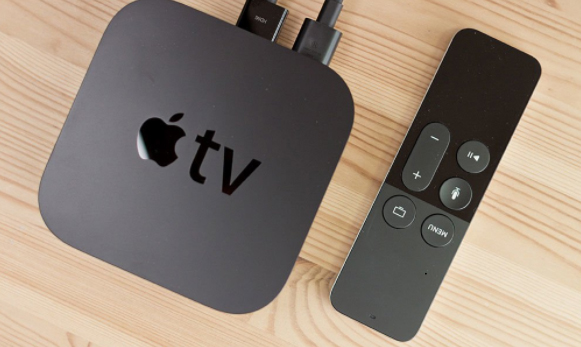
      The main purpose of making Apple TV was to make a device that can easily shift connection from iTunes running on a computer to the TV in HDR quality so, people can easily sync data. It also streams content from Netflix, Hotstar, Eros Now and many others. It can also stream video and audio from your iPhone, iPad, and iPod with the help of airplay. Airplay can stream data directly from the iPad or iPhone to your television. It just needs an HDMI cable to connect to your television. Other ports include an Ethernet port for direct connection to the router and an optical port for audio. It interacts with devices via Bluetooth and WiFi.

       Apple TV models

      1.Apple TV
      2.Apple TV 4k

      Apple TV is the old model and its processor is A8 chip with 64 bit,  whereas Apple TV 4k is the latest model and its processor is A10x chip with 64 bit. Apple TV 4k offers 4k quality that is much better than Apple TV, as well as its speed, is twice more than Apple TV.

      Apple Tv is the brand name trusted Best Streaming Devices .

    Read Also : Best iTunes Cleanup Software for better iTunes experience

    • CHROMECAST

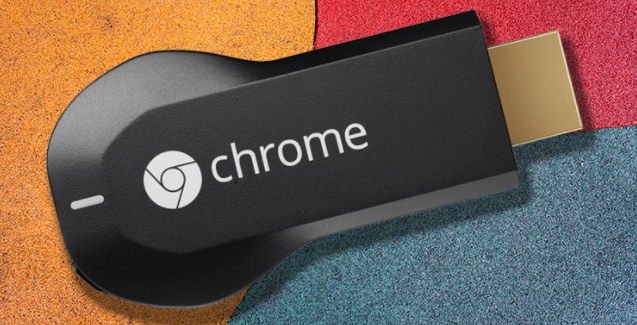
      Chromecast is a media streaming device it is very tiny in size that makes it portable. It is very easy to connect it to your tv. It is add-on platform it depends on other devices to work.

      Chromecast streaming models

      1.Chromecast 2
      2.Chromecast Ultra

      Chromecast Ultra is the new model it cost less than Chromecast which is the old model. The ultra update is very cool as it supports HD as well as HDR video. It is much faster than Chromecast 2.

      Read Also : Connect Google Pixel to TV Easily with these Exclusive Guide

    • AMAZON FIRE TV

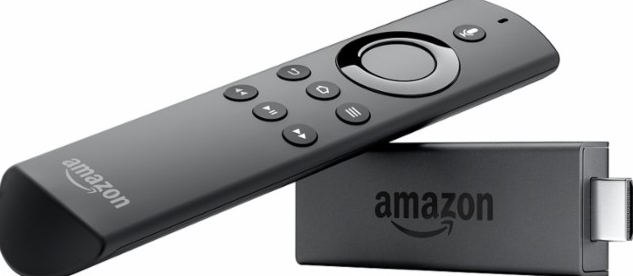
      Amazon Fire TV is also a streaming device which is also used to stream video and audio from your computer to your tv. It has a huge collection of movies and shows. It just needs a high-speed internet connection with wifi and HDTV with HDMI input. A voice remote comes with it in which you can say the name of show or movie and it will start playing instantly.

       Amazon TV streaming models

      1.Amazon Fire TV
      2.Amazon Fire TV Stick
      Amazon Fire TV is the latest model and it is dual core, whereas Amazon Fire TV is the old model and it is quad core. UI update is the attractive feature of the new fire stick. You can also control your smart devices with its new voice search feature. New Amazon Fire Stick is more versatile than the old one.

    • ANDROID TV

      Android TV is a streaming device that also streams programs, shows, and movies to big screen. Its best feature is that it beautifully arrange all your videos and audios and photos with bios and details. It can easily cast everything on your tv without installing any app.

      Android TV latest streaming models

      1.Nvidia Shield TV
      2.Xiaomi Mi Box

      Nvidia Shield Box is the best android streaming device, whereas Xiaomi Mi Box is the newest to the streaming device market. It has built-in Google vast ad well as 4k streaming. Nvidia Shield is quite expensive but its features are awesome to use Nvidia shield you don’t need a Chromecast, it supports 4k streaming as well and is best for the people who love gaming, whereas Xiaomi Mi box is not so good for gaming.

      Comparison between the best streaming devices

      Here is the Comparison between the top streaming media devices .

      Comparison between Roku and Apple TV

      Roku and Apple TV both are the most popular streaming devices. Let’s see how they are different from each other.

      Here is comparison points between Roku Vs Apple TV

      ♦Apple tv is the best streaming device to watch content from iTunes and other popular apps. Its airplay feature makes it more attractive as airplay stream data directly from iOS device to your tv.
      ♦Roku is much faster and versatile as well as offer a large number of channels as compared to Apple tv streaming device.
      ♦Apple tv streaming device support Bluetooth whereas, Roku streaming device doesn’t support Bluetooth.
      ♦Apple tv media streaming device is best for people who are using other Apple products also otherwise, you can choose Roku as it is the best streaming device to replace the cable and also the best media player for tv.

      Read Also : Roku Pros & Cons -Reasons to Choose Roku Streaming Stick


      Comparison between Apple tv and Chromecast

      Here we have compared Apple Tv Vs ChromeCast .

      ♦Chromecast is not stand alone platform, whereas Apple Tv is standalone that means Chromecast needs other devices and Apple Tv is independent it doesn’t need any device.
      ♦Chromecast doesn’t have any pre-installed apps, whereas apps are pre-installed on Apple Tv.
      ♦Chromecast is not compatible with every device, whereas Apple Tv is compatible with all iOS device and can be controlled by them.
      ♦Apple Tv just needs airplay to stream videos, whereas if you use Chromecast to stream videos to your tv you have to install software.
      ♦Apple Tv media streaming is best for you if you are apple fan and if you have an android device you can go with Chromecast.

      Comparison between Chromecast and Amazon Fire Play

      This is the comparison between ChromeCast Vs Amazon Fire Play .                                                            ♦Amazon Fire Play streaming devices come with remote, whereas Chromecast doesn’t come with any remote

    ♦Amazon Fire Tv does not depend upon any other devices, whereas Chromecast depends on other devices.

    ♦Amazon Fire Tv has a large space and it can easily stream videos and audios from amazon prime and other compatible apps without depending upon any other devices, whereas Chromecast depends upon other devices it works more as a casting system as it cast content from your computer on your Tv.

             Comparison between Amazon Fire Tv and Android Tv

    ♦Amazon Fire Tv is expensive than Android Tv .Both Amazon Fire Tv and Amazon Tv are compatible with Kodi but Amazon Fire Tv is best if you are ready to spend money.

    ♦Amazon Fire Tv is more stable and flexible than Android Tv.

    Conclusion

    Through the details that are given above we come to understand that Roku devices especially the Roku ultra is the best streaming device. It is the best choice to replace your cable with. Amazon Fire Tv is the best streaming device for Kodi. As Kodi doesn’t have its own media player. There are many devices available in the market on which Kodi is pre-installed but before using this kind of device you have to be very careful, as they can give access to pirated movies which is illegal. This makes people think that Kodi is illegal but it is not illegal. The illegality is based on the way you are using it the better and safe option is to buy a compatible device. If you want to live tv stream the best device for you is Dish Air Player as it streams channels direct from HD antenna.

    I hope all these information will help you to buy the best streaming device for you.