Author: Rishabh Mishra

  • Convert 3G Phone to 4G Phone to support 4G Sim in 3G Mobile

    Convert 3G Phone to 4G Phone to support 4G Sim in 3G Mobile

    Convert 3G Phone to 4G Phone

                       ” 4G 4G everywhere ,
    Don’t have any mobile to use ? “

    No problem we are here to help you.In this rapid growing world , our technology is also growing with a bullet speed. Firstly, we all depend upon 2G internet which is very slow. Then 3G wireless spectrum has been allocated to all private operators on 1st September, 2010, which is much faster than 2G and now 4G has been introduced in the world which is much more faster than 2G and 3G.

    With the launch of Reliance JIO in India , it’s become easier for a common people to use this 4G technology because Jio has provided free and cheap internet plans to all its users. 4G speed can do jobs much faster and it also provides high quality voice calls through voLTE (Voice Over LTE).

    But the main problem is that most of us don’t have 4G mobiles .And many of us have question that Can we use we Reliance 4G jio sim in 3G mobile ?. So the situation is like that we have the sim but we can’t use it as we don’t have 4G phone. But today we will show you how to use 4G mobile in our older 3G handsets. For this , we all have to know first how to convert 3G phone to 4G phone . So let’s have a look to this .

    Read Also : Android boot Fix – Steps to Try When Your Android Won’t Boot

    There are several methods available in the market showing how to Convert 3G phone to 4G phone . Some are fake but some work efficiently. So what’s the need to buy expensive 4G phones when we can use 4G sim in our 3G mobiles.

    Today we will show you the real one’s, which are tested and it has proven how to enable 4G on 3G mobile.
    Method 1: Convert 3G phone to 4G phone (For MediaTek processors)

    Before starting the steps let me know you that for this method your phone should have Andriod version 4.4 or a higher version than that and it must have been rooted.

    1. Firstly download and install MTK Engineering Mode app in your 3G mobile.
    2. Open the app and click on MTK settings and select preferred network option.
    3. Now select 4G LTE/WCDMA/GSM as network mode.
    4. Now save it and turn it off and on your mobile device.
    5. Once done , shutdown your phone and insert 4G sim in Slot 1 and keep the 2nd Slot empty.
    6. That’s it switch on your device and now you will see 4G sim network.

    But one problem with this method is that within minutes you will get 4G network but you will not get 4G speed.

    Read Also : Android Vs iOS – Pros & Cons of Buying Android Vs iOS

    Method 2: Convert 3G phone to 4G phone (For  Redmi 1S mobiles or Samsung 3g mobiles)

    1. Dial *#*#4636#*#* from your 3G mobile device.
    2. Then a page appears on your screen from that choose phone information 1.
    3. Choose LTE/GSM auto (PRL) option or any LTE option.
    That’s it , but if you face any network problem in your device then select network manually in your device. But if still you face this problem then go for the following steps :

    1. Download both Xorware 2G/3G/4G Switcher & Xorware 2G/3G/4G Interface App.
    2. Open app and choose the network settings.
    3. Select network mode to 4G LTE.
    4. Click on apply and then restart your device.

    Read Also : Google Traffic : How to check traffic to work or home

    Method 3: Convert 3G phone to 4G phone (For Qualcomm Chipset Devices)
    1. Download Shortcut Master (Lite) app.
    2. Install the app and click on Menu .
    3. Search for “Service menu” or “engineering mode” .
    4. Then Select “System App” Option For Deep Search. If Found then open it and access to change LTE Bands.
    If it doesn’t works.
    5. Go to Engineering mode and Select Change LTE bands.
    If this also doesn’t works,
    6. Dial *#2263# and select Menu and click back again then Select Menu.
    7. Go to key and enter 0000 and wait for some seconds, you will get Popup.
    8. Select UE settings from that popup, and select
    setting>protocol>NAS>Network Control>Band Selection>LTE Band> The Select “Band 40”.

    You are done now . Just restart the device and place the sim in first slot.

    Read Also : Backup Android Device to PC or Google

    These methods help you to use 4G sim cards especially Reliance Jio sim cards in your 3G handsets . But before doing these methods your phone must have been rooted and you should know that doing root can harm your mobile devices and it is bad for the privacy of mobile data. Also rooting increases  the chances of different viruses entering into the mobile. So , you should know about what you are going to do and whether you can complete all the steps or not, because these things can risk your mobile.
  • Android Vs iOS – Pros & Cons of Buying Android Vs iOS

    Android Vs iOS – Pros & Cons of Buying Android Vs iOS

    Android Vs iOS      

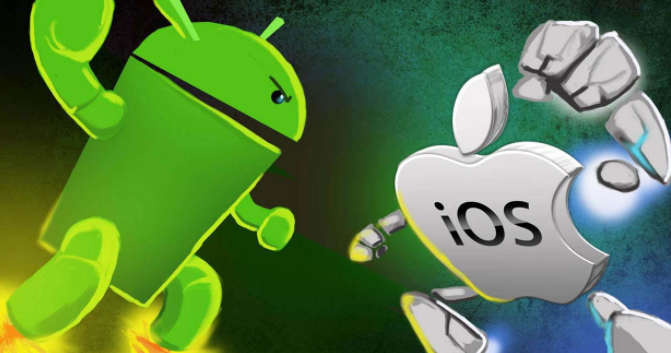
    When we think about buying a mobile , our first consideration is all about to buy whether an Android mobile or iPhone . So there is always a comparison between Android Vs iOS .

    Here we will discuss about ios vs android comparison and thus android vs ios pros and cons which can help you to understand ios vs android which is better .

    Android

    As you all know Android is one of the best operating system from Google which is based on Linux Kernel . Now almost many devices run on this Android OS. Currently 99.6% of new smartphones runs on android and there are 2 billion Android users across the world .The main reason for this popularity is that it is very cheap compared to iOS devices and it is open source .

    There are over 2.8 million apps  in play-store . Android application can be made with java , c and c++ languages . Android has been the best selling OS in tablets since 2013 . Android has given numerous updates to add new features and fix bugs .

    Read Also : Google Pixel WiFi Calling Enable and Disable

    Read Also : Android Oreo Features to fall in love with Android mobiles often

    Android name its versions after the name of dessert in alphabetical order for eg. Cupcake to Android Oreo . Android OS is widely been used in many devices like smartphones , also popular in Android TV , Android Auto and Android wear thus we can see an increase in Android users day by day . One of the catchy things of Android is that one can customize anything according to his/her need , like one can change the OS of the device. These features make Android different and most popular mobile OS in the world.

    Read Also : How to Use Google Assistant on Android Devices (Without Root)

    Now we have discussed about Android before we talk about Android Vs iOS , we will take a rough look on iOS also .

    iOS

    iOS ( iPhone OS) is a mobile operating system developed by Apple Inc. It has been unveiled in 2007 for iPhone and later it has been extended to support other devices such as the iPod touch released on September 2007 .

    Apple has also been praised for its accessibility functions that enable a person with hearing and vision disability to use it’s product properly. ‘Be my eyes’ ,’Dragon dictation’ are some good examples of that. iOS is best in terms of data security . One have to use iTunes desktop app to share media, thus making media transferring very difficult. iOS releases its versions annually .Current version is iOS 10 and It is available on various devices of iPhone like iPhone 5 .

    Read Also : Backup Android Device to PC or Google

    Now on the iOS series latest is iOS 11 which is the latest iOS version .

    Pros & Cons of Buying Android Vs iOS – Which is better Android Vs iOS

    Here is the pros and cons to before you chose between Android Vs iOS when considering to buy your latest smartphone .

    Pros of Android 

    1. Open source and easily customized : It is based on Linux kernel . It is an open source you can get millions of free apps there . It is easy to customize. One can even have access to even boot loader. The more number of apps increase choice and this is one among the top catchy factors of android.

    2. It offers expandable storage with several phones: Normally most of the android phone offers expandable storage so that we can store more and more which iOS don’t offer .

    3. Wider choices of phones are available in the market: There are a huge number of android phone companies are available in the market like SAMSUNG, HTC, MICROMAX and many more  which in-turn offer users more choices while iOS is only available on Apple devices.

    Read Also : Google Traffic : How to check traffic to work or home

    4. Large number of user leads to large number of developers for android: Large number of android user also leads to large number of developers because of increase of android phone demands and their apps.

    5. Very cheap and easily available then iOS: Android phones are very cheap in comparison to iOS phones . One can easily get a good android phone under 10k .

    Cons of Android 

    1. Higher chances of malware:   Android phones allows installation of third party apps which can harm data and increase chances of malware .

    2. Different interface for different phones:  A large number of interfaces is available for a variety of mobiles.

    3. Patchy support :   Support and assistance services are not good as compared to iOS due to huge number of customers . It’s patches are easily available.

    Read Also : Fix “Voice search has been turned off” error for google now

    4. Don’t have any special features for disable persons yet :   Like any other iOS phones no android phones have features for disable persons yet .

    Pros of iOS

    1. Apple itself optimize its both hardware and software: Apple itself optimize its every iPhone hardware and software . It blocks installation of third-party app stores. This leads to its better quality and performance.

    2. Curated app store : Very well curated app store . You can get a lot different choices which you can’t get anywhere else. The iOS phone needs to be jail-broken if we want to download apps from other stores.

    3. Very few chances of malware : Apple optimization decreases the chances of malware.

    4. It has a good user support : Apple provides its user a very good support . It provides icloud support to its user which can store upto 5GB files automatically.

    Read Also : Android boot Fix – Steps to Try When Your Android Won’t Boot

    5. Features for disable persons in iOS makes it more popular: It has some features and apps that can help disable persons to use iPhone conveniently like ‘be my eyes’ and ‘dragon dictation’.

    Cons of iOS

    1. We can’t extend storage in an iOS phone : iOS phones doesn’t support external storage means we cannot expand storage with the help of memory cards.

    2. Walled garden ecosystem: It means that the iOS carrier or service provider has control over the applications and content .

    3. Limited customisation : We can’t change its OS or can’t make more changes unlike android phones.

    4. Most of the apps you have to buy from it’s store as it is not open source like android : Very few apps are available for free most of them you have to buy from it’s store and you can’t share these apps .

    So this will help you to choose between Android or iOS .

  • Update to Latest Android OS : Oreo -Stay with Nougat / Marshmallow

    Update to Latest Android OS : Oreo -Stay with Nougat / Marshmallow

    Android is about to come up with its new OS , Android Q . With its launch so many exciting features are going to get a new look and experience . Android Q will be a better experience than Android P . So every time Android OS gets a new version , you might feel you are lagged behind the tech scene . May be you might feel your phone is slow when compared to your friend’s phone with the latest android OS . So inorder to tackle this you can simply upgrade to latest android OS . So now we will learn how to Update to Latest Android OS .

    Android Q

    Gonna be the 17th version of Android Operating system released . Foldable phone support will be its one highlight feature . Dark mode by default and so many features . Will discuss in detail on Android Q features soon after its first release .

    Android P

    The current running version of Android OS is the Android Pie , popularly known to be the Android pie version . Most of you might be aware of its exciting features . Also its comparison with Android Oreo . Android P is the 16th OS release .

    Android O

    The new version 8.0 is also named before a dessert ‘Oreo’ like any other previous versions. It is available with Google pixel in the market and it has been said that this new version provides 2X boot speed. It has also improved the problem of operating system update tackles with pesky background activities that drain a huge amount of battery. It also provides some useful design tweaks like picture-in-picture(PIP) mode for Youtube, Hangout etc. These things make ‘Oreo‘ different from Android ‘Nougat‘ and any other previous versions.

    So in this article we can find the reasons to Update to Latest Android OS as well as how to Update to Latest Android OS from Nougat /Marshmallow/Lollipop/Kitkat .

    Read Also : Android Vs iOS – Pros & Cons of Buying Android Vs iOS

    Read Also : Android boot Fix – Steps to Try When Your Android Won’t Boot

    Android again came with a new version in market for its users. Everyone wants to use the latest of the technology so for Android users , they have a strong urge to Update to Latest Android OS .

    Reasons to update Oreo to Pie 

    If you are still on the Android Oreo , then there is nothing to wonder about it at all. It is one of the best android versions available . But still if you are overwhelmed with the responses of Android Pie then you have an option to upgrade Android OS .

    At the end of the section we have given you step by step instruction on how to upgrade to latest Android OS .

    Now let us take a look at the reasons on why you should prefer Pie over Oreo ( Android Pie Vs Oreo )

    1. More convenient gesture navigation control .
    2. Better system performance
    3. Updated settings to ensure more secured privacy lock feature
    4. Best tools for screenshots.
    5. New look for the device and the notification.

    Reasons to update Nougat to Oreo:

    Here is the reasons why you should Update to Latest Android OS “Oreo” from old Nougat .

    1. Performance : Oreo ‘per app disk space quota’ feature enables the system to automatically delete cached file from apps.

    2. Battery : It saves battery a lot beacuse of its background execution limits.

    3. Notifications : This is one of the major improvement that enables you to snooze notifications for a certain amount of time simply by swiping left.

    4. User friendly : Oreo has come with some features like autoFill which helps you to fill forms faster.

    5. Audio : Oreo’s Volume Shaper gives you option of ‘fade-in/fade-out’ and ‘cross-fade’ sounds.

    6. Visual Changes : Oreo comes with a lot of improvement in visual experience of users. The biggest modification is the settings menu which is completely changed.

    As the theory says, every new version should be the best, we will now look for some previous versions and their comparisons. These are the reasons to update Nougat to Oreo latest Android OS.

    Read Also : Android Oreo Features to fall in love with Android mobiles often

    Reasons to update Marshmallow to nougat:

    Before ‘Oreo’ Google has launched 7.1.1 Android version named as ‘Nougat’ and it is available with Nexus smartphones and tablets, and the pixels. Nougat has provided everything that leads any android user to update to this. From multi-window support to improved battery life with Doze, a smarter settings menu, instant apps and many more things attracted every marshmallow user to it. We have listed the features below:

    1. Notification area has been improved : It provides some great features like the ability to quick reply to message notifications.

    2. Multitasking is much more faster now : This feature provides quick switch between apps . You just need to double tap the recent button and the last app you used has been bring backed.

    3. Multi-Window mode : This feature of Android Nougat helps you to run two apps at the same time.

    4. Improved performance : Android Nougat tweaks the Android Runtime compiler which provides faster gaming graphics.

    5. Interface tweaks : A huge number of tweaks have been made to the visual user interface in Android Nougat and they are largely information based.

    6. Improved Doze mode : This is the biggest feature of the Nougat that , if your phone remains untouched doze mode saves battery for a quite while.

    Given above are the reasons to update to latest Android OS from Marshmallow to nougat To Oreo Os update for Android mobiles .

    But still many of us say that android marshmallow is still the best . So let’s have a look to the reasons.

    Read Also : Android Oreo Vs Android Nougat Vs Android Marshmallow Vs Lollipop

    Reasons to use Marshmallow:

    If you have a detailed look about the new features of android ‘ Nougat’ then you will find that many of the features are not all new and most of them are traced back from Samsung and Sony phones. The Multi-Window feature that Android Nougat provides , has been introduced by Samsung way back in 2011. Then you are happy with marshmallow, then there is no reason you want to upgrade to ‘Nougat’.

    Now the question that comes in our mind is that what about the previous versions before marshmallow and is it still worth to use android lollipop. Well the answer is that Android version 5.0 named as ‘Lollipop’ has been reported as full of bugs by many people. It also increases RAM usage and has been reported that with this version people are facing excessive battery discharge and horrible lag time on touch selections. So in my opinion it is better to upgrade then to stay with Android Lollipop. Now most of you have question that can we update Lollipop to Nougat or Marshmallow.

    Read Also : Backup Android Device to PC or Google

    How to update your old Android OS to latest Android OS : Update to Latest Android OS

    You can Update to Latest Android OS from old version of Android OS easily . There are various methods to Update to Latest Android OS . Here is the simplest solution .

    Here is the two methods on a single line to Update to Latest Android OS .

    1. You can simply go to System updates on your mobile and check for updates and safely upgrade to Marshmallow and then if you want you can update to Andriod Nougat.
    2. There are other methods also , you can download Android ROM and install it in your device , this will manually update your Android version.

    Read Also : How to Use Google Assistant on Android Devices (Without Root)

    Overall which is the best android version depends upon our needs and use. So , first know that which version is best and compatible with our device and then make any upgrading decision because every new upgrade increases RAM usage.

    Hope this article helped you to take a decision to Stay with Android Nougat/Marshmallow and two methods to Update to Latest Android OS .

  • iOS 11 Vs Android Oreo – Who wins gadget lover’s Heart

    iOS 11 Vs Android Oreo – Who wins gadget lover’s Heart

    If the world is growing with 2x speed then our technology is growing up with 10x speed. Whenever we think about mobile OS the first two things that come in our mind is iOS and Android. In just few days , two leading mobile OS developers of world has came up with two great launches . Firstly Google has released its Android Oreo and then Apple came up with its iOS11. Today we will compare both of them so that you all can decide which one is better for you . But for that, first I will explain both the iOS and Android concept to you . Then will see n detail the comparison between iOS 11 Vs Android Oreo .

    iOS vs Android

    Let’s take a rough look at iOS vs Android before making it precise about iOS 11 Vs Android Oreo.

    Android is a mobile operating system developed by Google and it is based on Linux kernel and is basically designed for touch screen mobile phones whereas iOS ( iPhone OS) is from brand Apple Inc. It has been used in iphone firstly in 2007 and later it has been extended to other apple touch devices like iPad etc.

    Read Also : Update to Latest Android OS : Oreo -Stay with Nougat / Marshmallow

    iOS vs Android Comparison :

    1. When we talk about the storage space in Android Vs iOS ,then android offers expandable storage with several phones by using external storage devices like sdcard etc. Whereas iOS does not support expandable storage .

    Read Also : Backup Android Device to PC or Google

    2. Higher chances of malware : In Android phones we can install third party apps which can harm our data .Whereas in iOS there is very few chances of malware as Apple optimization decreases the chances of malware.

    Read Also : Android: Prevent apps from running at startup(Stop/Disable Apps)

    3. Apple itself optimize its both hardware and software: Apple itself optimize its every iPhone hardware and software. This leads to its better quality and performance whereas in Android Support and assistance services are not good as compared to iOS due to huge number of customers . It gives patchy support.

    Read Also : Android boot Fix – Steps to Try When Your Android Won’t Boot

    4. There is a tremendous demand for Android mobile as well for android apps . One of the reason behind this is the cost comparison between iOS Vs Android . Increased number of users for android has lead to great number of developers for android applications . But in the case of iOS this is not so high so as iOS apps are also less in number .

    From the above comparisons we can find that there are several pros and cons in both Android and iOS. Now we will look about what Android Oreo and what iOS 11 offers and what is the difference between both of them. That is we will study – iOS 11 Vs Android Oreo.

    Read Also : Android Oreo Vs Android Nougat Vs Android Marshmallow Vs Lollipop

    Android Oreo 

    Android new version 8.0 named as ‘OREO’ is a mobile OS currently only available in Google pixels phones. The new version ‘Oreo’ comes up with several improvements in the market. It provides 2x boot speed and can save a huge amount of battery . It also comes up with several catching features like the picture-in-picture (PIP) mode. Oreo also has ‘per app disk space quota’ which automatically delete cached files from apps. One can also snooze notifications with Android Oreo. Oreo also offers some user friendly features like autoFill which can help you to fill form faster. There are so many New Android Oreo features to get acquainted with.

    iOS 11 

    iOS 11 is said to be the next generation version of iOS. Apple’s CEO , Tim Cook said that this update takes the best and most advanced operating system and turns it up to the 11.

    iOS 11 brings several features like ‘Subtle design changes’ which can interface elements throughout the operating system. In iOS 11 the Control center is now customizable and there are options from which we can add a wide range of settings.

    In iOS 11 3D touch integration has been expanded , so we can now do more without opening Settings. Siri has also improved with this update. Now Siri has a more natural voice and is more intelligent than ever.

    Now we have seen a brief about iOS 11 features and Android latest Version Features before going in depth a

    Then the main thing is that how to make the choice which one is better for you because both offers a lot of great features . So now we will compare both iOS 11 and Android Oreo , so that we can make our decision.

    Read Also : Factory reset iPhone without password or iTunes with data backup

    iOS 11 vs Android Oreo Comparison 

    Here we will discuss about the latest iOS & Android version by comparing iOS features and Android features by comparison of iOS 11 Vs Android Oreo .

    1. Notification : Both iOS 11 and Oreo comes up with several improvements in notification settings. In Oreo , there is a new notification channels which allow to control the same type of notifications together at a time . Whereas iOS has removed it’s old notification center completely.

    2. Autofill : Android Oreo feature autoFill which has the ability for apps to autoFill username , passwords and many more things. iOS also has this feature before , but it is restricted to fewer apps like Amazon , Flipkart etc. and all works on Safari only during web surfing.

    3. Multitasking : iOS 11 gave iPad the main priority . It has features like app-switching and split view . It also has a new doc similar to the Mac OS while in Android Oreo, there is nothing new for multitasking.

    4. Picture-in-Picture : Android Oreo has came up with this feature for YouTube , Hangout etc. While this feature has already been released by iOS in its iOS 9 .

    5. Memory Management : iOS 11 provides memory management features like new image and video formats like HEIF (Hight Efficiency File Format) and HEVF (High Efficiency Video Format). But there is no such feature in Android Oreo .

    6. Copy and Paste : We know Android was the first one to support Copy and paste . Android Oreo, makes it easier for its user to copy the text while Apple is the first one to implement user interactions but Google’s Smarter AI has taken it to another level .

    iOS vs Android which is better : iOS 11 Vs Android Oreo

    There are major differences between the two but both of them offer some quality experience to its users. You can choose between them according to your need, if you want more quality and security then according to me you can go for iOS11 but if you want more features and choices then you can opt for Android Oreo .

  • Update Latest Android OS – Top reasons to upgrade Mobile OS

    Update Latest Android OS – Top reasons to upgrade Mobile OS

    Android has come up with even the most recent OS , it is like latest Android OS is the trend everyone look for . This version provides several good and catchy features to Android users and which have attracted many users towards it . We can find the constant demand of android users to Update Latest Android OS

    From multi-window support to improved battery life with Doze, a smarter settings menu, instant apps and many more things attracted every marshmallow user to it. Android releases another version 8.0 named as ‘Oreo‘ which have provided several features better than Nougat. This version provides 2X Android boot speed. It has also improved the problem of operating system update tackles with pesky background activities that drain a huge amount of battery. These things make ‘Oreo’ different from Android ‘Nougat’ and any other previous versions and that’s why every Android user wants to update to Android Oreo .

    Now many of us has a question that why to update to latest Android OS . What’s the need ?. The answer is simple, as the rule says , if you want to be successful , you need to be updated with the world. Every version is the best and it has overcome and fix all the bugs of previous versions. Now with these updates almost every year , we need to be updated and aware of these updates . But for this , firstly we need to learn how to update to latest Android OS. There are several mobile phones which automatically give this update and some don’t give updates as the new Android versions are currently not available for that device  .

    Read Also : Android Oreo Vs Android Nougat Vs Android Marshmallow Vs Lollipop

    Read Also : Convert 3G Phone to 4G Phone to support 4G Sim in 3G Mobile

    Why you Can’t Update Some phones to Latest OS ?

    A device manufacturer writes Android device drives for their hardware to make Android work on their hardware . These are closed-source and the device manufacturer have to himself update them.  It is not possible for Google to release a new version which works on all devices. Some Android versions comes with increased hardware requirements . That’s why sometimes you can’t get update to latest Android OS.

    So now the question is that , what do do with those mobile phones which doesn’t give the latest updates . 

    Today we will show you several methods to update your phone to latest android OS, so that you can easily update your android OS by yourself by following some simple steps .

    Method 1: Updating your Android OS using WiFi ( Update Latest Android OS )

    Step 1: Make sure your device has been connected to a working WiFi network .

    Step 2: Open your device settings.

    Step 3. In settlings , find About device and tap that to open it .

    Step 4: You will find an ‘Update’ option there. Tap it .

    Step 5: Now tap ‘Check for updates’ . Now your device will search for avialable updates.

    Step 6: If there is an update available an ‘Update’ option appears on the screen . Tap on it your update download will start .

    Step 7: Now an ‘Install’ button will appear on the screen . Install the update the device will be rebooted and after successful rebooting you will get updated OS in your device .

    Read Also : Android Vs iOS – Pros & Cons of Buying Android Vs iOS

    Read Also : iOS 11 Vs Android Oreo – Who wins gadget lover’s Heart

    Method 2: Updating using a Computer( Update Latest Android OS )

    Step 1: In desktop browser, open device manufacture’s official website .

    Step 2: Select your device there and download and install device management software .

    Step 3: Now return to the device manufacturer’s website and search for available updates .

    Step 4: Connect your device to the computer using USB cable.

    Step 5: Now open device management application .

    Step 6: Locate the update command . In Samsung phones , you will find this under ‘Tools’ drop down menu .

    Step 7: Click on the update command. After clicking , the update process will start .

    Method 3: Update using a rooted ROM ( Update Latest Android OS )

    Step 1: Firstly download a rooting software and install it in your computer .

    Step 2: Connect your device to your computer using an USB cable .

    Step 3: Open the rooting software in your computer .

    Step 4: Follow the on screen prompts and start the rooting process .

    Step 5: Now restart your device .

    Step 6: Install any Android version you want to use in your device .

    Step 7: Restart your device . Now your device will run on the Android version you have installed .

    Before doing the Method 3 , For precaution I will suggest you all to backup all your data as we know rooting can prove sometime dangerous for your device . It can harm your device and data. So , it will be better if we will backup our data to some USB or hard disk before updating to other android version.

    By using above simple methods and steps you can update any android device to latest android OS to use the more advanced and catchy features of these newer versions. But I will suggest you to first try Method 1 , as it is the safest and natural way to update you device and it will not cause any harm to your device . Method 2 and Method 3 are forcefully methods to Update Latest Android OS which can harm your android device and can lead to data loss . But if the Method 1 fails and you can’t restrict yourself from those catchy features of latest android OS then you can simply opt for Method 2 and 3 .