We are here on discussion about Top Streaming Services – Netflix Vs Prime Vs Hulu Vs Sling Vs Directv Now Vs Youtube Vs Vudu Vs Vue .Our previous update was on Best Streaming Devices and Comparisons .
For so many years cable remain the only source of entertainment but then streaming services came into the market and attracted many people. The number of streaming services is rising increasingly, as a result confusion of people also increasing.
So many options, confused you too?
This article is about Streaming Services their plus points as well as negative points and comparison between the best streaming services which will help you to choose best streaming service for you. Before, proceeding we must understand what streaming services are. So, basically streaming service acts like an on-demand online source for entertainment. There are so many reasons to choose streaming service over Cable connection , That is why it is attracting so many people first is that they are more advanced than cable, second, they can stream live tv and third after giving so much they charge not so high that means are very affordable. As, the popularity of streaming devices have increased the competition in the market also increased.
Streaming Services Compared
Here is the comparison between the Best Streaming Services -Netflix Vs Prime Vs Hulu Vs Sling Vs Directv Now Vs Youtube Vs Vudu Vs Vue .
-
NETFLIX
Netflix is the first streaming service which still remains at its number one position. It has become the most popular streaming service. To use Netflix you have to take the subscription and you just need an internet connection. It supports iOS, Android, Windows and many streaming services devices Its recommendation system is very good. In Netflix, you can watch unlimited number of movies, shows, and online programs like House of cards, Luke cage, and Orange is the new black. If you find something to watch on Netflix you should watch quickly as new titles replace old titles very fast. Netflix offers start at $7.99 for a month. 4 people can use one Netflix account at a time. Netflix is quite expensive but spending money on Netflix is worth you will never repent on your choice.
Read Also : Hard and Soft Reset Roku Manual – Fix Frozen Roku Streaming Stick
-
Amazon PRIME
Amazon Prime is the best streaming service for families. It offers most awesome content and its most attractive feature is offline viewing. iOS, Android, and Windows are some platform it supports and preferable streaming devices are Amazon Fire TV, Roku and others. It does not work with Chromecast. This is the best streaming service for people who shop online as it gives two days offer that is free shipping on every order from Amazon. Amazon has best shows for kids and its original programs are Alpha House, Transparent, and Mozart in the jungle. There is no monthly subscription available you have to take an annual subscription.
NETFLIX Vs AMAZON PRIME
Netflix is overall perfect for everyone, whereas Amazon Prime is nice for families. Offline viewing is not available in Netflix, whereas it is available on Amazon Prime. Netflix subscription starts at $7.49 but it doesn’t include 4K content, whereas Prime does it without charging any extra cost. Amazon offers a very useful feature that lets you know about the actors and places in the background.
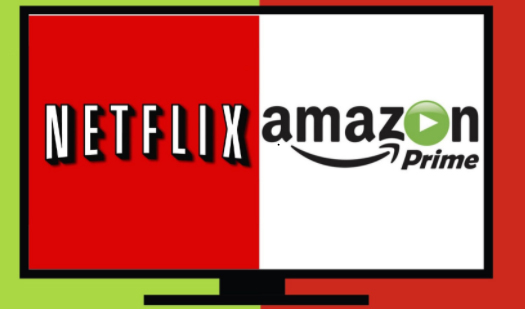 More streaming devices like Apple tv, Philips, Roku, Virgin Media and Chromecast supports Netflix, whereas fewer streaming services such as Amazon Fire Tv and Apple Tv. Amazon Prime is good but Netflix is still the best as it offers content which is much better than content offered by Amazon Prime.
 -
HULU
Hulu is a streaming service which is not at all expensive. It is the first streaming service to offer tv shows as well. You can watch the best latest tv shows except for CBC channels. It also offers new movie every week. Apple Tv and Roku are the supported streaming devices. Fear and walking dead is a series which is only available on Hulu. Some of its original programs are The Mindy Project and Shut-Eye. All seasons of Games of Thrones are also available on Hulu. One downside of Hulu is that there are many ads.
AMAZON PRIME Vs HULU
No commercial ads are there on Amazon Prime, whereas there are lots of ads on Hulu. No live Tv option available on Amazon Prime, whereas it is available on Hulu. Amazon offers good content but not as good as Netflix, whereas content on Hulu is not much good.
 It offers 30 days trial, whereas Hulu offers an only 1-week trial. Prime has 5.1 encoding, whereas Hulu offers only stereo sound. Amazon Prime’s attracting feature is that it gives shopping offers to online shoppers, whereas Hulu’s attracting feature is that it offers Tv shows.
 -
SLING
Sling streaming service offers on-demand videos as well as live tv. You can watch shows that are aired three days ago. Sling streaming service is available at a very affordable price. Roku and Amazon Fire Tv is its supported streaming services. Only one user can use it at a time. It offers three plan orange, blue, and orange+blue. Orange plan cost just $20 and offers 28 channels including ESPN and ESPN 2, blue plan cost $25 offers 40 channels but ESPN is not included and orange+blue cost $60 and offers 60 channels. You can subscribe for an offer which is suitable for you.
HULU Vs SLING
You can pause shows on Hulu, whereas this pause video option is not available on Sling. But according to overall performance Sling is more compatible for watching live tv than Hulu.
-
DIRECT TV NOW
Direct tv Now is the newest streaming service. It also offers live tv option but CBC channels not available. A user can also add channels. It is compatible with a very limited number of streaming devices such as Apple tv, Chromecast, and Fire tv. You can pause the video but fast-forward and DVR options are not available. One problem of Direct tv Now is that error 40 comes frequently.
Read Also : Roku Pros & Cons -Reasons to Choose Roku Streaming Stick
SLING Vs DIRECT TV
DVR option is available on Sling but it is not available in Direct tv Now. Sling streaming service is slightly expensive than Direct tv, as it offers channels at a low price that makes it affordable. No errors on Sling, whereas Direct tv shows error frequently.
-
YOUTUBE TV
Youtube is the most popular streaming service. It is Google’s product.To use Youtube tv you just need an account on Google+. Live tv option is also available but no original programming is available. Lots of free content available on Youtube but there are many ads. It offers starts at $35 per month. You can use it from both Android and iOS but if you use it from iOS it cost high.
DIRECT TV Vs YOUTUBE TV
There is no DVR available on Direct TV Now, whereas it is available on YouTube you can keep the recording for 28 days. Only 7 days free trial offered by Direct TV now, whereas YouTube offers 30 days free trial. Direct TV offers 60+ channels at $60, whereas YouTube offers 45+channels at $35.
-
VUDU
Vudu streaming service is getting popular. It charges on per view basis. It supports both Android and iOS.Vudu can be played on Roku and Chromecast. It offers great content all latest movies are available on it. Even all the seasons of Games Of Thrones are also available on it. But Vudu’s app needs some improvement and it is also expensive.
YOUTUBE Vs VUDU
YouTube offers 30 days free trial, whereas Vudu charges money per view. This economical aspect counts as the prime comparison between Youtube Vs VUDU .
-
VUE
Vue is streaming service from Sony. There is nothing which is not available on Vue whether it is sports, live tv and movies. Its content is impressive there are channels like CBC, Disney, FOX Business, Food Network and many more. Streaming devices that support Vue are Roku, Amazon Fire Tv and Chromecast. Its offer starts at $39.99 offers more than 60 channels. It’s content is more like cable as well as Vue streaming service is costly.
VUDU Vs VUE
Vudu charges on per view, whereas Vue offers 5 days free trial. Vue is expensive but offers good content, whereas Vudu acts more like cable. If you are looking for streaming service you can go with Vue but if you want live TV and purchasing and renting options also then you can select Vudu.
Conclusion
There are many streaming services available but Netflix is the best among them. For better understanding details and comparison are already discussed.