Tag: Oculus

  • Oculus Rift Setup Guide – Get Started with This

    Oculus Rift Setup Guide – Get Started with This

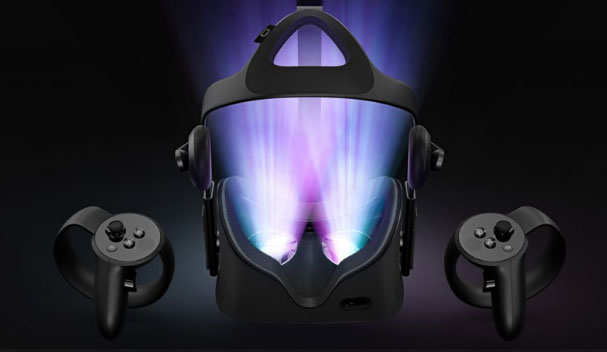
    Virtual Reality is the latest rage in the tech market and it is pretty awesome, right? You get to experience other worlds without being actually present there. In the gaming world this is even more awesome, you get some stunning visuals and get to perform your own action. Currently Oculus rift is the best VR gaming headset in the market. Here is a complete Oculus Rift setup guide made with simple step by step guide on How to setup Oculus Rift .

    Oculus Rift Setup Guide

    Let us take a look at the step by step user manual of Oculus Rift Guide Setup in detail –
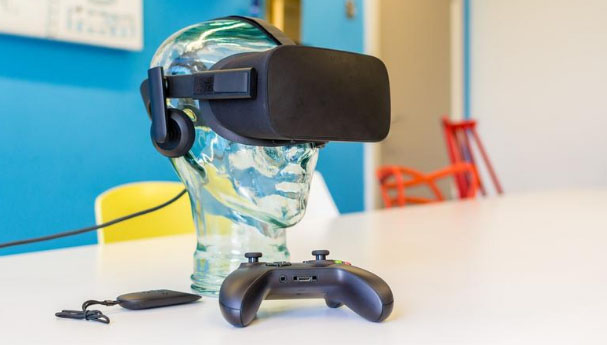
    To begin with one must have 2 hardware components essentially . First and foremost a Oculus Rift and secondly a computer with support for VR (Virtual reality ) .

    Install the Oculus Software

    Before doing anything you need to install the Oculus rift software on your device. While it is downloaded and installed you may begin with unboxing and making the connections. This is the first step in the process of
    Oculus Rift setup .

    In case you can’t download Oculus rift software then you can download Oculus Rift Patch .

    Check for the minimum specs :

    Running Oculus rift setup requires some minimum specs in your system which are as follows:

    • Nvidia GTX 1050 Ti / AMD Radeon RX 470 or better
    • Intel Core i3-6100 or better
    • 8GB of RAM or more
    • HDMI 1.3 output
    • 1x USB 3.0 port
    • 2x USB 2.0 ports
    • Windows 8.1 or newer

    Some of the best Oculus games require even higher specs than the minimum requirements but they still run if you have the minimum specs. It also requires proper physical space a minimum of 3 by 3 feet so that you may not knockout something while playing and thus you can play freely.

    The Unboxing of Oculus Rift

    Firstly create an Oculus account on the Oculus software. You may sign up with any mail or may use your existing Facebook account as well. Then take out all the components from the box and make sure to remove all the plastic wrappings since they can be a hurdle for the sensors and the controllers.

    Making the Connections

    The very first thing you need to do is connect your headset to the HDMI port in your graphic card remember not on the motherboard. Then connect your headset’s USB cable to a USB 3.0 port on your device (blue in color).
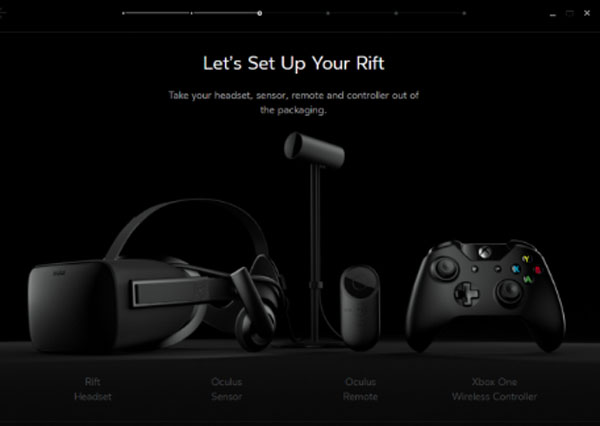
    Then connect the USB wires of the two sensors to two USB ports, make sure atleast one of them is 3.0 port. Once all these connections are made you will see a green colored OK on the software.

    Connecting Oculus Rift Remote –

    Pull out the plastic piece thus connecting the battery. Then simply hold the main button of the remote and it is automatically connected.

    Connecting Sensors  –

    In the software Click on Devices option in the menu then on Configure Rift and then Sensor setup. Now enter your height there.

    Then adjust the sensors with your eye level where your headset is going to be. Make sure that there should be no obstacle between the sensors and the headsets.
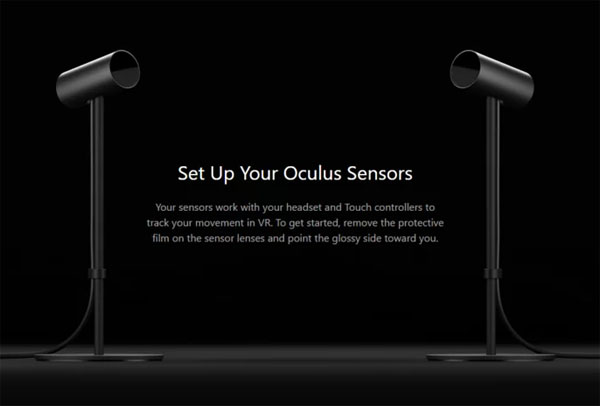
    Then move the headset in different directions assuring the connection and once connected you will be notified on the software. Do this for both the sensors.

    Connecting Touch Controllers –

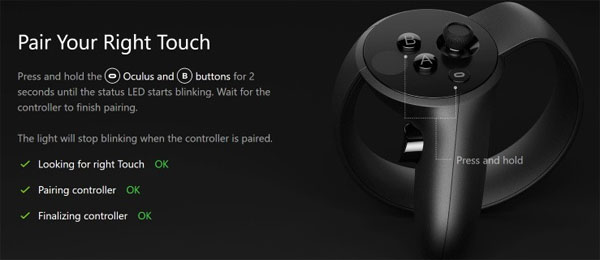
    In the software Click on Devices option in the menu then on Configure Rift and then Add left Touch. There the instructions will be displayed to configure the left touch. Follow them. Do the same for right touch.
    Setting up Guardian system –

    The guardian system means the place where you will be playing using the headsets. In the software Click on Devices option in the menu then on Guardian System. There follow the instructions to set up the guardian system.

    It is necessary since you require proper space for playing, you should not knock out something while playing and you can play freely.

    So you can see that setting up the Oculus rift is not that difficult but yeah it requires proper engagement and time. But once done you can play lots of awesome games and enjoy the VR experience. do share with us if you face any kind of problem.


  • Oculus Rift Games that every Game Lover should Play

    Oculus Rift Games that every Game Lover should Play

    Virtual Reality is getting introduced to many spheres of daily life . Gaming world has changed its style ever since the introduction of VR Games and VR Headset experiences . Oculus might be familiar to most of the VR Gamers . If not , let me give you a chance to know more about it . Oculus Rift provides you an experience like you are playing the game in the real world just with those touch controllers and sensors .Here is the most sorted out list of best Oculus Rift Games you must know .

    Best Oculus Rift Games

    Here is the list of most exciting Oculus Rift Games that every game lover should play .

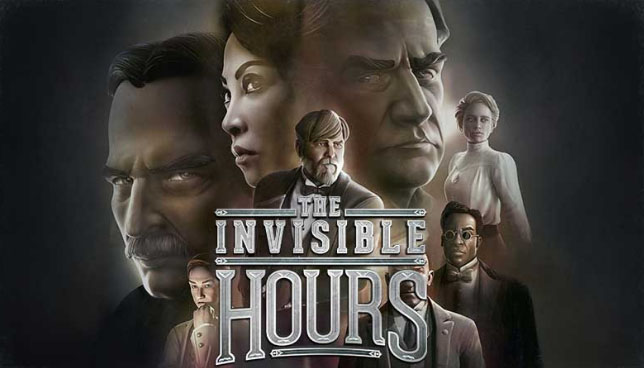
    The Invisible Hours

    Counted among the best murder mystery games on VR where you are like a ghost and can follow any character you want to. You are supposed to find the murderer in the game but that’s not what most exciting about this game, it’s the story which will excite and astonish you the most. The story seems like an Agatha Christie book and every character has its own properly built back story.

    Read Also : Best Nintendo Switch Games to enjoying Game time

    You are going to enjoy finding the murderer and finding the back stories of all characters. The story is set in Nikole Tesla’s villa and you are a ghost and are there just to observe every character and find the murderer.

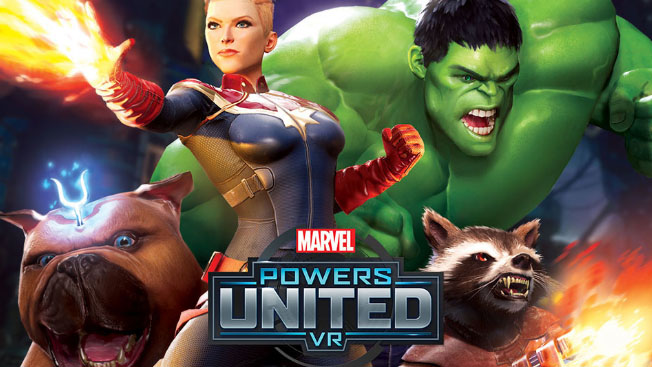
    Marvels Power United VR

    Marvel, who is not a Marvel fan, right?? Marvel is known for creating some amazing superheroes and even cooler villains. This game is the perfect way for any Marvel fan to enter the Marvel’s world. The game has its shortcomings given the VR experience required you can’t fly. But still the game is pretty awesome.

    You get to suit up in any of your favorite superhero and the details of your virtual body is something to look out for. The game is an overall a fulfilling experience for the Marvel comic fans.

    Lone Echo and Echo VR

    The chances of any of us visiting space are quite thin. But this doesn’t mean, we cannot have the experience of being in the space from the earth itself.

    Lone Echo has captured all the motions and movements pretty well and provides you with the experience of being in space while repairing space stations. Besides this it consists of some stunning visuals and an amazing storyline as well.

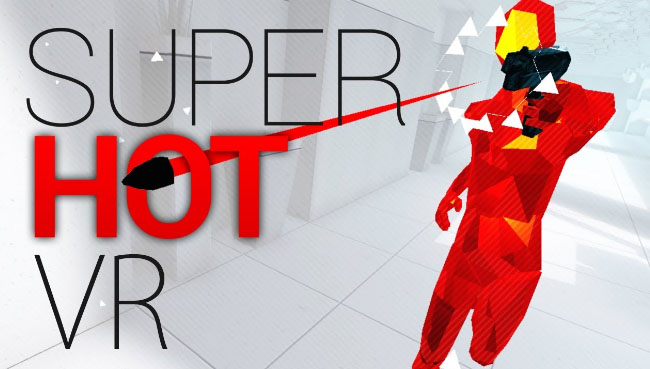
    Superhot VR

    It is one of the top rated and counted among the best shooting games. The game is also available in PC version but this VR version provides you with a wholesome and satisfactory feeling since you get to kill all the red baddies with your own hands.

    All the shooting, punching and other action you perform yourself making the game even more interesting and exciting altogether as compared to its flat screen version.

    Read Also : 38 Best iPhone games you should play

    Read Also : Best Augmented Reality Games that are safe

    Skyrim VR

    It is an old game but the newly introduced VR version is like some new game which is much more interesting and easier to play.

    It is definitely among the best adventure games because of the whole story, the characters and the huge world, you get to experience all of this first hand. Performing action, blasting spells all this have a completely new feel in the VR.

    Read Also : Life threatening Games Online – Steps to Stay Safe

    These are some the best games on Oculus Rift. With the experience in the VR, some amazing stories and visuals and of course with all the action , these games are not just games but a wholesome experience. Do share with us your favorite Oculus Rift game on the list .