Tag: Apps

  • Best Note taking apps for PC & Smartphone

    Best Note taking apps for PC & Smartphone

    Bored of note taking in traditional way , so here you can take a look at the latest note -taking method . Here we list out the Best Note taking apps for PC and Smartphone .

    At work, you will surely need to note down bullet points or you will need to note important tasks and other activities to be done. Since these days everyone uses computers and android phones, use of pen and paper has been reduced. So, in these computers and smart phones, where can you note down your important work easily? I am sure that you all might have come across various note-taking apps for computers and smart phones. These apps make it easier for you to remember your tasks and responsibilities.

    Best Note taking apps of the year

    You will never miss out to complete any work if you have noted all the points in your phone or computer. Now let us see what all note-taking apps are available these days to use in computers and smart phones. The note-taking apps mentioned below are some of the best cross-platform apps that make your work quick.
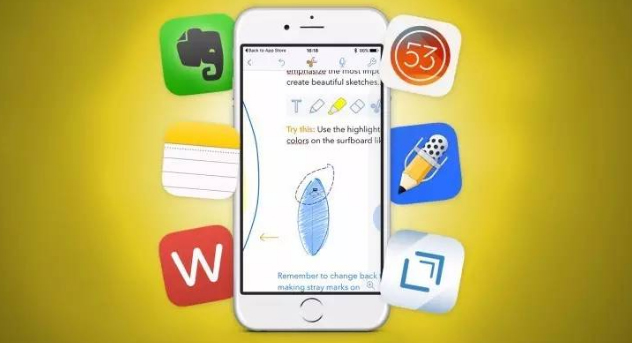
    Now of you ever want to note down anything you don’t have to look for pen and paper use these Best Note-taking apps for Android , iPhone and PC to take easy notes .

    Best Note taking apps for Windows

    If you want to make quick notes in your windows system you can now do it with the comfort of windows note taking apps .

    1. Quip
    2. Cortana
    3. Simple Note
    4. Microsoft OneNote
    5. Evernote
    6. Sticky Notes
    7. Notepad
    8. Scrble

    Read Also : Best free office software for Computer & Smartphone

    Best Note taking apps for Mac

    Below given is the list of best note taking apps for Mac .

    1. Evernote
    2. Microsoft OneNote
    3. Simple Note
    4. Bear
    5. Google Keep
    6. Zoho

    Read Also : Best VPN For the Future

    Best Note taking apps for iPhone / iPad – iOS note taking apps

    Like the above seen note taking softwares for windows and Mac , here is the list of note taking apps for iOS users .

    1. Apple Notes
    2. Bear
    3. Simple Note

    Best Note taking apps for Android

    1. ColorNote
    2. OneNote
    3. Google Keep
    4. EverNote
    5. SimpleNote
    6. LectureNotes
    7. Omni Notes

    Finally given above is the exclusive list of note taking apps for  Android users .

    Read Also : Enable or Disable Superfetch for Windows

    Best Note taking apps for Windows , Mac , Android & iPhone / iPad

    1)     OneNote

    OneNote is one of the best note taking apps with a number of features and majority of them are for free. Since OneNote comes from Microsoft, it integrates with Office tools like Ms Word, Excel etc. Thus, the tool becomes more powerful for you to use. In this note-taking app, you can write, type and draw images related to the notes in your own way.
    Another advantage of using OneNote is that, you can easily capture an image to add in the notes. You will not have to crop the image and waste your valuable time. OneNote will automatically crop the image you have selected to fit in the notes. Moreover, you can easily take the notes and refer for your future use. OneNote is compatible with both computers and smartphones.

    2)     EverNote

    This is the next note-taking app for your computers and android phones which is very powerful. EverNote can organize all your notes very efficientlyand it has a cloud storage space of 60MB to store your data online. Like OneNote App, you can add images to this note as well. But an extra feature of attaching the pages of a website is also available with EverNote App.
    This note-taking app is perfect for students since it can store any kind of data with any size and content. EverNote App is free for anyone to use but it only has a few features and it only provides a few of them to the user.

    Read Also : Must Have Smartwatch apps for Android and Apple watches

    3)     WorkFlowy

    Workflowy note-taking app works fully offline and it is also fast.  It also gives an instant access to the notes you have saved without searching for it from a number o tabs in your browser. This app is very simple and it only has a very minimal interface.  When you are creating a note and if you want to highlight or mark any points that are really important, you can do so with the help of hash tags.

    You can zoom in or zoom out the notes to read and also navigating this app is very easy. You can just use the mouse pointer to zoom in and zoom out the notes you have added. With this Workflowy App, you can share the notes with others at your office. You also have the option of hiding the notes and add to archive with just one click.

    4)     Google Keep

    With features like location reminder, alerts on pre-select times, Google Keep is our next choice of note-taking app which is hooked up to Google services. This app is compatible with IOS, Web, Android, Windows and Mac and has card based notes. Like Evernote and Onenote, you can add images along with the notes you jot down.
    Google Keep App can transcribe the notes you type or write. It has the feature to record even your handwriting. The notes you type will be recorded in the form of messages with its memo feature. You can also synchronize your notes from one device to another with the help of nifty OCR in Google Keep. Apart from these features, you get access to colour codes and attributes to make your notes look unique from the rest.

    Read Also : Google Datally App to Control Mobile Data & WiFi Finder

    5)     Standard Notes

    You can access this note-taking app online with widget support and it comes with 100% privacy and AES  – 265 encryption. The best highlight of using Standard Note is that you can access the notes you have created 5 years back. Isn’t that great? You can recheck all the important notes again if you require.  Standard Notes app is the only one note-taking app which has an end to end privacy. Thus, this app sounds suitable for both office and personal work. Standard notes App is compatible with iOS, Android, Windows, Web and Mac.
    To make your notes look more attractive, you get access to different themes that are changeable and it also allows you to add power extensions. You will never have to worry about losing any notes you have made in Standard Notes. This app is encryption protected with a secret key and no one can decrypt the notes. Only thing you have to remember always is the secret key. Without this, no one can retrieve the data.

    6) Dropbox Paper

    This app is a product of Dropbox in which you can work with your team. Dropbox Paper is another note-taking app that supports themes and is integrated to Dropbox. It also offers great collaboration tools. Usually, everyone uses Dropbox to save files in the cloud storage. The main advantage of using Dropbox Paper is, it gives a flexible workspace for the user to make notes easily.
    This app is very simple since it has a very minimal design aids. You can type your data or copy and paste the link of YouTube or you can even tweet using this Dropbox Paper note-taking app. If you are working in Dropbox as a team or with any of your team member, you can easily make notes with them, share comments and even embed images. For any kind of creative work, this app is one of the best choices.  This note-taking app called Dropbox Paper is free to use if you are an account holder of Dropbox.

    All these above mentioned note-taking apps are compatible with both computers and smart phones. You can use it from anywhere you want. Anybody can use these apps in their computers or in android phones. Read about each app and learn the advantages and disadvantages and choose the best app that suits your need. So, do not wait. Make use of these amazing note-taking apps to make your work easier and hassle-free.

  • Unavoidable Parental Control Apps ,Tools to monitor children

    Unavoidable Parental Control Apps ,Tools to monitor children

    Are you planning to gift your kid an Android phone or iPhone? Well, you want to have them a smartphone Well if you want them to have a smartphone so that they can stay in touch with you. Then, it is a good idea to make them in control by how they use the device. Making the calls in the smartphone is just one thing but accessing inappropriate content, inappropriate apps, and running up the bills in app purchases is just another. So there is a strong need to have certain Parental Control Apps.

    Trust me the internet is a much scary place and the danger of it can rattle the adult so it can also traumatize the child. On your desktop. you can employ the parental control software to watch the activity of your child, and same is true for the mobiles. Here with this article, I will discuss the apps for the parental control apps for Android and iPhone. Nowadays for the all individuals smartphones are just like toys, they use it for surfing the internet or to download other apps. But these activities can sometimes open up some serious online nastiness.

    What does Parental Control Apps do?

    Well before starting about what does this app do, it is important that you are aware of such software or you are unable to find that you felt was suitable. On the Android smartphones and tablets, if the parental control apps are installed then you can easily watch the activities performed by your child. Remember that using the parental control app software is basically for your offspring safety. This may not be much popular way, depending on the age of your children. Understanding the parenting control app can help you in making more informed decision.

    Read Also : Internet Safety Rules for Kids – Online Safety Tips

    Read Also : Improve The World With Smartphone -Top 10 Hacks

    Some of the Best Parental Control App for Android:

    Here is the list of Parental Control Apps for Android device is listed here.

    1. Kids Place:

    This is one of the best parental control apps which creates the safe environment in which the younger kids can experience the fun of technology. This app protects data as well restricts your kids have which is been approved by you. The kid’s place app prevents the kid from installing any new apps, making phone calls, texting or performing any other action which costs the money. This app allows your kid to have some fun time and also allows you to have some peace.

            Features of this app:

    • Custom home screen display which is authorized by the parents
    • Restrict to download the apps which cost money
    • It has timer feature which locks the app after some specified time
    • Block the incoming call too when it is running
    • Toddler lock gets restart which accidentally stopped by your kid
    • Has custom wallpaper which can customize child experience

    Read Also : Best free calling Apps for all Smartphones

    2. Net Nanny:

    This app gives your kid a freedom to surf the web without any fear of the inappropriate content. This app becomes your child default browser as it is a custom mobile browser. From the web based console, you can easily manage settings if your child device and other tasks such as viewing activity reports or adding the users, Also this app enable s you to receive the notification when a site is a block or a block is been overridden.

            Features of this app:

    • Show the apps being installed
    • See when new apps being install and block unwanted apps
    • offers the appropriate filtering through age
    • The filtering categories allow to allow, block or warm the specific content
    • Set the time controls when kid browse the web

    Read Also : Best Apple Watch Alternatives-Affordable Gadgets

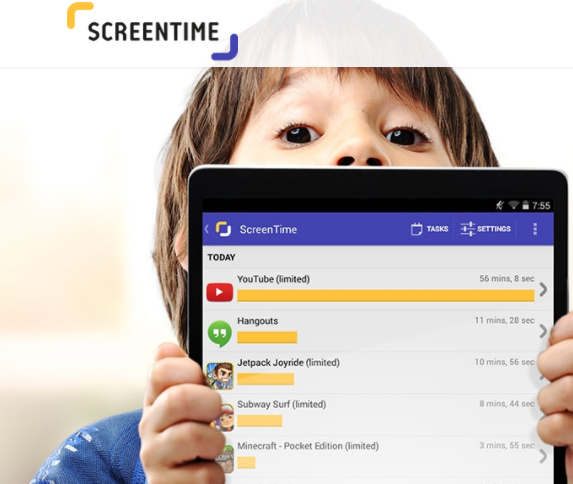
    3. Screen Time:

    This app helps you to manage the time which your kids spend on their tablets and smartphones. This app gets a level of specificity which allows some useful apps such as reading apps certain time but blocks the games. This app also lets you activate a full shut down of child’s device when needed with a push button from your device.

           Features of this app:

    • This app allows kid to earn extra time to complete tasks
    • Get the reports what your kid is looking
    • Block some apps completely
    • Provide an alert when your kid install any new app
    • Manage easily various no of kid through this app

    Read Also : Survive high interest student loans – Amazing Tips

    4.Toddler Lock App:

    This app is just perfect for the parents to download on their device if they occasionally use their device for help distract and engage their toddler. This app provides a colorful screen lock graphics and pleasing sound which keeps your kids entertained without being worry about them to delete any content of your device. This app also helps your kid to learn shapes and colors.

          Features of this app:

    • The airplane mode is optional and ensures no cell radiation
    • Your child can move their finger on the screen to make different shapes and colors
    • The time they touch the screen, they will listen some peaceful sound which varies in the pitch

    5. Norton Family:

    This app is for the teens and helps for safe online browsing as it allows the parents to supervise the activity of their child. This app blocks inappropriate content and teaches good internet browsing. This app offers a range of monitoring features for the parents to connect with kids.

          Features of this app:

    • Track the online activities done by your child
    • Keep whole track of site they visit or what they search
    • Block inappropriate content
    • Gives the alert if kid breaks any rule and thus you can have conversation to stay safe
    • This app provides the location of your child

    These are best apps to monitor kids for any android device.

    Best Parental Control Apps for iPhone/iPad :

    In the iPhone, you can use the restrictions which are also known as the parental control which is been used to block or limit the specific apps ass well as features on your iPhone or iPad.

    To turn on restrictions use:

    Go to settings> General> Restrictions

    After tapping on restrictions enable it

    Then, create a restriction passcode, which you need to change your settings or to turn off the restrictions.

    If you have forgotten your restriction passcode, then you need to erase the device and set up the passcode again. Change your Restrictions passcode and set up the passcode again. Change your Restrictions passcode

    To change the restriction passcode, follow these steps after turning on the restriction:

    • Go to the settings> =Click on General> Restriction
    • Enter the current restriction passcode
    • Click on disable restriction and enter the restriction passcode again
    • Again click on the enable restriction and enter new passcode restriction
    • Turning on the restrictions might make you unable to see some apps, features, and services. Also, check that you have not removed any built in apps.

    Features and Apps you can Restrict in iPhone:

    For seeing the list of the features which you can restrict, click on the settings> General>Restrictions to turn on or off just touch the slider next to app or feature.

    To check which app or feature is enabled, just check the checkmark if it enables the app or feature can be used otherwise not.

    The businesses and schools most often use the profiles, which can turn on restrictions. To check that your device has profile go to settings> general profile. For more information contact your administration who set up a profile.

    Conclusion:

    Now controlling your child is in your hand if he/she is using the smartphone. Also, remember giving the good habits to your child is your responsibility. Download parental control apps and keep the control in your hand.

  • Best Truecaller Alternatives to find Caller Identity

    Best Truecaller Alternatives to find Caller Identity

    Have you ever picked up an unidentified number thinking it was an important call but it turned out to be one of those unwanted irritating calls? Well, not to worry, because the telephone technology keeps growing and tries to make us feel safe and protected.One of the telephone services that were introduced, was the Caller Identification, also known as the Caller ID. The caller ID is a facility which identifies the incoming calls and displays the name and address of the caller.The most popular software application we have all heard about is Truecaller. But fortunately there are apps that works really well which can be the Best Truecaller Alternatives.

    What is Truecaller?

    Truecaller is a software application developed by True Software Scandinavia AB, Sweden in 2009 for the purpose of caller identification. It also has inbuilt services such as blocking calls, last seen of contacts, detailed caller information, and much more.It is available on Android, iOS, blackberry OS, windows phone and many other operating systems. It has more than 250 million users, hence making it the most popularly known app.

    But with recent developments in the services of caller ID, many more alternatives to Truecaller having similar features to that of Truecaller have emerged. Here are 15 Best Truecaller Alternatives to find caller’s identity.

    15 Best Truecaller Alternatives 

    Now, it has become much easier to find out the identity of the unknown caller and we don’t even have to worry about picking random calls. Here comes the 15 Best Truecaller Alternatives .


    1. Whoscall

    Whoscall is a Caller ID and block mobile application which was developed by Gogolook in 2010. The major function of Whoscall is to identify unknown calls and ignore the unwanted calls. It also has various other functions such as management of contacts, blocking spam calls and searching unknown numbers. It has an impressive database of over 700 million numbers globally. It identifies more than 20 million calls every day and blocks another 500 thousand calls.

    Whoscall is a best Truecaller alternatives in terms of safety and privacy. It is available on Android, iOS and Windows phone platforms and is completely free.
    Read Also : TeamViewer Alternatives – Top rated Remote Desktop Software

    2. Sync.ME

    Sync.ME is another  Best Truecaller Alternatives which synchronizes your contacts for the purpose of identifying spam calls and blocks them. The app has over 10 million active users who depend on it and  to discover unidentified calls and blocks spam messages too.It also helps in synchronizing your contacts latest pictures and information with the help of your major social networks. Another interesting and useful feature is that the user can get daily birthday reminders and send personalized greetings to its contacts.

    It’s one of the most advanced caller ID and a very easy-to-use alternative app. Over 15 million people use Sync.ME and is rated #1 Caller ID app in 107 countries.

    3.Hiya 

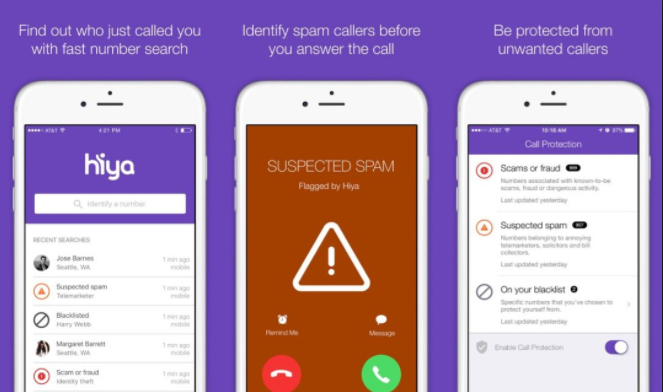
    Hiya, which was formerly known as Whitepages Caller ID, is a caller ID software application which provides caller’s profile information so as to help the user to identify any unwanted incoming calls and provides spam protection services. It blocks all kinds of spam calls, telemarketers and fraud calls and warns the user through automatic alerts. It also helps the user to block the calls. Another feature is that the app lets the user perform a reverse phone search on the incoming calls to identify if it is a spam call, a virus threat or spyware.

    It was rated as the Top 10 App in the TIME Magazine and has a database of hundreds of millions of phone numbers.

    4. Mr. Number

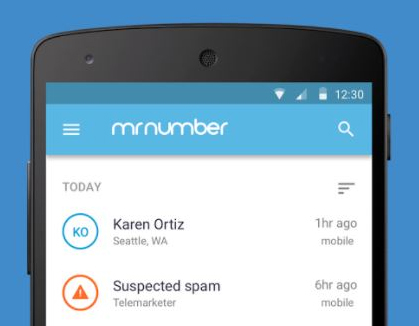
    Mr. Number, another Truecaller alternative, is a Call Blocking and Spam Protection App which is developed by Hiya. It helps you block unwanted calls and identify them. The user can also create a personal block list. It also provides additional services like reverse phone search, spam detection and reporting spam.

    It is rated 4+ out of 5 and has more than 10 million downloads. It is rated as the #1 app for call blocking and spam protection and is the Top 100 best Android apps according to PCMag.

    Read Also : 38 Best iPhone games you should play


    5. Call Control

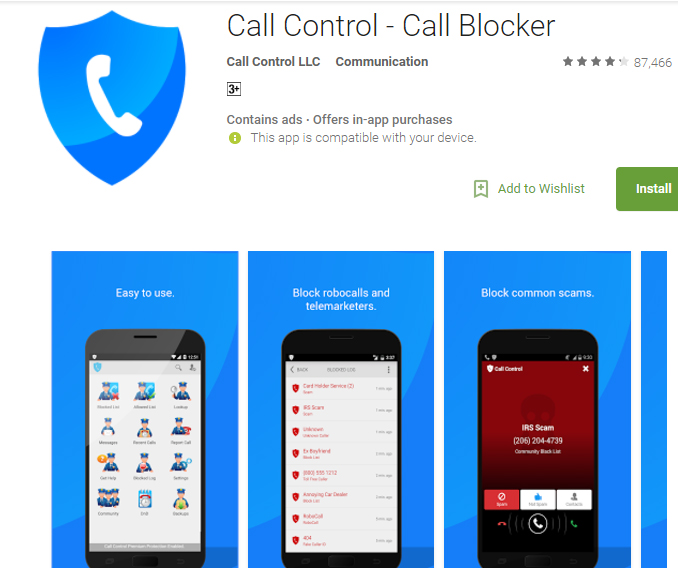
    Call Control is another call blocker application that automatically blocks millions of spam calls from telemarketers and robocallers. It has other services of personal block list, report spam calls and the user can also schedule when he/she doesn’t want to receive calls.

    Call Control has over 12 million users worldwide and protects the user’s privacy. It does not store or share any contacts, hence the user’s contacts are also subject to privacy.

    6. Showcaller

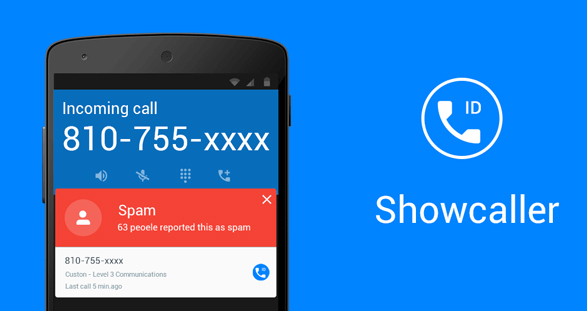
    Showcaller is a spam identification and block software application that has a database of a billion phone numbers and millions use this app actively. Showcaller is absolutely free and is rated 4+ out of 5. It is also very accurate and easy to use.

    Show caller has many useful features which makes it the Best Truecaller Alternatives . It’s key features include:

    • Caller Identification
    • Block Call
    • Smart Search which stores all your search
    • Block list
    • Offline Database
    • Report numbers

    Read Also : Internet Safety Rules for Kids – Online Safety Tips

    7. True Contact

    True Contact is a Caller ID and reverse phone lookup app that uses the caller ID information from major social networks. While receiving any call, the user will get a popup on the top of the screen which will display the caller’s information. It will automatically block the call if it is an unwanted call or a fraudulent call.This is one of the Best Truecaller Alternatives.

    True Contact is the fastest growing application on the market and is easy to use. It takes care of the battery usage of your phone and is absolutely free. Other common features include spam blocking, caller location finder and providing full protection of the user’s data.

    8.Real Caller

    Real Caller is another caller ID and reverse phone lookup application that helps you look up the identity of unknown callers. The user can also search by name and can look up telephone numbers for free. It also has caller ID and call blocking features.

    It is very simple and easy to use. The user can also text those contacts who use Real Caller app and share pictures, videos and audios for free.
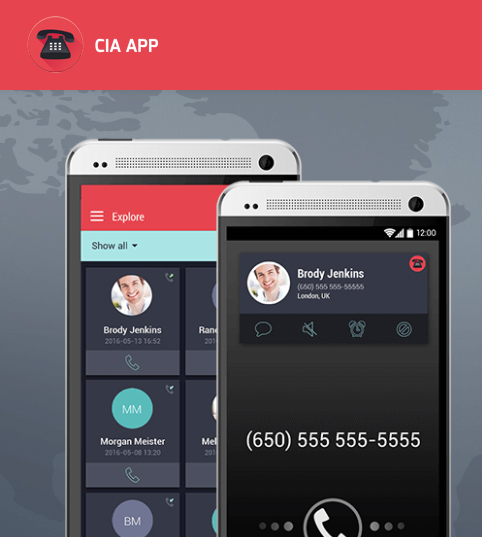
    9. CIA

    CIA is a Caller ID and Call Blocker application that will help you identify unknown numbers, keep your contacts updated and even mark unwanted numbers as spam. The new and improved user interface and layout makes it easier for the user to navigate in. The new graphics provides a more professional layout. The app also backs up your contacts and hence the user doesn’t have to worry about losing contacts while switching to a new phone. It has a database of more than 1 million spam numbers and will give a warning when the user gets a call from any of the spam numbers.

    The app has more than 45 million active users across all platforms and is loved by all its users worldwide. It also respects the user’s right to privacy and will make your phone book public.

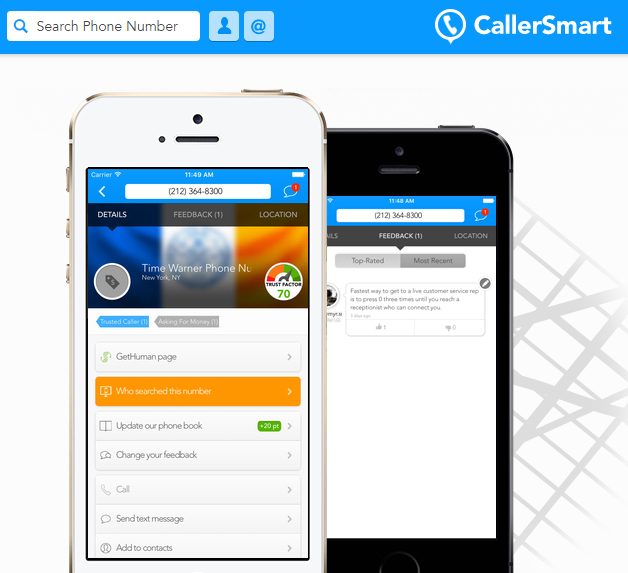
    10. CallerSmart

    CallerSmart is a caller ID and reverse phone lookup application that is very useful in searching unknown numbers and finding out if they are spam or not. It is very easy to use and absolutely free. It also saves your search results automatically, so that the next time you have to search for the same number, you wouldn’t have to type it all again

    It is a good Truecaller alternative and quite useful. It is available only on iOS.

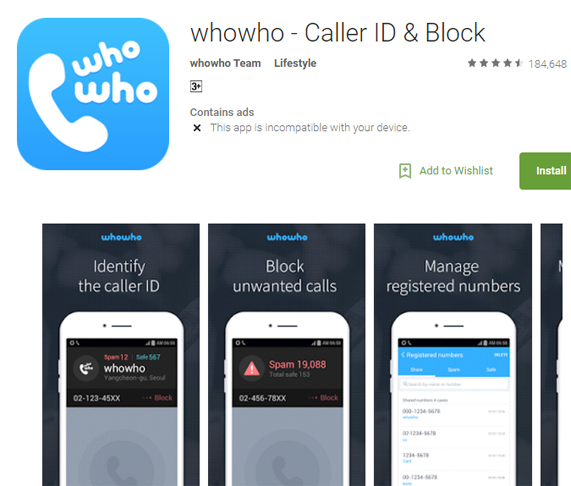
    11. WhoWho

    WhoWho is a Caller ID and Block application and helps you in blocking spam calls all the time. It’s major services include Real-time caller identification, easy schedule management with friends, group management, making community reports and blocking useless numbers.

    It is available on Android as well as iOS and is absolutely free of charge.

    Read Also : WhatsApp Exclusive Guide – Everything about WhatsApp Features

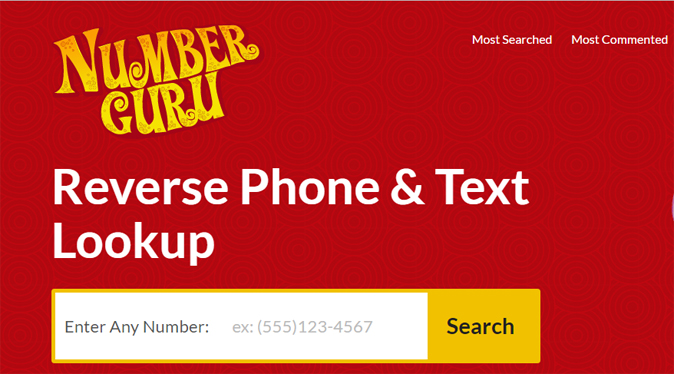
    12. Number Guru

    Number Guru is a website and a reverse phone and caller lookup smartphone application which helps user to track down the identity of unidentified numbers. It is developed by BeenVerified and can be accessed through it’s website or through various other operating systems such as iOS, Windows phone and Android. It covers up 99% of landline phones and approximately about 50% of domestic cell phones.

    Shortly after its launch in May 2011, the app recorded an average of approximately 864,000 look-ups per day. It works by entering the number in the apps phone book and very soon, it will display the owner’s name, location, type of phone and phone carrier. It also allows the user to find information on listed spam reports. The app is absolutely free and so are the searches.

    It is truly a best alternative and is also listed as a Top 10 Utility App and Top 150 Free Apps Overall according to App Annie.

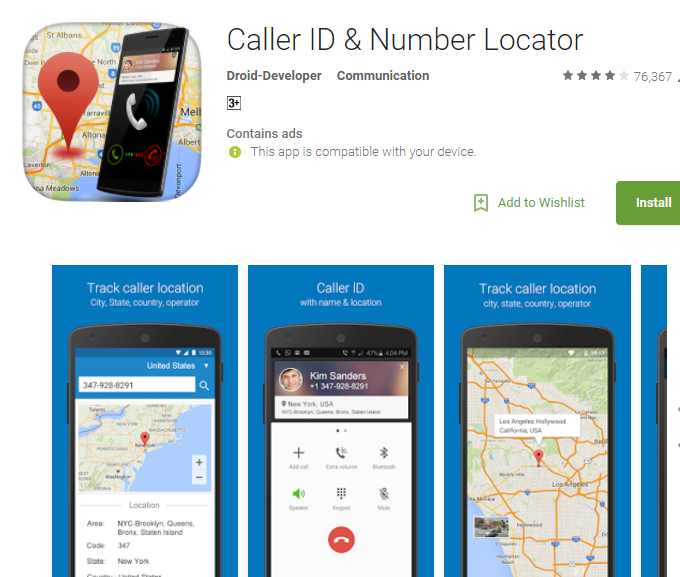
    13. Caller ID and Number Locator

    Caller ID and Number Locator is a Caller ID, call blocker and number tracking application that allows the user to search any number and track the identity across the world in 246 countries and 12,982 cities. This app will locate the exact geographical location of the phone number and show it on the map. It also allows the user to block unwanted or spam numbers and the user can also create a block list.This is one of the Best Truecaller Alternatives.

    The app is powered by a database of millions of numbers across the world and has more than 5 million downloads with a rating of 4.2 out of 5 on the Google Play store. It is available for Android operating system .

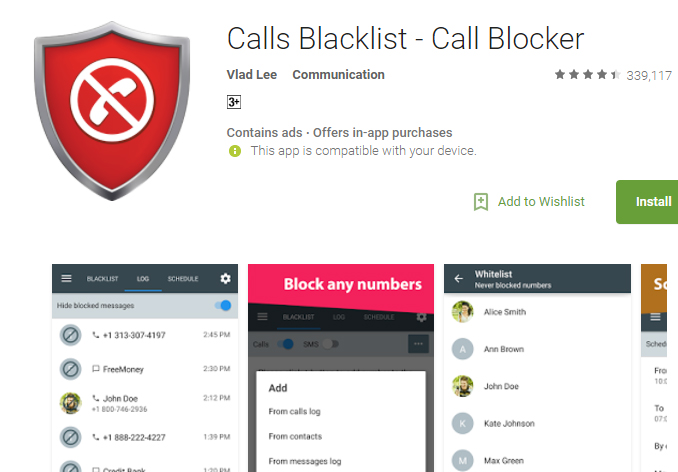
    14. Calls Blacklist 

    Calls Blacklist is a call blocking application that allows the user to block unwanted calls and messages from selected contacts. The app has an added feature of blocking calls from a particular country as well. It also has a “Whitelist” section that helps to prevent the blocking of certain contacts.

    It is available for all Android smartphones. It is a good alternative to Truecaller and has a rating of 4.5 out of 5 on the Google Play store.

    Read Also : Best free calling Apps for all Smartphones

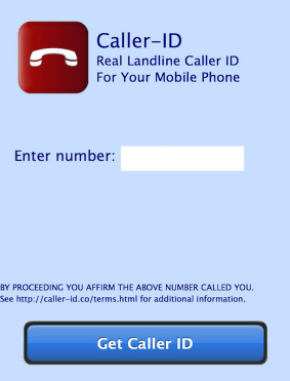
    15. Caller-ID

    This app is a reverse phone look up application developed by Greenflight Venture Corporation which will help the user to look up phone numbers that tried to call them. It also pinpoints the geological location of the caller.

    It is available for all iOS operating devices and is rated 4+ on the App store

    These were some of the Best Truecaller Alternatives in case you felt like exploring more applications on the internet.

  • Best Screenshot Tools for Computer & Smartphone

    Best Screenshot Tools for Computer & Smartphone

    Nowadays, taking screenshots has become very common. People take a screenshot to save a current text in a group or to take a quick screenshot of something that you are searching in google and send it to someone. All the computers and android phones come with the option to take screenshots easily. If you are using a computer, you can simply press the print screen button on the keypad. In androids, you can press the volume key and power button at the same time to take the screenshot. But these options in your computer and smartphone will not have many features wherein you can edit or crop the screenshot. There you need some best screenshot tools to enhance screenshot experience .

    There are many screenshot tools available now that you can download on your computer and smartphone. For those who are seeking for a good screenshot tool, I hope this article will help you find the best. Below are some of the best screenshot tools to download.

    Best Screenshot Tools for Computer & Smartphone

    Take a look at the screenshot tools that are ideal for your phone and computer . Even though all mobile and system has the liberation of giving us an option of PRINT SCREEN button , we find it is not just sufficient to Snapshot / screenshot most things .

    Snagit

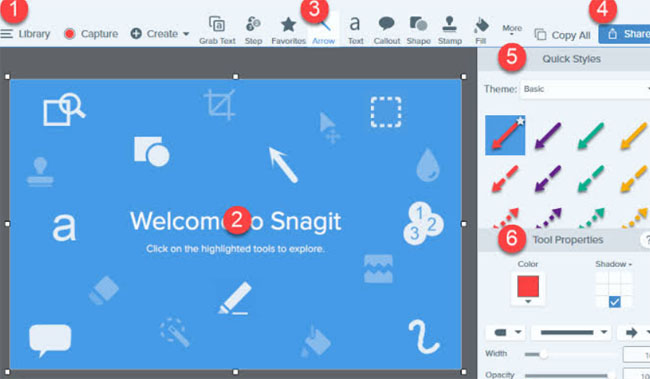
    You might have heard about the TechSmith Software Company and the Snagit screenshot tool is one of their products. With this tool, the user can add comments on the screenshot taken. Some of the key features of Snagit include: a preview window with a cursor hovering, the images can be edited with special effects, a quick toolbar to capture the image, recording a video and share it via email, etc. This app helps in taking the screenshot of the whole screen of your computer too.

    Thus it is one of the best screenshot tools in the market .

    Snipping Tool

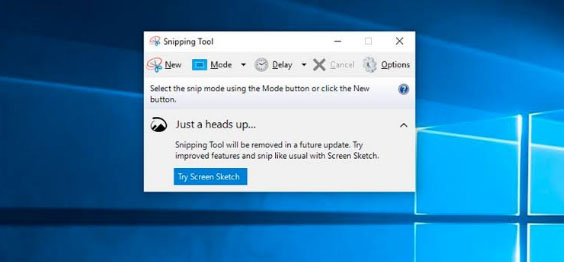
    This is a default tool on your windows that helps in taking a screenshot in a rectangular form and can also add any notes you want. You can also highlight any sentence with colors or you can strike off any words using the font colors.

    All the screenshot taken can be saved in PNG, JPEG, and GIF format and once the image is captured it is copied automatically, helping in pasting it as you require. With the help of the snipping tool, you can take the screenshot in 4 modes which are: free-form snip, window snip, full screen, and rectangular snip. It is one of the best windows screenshot software .

    Skitch

    Skitch is a screenshot tool of the company Evernote that has been crafted for windows and Mac. This freehand screenshot tool comes with the feature of marking the areas blurry that you do not want to be visible in the image. I find this feature quite useful so that if you want any information on the image like a word or a phone number cannot be visible to any other person to whom you share the screenshot.

    Some of the other features like adding a comment on the image, uploading the screenshot in a mail, highlighting, etc. are available. Skitch screenshot tool can be used in both computers and smartphones and all the editing options come under one menu, making it easier for the user to perform the activities.

    Greenshot

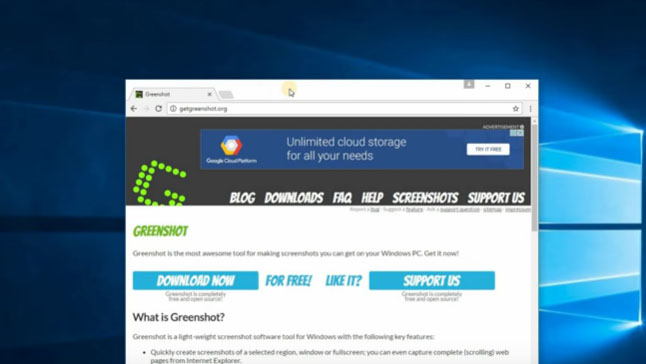
    Another screenshot tool called Greenshot is a free and open-source program designed for Windows OS. You can take a screenshot with this app very quickly and easily. A full-screen window can be captured by scrolling the page and you also get a chance to highlight and annotate. One of the advantages of using the Greenshot tool is that you can save the captured image in a different format and can also edit it later.

    The captured images can be emailed or you can even print it directly. This screenshot tool is available in 26 languages which makes this tool stand out among the other tools. Moreover, it also offers several capture modes like capture the last part, capture region, capture window, and capture the full screen.

    Lightshot

    This is a very convenient screenshot tool that is easy to use and can capture the image quickly that can be customized too. It also allows you to select the area you want to capture and in just two button clicks your screenshot is taken. Lightshot tool can be downloaded on your computer and it supports Windows, Mac, Firefox, Chrome, Opera and Internet Explorer. You can share the captured image using this tool and the quality of the captured images are high.

    AZ Screen Recorder

    The primary function of the AZ Screen Recorder is that it allows you to record your screen in the form of a video. It also comes with the feature of capturing a screenshot as well. Editing features are available with this tool. This screen recorder tool does not come with any ads, watermarks or time limits. This screen recorder can be downloaded in your smartphone from the play store.

    Screen Master

    This is one of the best screenshot tools and a photo markup tool for your smartphone that allows you to crop and rotate the images captured. You can add a text on the image, add an emoji and you can even blur the selected portion if you want to cover any area that you require. Other features include several image annotations, a floating button for easy access, full web page capture and many more. The whole web page can also be captured by copying the URL into the screen master app. This app can be downloaded for free and even a paid version is available that removes advertising and other features.

    Screenshot Touch

    For easy and fast access, this screenshot tool called Screenshot Touch comes with an overlay and persistent notification. Features like image cropper, whole web page capture, screen recording, scroll capture, etc. are available in this app. One of the easiest ways to take a screenshot with this app is just by shaking your smartphone. Like a few other apps, this screenshot tool can be downloaded in your android for free or even paid version without advertising pop-ups can be downloaded.

    Super Screenshot

    With text addition, image blur, image resize and many more features, this Super Screenshot Tool can be one of the right choices for you. It allows you to enable the gesture controls that help in capturing the images on your android. You can share the screenshot on multiple platforms and can be downloaded for free. Other notable features include browsing and copying the screenshot via PC.

    Touchshot

    Another screenshot app for android phones, Touchshot comes with unique features like camera preview capture function, screen record, quality settings and in one touch you can take a screenshot. Editing and sharing the captured images can be done using this screenshot tool.

    Taking a screenshot is very simple in this app which means all you have to do is just to touch on the screen to capture what you want. This tool can be downloaded in all Android devices regardless of the device being rooted or not. You can also screen record videos using the touch shot tool.

    These are some of the best screenshot tools for computer and smartphones. Research the possible options and download the best screenshot tool according to your requirements and convenience.

  • Best Pregnancy Apps to Download for iPhone & Android

    Best Pregnancy Apps to Download for iPhone & Android

    Have you ever wondered how to know the size of your baby each month during your pregnancy period? I bet every mother would want to know how much your baby will grow each month. But how will you know it? Well, we are living in the era of technologies and innovations and yes, we have pregnancy apps that every mommy can download in their iPhone or Android handset. Another concern might be, what are the best pregnancy apps that you can download?

    A lot of fluctuations happen in your body during the pregnancy period and you would want to know or keep a track of every new experience happening to you. These pregnancy tracker apps can help you find what to assume each trimester and can also visualize the size of your baby with the help of these apps. There are many pregnancy apps that you can easily download. But it is always better to do research and then download the best pregnancy apps for your pregnancy and baby tracker. 

    Best Pregnancy Apps – Must for Every Mum-to-be !!!

    This article is all about a few best pregnancy apps for all expecting mommies and daddies to download in your iPhone & Android and keep a track of your maternity period, symptoms and signs.

    1) What to Expect Pregnancy & Baby App

    The first thing that came to my mind when I heard about this app is the movie – What to expect when I am expecting which shows the maternity period of beautiful ladies and their discomfort and lifestyle. Well, this name is also a famous trusted pregnancy brand in the world.

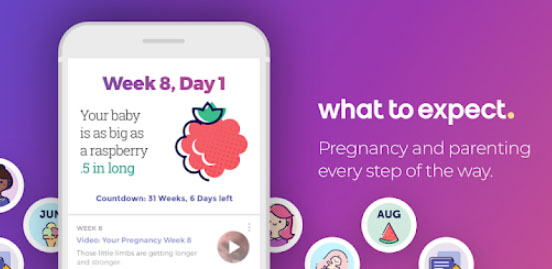
    The app can guide you with day to day, week by week and even hourly updates of your pregnancy period. That sounds pretty good right. You can know what is happening in your body right now. Some of the highlights of this app are:

    • Personalized daily tracker to know the size of your baby, in which week you are and your due date.
    • It supports pregnancy tips, health news and stories from real parents.
    • Weekly information regarding your changes in the body and development of the baby through various stages.
    • You will also receive famous videos on pregnancy to make you understand what changes can happen during this period etc.

    Read Also : Stretch Mark Removal after Pregnancy Methods

    Read Also : Perfect Babymoon Plans – Pre Baby Vacation Guide

    2) Hello Baby Pregnancy Tracker

    Pregnancy period can be irritating, frustrating during a particular trimester and you would want something to cheer you up and see or understand about this prenatal period. So, this Hello Baby Pregnancy Tracker is sure to make you feel good.

    This app not only gives you the required updates and information about your baby and yourself, but it also shows interesting illustrations and pictures for each week of your pregnancy. Try this app and you are sure going to love it and laugh every day with funny images and quotes.

       3)WebMD Pregnancy App

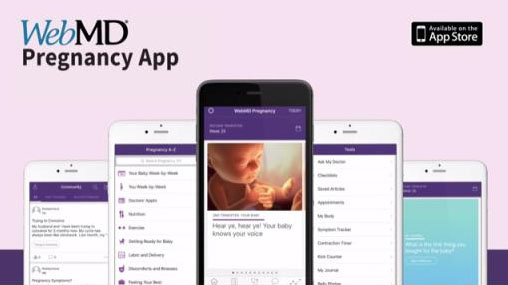
    This app can give you compact information concerning the kicks of your baby, your weight, blood pressure and you can even know about your contractions.

    You will also have the opportunity to record your questions you want to ask your doctor during the next appointments. It is always a good idea to create a checklist during your maternity period and this app can help you in creating one. You can easily list out what you want to purchase for your newborn and what to pack to the hospital when your due date is nearing. 

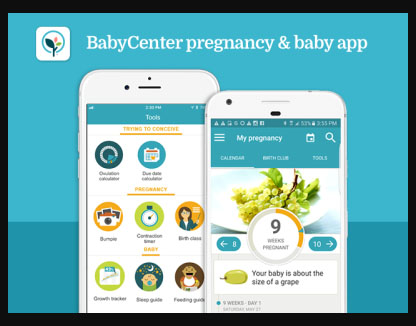
    4)BabyCenter Pregnancy Tracker & Baby App

    In this app, you can see the development of a baby with images every week. So, it will be easy for you to understand the size and features of the baby being developed during a particular period. You can learn about ultrasound scanning and also study about the feelings of the baby movements with the help of this app.

    Another attractive feature of the BabyCenter Pregnancy Tracker is that it automatically changes into a parenting guide after your delivery as you would have already entered your due date in this app.

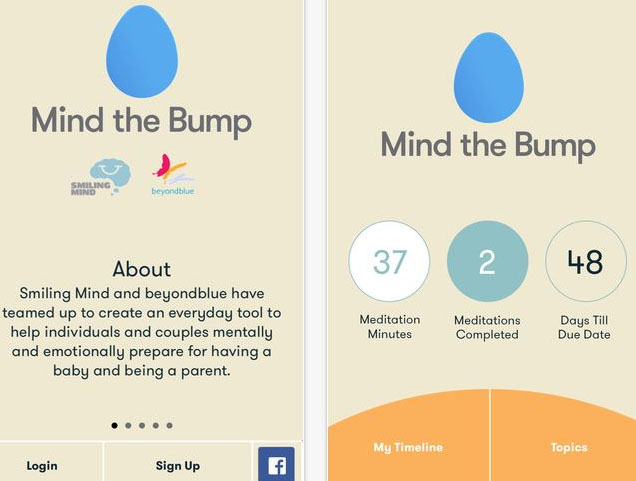
    5) Mind the Bump

    The best part of this pregnancy app is that it has been developed by mental health experts who are qualified in meditation and prenatal health. I found this app one of the best pregnancy apps because for those mommies who have never thought of meditation and mindfulness can give a thought about it.

    The pregnancy period is not a simple and easy-going time frame. It takes you to a whole new experience with lots of mood swings and even depression at times. I always suggest all the pregnant ladies engage in some yoga or meditation to keep your health and mind strong and blissful.

    6) Daddy Up App

    Well, it is not just the mommies who should have a baby/pregnancy tracker. All the daddies can also download one, for who wants to know about the pregnancy period to take good care of their partner and the newborn. Daddy Up App is one best pregnancy app for dads that can give notes on every step of pregnancy.

    You can expect notes from this app every week regarding the size of your baby, tips top look after to make your partner feel comfortable and it also has a pregnancy tracker. Checklist, daily log, contraction counter, etc. are also available on this app.

    Read Also : Parenting – How important is Father’s Role in Parenting

       7) Hello Belly Pregnancy Tracker

    This is another best pregnancy tracking app that you can download in your iOS or Android phones for your maternity period. With this app, you will get detailed insights about how your baby is developing inside your womb. Realistic illustrations of a baby in each week can be seen in the Hello Belly Pregnancy Tracker. You will also receive professional advice regarding your pregnancy and what a mother should do once the baby is born. Other features include the due date calculator, details about you and your body, what to eat, what all normal things can happen during your pregnancy period, etc. Moreover, you will also receive information regarding meditation for pregnant ladies, checklists, handbooks, symptoms, nutrition, and to-do list.

    8) Glow Nurture Pregnancy App

    With this pregnancy app, you will be receiving alerts for personal care, a symptom tracker, community support, attractive and useful charts and daily up-to-date information regarding pregnancy.

    Another attractive feature is the all-in-one experience that is crafted with baby bump photo sharing, checklists, what to pack in your hospital bag, images of baby’s development and you can even add the medication timings as a reminder. You will also have the feasibility to email yourself a PDF regarding the health data from this pregnancy app.

    There are many other pregnancy tracking apps like these and you can easily download any app of your choice according to your need, during your pregnancy period. If you have an android phone, go ahead and download your favorite pregnancy app and get all the necessary updates and health information for your safe, hassle-free and relaxed prenatal period. Make yourself updated with enough information regarding pregnancy and the newborns. Pregnancy apps are perfect for all expecting parents, especially the couples who are going to be mommy and daddy for the first time.

  • Waze Vs Google Maps Comparison

    Waze Vs Google Maps Comparison

    GPS are a kind of saviors these days. No matter in which city you are, whatever time it is you can always find your way of the place wherever you are stuck. So here we will see a brief comparison on Waze Vs Google Maps traffic to find out the accurate one .

    Why you need services like Google maps / Waze ?

    The maps provide you with the best routes, shortest route to any place and with the least traffic. The maps tell the best routes turn by turn, at every roundabout and hence save us from a lot of trouble of useless wandering on wrong routes. Also these days they also give you a heads up regarding the live traffic, hence giving you the route with least time, thus help you to save time in traffic .

    There are a number of GPS apps out there for telling you the best routes but the most heard of and used are the Google Maps and Waze.

    Read Also : Google Maps List Create, Share and Edit on Desktop & Mobile Now

    Actually both of these have the same parent company and that is Google. Although both operate separately but also you can recognize a number of similar features if you have used both. But before comparing
    Waze Vs Google Maps , both the apps lets get to know a little bit about both apps.

    Google Maps

    Google maps are available for private vehicles, on foot as well as for the public transport. The apps gives you the best way to your destination by analyzing the live condition on all the possible paths, providing you with the least travelling time. The maps are available offline as well. The app is based more on the data rather than its users. Not only that, it also lets you search for famous places around you. Here after you will even get speed limit camera alerts as well .

    The maps are available offline as well. The app is based more on the data rather than its users. Not only that, it also lets you search for famous places around you. Here after you will even get speed limit camera alerts as well .

    Read Also : Google Traffic : How to check traffic to work or home

    Waze

    Waze maps are available only for private vehicles. Waze is like a social media platform where you can give and receive heads up for things like different routes, some accident or any police sightings.

    This way the working of the app depends on its users rather than the data. The app is not available in offline mode. It can be used for finding routes only.

    Waze Vs Google Maps Comparison

    Now lets get to the business. Which one is better ? We can’t just decide here whether Google maps or waze which one is better since each has some specialties of its own. So lets compare some of the features between Waze Vs Google Maps –

    • The first feature is regarding the interface. Waze app has 3D interface which is quite an attention seeker. While interface for Google maps is in 2D only and is simple.

    Read Also : Mock location app for Android & iPhone to fake location

    • Google maps can be used offline as well. No such feature is available for Waze maps. Also now Google maps will give you details on speed limits as the new feature which was already there on Waze .
    • Waze can only be used for cars and bikes while Google maps can be used for public transport as well as while on foot.
    • Comparing Waze Vs Google maps traffic , Google Maps are based on data collected using satellites only while Waze gets the current conditions such as police sightings, traffic jams etc. from its users.
    • In waze such heads up can help you skip the traffic jams quite easily, also can help you save from the police tickets by notifying about police sightings while Google maps totally lacks such notifications.
    • When it come to which GPS use more data then we can say comparatively Waze needs more data than that of Google maps .

    Conclusion on Waze Vs Google Maps

    So which one is actually better? According to me the only feature that Google maps lack are the incident reporting feature by other drivers. But beside this it has a lot of stuff which it is better at like the offline mode, can be used for public transport and with the news that soon the incident reporting feature will be introduced makes Google maps the clear winner.

  • Cinemagraph app that makes pictures move (  iOS & Android)

    Cinemagraph app that makes pictures move ( iOS & Android)

    So , What is a Cinemagraph ? Is that a GIF or is it any short video ? Most of you might be familiar to some of you and unfamiliar to others . But i am quite sure you would have seen a Cinemagraph but never knew its name technically . It is not like any video or GIF and neither like a still image. It is in between these two. Some parts move while some don’t. Have you ever come across any Cinemagraph app .

    How to create Cinemagraph ? Well you take some hectic hard work to create a cinemagraph manually . Is there any apps or software to create Cinemagraph on PC or smartphone ? Of course there are plenty such cinemagraph app that makes pictures move .

    Here I have listed down some of the best cinemagraph apps which can be used easily even by the beginners . Works same as simple as how you create Animated GIF .

    Read Also : Pinterest Tips and Tricks to use Pinterest like a Pro

    Best Cinemagraph app that makes pictures move ( iOS & Android)

    Now let’s take a look at the best Cinemagraph apps for android and iPhone.

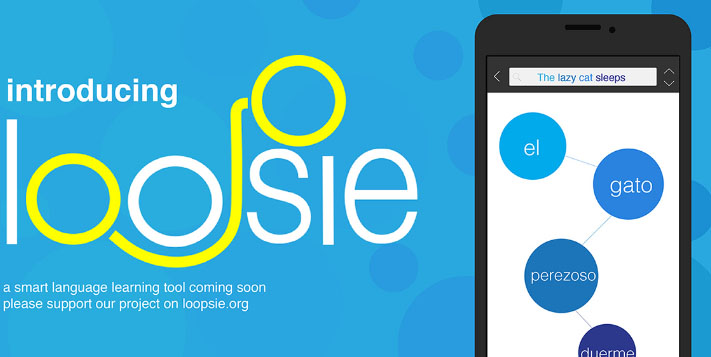
    Loopsie

    The best feature of this Cinemagraph app is definitely its inbuilt video stabilizer. Thus you don’t need to worry if you have accidentally recorded a shaky video. The inbuilt stabilizer automatically stabilizes all the videos.

    Also the app supports two modes i.e. repeat and bounce modes. Repeat mode means the Cinemagraph begins from the start again after it ends once while in Bounce mode video then plays in the reverse manner. The major problem is that it lacks the customizing features such as adding after effects on Cinemagraph etc.

    To remove the watermark you need to make an in app purchase of $1.99. Also the app can be downloaded on both android and iOS.

    Cinemagraph pro

    This app is always counted among the best Cinemagraph apps and is preferred by the professional photographers as well. The best features for this app comprise the user friendly interface and the amazing customizing options.

    Like loopsie it supports both backward and bounce manner along with adjustable speed and create cinemagraphs from images and videos.

    In its free mode, it creates videos in low qualities and with watermark. The professional photographers need to buy the premium version worth $200 which comes along with the Flixel cloud service.

    Its available only for iOS. If you are owning an android then go for Cinemagraph apps for android . In case you are using iPhone then go for this app even its one of the good Cinemagraph app for iOS.

    Read Also : 25 Best Selfie Apps for every Selfie Lovers – Perfect Click

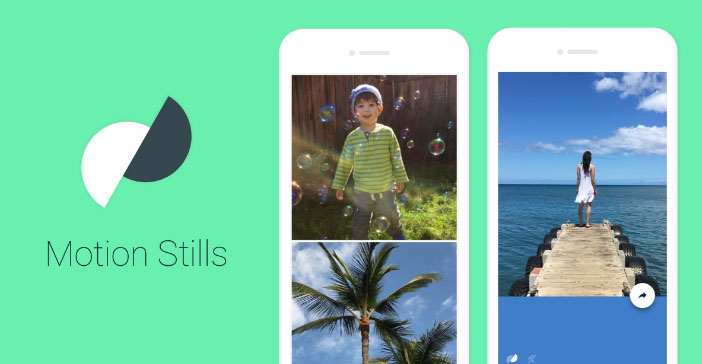
    Motion Stills

    It’s a very basic app with almost no editing features but is sufficient for creating some fun and cool Cinemagraphs. The best feature is the video stabilizing feature. It lets you create both Cinemagraphs and time lapse videos. Other amazing thing it that it can create a looping video of 3 seconds and with the amazing stabilizing feature it looks like an image.

    You can also join smaller clips to form a longer movie. Its available for free and on both platforms i.e. android and iOS. It’s the best app for creating fun cinemagraphs for beginners.

    PICOO camera

    Its like some photo editing app. It comes with a number of filters which can be applied to the picture for beatifying it further. For creating cinemagraphs, all you need is to select the area which you want in motion. It can be selected in square or circular or customized drawn by hand.

    Although the results are not always fine but the app is definitely best cinemagraph app for day to day use.

    Read Also : Best Triple Camera Phones to Buy This Year

    Read Also : Share Hike Stickers on WhatsApp – Enable Stickey

    Its free and available on both platforms.

    MaskArt

    Want to turn your existing videos into cinemagarphs, don’t worry MaskArt is here to your rescue. What it does is that it convert videos into cinemagraph. Just simply mark the sections you  wish to animate and you are done, rest of the portions of the image remain still resulting in perfect cinemagraphs.

    This provides you with even more control over the animated parts. Other awesome feature is that you may even add custom images right over the cinemagraph.

    It’s the best cinemagraph app for converting existing videos into cinemagraphs.

    Fotodanz

    Although the app was discontinued for a while but now its back in the race. It work like Maskart, shoot the video and select the regions for animations. But the maximum video length is for 5 seconds. There are a number of additional features like you can rotate images, adjust speed and length, add filters and control of loop style.

    Creating cinemagraphs is free but you need to make an in app purchase for using some of the filters of about $0.99 – $1.60. Its available on android only.

    Video loop perfect editor Cinemagraph clip maker

    The name seems quite long and complicated right, but don’t worry working with is app is pretty easy. First step is to upload the desired video whose cinemagraph you want to create. Second step is to highlight the regions you want to animate. And then if you want to apply any filters then you can also do that.

    It also adds a watermark to your cinemagraph and can be removed by making an in app purchase of $1.99. It is available for iOS platform only.

    Cinemagraph

    This app is somewhat like the one discussed above but works in a reverse manner. The first step for making a cinemagraph is to highlight the regions you wish to animate and then shoot the video. But the major issue in this app is that it lacks an automatic stabilizer. So the problem of a shaky video can’t be solved here, you may use a tripod for that. While its best feature is that you may edit your cinemagraph frame by frame, that’s like the best editing feature right?

    You may also create cinemagraphs by tapping on certain object, this way it is put in focus and cinemagraph can be created about it.

    The above list comprises of the best cinemagraph apps and can help you become a cinemagraph pro in just a matter of minutes. According to me the best app for the daily use is the Maskart or the PICOO camera while the professionals should prefer full premium version of Cinemagraph Pro. Do share your favorite app from above list in the comments below.

  • Share Hike Stickers on WhatsApp – Enable Stickey

    Share Hike Stickers on WhatsApp – Enable Stickey

    When it comes to Stickers , then we all like Hike Stickers which made our chats more interesting . But still Whatsapp has taken our hearts , and to impress their users WhatsApp also introduced the sticker feature . But we don’t have wide range of Stickers . You can get Hike Stickers on Whatsapp , here we will discuss how to download Hike Stickers for Whatsapp and step by step guide on How to share Hike Stickers on Whatsapp .

    We have shared how to make custom stickers on WhatsApp , now in order to share Hike Stickers on WhatsApp , one must enable Stickey .

    So What is this Stickey ?

    Hike has got a new feature in its settings called Stickey . Using Stickey one can enable it and Share Hike Stickers on Facebook , Whatsapp , Wechat and so many messaging apps .

    How to Enable Stickey to Share Hike Stickers on Whatsapp / Fb Messenger ?

    Now we will look at the steps to enable Stickey –

    • Go to your Hike messenger .
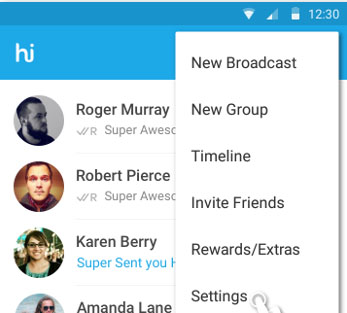
    • Now go to the Hike Settings option and click that .
    Hike Messenger Settings option
    Hike Messenger Settings
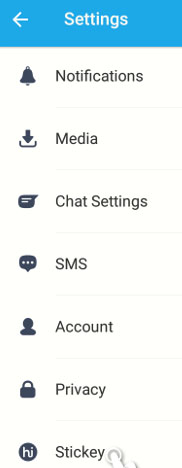
    • Scroll to the end , you can find the Stickey option there in the bottom of settings .
    Selecting Stickey option from Hike messenger settings
    Hike Stickey
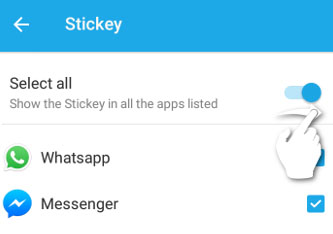
    • Now click on Stickey and to enable it just swipe to the right .Now Stickey will give you a list of other apps , Just check mark the apps on which you want to use stickey . Here i am enabling Stickey for WhatsApp and Facebook . In case your device has Wechat or any other apps , Stickey would show those apps also in the list .
    Enabling Hike Stickey for WhatsApp and Facebook messenger
    Enable Stickey for Whatsapp
    • Now you have successfully enabled Stickey for WhatsApp and Facebook .

    How to Share Hike Stickers on Whatsapp with Stickey ?

    We have discussed how to enable Stickey , now after enabling Stickey , you can share the stickers of Hike on any messenger apps . Now let us see how to send hike stickers on Whatsapp –

    • Go to WhatsApp after enabling stickey for WhatsApp via Hike Settings.
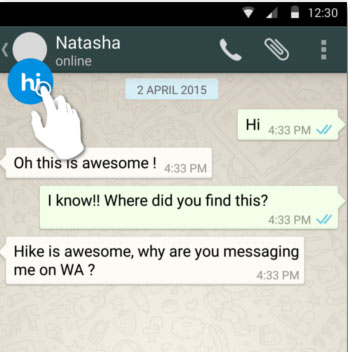
    • Now on You can find the Hike (hi) symbol on your whatsapp , just click that.
    Hike Stickey for WhatsApp
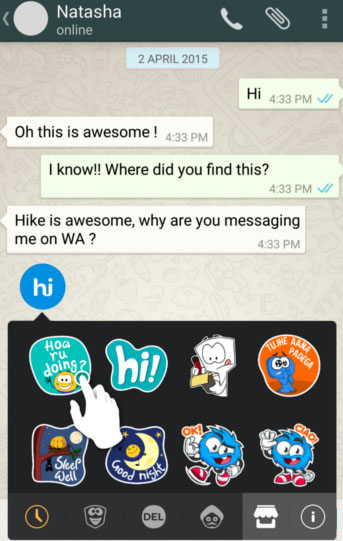
    Hike Stickers for WhatsApp
    • There you can find all the exciting Hike Stickers , select that .
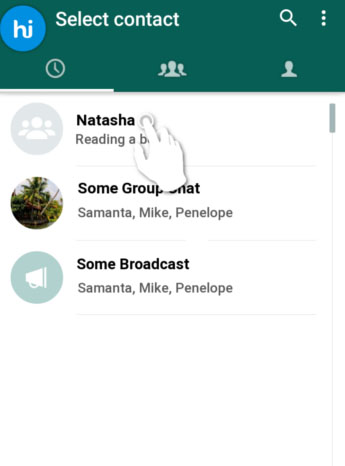
    • Now choose the desired contact and select the contact on Whatsapp & Tap send .
    • That’s it you are done .

    This way you can share Hike stickers with your Whatsapp friends .

  • Improve The World With  Smartphone -Top 10 Hacks

    Improve The World With Smartphone -Top 10 Hacks

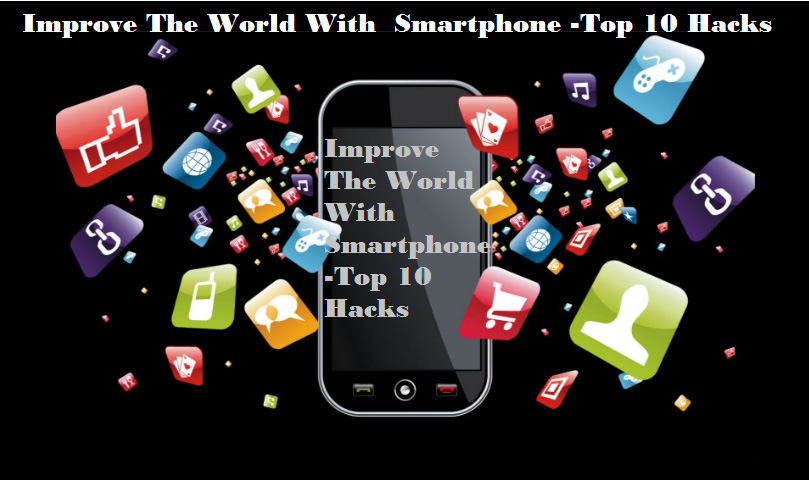
    Decades ago, smartphones were used exactly for what they were supposed to do – for calling. But now the scenario has changed. World has improved a lot with the smartphones that are now like pocket PCs. Apart from the options for calls, smartphones now have options for high quality cameras and videos integrated with editing, compasses and GPS to know the location, Health and fitness apps, applications to monitor the daily activities, latest NFC technology and much more. We can use smartphones for calling, sending messages, for online payment of bills, reading and sending mails and messages. Furthermore, there are several Smartphone applications that help to monitor our health status. The GPS facility in our smartphones have made a revolutionary change by helping us to reach places without any prior knowledge of the path and also has helped in the positioning of  various objects and persons too. The way you can Improve The World With  Smartphone is amazing that, people cannot imagine a life without them.

    smatphone-apps-to-improve-your-world

    The way smartphones has changed the world around us is totally unbelievable and now they have become an integral part of our life.

    10 ways to improve the world with smartphone

    From education to entertainment, all fields of life have been benefited with smartphone applications. Years ago, if you needed to pay the phone bill or make a bank transaction, you have to go to the respective office and do the necessary. But, now with the smartphone applications you can quickly do all these within minutes anywhere at any time. The world and culture has evolved in a proud way with the use of smartphones.Here we are listing the top 10 way to Improve The World With  Smartphone.

    Web everywhere

    Browsing in web was earlier restricted to our Personal computers and later on to our laptops. But now as smartphone has come into the world, we can have access to the internet all the time irrespective of where we are and the time.browse-with-smartphoneSmartphone applications are now making the world around us smart by providing web access to every place. We can configure all the devices around us to our smartphones now that internet of things has come into role.So everything is at your finger tips now with smartphone . It is a great way on how to Improve The World With  Smartphone.
    Emailsemail-on-smarphone

    Earlier if we need to send an urgent email, then it would take a lot of time as we need to switch on our PCs, connect the internet to it, log into the account etc…But now, we can use the smartphone to quickly read and send emails without any time delay.If you ask me i start my day by checking my emails as the first job i do . So its a great improvement to life.

    Updates news

    There are many smartphone applications that help to know the relevant news and that too, of the topic of our choice. The current affairs are all available at our fingertips.

    If you use android or iOS smartphones then my personal suggestion of smart phone news application is Flipboard ,CNN App,Google News & Weather .

    Reading books and dictionary

    We can read books in our smartphone by just downloading it or in online. And as per our need we can use the dictionary applications to check the words thereby improving the vocabulary and reading habit.Need not to go to library and check racks nor you don’t have to worry about the space that is occupied by your book collection.

    Translator

    We can use the Translator applications available in our smartphones to help us with  the meaning and explanation of languages which are quite foreign to us.It gives us the joy in understanding so many language . Sometimes the way translator can  help you will be to propose your crush on her native language . So its just awesome feature of smartphone in improving our world.

    Stop Watch/ Voice Recorder

    Instead of peering at our watch for the time limit we can just set our stop watch and carry on with other tasks. Also, the voice recorder helps us to record any important details so that we need not write it all. It saves our time.

    Remote Control

    While we make a presentation or if our television remote is not working, we can just use the smartphone application to control the whole thing. It helps us a lot in our daily activities.

    Sensors and health apps

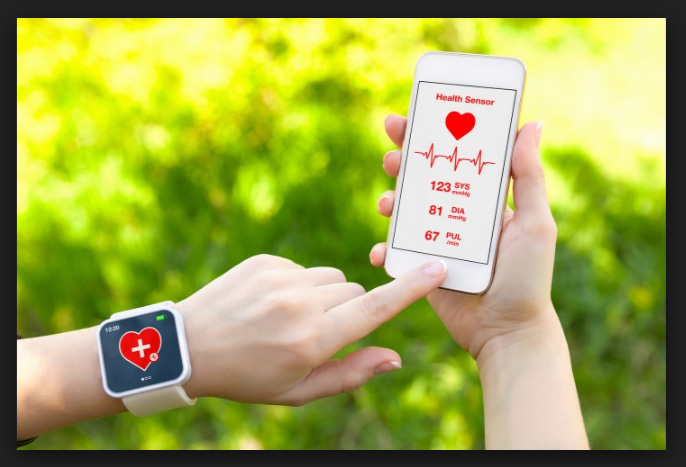
    There are hundreds of sensors built into our smartphones and they are used by the smartphones to know our health and fitness.

    health-appsThe calories that we have burnt or the amount of water that is to be consumed a day etc.. can all be monitored by the  smartphone applications. To know your heart rate you need not go to a doctor, instead you can use the smartphone application and know it in a minute.It is a best way to witness how to Improve The World With  Smartphone.
    Information apps

    There are several information apps for charity works that has a group of people as members. If a patient is in urgent need of any medical help, such applications can be used to pass the information. This way, smartphone applications for emergency medical situation too.

    Communication media

    The smartphone applications like whatsapp etc..can be used by millions of people to stay in touch with each other. Such smartphone applications have conquered the time and distance between people.

    Read Also : WhatsApp Data Sharing Disable Methods to Protect WhatsApp Data

     Real life applications

    There are many real life smartphone applications that help you to make your life better. You can check the reason for the engine leakage in your car, prevents drunken driving, helps you to improve your speaking skill as well as basketball skills and much more .The use of smartphones can definitely improve the world around us. Whether it be for education or entertainment smartphone applications can help us in a way that it totally unbelievable.

    Read Also – All Possible ways to Make Money by Playing Pokemon Go

    Smartphone applications save our time and effort and provides accurate and adequate amount of information and help Smartphones are like our friend whom we can carry around in our pocket. We never becomes lonely and rather smartphone applications would keep us updated always, reminds us if we have missed something and about important dates, keeps track of our medical conditions and a lot more. It has completely become an inevitable part of our life.Thus there is a great chase for the best smartphones in the world. 

    So just see how you Improve The World With  Smartphone , it is just the positive side of technology in our life .


  • App Lockers for Android to Improve your Privacy

    App Lockers for Android to Improve your Privacy

    Smartphone , of course we can’t give it to somebody else’s hand even for five minutes . Why is it so , most of us have almost all personal stuffs in our phones . We always loved to protect our privacy , so as certain things need to be secret or hidden . There are ways you can stop worrying about this issue and feel free to give your phone to anyone . If you are using Android device then start using App Lockers for Android to improve your privacy .

    So you can hide your photos and personal things , keep your secrets locked using the App Lockers for Android . This is quite easy when you compare it with iPhone app lockers .

     Now let us take a look at the android app lockers one by one with their smart features .

    App Lockers for Android to Improve your Privacy & Secure Android device

    Here we have listed out the best apps for android device app locking feature .

    Norton App Lock

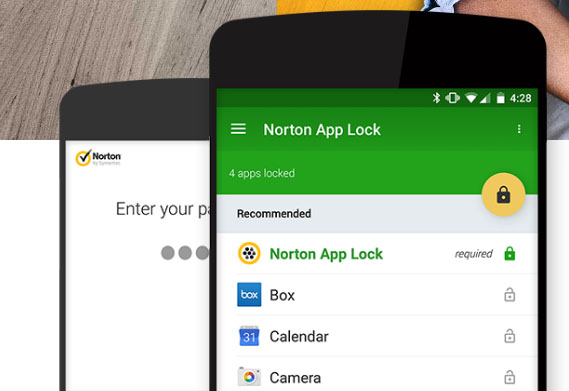
    Norton App lock for Android is one of the top rated app lockers for android devices . Norton app helps in protecting all your most sensitive personal information safe on your device . In case you left your phone somewhere or even if your phone is stolen . None of your apps can be accessed if its secured with the Norton App lock .

    Norton App Lock Android Screen Page
    Norton App Lock Android

    You can install this app from Google play store at your ease .

    Keepsafe App Lock

    Just like Norton , Keepsafe App lock is another android application that works absolute same as that of the Norton app locker .

    Keepsafe App lock download link
    Keepsafe App Lock for Android

    You can select the list of applications or folders in your android device which you want to keep it personal . Allows you to even lock your contact number and details on your device , so no one can now sneak peak into your mobile contact list even .

    App Lock 

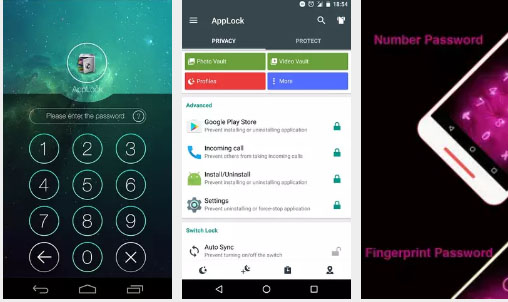
    One of the top most downloaded privacy protection app for android devices. AppLock is available on google playstore , this app can be accessed in almost 45 languages . Using this mobile app users an protect their apps by locking them with finger print lock for mobile apps such as Fb , SMS , Whatsapp , photos and so on .

    AppLock App Download screen and features
    AppLock App

    Something more interesting about Applock app is that it doesn’t drain your device battery power . So if you are on the search for Android App lockers that doesn’t drain battery then this is the best pick .

    This can be best choice of App lockers with power saving mode .

    Read Also : Mock location app for Android & iPhone to fake location

    Read Also : Android P Vs Android O Features compared

    HexLock App Lock

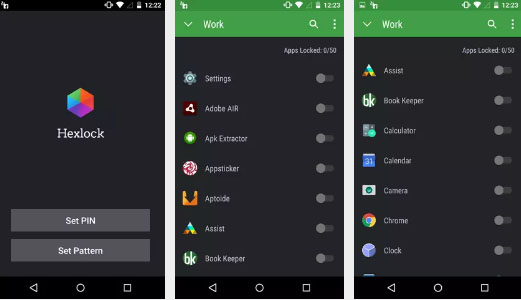
    Hexlock App lock is another app lockers for android that let you create your own profiles and lock it with pattern or finger print . Also depending on each WiFi network you can automatically get profiles enabled for easy access . This prevents app uninstall and protects your privacy . If you would like to use the Hexlock app without ads buy the paid version .

    Read Also : Share Google calendar with someone step by step guide

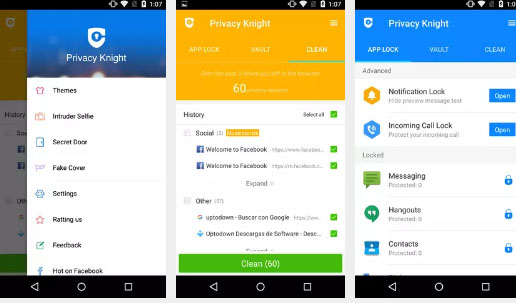
    Privacy Knight Applock

    This is developed by one big brand that is Alibaba group . Privacy Knight Applock for android can be downloaded from Google playstore easily .This app can secure all your sensitive data using password , face tracking etc .

    This app can even lock your on screen notification from apps like Whatsapp, Facebook etc . Also you can use the option to lock incoming calls.

    There are so many other android app lockers for fake crash , and protect your data . Here we have listed out the best picks among all the apps . Do let us know which one is your favourite app lockers for android .