Category: Tech

  • Email tracking Prevention – How to detect mail tracking

    Email tracking Prevention – How to detect mail tracking

    Many of you might not be aware of the fact that you are being tracked using the mails you receive. We all know how user’s data is exploited these days and then used by some for targeting the customers while some just use to scam the users. So you are being tracked using your emails like when do you opened the mail, clicked on which links, your device’s info and sometimes even your current location as well. So we will discuss about how to prevent email tracking as well as how to detect email tracking .

    First of all no one should be tracking such information and that too is done without the permission of the user is even worse. It feels like a direct attack on your privacy. Here I have listed some methods of how you can protect yourself from such online tracking. But first learn how this email tracking works.

    How Email Tracking Works?

    So there are basically two ways in which you can be tracked using your emails, firstly by embedding images in your email and secondly using links.

    Email Tracked Using Images:

    In this way very small images of pixel size 1×1 is embedded in your email and because of this small size the image is invisible to the user. The image is called pixel-beacon. These images connect you to tracking server software without your knowledge.

    Email Tracked Using Links:

    Some external links are attached to your email and as soon as you open these links you current location and device info is sent to the tracker.

    How to detect Email Tracking ?

    Here we will discuss on how you can find out whether a email you received tracks you . Let’s understand how to detect email tracking in Gmail or any other email clients .

    1. Look for External Images

    Most of the leading email service providers ask for user’s permission whether to open external images or not. This way you can decline this request but should be careful as you may decline images containing some information. Also consider large number of images as an alarm to some kind to tracking.

    2. Don’t open the link

    Sometimes the sender sends you link to read the content of the email on that link. Beware never open such links as they are most of times to track your information. As soon as you open such link your location and info are sent to the desired party.

    Read Also : Send Anonymous Emails From these sites easily

    Read Also : Private Search Engine That Doesn’t Track You Online – Top 5

    3. Look for third party Email addresses

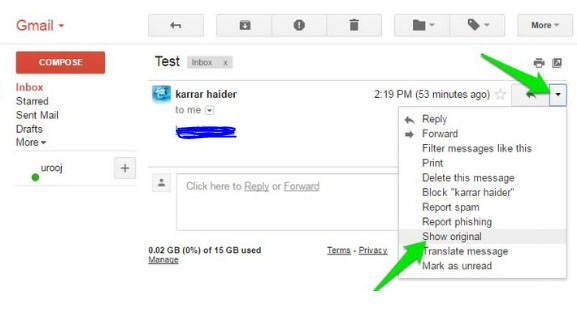
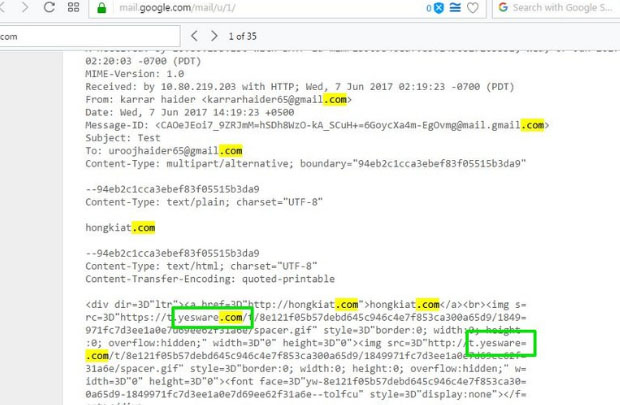
    Some of the trackers send you along with the email, the server’s side email or some website URL. Now click on the options for the email and Click on option Show Original Content. Here use the Keyboard shortcut Ctrl + F to find some keywords to judge whether email can be tracking you or not.

    The search for keywords can be like Track, Tracking, .com or Yesware (a quite well known email tracking service provider). This way you can judge the nature and purpose of the email yourself.

    Detect & Disable Email Tracking automatically :

    Detecting such fraud emails manually is neither foolproof nor quite easy. So we have a number of third party tools which can perform this task for us with much better accuracy. One such tool is Ugly email. It is available as an extension in Google Chrome.

    Ugly email automatically detects all the tracking emails and blocks them. It is one of the best tools available for this. It also tells you about the tracking service used in the tracking email. It forms an eye in front of the tracking emails.

    The only issue is that it is limited to Google chrome and Gmail users. But there are other tools as well such as PixelBloc and Trakbuster.

    There are also so many email tracking apps for Gmail , Outlook and other popular mail client services available . If you are someone who rely on chrome browser , then you can add chrome extension for Email tracking to detect & prevent email tracking .

  • Send Anonymous Emails From these sites easily

    Send Anonymous Emails From these sites easily

    If you ever wished to be anonymous while you mail someone , then here is a must read for you . Know the top sites / anonymous mail providers that allows you to send anonymous emails to anyone .

    Why use Anonymous emails?

    So the reason being that you actions and data on the internet are constantly tracked by someone to target you as their potential customer or even for some kind of fraud or scam.

    The free email services you are presently using are free only because they show you advertisements and you get adds as per your interest as your activities are tracked online even your emails. Using anonymous emailing service you can protect yourself from these things and ensure yourself some privacy.

    Read Also : Best Email clients for Computer & Smartphone

    Sites to Send Anonymous Emails

    Now we will take a look into the best sites to send anonymous emails . Before you begin this you must know one important factor . Before sending anonymous emails hide your IP with the help of any of the VPN service available .

    There are basically three categories in which we can divide the anonymous email services

    One where you require complete privacy, one where you just need to send some mail and don’t want any feedback and one where you just need to receive some email such as a conformation mail. So here are these:

    Encrypted or Anonymous Email Service

    The email services when you want complete privacy and want to both send
    anonymous emails and receive anonymous emails from that:

    • TorGuard

    TorGuard is one of the best anonymous email services which provides you with end to end encryption and 10MB of storage.

    It provide you with complete anonymity and 100% privacy with a tons of privacy features. Also it is available for all the browsers, desktops and the mobiles as well.

    • GuerillaMail

    It lets you create self-disposable emails. You need no prior registration, use it anonymously for 1 hour and then it is disposed leaving no trace of you behind on the internet.

    • Secure Mail

    It lets you send both mails and SMS anonymously and requires no personal information and your IP address for registration. Mails are sent using the SSL encryption.

    • The Anonymous mail

    It is also an amazing email service and you need to register to get an email address and then you can use it anonymously. It requires no personal info upon registration hence hiding your identity.

    Send Anonymous Emails

    When you only want to emails without any prior registration and don’t want any feedback to it. Such emails also get destroyed after some specific time.

    • AnonymousEmail.me

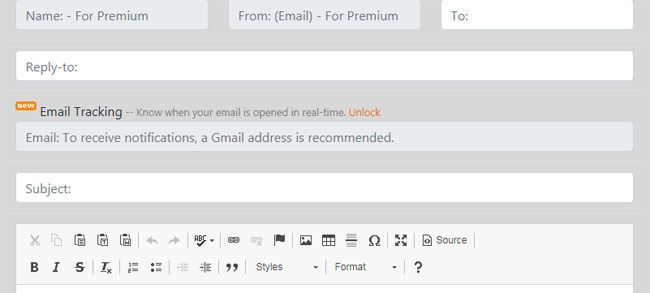
    It is like a simple form. Just enter the receiver’s address, subject, content and attachments. You can add a reply address if you want some feedback. So you can send mails anonymously easily.

    • 5ymail

    It also lets you send you emails completely anonymously but you will need an actual email to register and then acquire its services. Also it has an amazing text editor which can help you beautify your messages.

    • W3 Anonymous Remailer

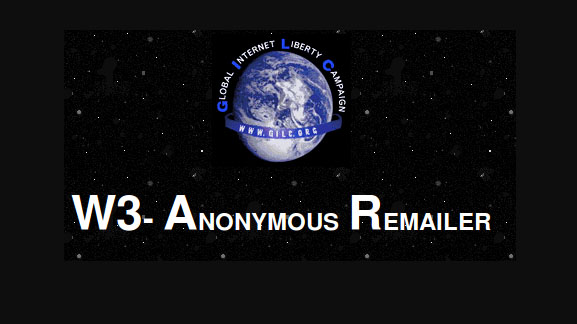
    It also pretty simple to use and has a very easy interface. Just add recipient’s address and the content and subject for email and send.

    • Anon Email

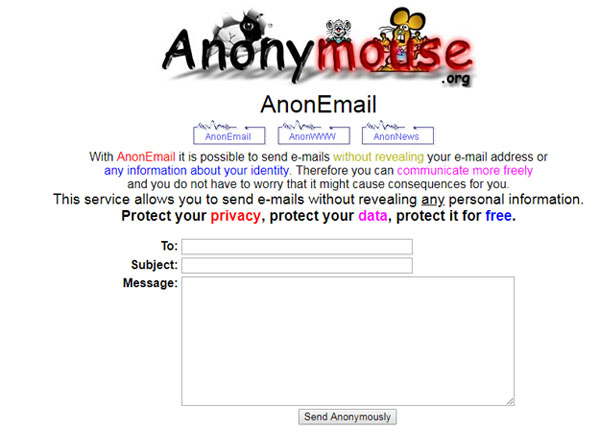
    Anon mail lets you send emails without reveling your actual info to anyone. Just add sender address, subject and content and you work is done.

    There are a number of other services which also operate and in almost similar ways such as CyberAtlantis, SendAnonymousEmail.net, Send-Email.org, VenomPen. All these will also get your work done.

    Read Also : Private Search Engine That Doesn’t Track You Online – Top 5

    Read Also : DuckDuckGo Tips and Tricks to Search Like a Pro

    Read Also : Keylogger detector & Anti-Keyloggers to Protect your data

    Receive Anonymous Emails

    When you just want to receive some mail mostly in case of conformation emails and you don’t want any follow up on the mails received afterwards then these are used.

    • myTrashMail

    You can either use public account for receiving a mail or get a one with password but for that you will need to register yourself first. It provides you an easy for blocking all the spams and newsletters. Also the mails are disposed after a certain time period.

    • Mailnesia

    It is another disposable email service and is going to be very helpful if you sign up on different sites and services pretty often. The reason is it lets you open all the conformation or verification links automatically in the background.

    • Spambog

    Spambog is another such email service which provide you with disposable emails which get destroyed after 7 days. The reason I have placed it in this category is because you cannot send anonymous emails using it, you can only receive, reply or forward mails using this.

    TempInbox and Mailinator are other such email services which operate in a similar way.

    So you must understand how important your data is and try to ensure that you are not tracked unknowingly. Hope these anonymous email services will be of help to you. Also don’t forget to share with us if you use any other service and your experience with that service.

  • Create Animoji Karaoke / Memoji Karaoke on iPhone

    Create Animoji Karaoke / Memoji Karaoke on iPhone

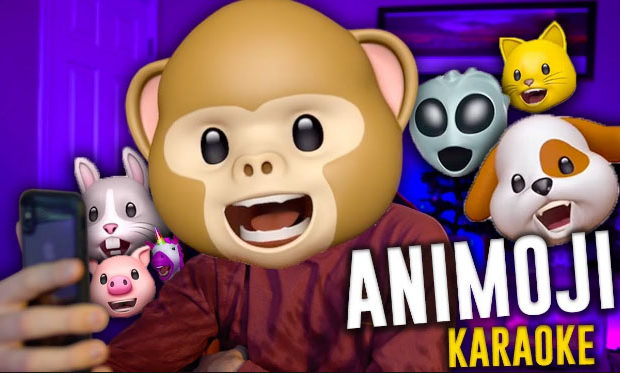
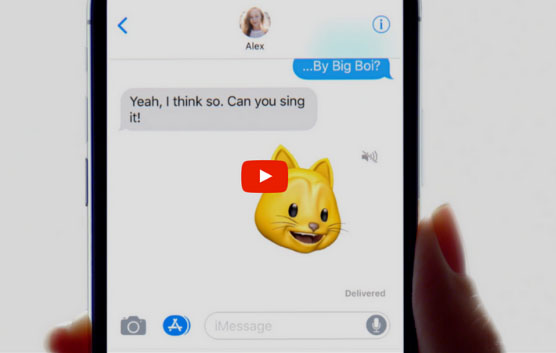
    Here we will find how to create Animoji Karaoke or Memoji Karaoke on iPhone. Before getting into this let us first answer a question in your mind about what is Animoji or memoji. Hope this will be interesting for most of you .

    So first let’s learn a bit about these, Animoji is animation plus emoji. So basically these are animated and 3D versions of the simple emoji which can be recorded using iPhone X camera and can be sent as video files along with audio as well.

    Memoji is an even updated version of animoji available with iOS 12. These are like avatars which somewhat look like you and also have similar facial movements. These features can be accessed using the iMessage app.

    Read Also : Top 8 Smule alternatives – Best Karaoke Singing Apps 

    Next question is what is animoji or memoji Karaoke. Hope you are familiar with dubsmash , if so let me make it simple . Animoji Karaoke or memoji Karaoke is like a dubsmash with avatar . Now let us begin with how to Create Animoji Karaoke .

    How to Create Animoji Karaoke / Memoji Karaoke on iPhone

    To begin with , all you need is to select the music of your choice first . Let us take a look more about the process on how to Create Animoji Karaoke / Memoji Karaoke on iPhone –

    Music Source

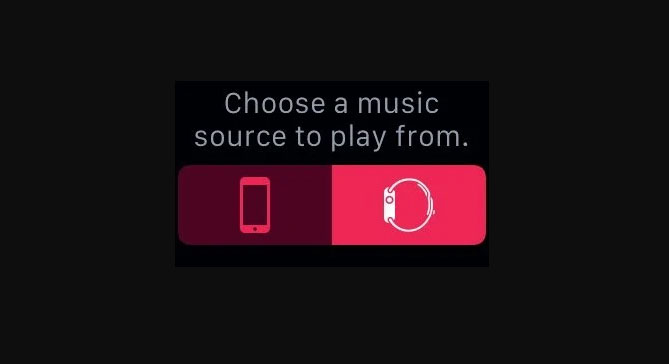
    The first and foremost requirement is a music source. The only thing you should care about this is that the volume should be high enough that it can be clearly recorded by the iPhone. Remember, for playing the music you will require some device other than your iPhone since you cannot play music and record an animoji on it simultaneously.

    Learn Lyrics

    You definitely to memorize all the lyrics for whichever song you want to create the karaoke for a cool and appealing video. Since if your lip sync won’t match with the lyrics of the song, it will simply ruin your video. Display lyrics on the music device, it can be helpful.

    Use Animoji

    Now you need to select the appropriate animoji to express your karaoke video properly. Also instead of animoji you can go for a memoji. This way you can display your expressions pretty well.

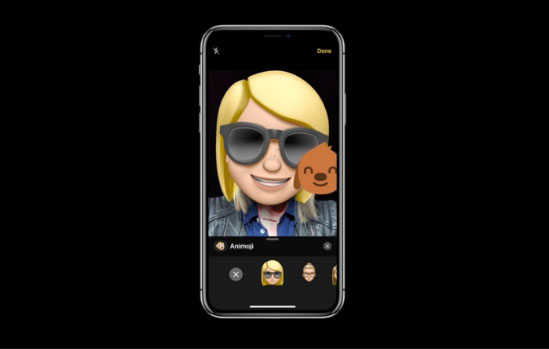
    For selecting the animoji or the memoji, these are available only on the iMessage app on your iPhone. There create a new message and to view the animojis there click on the monkey icon. After this you select from the animojis available or your own memoji.

    Read Also : Spotify Tips and Tricks to Enjoy Spotify Subscription More

    If you can’t find out any right animoji for your karaoke video then you can refer to a number of third party apps where you can create animojis yourself. One such app is Animoji Studio.

    Decide length

    The next thing is to decide your Animoji / memoji Karaoke Video length . For Half minute videos , i mean 30 seconds ones ; you can record it easily by holding the record button. In case you got to create long Karaoke videos , then you use iPhone screen recording feature .

    For starting the screen recording pull down the control menu from the horn button, click upon the screen recorder and swipe up to close the control menu. Now record as long video as you want whether a  small clip or a complete karaoke. For switching off the screen recorder, click on the side button.

    Share Animoji Karaoke

    Using your iMessage app you can create your Animoji / Memoji Karaoke and can share the same on any of the messenger apps or social media sites .

    So it is quite easy to create some cool and fun animoji karaoke videos. Actually you can make up your karaoke game if you can sing well. Then you may not lip sync but sing the song in your very own original voice. It can be even more fun, right? Do share with us your experience of making animoji karaoke videos on your iPhone.

  • Free Pattern Generators for creating Seamless Patterns

    Free Pattern Generators for creating Seamless Patterns

    Web Designing is a very important these days. How your web page looks actually has a considerable effect on the user. Of course the beautiful web pages definitely help you to attract more users. For having an appealing web page you need to select proper colors and patterns for background. The pattern should not be too chaotic that it distract the user from the actual content of the page but neither too simple. It should appeal to the user and enhance your page’s interface. Creating some amazing patterns can be quite difficult and time taking job. Therefore there are a number of tools which provide you with some amazing patterns which you can edit as per your wish and requirements. Here I have compiled a list of some of the best free pattern generators.

    Free Pattern Generators for creating Seamless Patterns

    Let us take a look at some of the best pattern generator tools available to create patterns easily –

    Patternify

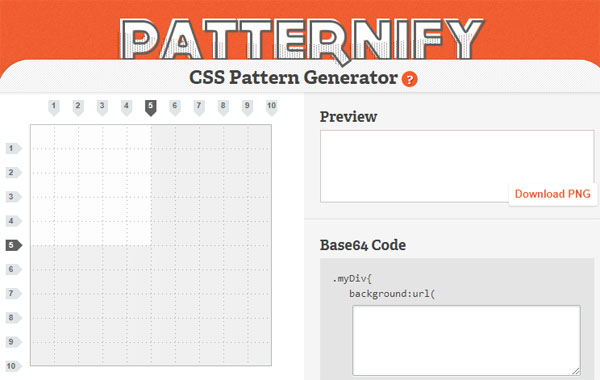
    It is an awesome tool for creating patterns with minute details and the reason for this is that the tool lets you create your pattern pixel by pixel. This means you can have different color for every pixel. Also the tool provides you with the options of colors and you can set the transparency for each pixel.

    The tool is apt for creating patterns for small icons. You can download the image in PNG or the Base64 format. This is one of the best free pattern generators available .

    Stripe Generator

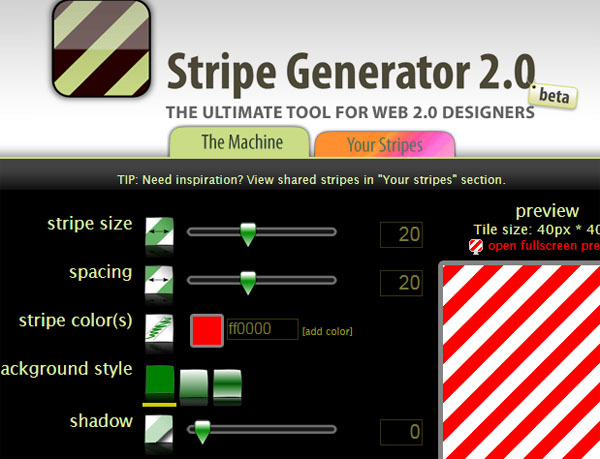
    If you want some strips in the background then this is the best pattern generator tool for you. The editing features lets you to select the width, spacing and colors for the strips.

    You can change the angle for the strips and also add shadows to the strips. Another amazing feature is that you can browse among the patterns created by other users. Once done you can download them in PNG format.

    Read Also : Google chrome themes that you shouldn’t Miss

    Colour Lovers Seamless

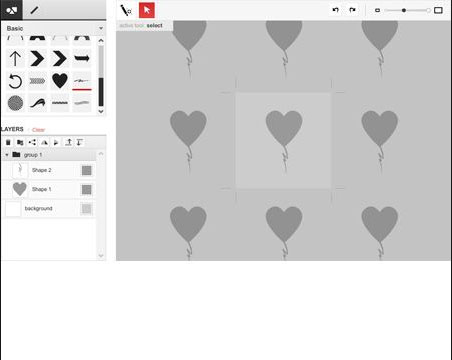
    Though this tool is known mostly for the color palate it provides for the patterns but it also lets you create some amazing and beautiful patterns. In this tool you can generate patterns by selecting different shapes and lines from the panel then you need to simply drag and drop them. You can further resize or rearrange them as you want.

    Geopattern

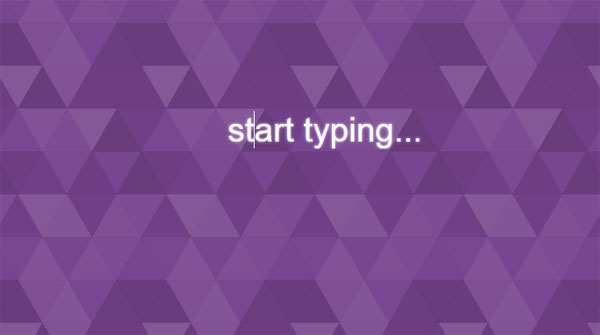
    I think it is one of the coolest and the most innovative tool for generating patterns. And once you will use it you are also going to agree with me. All you need to do is type random words on the screen. With each new character you type it will generate some new random pattern. It generates some amazing backgrounds.

    Read Also : Time Lapse Video Making Guide

    PlaidMaker

    PlaidMaker lets you select the color palate for your patterns and then lets you create the horizontal pattern and the vertical pattern separately. You may use mirror images. Also if you don’t want to create a new pattern you can browse among the patterns created by others in a separate section.

    Delaunay Triangle Pattern Maker

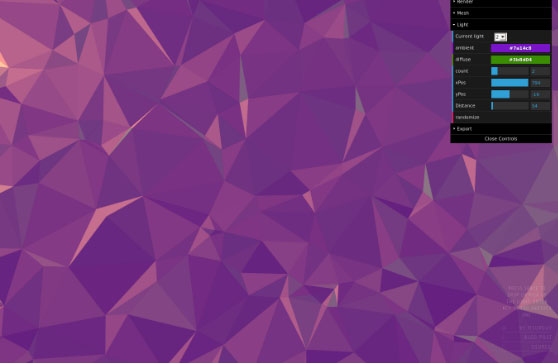
    It also generates somewhat triangular patterns and also have a 3D effect in the background. You can create patterns by selecting the size of canvas, color scheme, distance, depth and other features. The results are definitely amazing. Other option is that you can click upon the Randomize button to save yourself from setting all the features.

    Trianglify Background

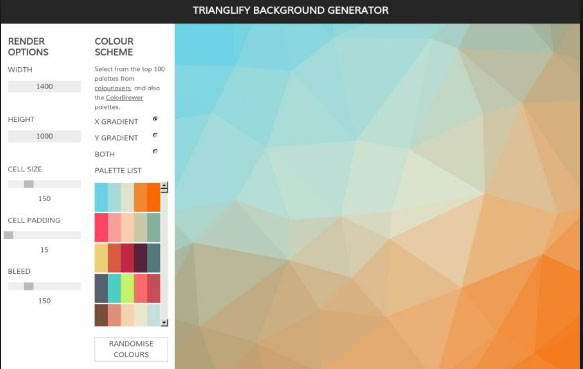
    It lets you create some stunning patterns of adjoined polygons. All you need is to select the color palate, the size of the polygons and the variance. The result some gorgeous backgrounds with beautiful color combinations. It has predefined 27 color schemes to select from but you can make your own as well. Then you can download in PNG or SVG format.This is also a good choice of free pattern generators .

    Waterpipe.js

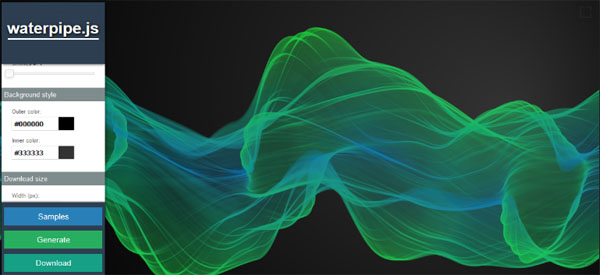
    It has a basic background image of something like smoke floating. All you need to do is select the colors for the pattern and you are done. The images are simple but stunning.

    These are some of the best free pattern generators. Hope you liked these. Do share with us which one you liked the most or if you use some other tool do share that as well.

  • Time Lapse Video Making Guide

    Time Lapse Video Making Guide

    Time Lapse photography is the latest trend to hit all the photographers especially the nature lovers. You get to view a lots of natural phenomenon in quite an interesting way. So you must have come across time lapse video on any social media platforms, because these are a rage nowadays and they rightly deserve so.

    What is Time Lapse Video ?

    Time lapse videos are long videos whose speed is increased so that the slow changes can be viewed and observed better. Time lapse videos are created for those processes which are very slow and humans often lack the patience to view such processes completely such as sunset, blooming flowers, growing plants or any other thing like that.

    Time lapse videos can be made in two ways, either video is recorded continuously and then its speed is increased or photos are clicked after fixed intervals and merged later to form a video. Some slow phenomenon such as sunsets, blooming flowers and many more look stunning and interesting when viewed in time lapse videos.

    Here I have tried to breakdown the process of making a time lapse video and list down all the requirements. So let us begin with this :

    Understanding the Basics of Time Lapse Video Making

    Before actually beginning with the making of the time lapse video you need to understand what time lapse actually is?

    It is any normal video of longer interval which is played at high speed so as to give an effect to the user that time is moving fast or join a large number of pictures together to form a video. Time lapse videos are generally of short interval.

    How to make Time Lapse Video ?

    You got a picture about what is time lapse videography . Now to create a time-lapse video or to begin with the process. You must choose “Subject of Time lapse Video”

    So there are a number of phenomenons which are quite boring and slow to be observed with your eyes but when speed up in time lapse videos look stunning and beautiful. Here are few such listed out –

    • Sunset or sunrise
    • Blooming flowers
    • Under construction buildings
    • Movement of Clouds
    • Rotting fruits
    • Busy street or highway
    • Growing of plant

    All these things can result in some beautiful, fun and cool time lapse videos.

    Then based on the subject you choose you have to decide which type of time lapse video you want to choose whether Smooth or Blocky. But lets get familiarized to these terms first.

    Smooth Time Lapse Video :

    This means that either the video has been shot continuously or the separate shots are taken at shorter time intervals. Smooth time lapse videos are generally preferred for things like sunset, sunrise, movement of clouds or busy street or anything like that which last for few hours or a day not more than that.

    Blocky Time Lapse video :

    In this type of time lapse videos the separate photographs are taken after longer intervals thus when merged together kind of form a blocky video. This type of time lapse videos is preferred for shooting events which take much more time to take place such as blossoming of flower, construction of building, rotting of fruit and many more.

    Now since you have decided the subject for your video and based on that the type in which you want to shoot your video you need the right equipment to shoot it.

    Equipment required for Creating Time Lapse Video :

    Everything needs its own equipment to get that perfection and professional outcome . So if you want to take a professional time lapse video then this will be complex and tiresome. So let us take a look at the equipment needed for time lapse videography .

    There are majorly three options for you :

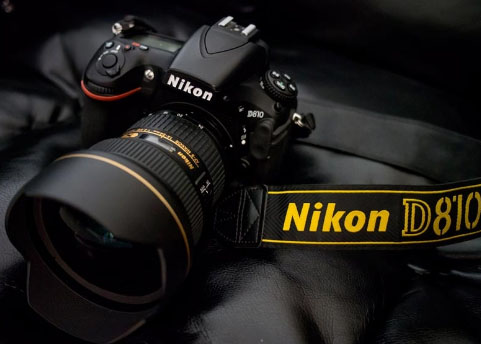
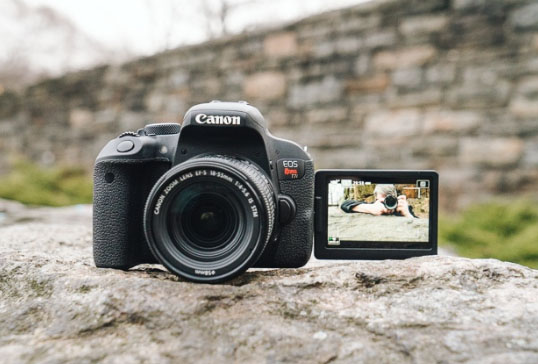
    • If you own a DSLR then it is definitely the best option since it will let you shoot the video in the best quality and highest resolution.
    • The next best option is the Point and shoot cameras. These are compact and pocket sized cameras. These have lesser features as compared to DSLR but still provides you with high quality videos.
    • Even high resolution camera Smartphones are good enough to make time lapse video and time-lapse Photography .

    Now you can choose which camera to be use for creating time lapse . Once you have decided with what device you are going to shoot your video, whatever it may be you will definitely need a tripod stand. It is important because it helps you in shooting a stable video not a shaky one. It keeps the frame fixed, because if the frame will vary then the resulting time lapse video won’t be shaky and will also save you a lot of effort. It ensures consistency to the video or the pictures.

    Since point and shoot camera is smaller in size you can also go for a gorillapod which also helps balancing your camera on uneven surfaces.

    The next equipment you will need is some kind of device which can instruct your shooting device to click pictures at fixed intervals since you may not be able to stay all the time with your camera. This problem is shot by Intervalometers for DSLR cameras and Time controller device in point shoot camera. But first you must check your camera’s manual since it may already have an inbuilt such time controlling device. Both intervalometers and time controller device acquire the control of your camera’s shutter and then you can set the interval after which you want to click the picture.

    Also instead of buying an additional device you can also have a number of software which also serve the same purpose but you will need to attach your laptop for all time to your camera via a USB cable. You can choose suits whatever suits you well. So I have also compiled some of the best software which are going to help you a lot while shooting a time lapse video.

    For Nikon DSLR camera users :
    • Sofortbildapp (Mac) – Compatible with most of the latest Nikon camera models.
    • D-Software Cam Control(Win) – It can be used for controlling your camera’s Shutter speed, exposure, ISO and Aperture
    • Nikon Capture 4.0(Win and Mac) – It is an amazing and powerful image editing tool. You can control nearly all the features of your camera and also lets you save your pictures directly to the PC. And definitely provides the features for the post editing of the pictures.
    For Canon DSLR camera users :
    • DSLR Remote Pro(Win and Mac) – It is among the best software to control your canon camera from your Windows PC.
    • inPhoto Capture(Win) – This software is quite easy to learn and use. It lets you control some of the latest models from your PC. It also lets you control your Olympus camera.

    Apps for shooting Time lapse using iPhone :

    Now will look at the best time lapse video apps for iPhone –

    • iTimeLapse : It is an all in one app which provides you with the features for every aspect of video making starting from clicking pictures and after editing. It lets you control white balance, iso speed, focus everything. Then once done you can edit all the frames and add audio, background effects and much more editing can be done. But the only problem is that its major features are available in the purchased version.

    Read Also : Cinemagraph app that makes pictures move ( iOS & Android)

    • Gorillacam : This app also provides you with a number of features but lesser as compared to iTimeLapse but it is available for free. For beginners it is a good way to start.

    Time Lapse Apps for Android :

    Let us look into this in detail later now here listing out few apps for android time lapse video making –

    • FrameLapse
    • TimeLapse
    • Hyperlapse by Microsoft
    • Lapse It
    • TimeLapse Camera

    Read Also : Best Triple Camera Phones to Buy This Year

    Editing Time Lapse Video :

    Once you are done with all the video recording or clicking pictures now is the time to edit time lapse video . There are two most popular timelapse editing software used for editing :

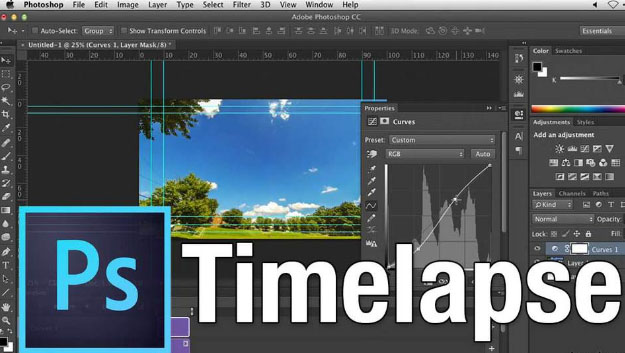
    Photoshop :

    None of us is unfamiliar with the power of Photoshop. Here also it provides you with a lot of ease. First open a picture and apply all the editing affects you want to on it. Once done create a new action by selecting Action from Windows.

    Redo all the affects to record the action. Apply this action then all of the left pictures in the batch. For doing so select Automate from Windows and there click on Batch.

    Read Also : Exciting free Photoshop Alternatives for high quality photo edits

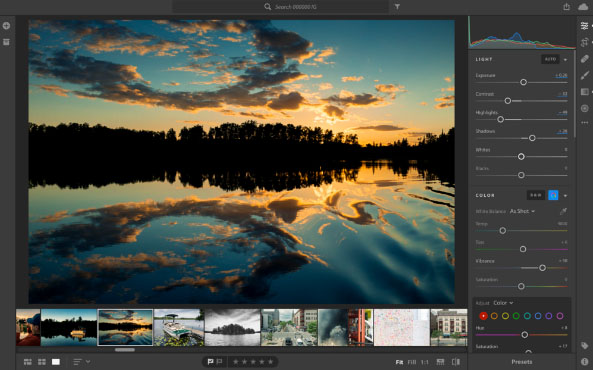
    Lightroom :

    This is another software famous for post editing your pictures. Here also in Develop mode apply all the effects on a single picture. Then select pictures from the batch and click on Sync button. Same effects will be applied to those as well.

    Combining Time Lapse Photos :

    In the process of how to make time lapse video , the very last thing one have to do soon after editing is to combine all those edited pictures into a movie . So as your time lapse video gets ready . You need some of the apps for the purpose , here we go with it –

    • Apple Quicktime Pro7(Win and Mac) : Just open the folder which contains all the picture and select the first picture. And then it will automatically combine all the photos.
    • Time Lapse Assembler(Mac): This is another software which lets you merge your pictures but is available only for Mac. It is the best free time lapse video maker.
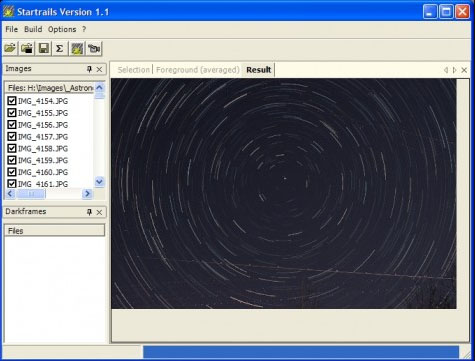
    • Startrails.de: It is specially designed for creating star trail photographs but can be easily used for making other time lapse videos.
    • LR-Timelapse: It is another amazing software and is available as a plugin in Lightroom. It provides you with features of both startrail.de and time lapse assembler. In free version you may combine up to 400 images.

    Once done with all this you are going to have some awesome and stunning time lapse videos. Also for beginners you may take some test shots before actually shooting the video. Also keep extra batteries and memory cards handy and always keep an eye on your camera. Do share your experience with us.
  • Private Search Engine That Doesn’t Track You Online – Top 5

    Private Search Engine That Doesn’t Track You Online – Top 5

    Privacy is becoming an illusion these days as we are being tracked anywhere & everywhere . This becomes really tough when your Online privacy is like a Utopian concept .You search something online your Browser tracks you , but you can skip it with Incognito mode search . But this doesn’t mean that your searches online is not being tracked . Most of the search engines tracks your search and even your ISP provider tracks your search . How to prevent search engines track your searches ? Simple , get used to the Private search engine that suits you best .

    You might consider using the incognito mode or mend the settings such that you are not tracked but still you can’t be sure that you are not tracked. And most of the times you are tracked in the incognito modes as well. The best way to prevent yourself from being tracked is to use private search engine. There are a number of engines which ensure that you are not tracked.

    Private Search Engine That Doesn’t Track You Online

    Let us take a look at some of the privacy ensuring search engines that doesn’t track you . So what are those best private search engine on the list is given below –

    DuckDuckGo

    It is always counted among the best private search engines. It is the most secure private browser. It does not tracks you hence you are relieved of the tons of advertisements on the webpages. Not only that along with the privacy, it has lots of other cool features.

    It has a number of shortcuts like using right keywords directly open the webpages instead of the search results. Directly perform calculations or open calendar. So overall it is an awesome search engine which provides you with security and cool shortcuts. We have already discussed a lot about this private search engine , if you are new to this search engine , then take a look at the DuckDuckGo Search Engine Tips and Tricks .

    Metager

    Metager provides you with utmost privacy while surfing the internet. The way it ensures your privacy is that it is uses proxy server. This way you can surf any website anonymously means that the site you visit is unable to track your actual address.

    It is based in Germany so was initially launched in German language but was launched in English in 2013. Also it search your queries in 50 search engines and then sort them and then show you all the results.

    Hulbee

    Hulbee also ensures you with complete privacy while surfing the web. It does not tracks your keywords or anything so that you get any customized adds.

    It also encrypts your data this way even if anyone in middle steals the data is not able to utilize it and hence providing extra security to your data. It comes with an option clean your activity letting you remove your search history completely .

    Disconnect Search

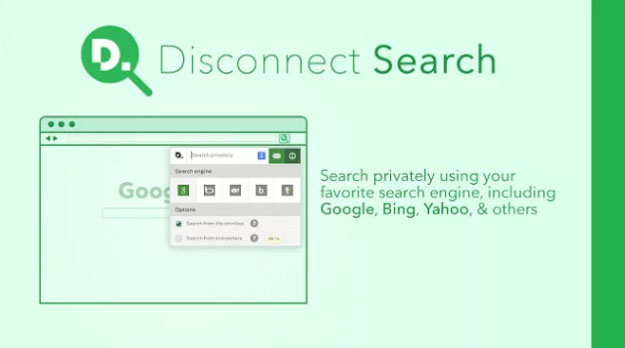
    Disconnect search find answers to your queries from other search engines like Google and yahoo and then display the results to you. You can set the locations for the search to find results which are region specific.

    The best thing about it is informs you which tool is protected or unprotected thus you can use them accordingly. It also never tracks or stores your data or IP address, providing complete security.

    Oscobo

    Oscobo ensures privacy as it never keeps IP address saved after your browsing .Secondly is that they don’t use cookies which is very unusual hence ensuring even better privacy and ensures that no third party is getting my data.

    And it is nearly as efficient as Google and simple to use and adding more features with time. Its extension can be added to the chrome browser.

    Hope you find these list as useful for private browsing . These are best search engine Alternative to Google .

  • Oculus Rift Games that every Game Lover should Play

    Oculus Rift Games that every Game Lover should Play

    Virtual Reality is getting introduced to many spheres of daily life . Gaming world has changed its style ever since the introduction of VR Games and VR Headset experiences . Oculus might be familiar to most of the VR Gamers . If not , let me give you a chance to know more about it . Oculus Rift provides you an experience like you are playing the game in the real world just with those touch controllers and sensors .Here is the most sorted out list of best Oculus Rift Games you must know .

    Best Oculus Rift Games

    Here is the list of most exciting Oculus Rift Games that every game lover should play .

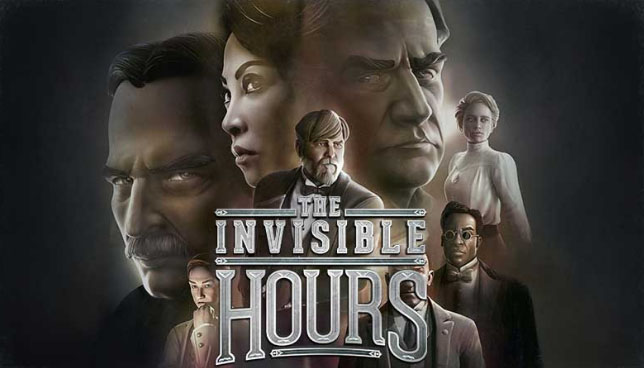
    The Invisible Hours

    Counted among the best murder mystery games on VR where you are like a ghost and can follow any character you want to. You are supposed to find the murderer in the game but that’s not what most exciting about this game, it’s the story which will excite and astonish you the most. The story seems like an Agatha Christie book and every character has its own properly built back story.

    Read Also : Best Nintendo Switch Games to enjoying Game time

    You are going to enjoy finding the murderer and finding the back stories of all characters. The story is set in Nikole Tesla’s villa and you are a ghost and are there just to observe every character and find the murderer.

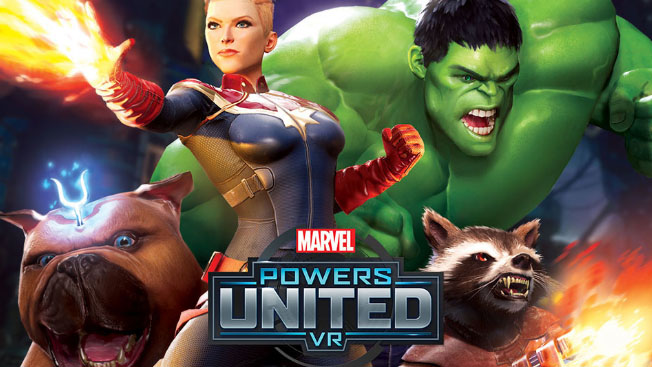
    Marvels Power United VR

    Marvel, who is not a Marvel fan, right?? Marvel is known for creating some amazing superheroes and even cooler villains. This game is the perfect way for any Marvel fan to enter the Marvel’s world. The game has its shortcomings given the VR experience required you can’t fly. But still the game is pretty awesome.

    You get to suit up in any of your favorite superhero and the details of your virtual body is something to look out for. The game is an overall a fulfilling experience for the Marvel comic fans.

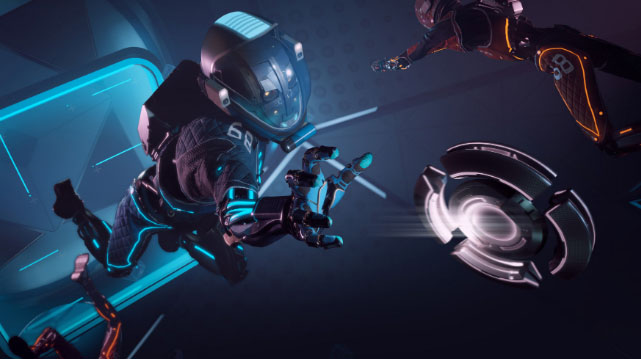
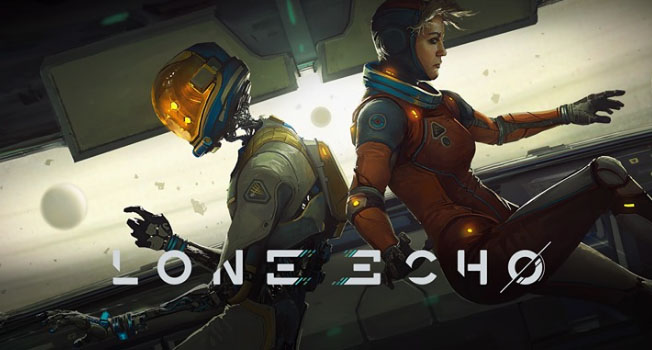
    Lone Echo and Echo VR

    The chances of any of us visiting space are quite thin. But this doesn’t mean, we cannot have the experience of being in the space from the earth itself.

    Lone Echo has captured all the motions and movements pretty well and provides you with the experience of being in space while repairing space stations. Besides this it consists of some stunning visuals and an amazing storyline as well.

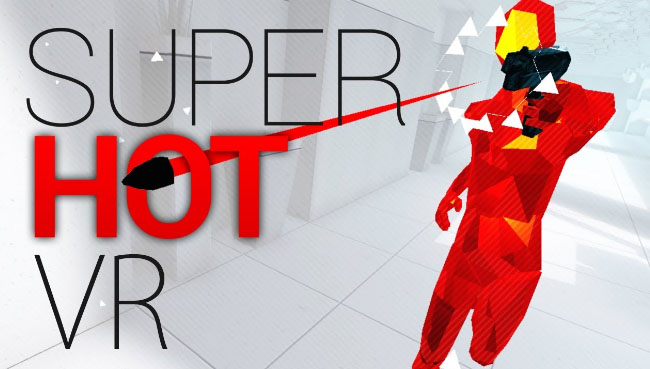
    Superhot VR

    It is one of the top rated and counted among the best shooting games. The game is also available in PC version but this VR version provides you with a wholesome and satisfactory feeling since you get to kill all the red baddies with your own hands.

    All the shooting, punching and other action you perform yourself making the game even more interesting and exciting altogether as compared to its flat screen version.

    Read Also : 38 Best iPhone games you should play

    Read Also : Best Augmented Reality Games that are safe

    Skyrim VR

    It is an old game but the newly introduced VR version is like some new game which is much more interesting and easier to play.

    It is definitely among the best adventure games because of the whole story, the characters and the huge world, you get to experience all of this first hand. Performing action, blasting spells all this have a completely new feel in the VR.

    Read Also : Life threatening Games Online – Steps to Stay Safe

    These are some the best games on Oculus Rift. With the experience in the VR, some amazing stories and visuals and of course with all the action , these games are not just games but a wholesome experience. Do share with us your favorite Oculus Rift game on the list .

  • Waze Vs Google Maps Comparison

    Waze Vs Google Maps Comparison

    GPS are a kind of saviors these days. No matter in which city you are, whatever time it is you can always find your way of the place wherever you are stuck. So here we will see a brief comparison on Waze Vs Google Maps traffic to find out the accurate one .

    Why you need services like Google maps / Waze ?

    The maps provide you with the best routes, shortest route to any place and with the least traffic. The maps tell the best routes turn by turn, at every roundabout and hence save us from a lot of trouble of useless wandering on wrong routes. Also these days they also give you a heads up regarding the live traffic, hence giving you the route with least time, thus help you to save time in traffic .

    There are a number of GPS apps out there for telling you the best routes but the most heard of and used are the Google Maps and Waze.

    Read Also : Google Maps List Create, Share and Edit on Desktop & Mobile Now

    Actually both of these have the same parent company and that is Google. Although both operate separately but also you can recognize a number of similar features if you have used both. But before comparing
    Waze Vs Google Maps , both the apps lets get to know a little bit about both apps.

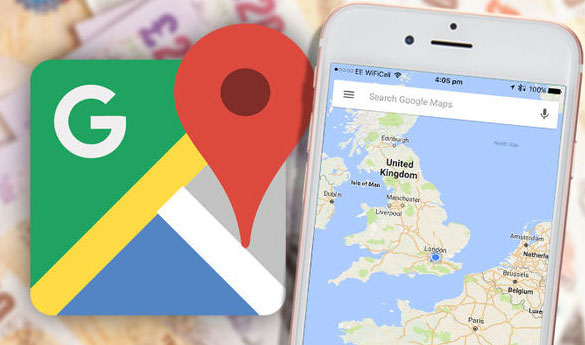
    Google Maps

    Google maps are available for private vehicles, on foot as well as for the public transport. The apps gives you the best way to your destination by analyzing the live condition on all the possible paths, providing you with the least travelling time. The maps are available offline as well. The app is based more on the data rather than its users. Not only that, it also lets you search for famous places around you. Here after you will even get speed limit camera alerts as well .

    The maps are available offline as well. The app is based more on the data rather than its users. Not only that, it also lets you search for famous places around you. Here after you will even get speed limit camera alerts as well .

    Read Also : Google Traffic : How to check traffic to work or home

    Waze

    Waze maps are available only for private vehicles. Waze is like a social media platform where you can give and receive heads up for things like different routes, some accident or any police sightings.

    This way the working of the app depends on its users rather than the data. The app is not available in offline mode. It can be used for finding routes only.

    Waze Vs Google Maps Comparison

    Now lets get to the business. Which one is better ? We can’t just decide here whether Google maps or waze which one is better since each has some specialties of its own. So lets compare some of the features between Waze Vs Google Maps –

    • The first feature is regarding the interface. Waze app has 3D interface which is quite an attention seeker. While interface for Google maps is in 2D only and is simple.

    Read Also : Mock location app for Android & iPhone to fake location

    • Google maps can be used offline as well. No such feature is available for Waze maps. Also now Google maps will give you details on speed limits as the new feature which was already there on Waze .
    • Waze can only be used for cars and bikes while Google maps can be used for public transport as well as while on foot.
    • Comparing Waze Vs Google maps traffic , Google Maps are based on data collected using satellites only while Waze gets the current conditions such as police sightings, traffic jams etc. from its users.
    • In waze such heads up can help you skip the traffic jams quite easily, also can help you save from the police tickets by notifying about police sightings while Google maps totally lacks such notifications.
    • When it come to which GPS use more data then we can say comparatively Waze needs more data than that of Google maps .

    Conclusion on Waze Vs Google Maps

    So which one is actually better? According to me the only feature that Google maps lack are the incident reporting feature by other drivers. But beside this it has a lot of stuff which it is better at like the offline mode, can be used for public transport and with the news that soon the incident reporting feature will be introduced makes Google maps the clear winner.

  • Cinemagraph app that makes pictures move (  iOS & Android)

    Cinemagraph app that makes pictures move ( iOS & Android)

    So , What is a Cinemagraph ? Is that a GIF or is it any short video ? Most of you might be familiar to some of you and unfamiliar to others . But i am quite sure you would have seen a Cinemagraph but never knew its name technically . It is not like any video or GIF and neither like a still image. It is in between these two. Some parts move while some don’t. Have you ever come across any Cinemagraph app .

    How to create Cinemagraph ? Well you take some hectic hard work to create a cinemagraph manually . Is there any apps or software to create Cinemagraph on PC or smartphone ? Of course there are plenty such cinemagraph app that makes pictures move .

    Here I have listed down some of the best cinemagraph apps which can be used easily even by the beginners . Works same as simple as how you create Animated GIF .

    Read Also : Pinterest Tips and Tricks to use Pinterest like a Pro

    Best Cinemagraph app that makes pictures move ( iOS & Android)

    Now let’s take a look at the best Cinemagraph apps for android and iPhone.

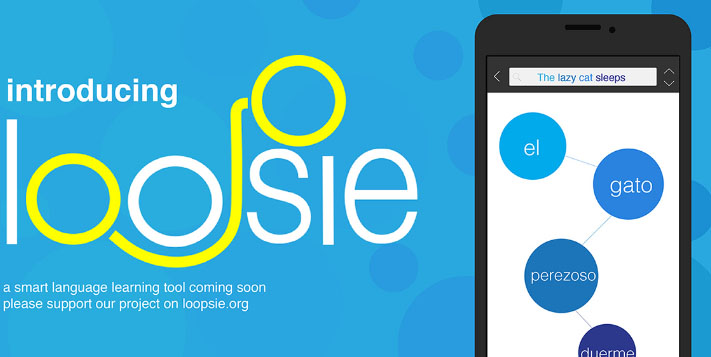
    Loopsie

    The best feature of this Cinemagraph app is definitely its inbuilt video stabilizer. Thus you don’t need to worry if you have accidentally recorded a shaky video. The inbuilt stabilizer automatically stabilizes all the videos.

    Also the app supports two modes i.e. repeat and bounce modes. Repeat mode means the Cinemagraph begins from the start again after it ends once while in Bounce mode video then plays in the reverse manner. The major problem is that it lacks the customizing features such as adding after effects on Cinemagraph etc.

    To remove the watermark you need to make an in app purchase of $1.99. Also the app can be downloaded on both android and iOS.

    Cinemagraph pro

    This app is always counted among the best Cinemagraph apps and is preferred by the professional photographers as well. The best features for this app comprise the user friendly interface and the amazing customizing options.

    Like loopsie it supports both backward and bounce manner along with adjustable speed and create cinemagraphs from images and videos.

    In its free mode, it creates videos in low qualities and with watermark. The professional photographers need to buy the premium version worth $200 which comes along with the Flixel cloud service.

    Its available only for iOS. If you are owning an android then go for Cinemagraph apps for android . In case you are using iPhone then go for this app even its one of the good Cinemagraph app for iOS.

    Read Also : 25 Best Selfie Apps for every Selfie Lovers – Perfect Click

    Motion Stills

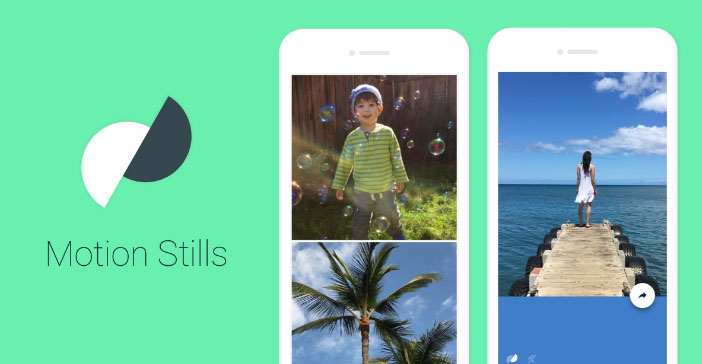
    It’s a very basic app with almost no editing features but is sufficient for creating some fun and cool Cinemagraphs. The best feature is the video stabilizing feature. It lets you create both Cinemagraphs and time lapse videos. Other amazing thing it that it can create a looping video of 3 seconds and with the amazing stabilizing feature it looks like an image.

    You can also join smaller clips to form a longer movie. Its available for free and on both platforms i.e. android and iOS. It’s the best app for creating fun cinemagraphs for beginners.

    PICOO camera

    Its like some photo editing app. It comes with a number of filters which can be applied to the picture for beatifying it further. For creating cinemagraphs, all you need is to select the area which you want in motion. It can be selected in square or circular or customized drawn by hand.

    Although the results are not always fine but the app is definitely best cinemagraph app for day to day use.

    Read Also : Best Triple Camera Phones to Buy This Year

    Read Also : Share Hike Stickers on WhatsApp – Enable Stickey

    Its free and available on both platforms.

    MaskArt

    Want to turn your existing videos into cinemagarphs, don’t worry MaskArt is here to your rescue. What it does is that it convert videos into cinemagraph. Just simply mark the sections you  wish to animate and you are done, rest of the portions of the image remain still resulting in perfect cinemagraphs.

    This provides you with even more control over the animated parts. Other awesome feature is that you may even add custom images right over the cinemagraph.

    It’s the best cinemagraph app for converting existing videos into cinemagraphs.

    Fotodanz

    Although the app was discontinued for a while but now its back in the race. It work like Maskart, shoot the video and select the regions for animations. But the maximum video length is for 5 seconds. There are a number of additional features like you can rotate images, adjust speed and length, add filters and control of loop style.

    Creating cinemagraphs is free but you need to make an in app purchase for using some of the filters of about $0.99 – $1.60. Its available on android only.

    Video loop perfect editor Cinemagraph clip maker

    The name seems quite long and complicated right, but don’t worry working with is app is pretty easy. First step is to upload the desired video whose cinemagraph you want to create. Second step is to highlight the regions you want to animate. And then if you want to apply any filters then you can also do that.

    It also adds a watermark to your cinemagraph and can be removed by making an in app purchase of $1.99. It is available for iOS platform only.

    Cinemagraph

    This app is somewhat like the one discussed above but works in a reverse manner. The first step for making a cinemagraph is to highlight the regions you wish to animate and then shoot the video. But the major issue in this app is that it lacks an automatic stabilizer. So the problem of a shaky video can’t be solved here, you may use a tripod for that. While its best feature is that you may edit your cinemagraph frame by frame, that’s like the best editing feature right?

    You may also create cinemagraphs by tapping on certain object, this way it is put in focus and cinemagraph can be created about it.

    The above list comprises of the best cinemagraph apps and can help you become a cinemagraph pro in just a matter of minutes. According to me the best app for the daily use is the Maskart or the PICOO camera while the professionals should prefer full premium version of Cinemagraph Pro. Do share your favorite app from above list in the comments below.

  • Share Hike Stickers on WhatsApp – Enable Stickey

    Share Hike Stickers on WhatsApp – Enable Stickey

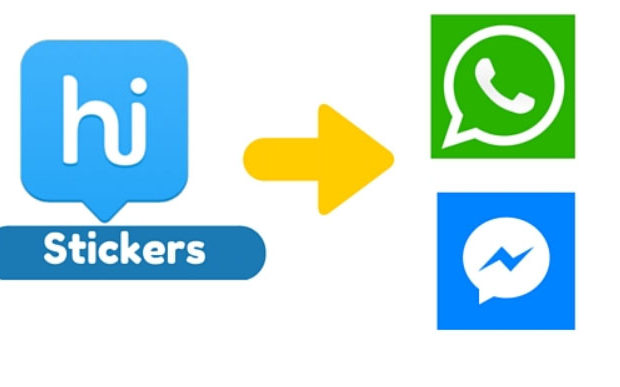
    When it comes to Stickers , then we all like Hike Stickers which made our chats more interesting . But still Whatsapp has taken our hearts , and to impress their users WhatsApp also introduced the sticker feature . But we don’t have wide range of Stickers . You can get Hike Stickers on Whatsapp , here we will discuss how to download Hike Stickers for Whatsapp and step by step guide on How to share Hike Stickers on Whatsapp .

    We have shared how to make custom stickers on WhatsApp , now in order to share Hike Stickers on WhatsApp , one must enable Stickey .

    So What is this Stickey ?

    Hike has got a new feature in its settings called Stickey . Using Stickey one can enable it and Share Hike Stickers on Facebook , Whatsapp , Wechat and so many messaging apps .

    How to Enable Stickey to Share Hike Stickers on Whatsapp / Fb Messenger ?

    Now we will look at the steps to enable Stickey –

    • Go to your Hike messenger .
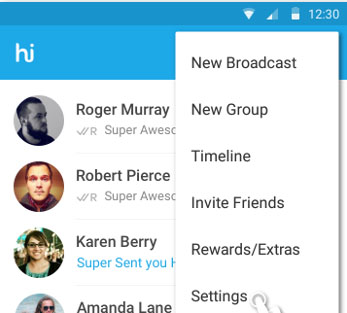
    • Now go to the Hike Settings option and click that .
    Hike Messenger Settings option
    Hike Messenger Settings
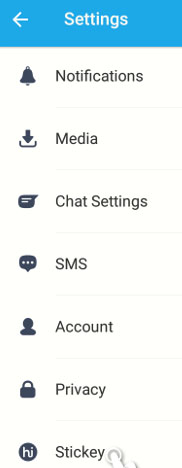
    • Scroll to the end , you can find the Stickey option there in the bottom of settings .
    Selecting Stickey option from Hike messenger settings
    Hike Stickey
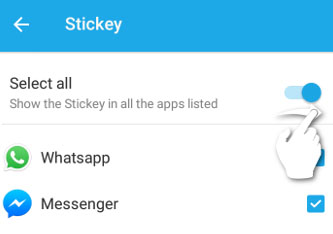
    • Now click on Stickey and to enable it just swipe to the right .Now Stickey will give you a list of other apps , Just check mark the apps on which you want to use stickey . Here i am enabling Stickey for WhatsApp and Facebook . In case your device has Wechat or any other apps , Stickey would show those apps also in the list .
    Enabling Hike Stickey for WhatsApp and Facebook messenger
    Enable Stickey for Whatsapp
    • Now you have successfully enabled Stickey for WhatsApp and Facebook .

    How to Share Hike Stickers on Whatsapp with Stickey ?

    We have discussed how to enable Stickey , now after enabling Stickey , you can share the stickers of Hike on any messenger apps . Now let us see how to send hike stickers on Whatsapp –

    • Go to WhatsApp after enabling stickey for WhatsApp via Hike Settings.
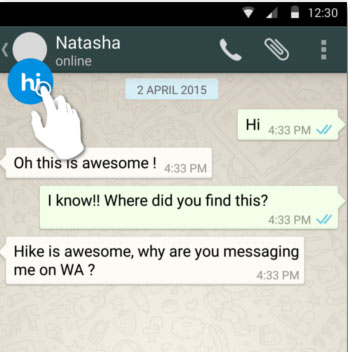
    • Now on You can find the Hike (hi) symbol on your whatsapp , just click that.
    Hike Stickey for WhatsApp
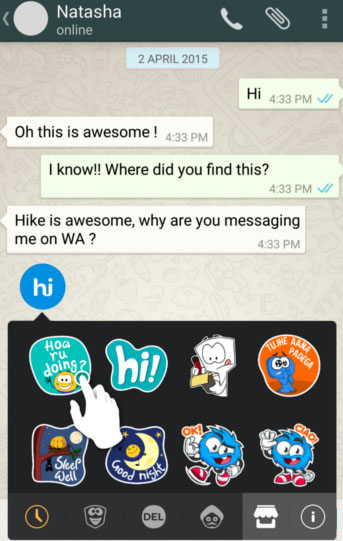
    Hike Stickers for WhatsApp
    • There you can find all the exciting Hike Stickers , select that .
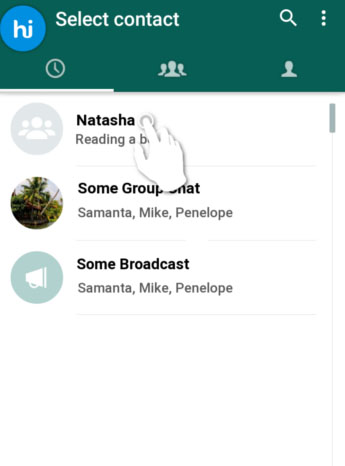
    • Now choose the desired contact and select the contact on Whatsapp & Tap send .
    • That’s it you are done .

    This way you can share Hike stickers with your Whatsapp friends .