Author: Himanshi Dalal

  • Best iTunes Cleanup Software for better iTunes experience

    Best iTunes Cleanup Software for better iTunes experience

    Best iTunes Cleanup Software for better iTunes experience

    Most of us are iTunes lovers because we can play numerous favourite tracks with iTunes .But its really messy and irritated when you find song duplication in your iTunes library . To fix this and use iTunes hassle free there is a strong demand to use some good softwares for effective use of iTunes. Here we will detail about some of the Best iTunes Cleanup Software

    We need an iTunes Cleaner to Cleanup the identical songs,unnamed tracks & other garbage to release space of hard disk .

    So,that our favourite thing on iPhone doesn’t get dissipated .

    Are you in search of iTunes music cleanup software ?

    Then here’s the right place to find an appropriate iTunes music cleanup software which can help you find cleanup  your iTunes music library by deleting duplicated/identical songs,unwanted tracks & completing music details.

    Why there’s a need of iTunes cleanup software?

    “I  am so frustrated with my phone”, although its an iPhone,but its music library “iTunes” is so messed up.

    There are so many identical songs,unnamed songs,no artist name mentioned nothing at all,its so strenuous to filter the desired track when required,you might have heard this from many.

    If your iTunes library also contains identical songs,unknown tracks,then automatically,it becomes a hub of dissipated data with no record,it will merely fill up your hard disk with junk.And at times disturb your iTunes listening experience also.

    So,to aid you all iPhone admirers,we sorted a list of some popular and professional iTunes cleanup software to help you have the best iTunes experience via managing your iTunes library & music collection.

    1. Wondershare Tidy My Music Review:

    Wondershare Tidy My Music Cleanup software tool is an absolute to help you download albums,artwork,lyrics,fix unlabeled music & identical songs. It allows us to label down songs or unknown  tracks in iTunes library or any local music folder ,where the whole song collection becomes disordered. It is one such tool that can help you to cleanup your iTunes library,customise accordingly and makes it well-organized with advanced acoustic fingerprint search,which can accurately scan & add on the mislaid info.

    Major Attributes:

    1. Systematically fix mislaid & unlabeled music info such as song name,artist .
    2. Group process music collection in large quantity to save time.
    3. Search & add mislaid album to each piece of music easily.
    4. Easily downloads lyrics &adds them to your audio files.
    5. Identify identical songs & delete some unnecessary ones to save disk space.
    6. Dovetail track details ,lyrics with mp3 audio files to devices like iPod,iPad,iPhones etc.
       Pros & cons:

    Pros and Cons of this Best iTunes Cleanup Software is detailed below .

    Pros:

    • Clean up iTines library.
    • Simple to use
    • Instinctive user interface.
    • Rapidly identify correctly.

    Cons:

    • Rarely fails to recognize song correctly.

    Read Also : Factory reset iPhone without password or iTunes with data backup

    Read Also : Connect dual displays / monitors to one computer on Windows & MAC

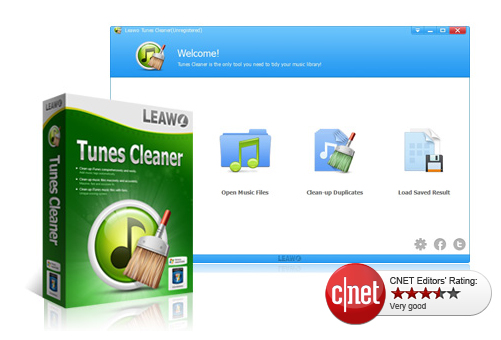
    2.  Leawo Tunes Cleaner Review:

    Analysis: Effortlessly cleanup iTunes & music library junk.

    Its a smart iTunes cleanup program to filter for mislaid album titles/lyrics/metadata, sing tags & identify identical songs etc & can account all mislaid music tags,album artworks & vanish duplicates as soonest as possible. It cannot only cleanup the largest iTunes library ,but also the local song folders.

    Major Attributes:

    • Search iTunes music library automatically
    • Recognize & delete identical songs easily.
    • Ger album artwork for iTunes & other audio files.
    • Download & increase music tags 
    • Allow editing music tags manually
    • Mend & cleanup iTunes with practical attributes .

      Pros & cons:

    Pros and Cons of this Best iTunes Cleanup Software is detailed below .
    Pros:

    • Elementary operation
    • Detach duplicates/identical precisely
    • Substantial manual editor to edit audios

    Cons:

    • Falsely find artwork for some audios.

       Read Also : Cancel / Reverse Venmo payment : When a Venmo payment goes wrong

    Read Also :  Venmo User Guide for Safe Transactions – Venmo payment

    3. Wondershare Tunes Go Review :

    Analysis: Approriate iTunes guide fir Android & iOS

    It can transfer your iTunes media files (music,playlists,movie,podcasts,TV shows,iTunes U & many more) without limits. TunesGo automatically analyses & cleanup the iTunes song library with one click. It scans the music library & helps you fund out which track needs a fix. You can mend all mislaid & inaccurate music tags.

    Major Attributes:

    • Openly transfers your music & playlists between ios/android devices
    • Download /record music to iTunes from almost all popular sites.
    • Controls iTuneslibrary by music tags & album art,burning music
    • Restore iTunes library from desktop files
    Pros & Cons

    Pros and Cons of this Best iTunes Cleanup Software is detailed below .

    Pros:

    • Audio & video downloads can be done
    • Straightforward yet robust & efficient
    • Cleans up & manage your music collection & any apple device connected to it.

             Cons:

    • It’s little high priced

       Read Also : Factory reset iPhone without password or iTunes with data backup

    4.Neat Music Review:

    Analysis: Most comprehended iTunes housekeeper

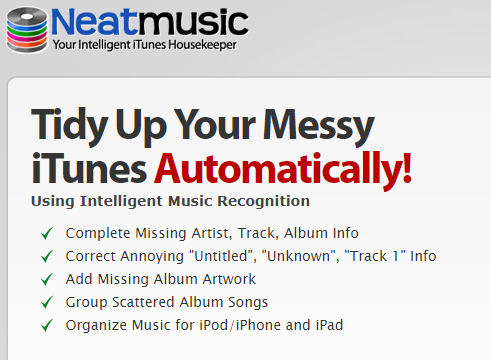
    In the era of digital India, with respect to digital music,iTunes is the undisputed champion & is currently used by millions of music fanatics,whether you are using an apple ios enabled mobile device, apple Mac or windows OS enabled computer nothing beats iTunes for wresting downloading & organizing personal audio files . It allows us to extend the playlist to unlimited no. of audio files.

    Even ,with all of its ability ,iTunes is not completely unerring & at times ,it can become disorderly . This is where Neat Music can be most useful .

    Major Attributes :

    • Apply it to find mislead info such as album,titles,tracks etc
    • Gives you the potential to add mislaid album to your iTunes account
    • Aids to reorient dislocated songs into much coherent list
    • Arranges audio lists for all iOS devices including iPhones,iPods,iPads.
    • Automatically corrects any & all mislaid song file metadata.

      Pros & cons:

    Pros and Cons of this Best iTunes Cleanup Software is detailed below .

    Pros:

    • Rapid iTunes music cleanup & organizer
    • Best iTunes music organizer on PC
    • Fetches highest quality album artwork

    Cons:

    • No identical songs cleaner uptil now

    So,if you are an iPhone/iPad/iPod,user download any of the Best iTunes Cleanup Software by today itself, to have the best listening iTunes acquaintance ever.
  • Cancel / Reverse Venmo payment : When a Venmo payment goes wrong

    Cancel / Reverse Venmo payment : When a Venmo payment goes wrong

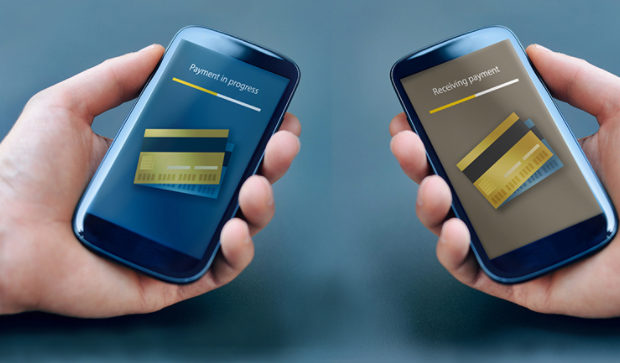
    Mistakes are human nature but with technology we learned a word ‘UNDO’ .When it’s connected to money a mistake is so crucial to bear . Suppose you make an online payment to a wrong person then what can be done. So if you committed one such in Venmo then here is the way to Cancel / Reverse Venmo payment.Today,an individual can order a car through Uber,book a room through Goibibo, pay a friend through Venmo with just a 3G/4G mobile phone.

    The ubiquitous access to the internet afforded by laptops,smartphones & tablets has laid the groundwork for many startups .

    How does Venmo work ?

    Venmo carries out money transfers between persons/organizations ,permitting  consumers to pay back people in their contact for any so forth  reason. A linked credit card,debit card or bank account is required to use this service. Besides this, the beneficiaries i.e. the users  can sends money to  friends or receive payments that can then be stored as a Venmo balance for use at a later date or can be  cashed out immediately to a bank account.

    Is Venmo safe?

    A major drawback of being digitised  is that everything goes on the network ,even the person’s personal details, adhar card nos. etc, which can become a threat to someone, if went in wrong hands. Yes,Digitsation brings convenience,but it’s security is also a major concern.

    We know that applications that  are directly linked to one’s bank accounts must be held to the highest security standards . However, in 2015, Venmo became the target of criticism due to security breaches of user accounts. And hence as a result ,it uses bank level security  & data encryption to protect users against unauthorized transactions & allow users to set up a PIN for mobile application access for additional security.

    Read Also : Venmo User Guide for Safe Transactions – Venmo payment

    How to Cancel / Reverse Venmo payment

    When someone sends money to a Venmo user, the amount is directly added to his account balance . Since transfer of money through Venmo is so instantaneous that one can’t cancel a payment once its been made.

    Suppose you transferred a venmo payment to someone else by mistake instead of the actual person. Then you will worried about the ways to Cancel / Reverse Venmo payment.Here you can request to do a payback from the person to whom you transferred by mistake.

    In order to do this you should write to that concerned person requesting a pay back . If you don’t hear back from them or need help sending a charge request,contact the support team of Venmo & they will help you to Cancel / Reverse Venmo payment.

    When you contact Venmo support team to Cancel / Reverse Venmo payment, please be sure to include the following details to expedite the process:

    • Username of person to whom you sent the funds
    • Amount of payment
    • Date of payment
    • Username & phone number of person to whom you were about to pay

    Read Also : Credit Card Debt Myths – Top 8

    Some simple steps to Cancel / Reverse Venmo payment:

    You can Cancel / Reverse Venmo payment easily .

    Cancel / Reverse Venmo payment If you paid the wrong person:

    1. Open the Venmo app.
    2. Tap the Send/Request icon at the bottom right corner of the app.
    3. Search for the person to whom you accidentally sent money.
    4. Search the person’s name in the currently searched list.
    5. Type the amount to be sent,next to the dollar sign.
    6. Leave a message into the message box,mentioning what it is meant for & to whom(optional).
    7. Click “Request” icon.
    8. Click” Confirm Request” icon.
    9.  Set a reminder,so that you can be notified.
    10. Approach  Venmo help centre, if your request is not accepted.

    Cancel / Reverse Venmo payment If you paid someone who doesn’t possess a Venmo account :

    1. Open the Venmo  app.
    2. Click the menu icon.
    3. Choose “Incomplete” icon.
    4. Click” Payments” icon.
    5. Click “Cancel” icon near the payment. By doing this the entry will be removed from the list, and the money will be refunded to the card or account from which it was sent.

    Read Also : Exclusive Nest Egg building guide for painless millionaire dreamer

    How to secure a Venmo Account:

    As we all know,evolution of technology & its increasing applications in our day to day life had made life easier & convenient .

    Just with a click of button, we can carry out all important banking transactions ,pay our bills,can do important business conferences/meetings through Skype, can interview for job also & even with the introduction of MOOC’s one can learn any skill/subject of his interest at his residence only.

    But,in the case of carrying out financial transactions & other banking processes, we are a bit more concerned about security of that service provider,since its linked to someone’s personal details & monetary savings. With a single loophole in the service, it can become a threat to a consumer .

    So, let us learn here ,how to secure a Venmo Account from thieves,hackers & snoopers :

    1. Create a Very strong password & immediately log put of the app,when not in use.
    2. One can add a two step authentication like a password with a pin or some pattern etc.
    3. One can set a not to easy detectable authentication to the phone also,in addition to Venmo,so that an unknown can’t access your phone without your consent.
    4. One can set his account’s settings to “privacy”.
    5. Twice check whether you are sending money to the right person/company.
    6. Timely keep an eye on notifications.

    Overview about Venmo security & service:

    With the recent introduction of Venmo’s Multi-factor  authentication feature, is now more secure to use , it automatically adds an extra step authentication to the user,when you attempt to login from a new device.

    It will send an OTP to the registered phone no. of the user & only after submitting that OTP, you can access the account.

    This feature is designed to maximize security while continuing to provide a quick and easy sign in experience to the users. If you have any query, you can contact Venmo team or can approach the help centre.

    So this is the overview of Venmo online payment and its security along with methods to Cancel/Reverse Venmo payment & Venmo account security tips.

  • Best Garage Band Alternatives for Windows and Mac

    Best Garage Band Alternatives for Windows and Mac

    ­In this reforming & evolving world,almost everything can be accomplished with few computer clicks. This article will be on the Best Garage Band Alternatives.

    You can do video calling,audio calling via internet,can do online chatting ,photo editing,paying bills online,transferring Money online,filling FIR online ,booking hotels or cabs online too,even shopping all the groceries online too.

    Similarly , Garage Band is one of the professional & popular software manufactured by Apple to record audio,edit music etc

    What is a GarageBand?

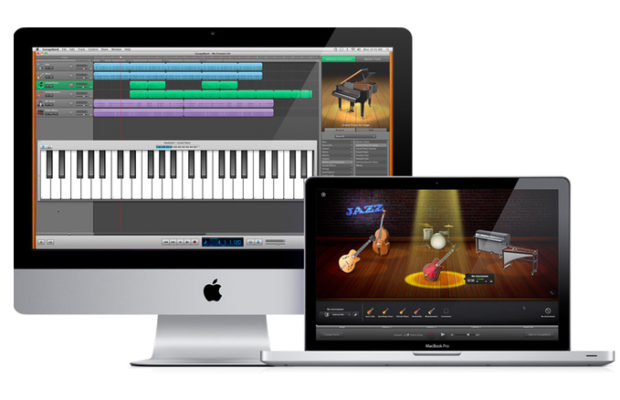
    GarageBand is a line of apple’s digital audio workstations for mac OS & iOS. It includes a full fledged sound library that involves instruments,presets for guitar & voice & so on. It enables users to create audio files via instruments,podcasts & many more. It assists & works well on Apple devices such as ,mac,macbooks,iPads & iPhones . Although an apple device does not contain incorporated GarageBand & hence can be downloaded from the app store.

    So,let us frame a list of some of the Best Garage Band Alternatives both for devices which supports GarageBand and not.

    In the techno era of advancement,when every single pupil desires to become technically /digitally superior.

    Who don’t want to try anything new ?

    Practicing anything new gives you a great deal of amusement,deed & evidently makes us do better judgement among all obtainable software /gadgets & if you’re missing your garage band & still want to amend than here’s a list of some astounding ,foremost suited Best Garage Band Alternatives for you to choose:

    Read Also : Best iTunes Cleanup Software for better iTunes experience

    Best garage band alternatives for Mac:

    Although GarageBand is a colossal tool to create audio files on your Mac. Its perfect for a fresher since it provides straightforward to use interface & the best part is its completely free.

    But if you wanna try out something new then there are huge number of best alternatives to garage band for Mac –

    1. Audacity:

    • Its paid.
    • Can be downloaded from Audacity

      Attributes:

    • Its an open source project raised & perpetuated by volunteers.For the freshers,it might look like a basic ,no ruffle product,but in fact, Audacity is a very competent system that can attain efficient outcomes.
    • Besides the widespread recording & editing functions,there are also the options to record multiple channels at once,add cross fades & even overdubs a stirring track- for clever vocal harmonies or so.
    • You can also exert filters to a track after you vanished background hums using noise ejection feature.It might not eradicate everything , but its still a great amendment.
    • It also holds the ability to advancing the pitch of a track without altering the tempo & vice versa,in addition,a reasonable  amount of built in effects that can be applied to recordings    

    Accessibility :

    • Although ,its dynamic ,but it assuredly isn’t pretty. It has not a majestic user interface,whereas garage band offers neat,study user interface & supports a modern design.
    • Menus & buttons are somewhat colorless,enforcing an initial impression that can be a bit menacing.

    Supported formats:

    • WAV,AIFF,AU,FLAC & Ogg vorbis,mp3,AC3,AAC & mp4 are also available via free downloads.

    Supported 3rd party hardware:

    • No official list,but many USB devices & microphones are compatible with it.LogicPro X:
    • Its a paid service.
    • Can be downloaded from mac app store

    Read Also : Top Satellite Car Radio Installation and specification guide


    2. Logic Pro X:

    • Its paid.
    • Can be downloaded from Mac App store

      Attributes:

    • Its the premier music suite available.
    • Its a full fledge executive level software studio.
    • Its lodged with quality implicit appliances -a huge library of loops,synthesisers & other audio tools .
    • It has a prodigious physical modelling synth ,ultrabeat drum synth & sequencer.
    • Plus it incorporates EXS 24 sampler which is particularly splendid .
    • It has an aptness of recording up to an utmost of 255 tracks in all,for each composition with ability to lay down multiple tracks at once.
    • It propounds complex & dynamic editing features ,offering you control over MIDI patterns,audio tracks ,in addition you can automate changes on the fly.
    • You can also correct any erring vocalists or dawdling guitar solo through a sort of a tone,Flex pitch.
    • It also authorizes you to switch between playlists & editing on any track making it uncomplicated to paddle with imaginative ideas.

    Accessability:

    • It offers a graceful layout ,uncomplicated comprehend & operate  some hidden advanced controls which can be unhidden with simple steps.
    • Recently, apple presented the option for ipad & iPhone users to upload logic files to icloud.

    Supported formats :

    • AAF,OMF,open TL,XML(final cut pro) projects. Plus AIFF,WAV,CAF,SDII,mp3,mp4 & MIDI output options.

    Supported third party hardware:

    • Core audio device are compatible

    Read Also : Best Apple Watch Alternatives-Affordable Gadgets


    3. Ableton live 9:

    • Its paid
    • Avaibale at Ableton

      Attributes:

    • DAWS(digital audio workstations )
    • Its quite distinctive ,usually you’ll useca music program to record & dispose parts sequentially in a timeline .
    • It also contains a mode called session which permits you to create shorter clips of music that are held in banks
    • You can also demonstrate with creating textures & riffs
    • If you’re satisfied with the various elements you then press a global record button & trigger the clips alive,generally via a MIDI controller.

    Accessibility:

    • The erudition curve it proffers ,can be a little abrupt. You cab be required to invest in some sirf of control device as well but a computer keyboard can be portrayed to trigger various clips.
    • It possesses a wealth of sound creation modules & sample libraries, plus unconventional editing controls that are executed in real time . After mastering the controls,you’ll find it an easy to use program.

    Supported formats:

    • WAV,AIFF,mp3,Ogg,Vorbis,FLAC

    Supported 3rd party hardware:

    • Various MIDI controller,plus a bespoke Ableton control surface(push 2) that is paid.

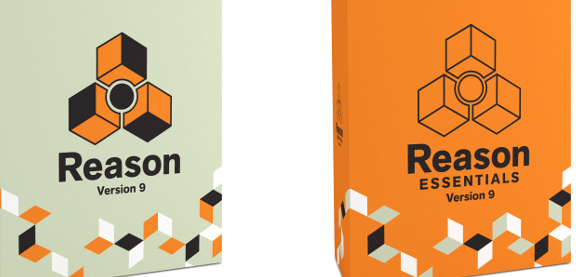
    4.Reason Essentials 9:

    • Its paid.
    • Can be downloaded from reason essentials 9

      Attributes:

    • Its one of the most favoured music creation platform around. Its one of the best paid alternative to Garageband .
    • It involves standout features which is generally of the nature of exceptional synthesisers ,sound modules & virtual instruments .
    • Each one comes complete  with dials & sliders that look emphatically analogous in nature .
    • It is boosted with glorious effects that can create sonic landscapes ,mangle audio into enchanting new textures & authorizes one to build detailed & stomping drum motifs .

    Accessability:

    • User need to learn firstly, how to operate ,however its almost analogous to Ableton live.
    • Users finds it exciting to experiment with due to high calibre sounds .

    Supported formats:

    • AIFF,WAV,REX

    Supported 3rd party hardware :

    • Pretty much any media controller .
    • You can check out other astonishing  garage band alternatives too like-
    • Cubase elements 9(paid )
    • Reaper 5 (paid)
    • MuLab 7(free or paid both)
    • Ardour (free )
    • Ohm studio (free for 1st 10 projects)

    Best garage band alternatives for Window

    Now ,look at best garage band alternatives for your windows users :

    1. Audio tool:

    • Its a web browser based tool that authorizes you to incorporate music online & it also unites some dynamic attributes.

      Attributes:

    • Its a web browser based tool that authorizes you to incorporate music online & it also unites some dynamic attributes.
    • It allows you to store all your sample tracks in the cloud ,so that one can retrieve it from any where when necessary.
    • It requests no singular software to be installed ,you can instantly work upon it .
    • The final product can be dispensed  on social media like Fb,YouTube etc
    • Its an ideal tool for alliance & it works with a diversity of applications & devices.
    • It also grants you to remix all downloadable sample tracks available.
    • It is built with numerous musical instruments,mixing options,effects & many more.

    2. Mixcraft 7:

    • Its paid with free trial.
    • Like garage band ,it proffers a use friendly interface & a boundless hub of loops that could help you to create music in an attainable manner.
    • Its an easy to use tool,that permits one to consolidate down the tracks.
    • Even a fresher, who don’t have any idea or experience  of using any such software can assimilate  very easily. All you are entailed to do,is to drag & drop the loops to start petitioning them.
    • It also sanctions you to edit videos as well & it comes with a great assortment of plugins that authorizes you to add astounding effects .

    Other best garage band alternatives for window users are-

    • Soundation studio
    • Music Maker Jam(free with in app purchases)
    • FL studio 12(paid)
    • Reaper(paid )
    • LMMS(free,open source)
    • Stage light(paid)

    Yes, there are several Best Garage Band Alternatives that proffers an analogous set of features to GarageBand that you can install on your PC. Whether you want to work methodically instead of getting up with some loops,these apps will be a great platform for it.