Tag: tech assistance

  • Instagram for PC – How to use Instagram for Desktop ?

    Instagram for PC – How to use Instagram for Desktop ?

    Even though many things are easy when it can be done in  mobile , there are some times we need things to be done from our PC . So if you have ever felt to access Instagram from Computer then lets take a look at Instagram for PC and how to use Instagram for Desktop .

    Some people who might have felt this situation will be when transferring DSLR photos to Instagram , where they needed to work twice – edit on PC , transfer to mobile then upload photos on Instagram . For them this can be useful but we will even give a post especially to transfer Photos from DSLR to Instagram directly .

    Now back to the topic Instagram for PC .

    Instagram for PC – How to use Instagram for Desktop ?

    We know that Instagram is popular social media app for mobile so how to use Instagram on PC . Let’s sort it out here.

    You can use Instagram on Windows and Instagram on Mac on different ways so let’s discuss

    Read Also : Instagram tips and tricks to be a Pro Instagrammer

    Read Also : Contact Instagram Help Center Support for Any Assistance

    Access Instagram for PC – Set up Instagram for Chrome ( Instagram on Windows)

    If you are using Chrome browser then to use Instagram for PC there is an easy method . First you have to download a chrome extension ” Instagram for Chrome ” . Now on the chrome toolbar click on the  button . Now it access your Instagram account on Desktop . Log in / sign in to you Instagram account thus you can use Instagram on web .

    Another way by which you can access Instagram on windows is from Instagram Windows store app from Microsoft store .

    Access Instagram for PC – Set up Instagram for Safari (Instagram on Mac)

    You can use Instagram on PC using Safari Browser . If you want to use Instagram on Mac then set Safari as your default browser and follow the steps .

    • Open your Safari browser
    • Click on Advanced option from Preferences
    • Now on the bottom find the option “Show develop menu” on the menu bar .
    • Next step is you have to open up a private safari browsing window
    • Select User agent from Head to develop and select Safari — iOS 10 –iPhone
    • Go to the website instagram.com
    • And now sign in to your Instagram account

    Now you can upload photos from desktop on Instagram by clicking on the camera button you find on the button of the screen .

    By this method you can access Instagram for Desktop or PC thus allowing you to use Instagram on Windows & Mac.


  • Contact Instagram Help Center Support for Any Assistance

    Contact Instagram Help Center Support for Any Assistance

    You can contact anyone , anywhere but getting back response is difficult . So if you are in search of how to Contact Instagram Help Center Support for Any Assistance and get response from Instagram team then here we reveal you all the essential methods in-order to Contact Instagram team .

    How to Contact Instagram Help Center Support for Any Assistance

    You can contact Instagram in two ways either by their phone number or by mail and the their way is by postal .

    Instagram Contact Phone Number & Instagram Email Address 

    You can contact Instagram support by means of connecting through Instagram Contact phone number , that is  by dialing to 650-543-4800 .

    Secondly you can contact Instagram email support by sending a mail to their official Instagram support mail id , that is – support@instagram.com . And for press related inquiries you can contact press@instagram.com.

    But most often you will not get response from Instagram support via mail of phone . 

    So how can you contact Instagram to get Response back ?

    Let’s dig out the ways to learn it !!!

    Why Instagram doesn’t respond to mail ?

    Let’s deal it with a practical mathematics to answer this out . You know that Instagram is a fastest growing social media app that is popular among more than 242 million users around the globe . This number is even likely to grow in even every next second .

    So now let’s answer this question why Instagram doesn’t respond or why Instagram support doesn’t respond to your query/ ticket with a simple math . Let’s assume that on a day at least a lakh of people in one million has some queries. So multiply it to 242 so it goes to approx of 242 lakh queries on a day average , even if the real actual is 1/4th of the calculation also it is a big figure of queries reaching out to Instagram in a day . So practical impossibility of answering all the tickets is one of the reason for not getting reply for your mail to Instagram .

    Read Also : Instagram tips and tricks to be a Pro Instagrammer

    How to Contact Instagram Help Center Support for Any Assistance 

    You can contact Instagram support as normal user by submitting a request on help center .

    • First go to the official website of Instagram  ( https://www.instagram.com/ )
    • Now scroll down you can find Click support at bottom of the Instagram Home page .
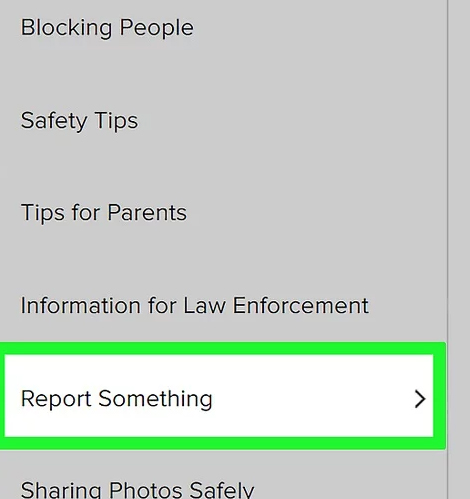
    • Click on Privacy & Safety Center from the left hand menu.
    • Click on Report Something option and enter your issue that you are facing . This is a way to report issues on Instagram .
    • Now select the link for reporting it .

    • Based on your issue type fill out the required form .

    How to contact Instagram on Social Media 

    This way can really work if you are popular on twitter or Facebook . You can get response from Instagram on Social media sites like Twitter and Facebook .

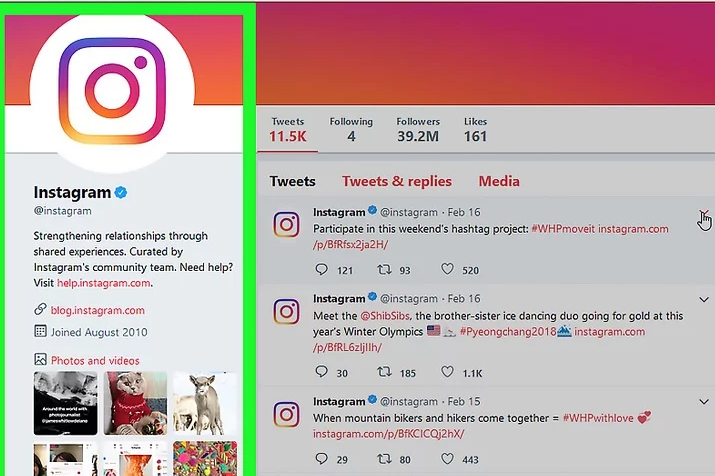
    You can contact Instagram on their official twitter profile and Instagram official Facebook profile .

    Twitter can be more preferred option .

    How to contact Instagram Support as an Influencer 

    I am sure that you would have at least once come across Instagrammers posts on how to reclaim Instagram accounts that are stolen , hacked etc .

    You can increase your chances of getting response from Instagram support team if you have a huge number of active Instagram followers . Then the other way is to find an individual who has contact in Instagram . Going for unofficial Instagram support providers are expensive and may be not secure as well .

    So this is the way to contact Instagram support team for any of your queries .