Tag: DuckDuckGo

  • Private Search Engine That Doesn’t Track You Online – Top 5

    Private Search Engine That Doesn’t Track You Online – Top 5

    Privacy is becoming an illusion these days as we are being tracked anywhere & everywhere . This becomes really tough when your Online privacy is like a Utopian concept .You search something online your Browser tracks you , but you can skip it with Incognito mode search . But this doesn’t mean that your searches online is not being tracked . Most of the search engines tracks your search and even your ISP provider tracks your search . How to prevent search engines track your searches ? Simple , get used to the Private search engine that suits you best .

    You might consider using the incognito mode or mend the settings such that you are not tracked but still you can’t be sure that you are not tracked. And most of the times you are tracked in the incognito modes as well. The best way to prevent yourself from being tracked is to use private search engine. There are a number of engines which ensure that you are not tracked.

    Private Search Engine That Doesn’t Track You Online

    Let us take a look at some of the privacy ensuring search engines that doesn’t track you . So what are those best private search engine on the list is given below –

    DuckDuckGo

    It is always counted among the best private search engines. It is the most secure private browser. It does not tracks you hence you are relieved of the tons of advertisements on the webpages. Not only that along with the privacy, it has lots of other cool features.

    It has a number of shortcuts like using right keywords directly open the webpages instead of the search results. Directly perform calculations or open calendar. So overall it is an awesome search engine which provides you with security and cool shortcuts. We have already discussed a lot about this private search engine , if you are new to this search engine , then take a look at the DuckDuckGo Search Engine Tips and Tricks .

    Metager

    Metager provides you with utmost privacy while surfing the internet. The way it ensures your privacy is that it is uses proxy server. This way you can surf any website anonymously means that the site you visit is unable to track your actual address.
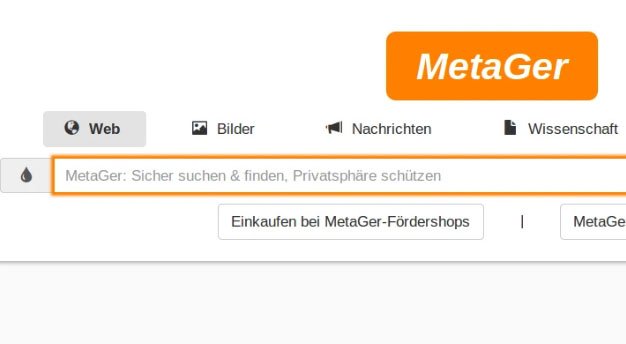
    It is based in Germany so was initially launched in German language but was launched in English in 2013. Also it search your queries in 50 search engines and then sort them and then show you all the results.

    Hulbee

    Hulbee also ensures you with complete privacy while surfing the web. It does not tracks your keywords or anything so that you get any customized adds.
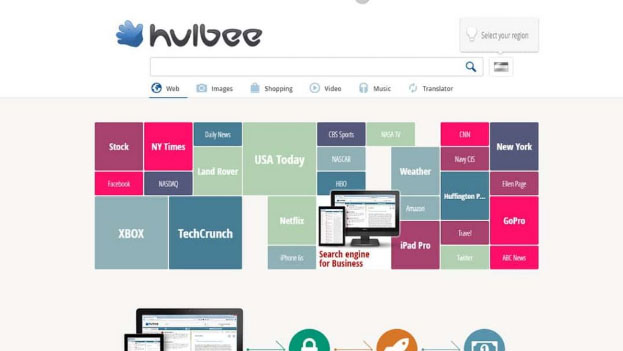
    It also encrypts your data this way even if anyone in middle steals the data is not able to utilize it and hence providing extra security to your data. It comes with an option clean your activity letting you remove your search history completely .

    Disconnect Search

    Disconnect search find answers to your queries from other search engines like Google and yahoo and then display the results to you. You can set the locations for the search to find results which are region specific.
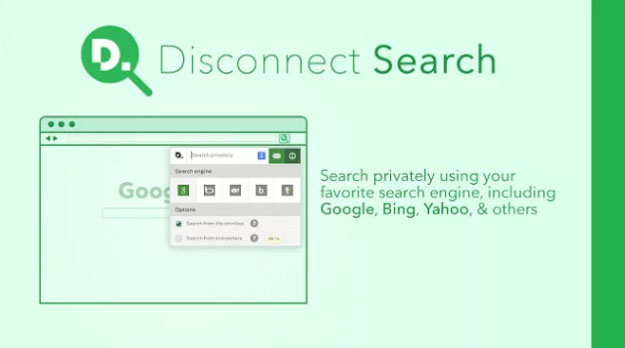
    The best thing about it is informs you which tool is protected or unprotected thus you can use them accordingly. It also never tracks or stores your data or IP address, providing complete security.

    Oscobo

    Oscobo ensures privacy as it never keeps IP address saved after your browsing .Secondly is that they don’t use cookies which is very unusual hence ensuring even better privacy and ensures that no third party is getting my data.
    And it is nearly as efficient as Google and simple to use and adding more features with time. Its extension can be added to the chrome browser.

    Hope you find these list as useful for private browsing . These are best search engine Alternative to Google .

  • DuckDuckGo Tips and Tricks to Search Like a Pro

    DuckDuckGo Tips and Tricks to Search Like a Pro

    DuckDuckGo the name might sound unfamiliar to you, right but no problem. After reading this article you are going to be pretty familiar to this name. Here we will not only make you familiar about DuckDuckGo features but also about DuckDuckGo Tips and Tricks to Search Like a Pro.

    What is DuckDuckGo ?

    So, DuckDuckGo is a search engine like any other search engine such as Google, Bing or yahoo you might be using daily but still pretty different. Google kind of has a monopoly in its market, we rarely see someone using some other search engine and it does has some amazing DuckDuckGo features but that doesn’t mean there is not any other search engine present with such cool features. DuckDuckGo as odd the name might sound to you has some pretty cool and awesome features and can be the replacement as your primary search engine.

    Before we discuss about the DuckDuckGo Tips and Tricks , let’s take a look at the reason to choose DuckDuckGo .

    Read also : Best Web browsers for Computer & Smartphone

    Why DuckDuckGo ?

    So, you must be interested in knowing that what makes it different from other browsers. First reason is that the amazing DuckDuckGo shortcuts which prove to be really handy while browsing but wait that’s not the only reason. The reason that will attract you the most to switch to DuckDuckGo is Privacy.

    DuckDuckGo Vs Google 

    When you take a comparison between DuckDuckGo Vs Google then the key difference is that DuckDuckgo doesn’t tracks you , they don’t have personalized ads .

    Whether it is Bing , Yahoo or Google , You are tracked . For many of us having not someone tracking us down is a huge concern. If you belong also to such class of people then the DuckDuckGo search engine is your solution. But it isn’t the only cool thing about it, there are a lot more.

    Now let’s go the core topic – DuckDuckGo Tips and Tricks .

    Read Also : Best Torrent Managers for Computer & Smartphone

    DuckDuckGo Tips and Tricks to Search Like a Pro

    Here are some cool DuckDuckGo tips and tricks which will prove handy to you while using DuckDuckGo :

    1. Bangs!

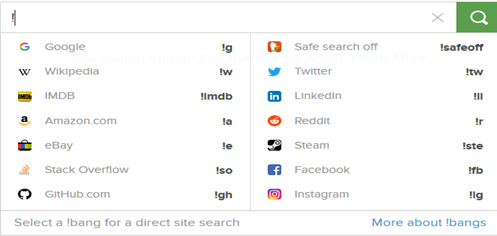
    Easily one of the best feature of the DuckDuckGo search engine is its !Bang  feature. All you need to do is use an exclamation mark on the address bar, followed by the supported bang you want to search for, and your desired keyword. It takes you directly to your desired website.

    For e.g. if you write !a shoes in address bar it will directly open the page of amazon website showing shoes.

    Some more examples of bangs are shown in the image below.

    2. Get Cheat sheets

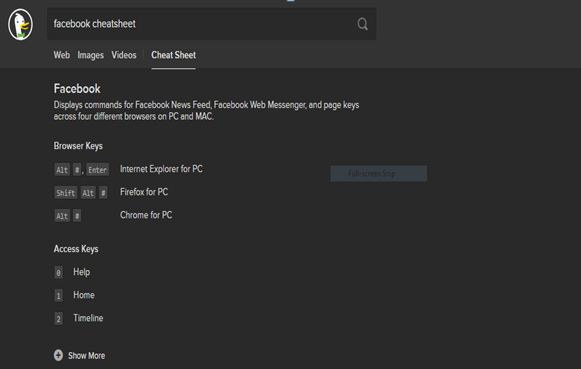
    While using any softwares or any operating system some shortcuts definitely prove to be very handy. DuckDuckGo provides an easy solution to this, all you are required to do is to enter the name of the software and keyword ‘Cheatsheet’ and you are shown the list of all the relevant cheat codes.

    For example, simply write Facebook cheatsheet and the result is :

    Read Also : Best File compression Tools for Computer & Smartphone

    Read Also : Best Email clients for Computer & Smartphone

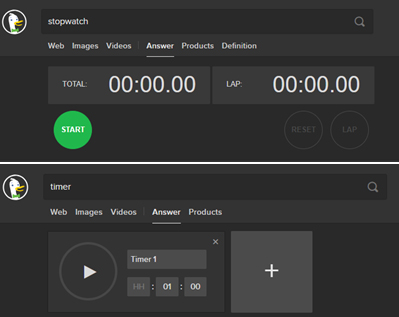
    3. Stopwatch and Timer

    Want to use a stopwatch or a timer in your computer or laptop itself, no need of any additional software DuckDuckGo browser can be to some use here. You can simply write stopwatch and timer in the address bar and there you go :

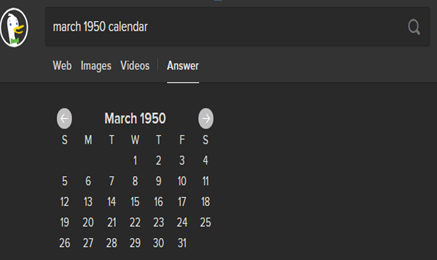
    5. View any Calendar

    On DuckDuckGo you just have to write the month followed by the year and type calendar and you are able to view the desired calendar :

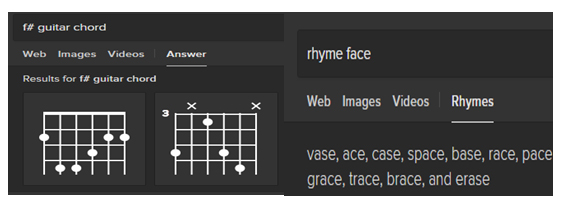
    6. Music Buffs

    If you are a budding music artist this search engine can be of tremendous help. You can look for chord diagrams. You can carry out frequency and mix pitches conversion. The most amazing feature for any artist is its rhythmic dictionary as while writing lyrics you can look for rhyming words.

    7. Text Casing

    You can change the casing of any text by pasting it in the address bar and adding a prefix lowercase with a space and hit enter. You can get the desired results and paste them to the desired location. Same can be done for uppercase and title case.

    8. Generate QR codes

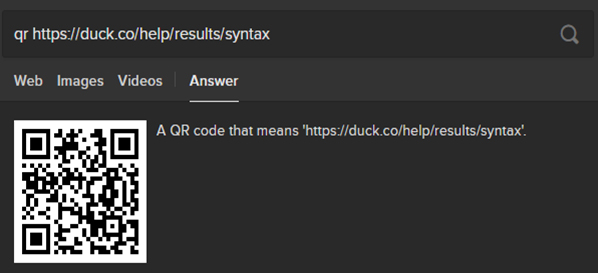
    QR codes are a quick way of accessing any website. You can generate QR codes for a website by typing QR code and then paste the desired link and then through this qr code you can easily access the website on your phone.

    Read Also : Best Laptops of the Year – Buy the Right Laptop for You

    9. Filtering results

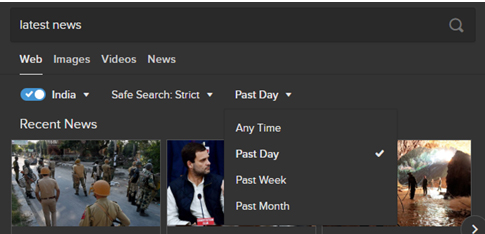
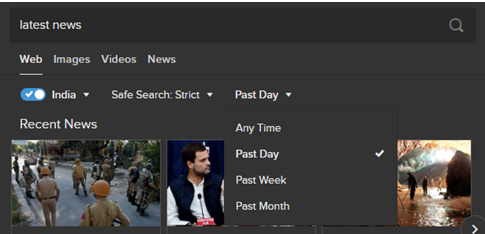
    If you want to find solution to your query but you want the results to be limited in a certain region over certain time period, you can easily set the locality and time filters in the DuckDuckGo search engine.

    10. Find app alternatives

    You can easily find some app replacements you might be using in your phone or your laptop. Simply write alternative to followed by the app name and there in you can find a number of alternatives :

    11. Remove some word from your search

    If you are entering any query but want certain word that should be excluded from the results to be displayed use ‘-‘ sign and then the word you want to remove. For example “Losing Weight”-diet will show you results regarding losing weight without diet.

    12. Generate passwords

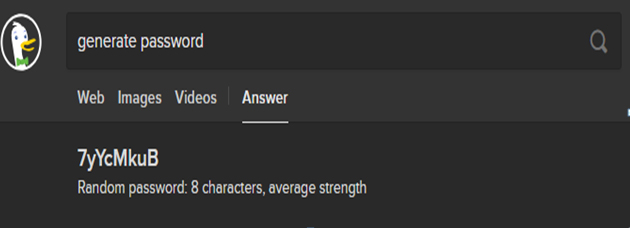
    These days you are to create accounts on like almost every website to get to use its service and thinking of different and secure passwords can be a bit tiring. Here DuckDuckGo can come to your rescue by generating strong passwords and all you need to is write generate password and there it is :

    13. Expand/ Shorten URL’s

    If you have any long link and want to shorten it or if you want to expand an already shortened link DuckDuckGo can help you in doing that.

    Use ‘shorten’ for shortening the link & ‘expand’ for expanding a shortened link.

    14. Search for social media info

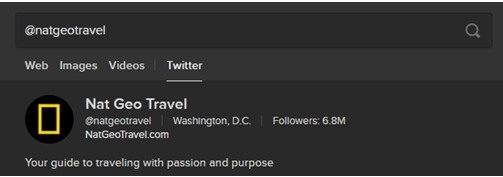
    If you want to search any person or page on any social media website, enter its name according to the syntax of that website. For example for searching something on Instagram use ‘@’ followed by page’s/person’s name.

    15. Generate Figlets

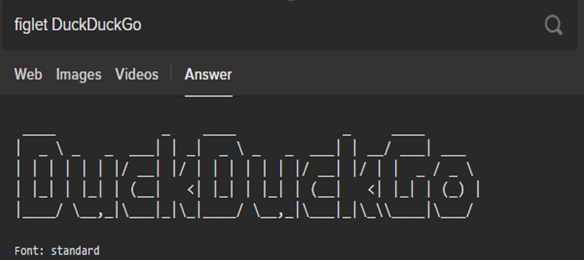
    For generating the figlets for your text all you need to do is type figlet followed by desired text.

    16. Check whether any website is down

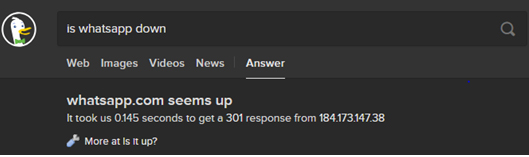
    You get to listen and experience that a popular website is down. You can easily check whether a website is down using DuckDuckGo. Just enter is followed by website name followed by down and you can get the answer instantly.

    17. Search for specific term in Title of Webpages

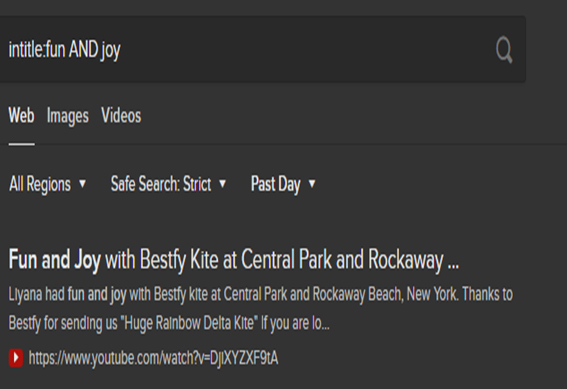
    When you want to find pages with a particular term in the title, use intitle: and then enter the terms you are looking for. For example intitle:fun AND joy will show those webpages in results which have both fun and joy in their titles.

    So, now you must be quite familiar with the DuckDuckGo search engine and there are a lot more besides the ones discussed above. After reading the different DuckDuckGo tips and tricks mentioned above you must feel that DuckDuckGo has loads of cool features and it deserves a fair chance to be your primary search engine. Moreover, it is available in all the leading browsers i.e. Chrome, Firefox and Safari as well. Do tell us about your experience of using the DuckDuckGo search engine and which feature do you find the coolest.