Tag: Camera

  • 25 Best Selfie Apps for every Selfie Lovers – Perfect Click

    25 Best Selfie Apps for every Selfie Lovers – Perfect Click

    25 Best Selfie Apps for every Selfie Lovers – Perfect Click

    Today Selfie is like unavoidable click in a day so here is something useful for selfie lovers – 25 Best Selfie Apps for every Selfie Lovers .

    25 Best Selfie Apps Trending

    Click! Click! Click! Smile, pout, and pose.

    Selfies have become a part of our everyday life. It’s a way of making oneself confident and also helps to realize the flaws. Selfie by the sea, selfie at workout, each minute is a memory now captured on the phone.

    We already have smart phones with 16MP front facing cameras in the market. Selfie has become a sweet craze that will only increase with time. The users love the attention they get when the pictures are posted on social media platforms and they receive positive comments. This boosts a person’s morale we can say.

    People not only take pictures but also improvise it with various apps. With over a million apps to choose from for iPhone and android, it becomes relatively difficult to select good software that serves the purpose. Selfie apps provide a lot of editing and face enhancement tools.

    If you claim to be bitten by the ‘Selfie’ bug then this is for you! Find below 25 of the most popular Selfie apps for selfie lovers that work on windows, Android, iOS and both. From editing, to makeup there are ‘n’ numbers of features to opt for.

    25 Best Selfie Apps You shouldn’t miss

    Here is the list of 25 Best Selfie Apps that can make every selfies of you more beautiful with great number of filters , editing option and so much .

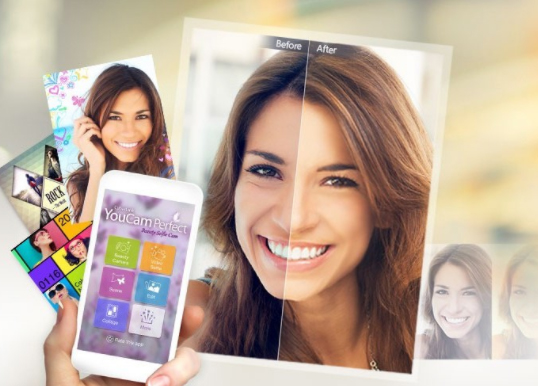
    • You Cam Perfect – Selfie Cam

    This is one of the best and most popular and Best selfie apps. You can apply loads of effects for both the photos as well as videos. You Cam Perfect can make your face look thinner, eyes bigger, adjust skin tone, and remove wrinkles and pimples. The highlight of the app is the Auto beautifying effect which retouches the picture with a click of a button. With this app you can stand out, for it can make you look taller and body slimmer.
    Read Also : Exciting free Photoshop Alternatives for high quality photo edits

    • Retrica

    One of the top rated selfie apps, Retrica is free and no in-app purchases too. It’s available both on Android and iOS. The main feature is it allows applying the filters live even before the picture is taken. It offers the ‘Vintage’ effect which is quite in use. Retrica is a best selfie app for android as well as a best selfie app for iOS.
    Read Also : How to Fix “Cannot Take Photo” Problem on iPhone and iPad

    • Candy Camera

    Candy Cam is used worldwide and is another top rated selfie camera app. Here too the filters appear real time. The tools to be noted are the makeup functions like the concealer, lipstick, eyeliner and mascara. They also offer a range of stickers for every season. Also note that new stickers are added with every update.
    • BeautyPlus

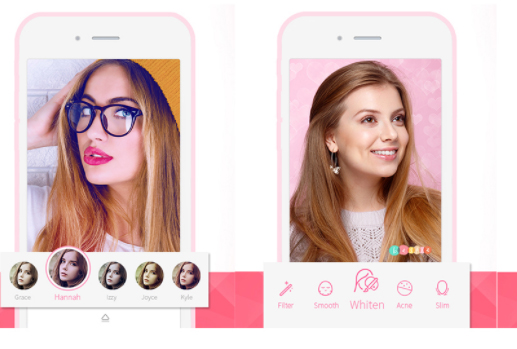
    Like most apps Beauty Plus allows to take photos and videos selfies and then apply the beauty filter. As the website claims they have worked with the well-known makeup artists, photographers, and real people to lend perfect photo touch up. They have tools for teeth whitening, dark circle and acne remover, brightening eyes, slimming and contour. It is the best selfie editing apps .

    • B612

    Called the ultimate selfie app, B612 is designed mainly for selfies. It has the option for selfie videos that last about 3-6 sec long.
    • Perfect 365

    This mainly concentrates on the makeup and beauty tools. The one tap makeover feature helps to try makeup templates that are in trend.
    • Snap chat

    Snap chat is quite a fun app to work with. It has funny filters that can be applied live. Apart from selfies you can chat using this app. It is quite popular these days and thus it is one of the Best Selfie Apps.
    • Instagram

    Like Snap chat, Instagram is also a photo and video sharing app. You can keep a tab on your friend’s pictures and news feed. You can also edit the pictures with cool tools.
    • Best Me selfie camera

    This is mainly a camera app and they provide 125 real time filters. They have timers; blur effect for Instagram, support for selfie stick and much more.
    • Bright Camera

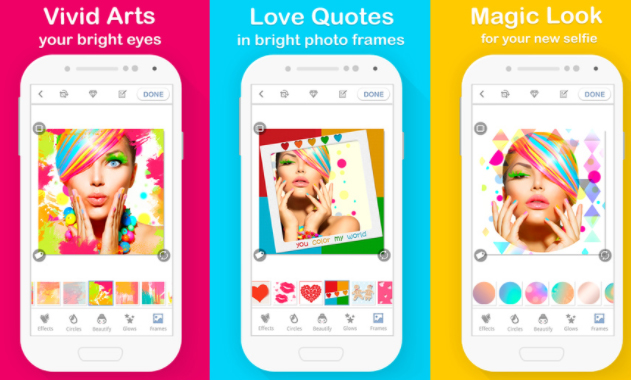
    With this app you will never have a boring selfie. They give a number of stickers and frames and a set of special love effects. Love quotes and sayings in beautiful photo frames is their main feature.
    • Selfie Studio

    Selfie studio app is very easy to use. This helps you to take perfect selfies edit them and post on social networking sites in a few minutes.

    • Line Camera

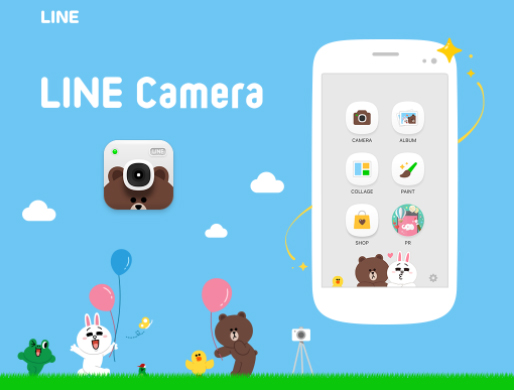
    Line camera gives us a lot of features like mirror mode, timer, flash, filters to brighten shadowy pictures etc.
    • Retro Selfie

    This app takes your picture to the past in the most amazing and wonderful manner. It gives the picture a vintage retro look. They have 100s of filters to choose from.

    • Silent Selfie

    This selfie camera app has a silent shutter mode for taking pictures in crowded places and stares from the public. There’s a pinch option for a zoom in and zoom out camera view.

    • Cymera

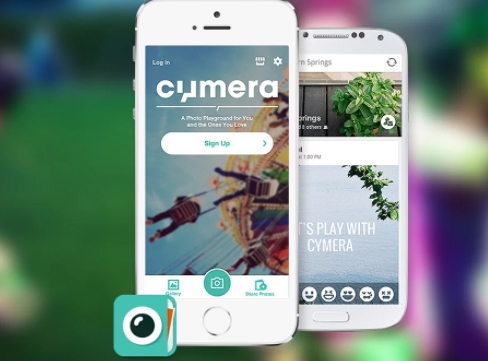
    Cymera is a very popular for selfie and editing. It has 7 different camera lens and beautifying functions like skin correction, face lift, natural hair styling and face recognition.
    • FaceTune

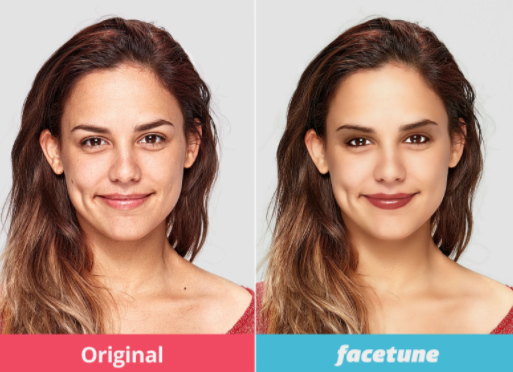
    Unlike other apps this is a paid app. Even with the payment option many go for it as it provides instant touch up to selfies, removes red eye, redefines jaw line etc.
    • Makeup Selfie Cam

    Used by many for the beautifying effects, it helps to remove blackheads, pimples, acne and blemishes to give a smooth skin.
    • Frontback

    Contrary to the other selfie apps this is capable of taking two photos simultaneously – one from the front camera and the second from the rear camera. This app also provides a 5sec short video.
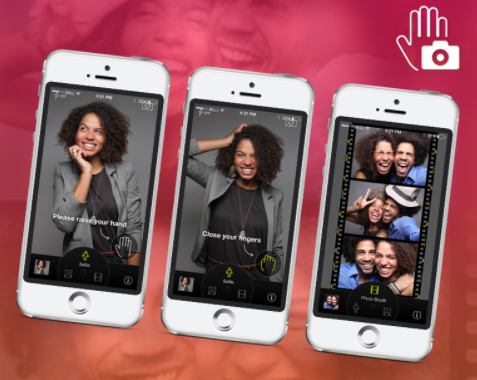
    • CamMe

    CamMe is an iOS friendly app. The features that stand out are photobooth that helps to take a sequence of photos.
    • PIP Camera

    Picture in Picture (PIP) as it’s called is a photo editor that gives a feel of a photo inside another. They have special frames and filters, fun stickers and mysterious filters.
    • Bestie

    As the name suggests it’s a bestie for teens. They have auto detect functions, natural retouching, and quick-fix for contour.
    • Picr

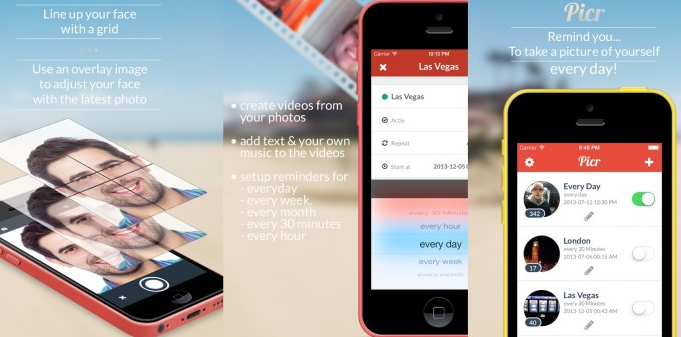
    With Picr you can create everyday photo and video. It gives a reminder to take pictures to document your life. Picr will help in clicking pictures correctly and finally will make a short video itself.
    • Lumia Selfie

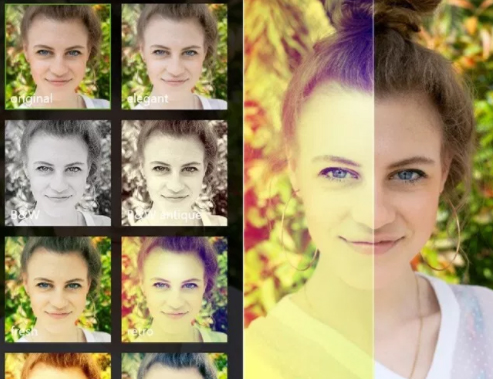
    Lumia’s built–in selfie app is one of the best for windows handset. The built-in beautifying feature provides smooth skin tones, teeth whitening and other filters.
    • Flickr

    Here too like Instagram and Snap chat the photos are made available to others for viewing. You can click, edit and upload pictures to social networking sites and you can access it anytime and anywhere in the world.
    • PicsArt

    This app allows you to modify and edit pictures by adding stickers and filters, applying masks, adding texts and making collage.
    Selfies have been in the running from the time cameras were in use. The invention of smart phones has lifted the photo taking experience a notch higher with these kinds of apps to intensify the pictures. Hope the list of Best Selfie Apps can make your selfie experience much better .
  • Time Lapse Video Making Guide

    Time Lapse Video Making Guide

    Time Lapse photography is the latest trend to hit all the photographers especially the nature lovers. You get to view a lots of natural phenomenon in quite an interesting way. So you must have come across time lapse video on any social media platforms, because these are a rage nowadays and they rightly deserve so.

    What is Time Lapse Video ?

    Time lapse videos are long videos whose speed is increased so that the slow changes can be viewed and observed better. Time lapse videos are created for those processes which are very slow and humans often lack the patience to view such processes completely such as sunset, blooming flowers, growing plants or any other thing like that.

    Time lapse videos can be made in two ways, either video is recorded continuously and then its speed is increased or photos are clicked after fixed intervals and merged later to form a video. Some slow phenomenon such as sunsets, blooming flowers and many more look stunning and interesting when viewed in time lapse videos.

    Here I have tried to breakdown the process of making a time lapse video and list down all the requirements. So let us begin with this :

    Understanding the Basics of Time Lapse Video Making

    Before actually beginning with the making of the time lapse video you need to understand what time lapse actually is?

    It is any normal video of longer interval which is played at high speed so as to give an effect to the user that time is moving fast or join a large number of pictures together to form a video. Time lapse videos are generally of short interval.

    How to make Time Lapse Video ?

    You got a picture about what is time lapse videography . Now to create a time-lapse video or to begin with the process. You must choose “Subject of Time lapse Video”

    So there are a number of phenomenons which are quite boring and slow to be observed with your eyes but when speed up in time lapse videos look stunning and beautiful. Here are few such listed out –

    • Sunset or sunrise
    • Blooming flowers
    • Under construction buildings
    • Movement of Clouds
    • Rotting fruits
    • Busy street or highway
    • Growing of plant

    All these things can result in some beautiful, fun and cool time lapse videos.

    Then based on the subject you choose you have to decide which type of time lapse video you want to choose whether Smooth or Blocky. But lets get familiarized to these terms first.

    Smooth Time Lapse Video :

    This means that either the video has been shot continuously or the separate shots are taken at shorter time intervals. Smooth time lapse videos are generally preferred for things like sunset, sunrise, movement of clouds or busy street or anything like that which last for few hours or a day not more than that.

    Blocky Time Lapse video :

    In this type of time lapse videos the separate photographs are taken after longer intervals thus when merged together kind of form a blocky video. This type of time lapse videos is preferred for shooting events which take much more time to take place such as blossoming of flower, construction of building, rotting of fruit and many more.

    Now since you have decided the subject for your video and based on that the type in which you want to shoot your video you need the right equipment to shoot it.

    Equipment required for Creating Time Lapse Video :

    Everything needs its own equipment to get that perfection and professional outcome . So if you want to take a professional time lapse video then this will be complex and tiresome. So let us take a look at the equipment needed for time lapse videography .

    There are majorly three options for you :

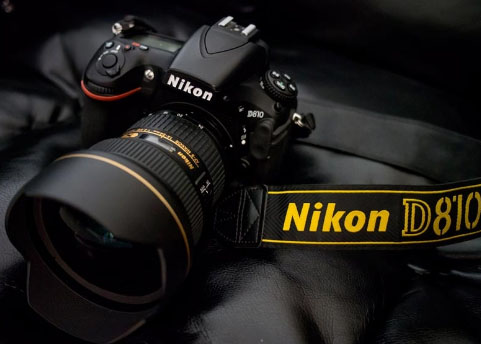
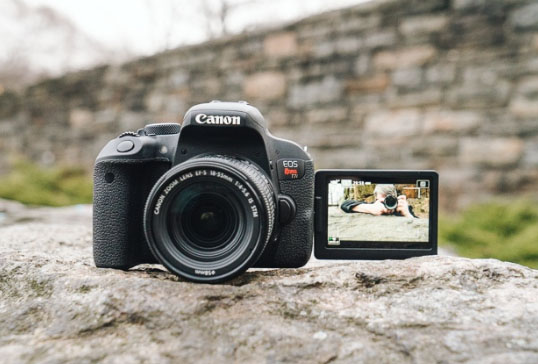
    • If you own a DSLR then it is definitely the best option since it will let you shoot the video in the best quality and highest resolution.
    • The next best option is the Point and shoot cameras. These are compact and pocket sized cameras. These have lesser features as compared to DSLR but still provides you with high quality videos.
    • Even high resolution camera Smartphones are good enough to make time lapse video and time-lapse Photography .

    Now you can choose which camera to be use for creating time lapse . Once you have decided with what device you are going to shoot your video, whatever it may be you will definitely need a tripod stand. It is important because it helps you in shooting a stable video not a shaky one. It keeps the frame fixed, because if the frame will vary then the resulting time lapse video won’t be shaky and will also save you a lot of effort. It ensures consistency to the video or the pictures.

    Since point and shoot camera is smaller in size you can also go for a gorillapod which also helps balancing your camera on uneven surfaces.

    The next equipment you will need is some kind of device which can instruct your shooting device to click pictures at fixed intervals since you may not be able to stay all the time with your camera. This problem is shot by Intervalometers for DSLR cameras and Time controller device in point shoot camera. But first you must check your camera’s manual since it may already have an inbuilt such time controlling device. Both intervalometers and time controller device acquire the control of your camera’s shutter and then you can set the interval after which you want to click the picture.

    Also instead of buying an additional device you can also have a number of software which also serve the same purpose but you will need to attach your laptop for all time to your camera via a USB cable. You can choose suits whatever suits you well. So I have also compiled some of the best software which are going to help you a lot while shooting a time lapse video.

    For Nikon DSLR camera users :
    • Sofortbildapp (Mac) – Compatible with most of the latest Nikon camera models.
    • D-Software Cam Control(Win) – It can be used for controlling your camera’s Shutter speed, exposure, ISO and Aperture
    • Nikon Capture 4.0(Win and Mac) – It is an amazing and powerful image editing tool. You can control nearly all the features of your camera and also lets you save your pictures directly to the PC. And definitely provides the features for the post editing of the pictures.
    For Canon DSLR camera users :
    • DSLR Remote Pro(Win and Mac) – It is among the best software to control your canon camera from your Windows PC.
    • inPhoto Capture(Win) – This software is quite easy to learn and use. It lets you control some of the latest models from your PC. It also lets you control your Olympus camera.

    Apps for shooting Time lapse using iPhone :

    Now will look at the best time lapse video apps for iPhone –

    • iTimeLapse : It is an all in one app which provides you with the features for every aspect of video making starting from clicking pictures and after editing. It lets you control white balance, iso speed, focus everything. Then once done you can edit all the frames and add audio, background effects and much more editing can be done. But the only problem is that its major features are available in the purchased version.

    Read Also : Cinemagraph app that makes pictures move ( iOS & Android)

    • Gorillacam : This app also provides you with a number of features but lesser as compared to iTimeLapse but it is available for free. For beginners it is a good way to start.

    Time Lapse Apps for Android :

    Let us look into this in detail later now here listing out few apps for android time lapse video making –

    • FrameLapse
    • TimeLapse
    • Hyperlapse by Microsoft
    • Lapse It
    • TimeLapse Camera

    Read Also : Best Triple Camera Phones to Buy This Year

    Editing Time Lapse Video :

    Once you are done with all the video recording or clicking pictures now is the time to edit time lapse video . There are two most popular timelapse editing software used for editing :

    Photoshop :

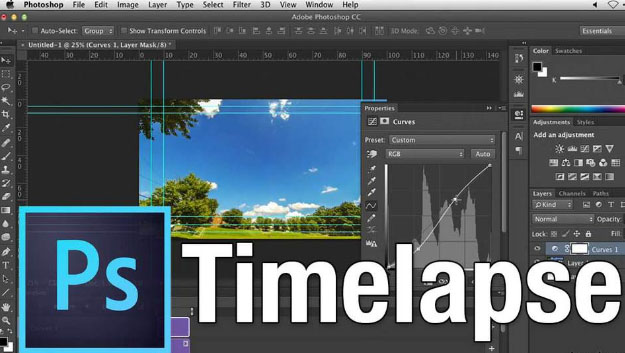
    None of us is unfamiliar with the power of Photoshop. Here also it provides you with a lot of ease. First open a picture and apply all the editing affects you want to on it. Once done create a new action by selecting Action from Windows.

    Redo all the affects to record the action. Apply this action then all of the left pictures in the batch. For doing so select Automate from Windows and there click on Batch.

    Read Also : Exciting free Photoshop Alternatives for high quality photo edits

    Lightroom :

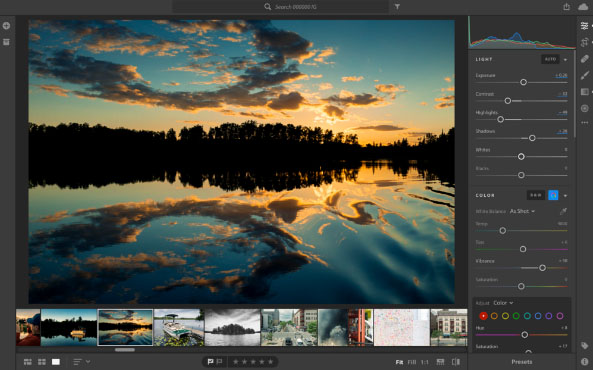
    This is another software famous for post editing your pictures. Here also in Develop mode apply all the effects on a single picture. Then select pictures from the batch and click on Sync button. Same effects will be applied to those as well.

    Combining Time Lapse Photos :

    In the process of how to make time lapse video , the very last thing one have to do soon after editing is to combine all those edited pictures into a movie . So as your time lapse video gets ready . You need some of the apps for the purpose , here we go with it –

    • Apple Quicktime Pro7(Win and Mac) : Just open the folder which contains all the picture and select the first picture. And then it will automatically combine all the photos.
    • Time Lapse Assembler(Mac): This is another software which lets you merge your pictures but is available only for Mac. It is the best free time lapse video maker.
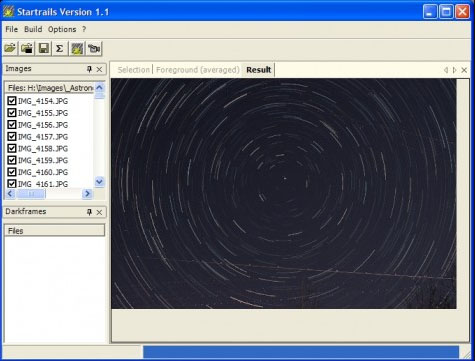
    • Startrails.de: It is specially designed for creating star trail photographs but can be easily used for making other time lapse videos.
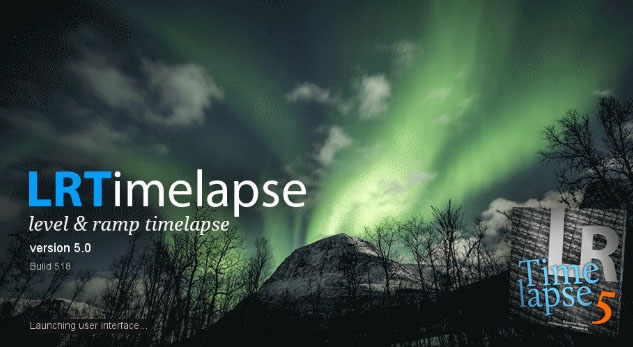
    • LR-Timelapse: It is another amazing software and is available as a plugin in Lightroom. It provides you with features of both startrail.de and time lapse assembler. In free version you may combine up to 400 images.

    Once done with all this you are going to have some awesome and stunning time lapse videos. Also for beginners you may take some test shots before actually shooting the video. Also keep extra batteries and memory cards handy and always keep an eye on your camera. Do share your experience with us.

  • Best Triple Camera Phones to Buy This Year

    Best Triple Camera Phones to Buy This Year

    Camera , Photography , Selfie , Bothie and so on has become one of the exciting features that the generation wants as the best in their Smartphone . Recent trend in Smartphone photography is hiking with new models of Smartphones with exciting features . Here comes the new trend setter Smartphone Camera feature after Nokia Bothie app .That is the rise of Triple Rear Camera feature , so let’s find out the list of Best Triple Camera Phones .

    Best Triple Camera Phones to Buy This Year

    You may be very much familiar with dual camera smartphones in market , but there are only few handpicked brands and smartphone models that fall under the category of Best Triple Camera Phones .

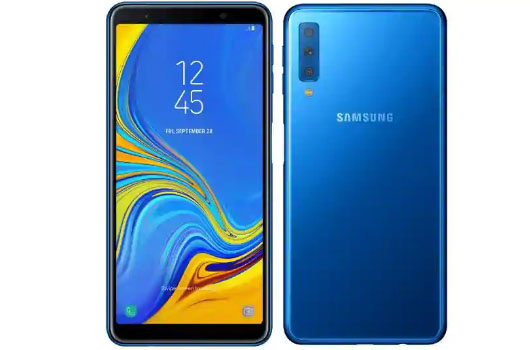
    Samsung Galaxy A7 

    Samsung will introduce their very first smartphone with triple cameras . Samsung Galaxy A7 will be one of the Best Triple Camera Phones .

    Samsung Galaxy A7 will be one of the best camera smartphone of the year to buy .

    Features of Samsung Galaxy A7

    Now let us analyse the features of Samsung Galaxy A7  –

    Memory –  6 GB RAM , 128 GB Storage & 4 GB RAM , 64 GB Storage with 512 GB expandable memory

    Colours –   Three colours will be available that is Black , blue and gold

    Dimension – 7 inches FHD

    Display – AMOLED screen

    Samsung Galaxy A7 price will range at Rs.28,990 for 6GB RAM and Rs.23390 for 4GB RAM . This is the first triple camera phone from Samsung brand . So the highlight of this phone is all about Camera .

    So what’s special about this best Triple Camera Phones –

    This will be one of the Best Triple Camera phone in the market right now and it offers higher camera quality then iPhone latest models also. Samsung A7 offers triple rear camera when all the old models offer dual camera . This will be a flipkart exclusive to buy .

    iPhone XR Vs Samsung Galaxy A7  Camera 

    Since the most pricey phone on market is iPhone XR , let’s take a look at the iPhone XR Camera Vs Samsung Galaxy A7 Camera . Also fingerprint sensor is a highlight to point out in Samsung Galaxy A7 . This will add more competition to Oppo F9 Pro , Xiaomi Poco F1 , Viv V11 Pro smatphones .

    Triple Camera Vs Dual Camera 

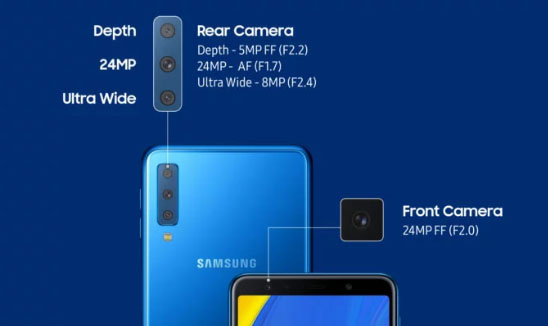
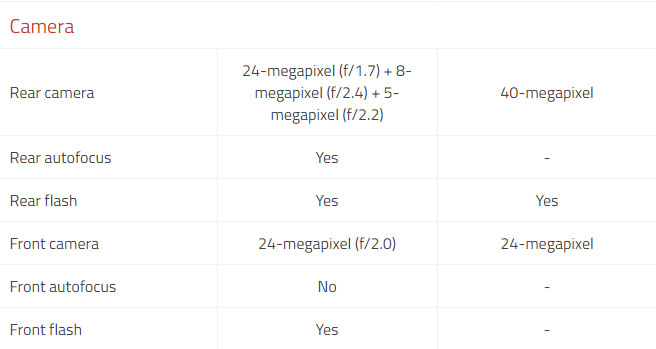
    The triple lens camera can be giving far better experience than dual camera . Best Triple Camera can be now witnessed in Samsung A7 and earlier Huawei P20 Pro . Samsung offers 24 MP low light front facing camera , 8 MP sensor  with 120 degree field view with its ultra wide lens . 5 MP depth Sensor with Live view sensing focusing on bokeh photography.

    Triple Camera / Multiple Camera Vs Dual camera in smartphones , i would say multiple cameras and triple cameras would be the trend in the future just because of this reasons –

    • Wide angled shots
    • Depth shots by detecting depths
    • Low light camera feature
    • Better HDR Experience with camera
    • Zoom high and zoom better

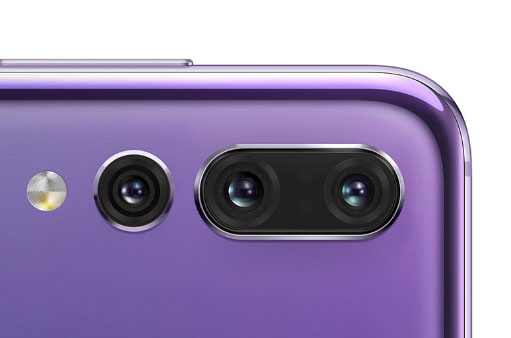
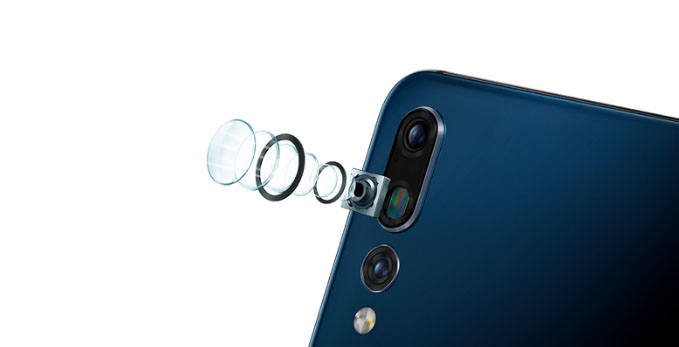
    Huawei P20 Pro

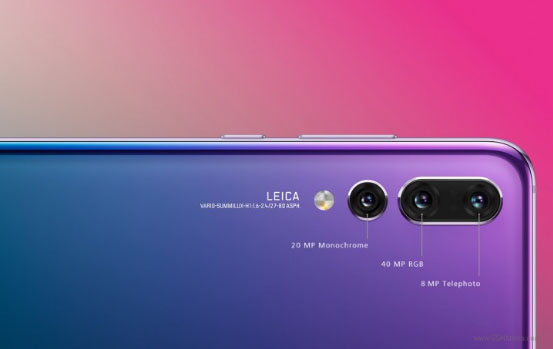
    The very first smartphone that came with triple camera was Huawei P20 Pro , this was a different experience to the camera lovers to use such an efficient smartphone.

    Huawei P20 Pro Vs Samsung Galaxy A7

    Here is the comparison between Huawei P20 Pro Vs Samsung Galaxy A7 Camera feature compared

    Also Huawei P20 Pro confirmed that its upcoming upgrade will come with large storage space and Huawei P20 Pro will disable AI Scene recognition and will disable

    Ulefone Gemini 4G Phablet 

    This is not a quite popular name in smartphone brands but , Ulefone Gemini 4G Phablet offers triple cameras  , take a look at the camera specifications of Ulefone Gemini 4G


    Multiple Camera Smartphones  

    On the saga of smartphones , many brands will pose competition to each other with their multiple rear camera smartphones .

    Upcoming on the list is –

    • Light Phone with 9 camera (To become the 9 camera smartphone on market)
    • After bothie feature , Nokia to come up with 5 lens camera smartphone , thus Nokia to offer 5 Camera smartphones
    • Also LG to come up with multiple camera smartphone soon with their LG V40 ThinQ 5 camera smartphone

    So let us know which one is your favourite and  Best Triple Camera Phones to buy . If you look for better camera then forget iPhone XR also .