Drones or UAV(Unmanned Aerial Vehicle) is the ‘New Kid on the block’. UAV is more like a ‘Flying robot‘. These automated aircraft are either remote-controlled or fly on its own via software-controlled flight-plans in embedded systems while working parallel to on-board sensors and GPS. As drones make the trend of this era here is the list of most popular and best drones on different budgets to buy this year .
Drones are more related to military activities so as to target the enemies, gathering data and in the form of weapon. They are also a great help among the civilians, like searching and rescuing, monitoring the traffic; also in videography, agriculture and delivery purposes.
How Do Drones work ?
These automated aircraft are made of a light combination of materials enabling to reduce weight and enhance flexibility. The strength of the material combination enables military drones to travel at extreme altitudes. Drones are geared up with the latest technology which includes Infra-red cameras and laser being used in military UAV, GPS.
The nose of this automated aircraft comprises all the sensors navigational systems. Other parts comprise the drone technology systems, as no space is required to accommodate humans.
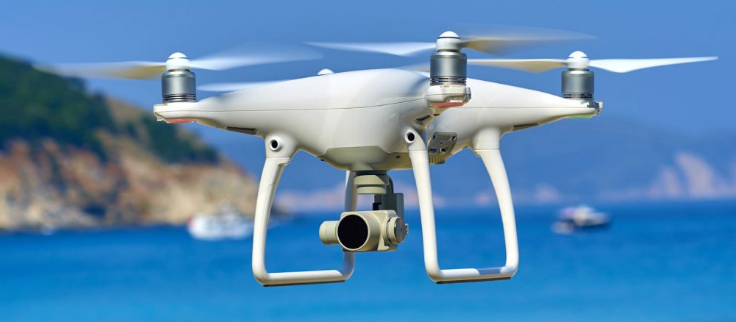
Types of Drones & different drone sizes
Drones vary by sizes and the largest is the most widely used in the military which includes the Predator Drone. Next in line is the automated aircraft with large wings and need less space in runways. These cover larger areas, thus working in geographical surveying or to encounter wildlife trespassing.
Yet another size related to drones are the VTOL [Vertical Take-Off and Landing]. These include certain quadcopters. These drone types can fly, hover, take-off and land vertically.
Read Also : Must Have Smartwatch apps for Android and Apple watches
Let us look at each section in detail:
Best Drones for Beginners
Earlier, drones were quite expensive which were available to a small group of people. Later, they turned out to be very affordable. Drones for beginners could be as affordable as chips but sometimes they are not. The prominent features of these drones are that they are easy to use and are fun to fly.
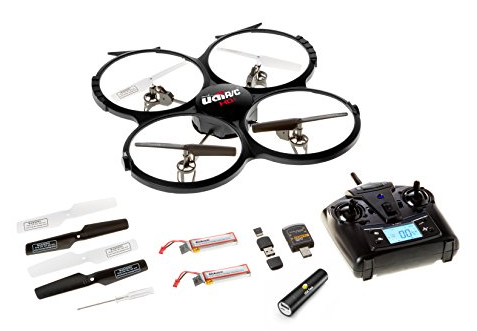
UDI 818A HD+
Rate review: 4.6/5.0
Flight time: 7 to 9 minutes
flies up to 30 meters
A great starter for kids and those new to the drones
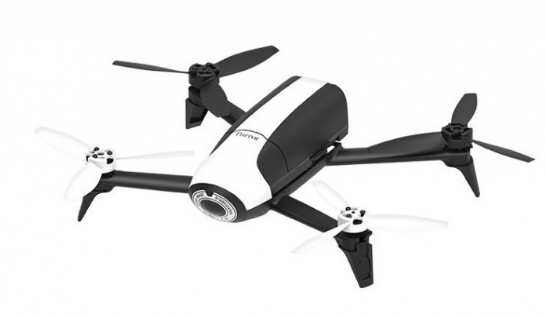
Parrot Bebop 2
Rate review: 4.3/5.0
Flies for 24 minutes up to 300 meters
Gives the best flight time experience with a good quality camera worth paying
DJI Mavic Pro
Rate review: 4.6/5.0
Flight time ranges up to 27 minutes for 7kms (4.3 miles)
Is an ultra-portable type with a powerful 4k camera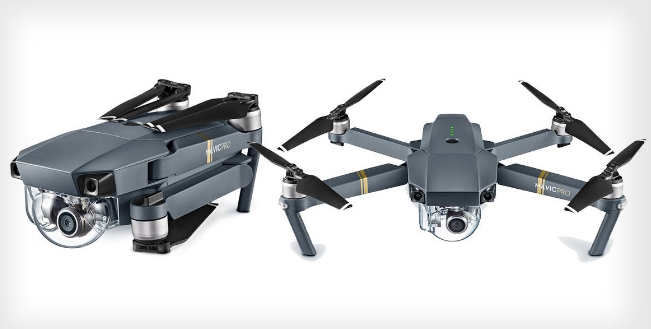
Best drones are quite cheaper as they comprise lesser bells or whistles. A few higher-end drones are apt for the new flyers.
Budget Drones / Cheap Drones
Based on the budget, the best drones for beginners could be as follows:
- Under $100
- Under $150
- Under $500
- Under $1000
Read Also : Best Baby Monitor systems – WiFi & Night Vision Video Monitors
Drones for Beginners Under $100
If you are feeling down looking at this toy-like features of the drone for beginners, you are mistaken. In reality, these are the capable flying robots. It is obvious that you will learn to fly it so well. The cost of these drones for beginners start from $32 and would go up to $90.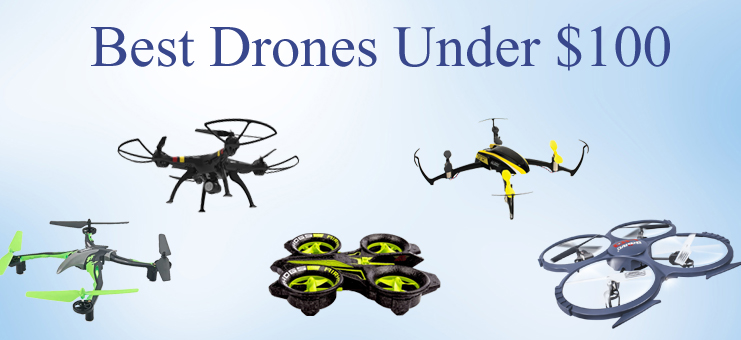
1. UDI 818A HD+
This drone for beginners has not registered with FAA [Flight Aviation Administration].
This is fun to fly, as the makers have focused on the beginners. One of the features is the elasticated blade guards to protect against the unavoidable beginner falls or crashes.
It is designed with the crash-resistant feature, protecting from hitting the walls, trees, and other hard objects, and also while landing. If you wish to learn to pilot a UAV, this is the most preferred first drone for beginners. This drone assures you will never get bored. You have choices to flip it 360 degrees in any direction; also take pictures and record videos with sound.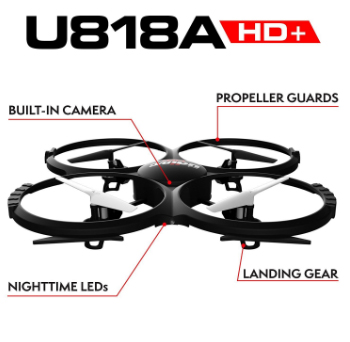
UDI 818A HD+ comprises a 2MP front camera attached to it. The optics quality is really good for the drone with this price range.
One point that pulls this drone behind is the user manual. A user guide of drone for beginners should have written in a better way.
Here are the features, advantages and the demerits of this drone for beginners.
Features:
- Weighs 130gms
- Battery: 2 x 3.7v 500mAh Li-Po
- Time to charge: 90+ min (more than 1.5 hours)
- Can control its range up to 32 meters or 98ft
- Can fly for 7-9 minutes
Advantages:
- Is a great drone for beginners
- Can fly it easily
- Quite responsive and robust
- Flies steadily
- Comprises a camera and controller
- Affordable
Drawbacks:
- The user manual is not written well
- Battery life is low
- The range of flight is limited
Read Also : How to make a fidget spinner – DIY Fidget Spinner
2. Hubsan X4 H107 L
A yet another drone for beginners, available at a price less than $40. The user manual for this drone is quite easy to understand. X4 flies really well and is quite fast. The remote control includes the default flight settings without any irrelevant information to put a beginner to confusion. You may also note that the batteries for the controller will not be included in the purchase.
One of the drawbacks of this drone for beginners is the short flight time of 9 minutes. It is suggested that you have spare batteries to have fun flying it for a long time. This drone indicates a warning on low battery. Besides, there is a transmitter that enables safety as it warns when the drone is not in the range.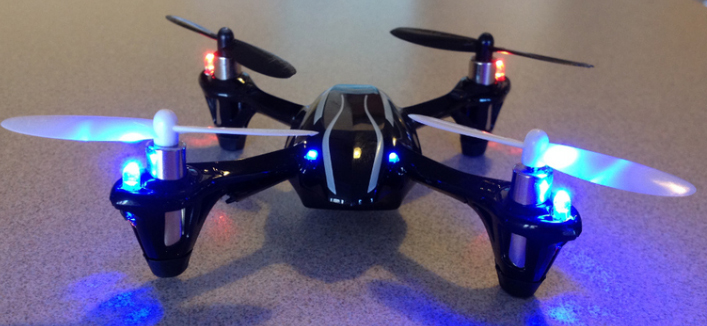
Hubsan is an ideal drone to start developing piloting skills. Moreover, the size is small and is quite light to carry about and handles the crashes quite well. However, it does not have a camera and has no space allotted for it. One advantage is the Advanced Flying mode. If you are quite a pro at flying this drone, it would be fun to fly.
As in UDI 818A HD+, Hubsan has no blade guards, thus making the drone weak. However, you can find the parts to replace them if broken.
Here are the general features, advantages, and drawbacks of Hubsan:
Features:
- Weighs about 554gms
- 240mAh Li-Po Battery
- Takes about 30-40 minutes to charge
- The range of control: 100 meters or 328ft
- Can fly up to 6-9 minutes
- Maximum speed is unknown
Advantages:
- Great drone for beginners
- Gets charged faster
- Small and weighs less
- Responsive and can fly easily
- Crashes are survived well
- Is affordable
- Spare parts available in budget prices
Drawbacks:
- Does not have blade guards
- Lesser flight time
Read Also : Roku Pros & Cons -Reasons to Choose Roku Streaming Stick
3. Cheerwing Syma X5SW-V3
Rate review: 4.0/4.5
FAA Registration: Yes
Unlike the other two drones, the Syma X5SW-V3 has more features enabled. Yet it is one of the best drones for beginners available at an affordable price. You may note that this drone would be in a dismantled state when opening the box. However, it is quite easy to assemble this amazing aircraft though you have never used it or fixed it before.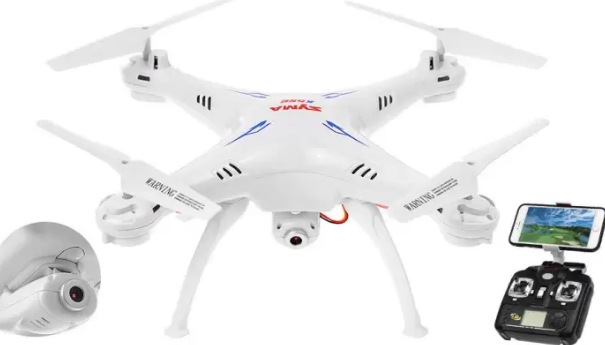
If you wish to improve your photography or videography skills along with flying a drone, this UAV is an ideal one. Its Wi-Fi enabled camera enables to send photos as well as LIVE videos directly to an Android or an iPhone. The First Person View (FPV) feature allows you to see anything and everything that the camera takes the sight of. To do so, you will need an app. You will find a QR code on the side of the box which you could just scan and then download the application.
Specifications:
- Weighs about 635gms
- Battery power is 3.7V 500mAh Li-po
- Charge time: over 90 mins or more than 1.5 hrs
- The range of control: 50 meters
- Can fly for 7 minutes
- Maximum speed is unknown
Advantages:
- Ideal drone for beginners
- Good durability
- can work in headless mode
- Has battery on/off switch
- Can carry easily
- Suitable for practicing stunts
- Affordable
Drawbacks:
- Has short flying time
- Transmission range is low
- Compatible only with Android 4.0 and above
- Cannot fly in the wind
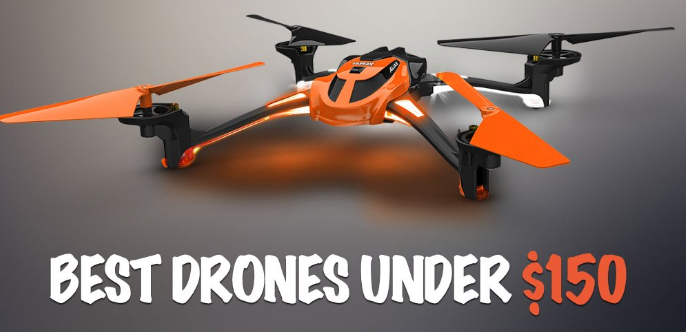
Drones for Beginners Under $150
These drones would be a bit costlier. However, the first one is the best seller on Amazon. The second one too is much preferred with loads of positive feedback from the users.
Holy Stone F181 RC
Rate Review: 4.8/5.0
FAA Registration: Yes
Though a 100 bucks more than the normal ones, these are still affordable UAV made of long-lasting elastic plastic. The material is quite important as it enables the protection of the aircraft from the beginner crashes. The F181 quadcopter comprises a set of blade guards. You need to attach them before flying it. It does a great job of protecting from the crashes. Short flight times is hated by the new users which would be a matter of concern for beginner drones. It flies for about 8 minutes. An added advantage of this aircraft is the bonus battery. It is not common in all the drones for beginners.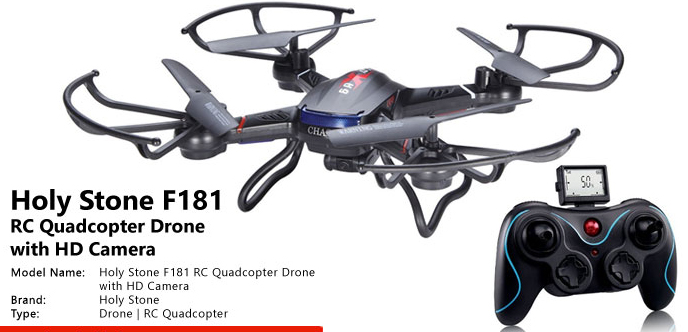
These are the features/specifications, advantages, and the drawbacks.
Specifications:
- Weighs about 400g
- Battery: 3.7V 750mAh Lipo (spares included)
- Takes about 90 minutes (1.5hours) to charge
- The range of control: 100 meters or 328 ft
- Flies for about 8-9 minutes
- Maximum speed: 4.4 meters/sec
Advantages:
- Ideal drone for beginners
- Easy to catch
- Good durability
- Has a camera
- Automatic controls
- Soft landing pads
Drawbacks:
- Shorter flight time
- Motors get hotter after the flight
- Creates noise
Read Also : Bixby Vs Google assistant Vs Siri Vs Cortana – Popular AI Assistant
Drones for Beginners Under $500
The makers of these drones target these efficient flying robots at the more experienced followers. These are user-friendly with great beginner flying modes.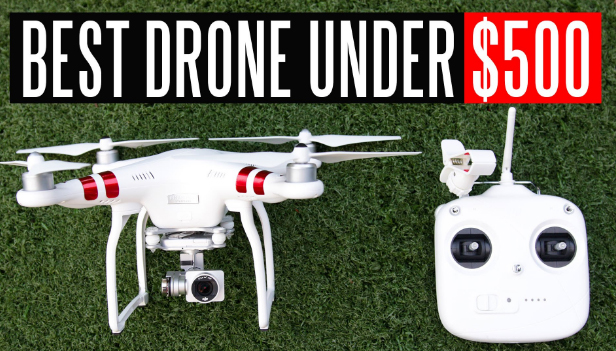
If you really are ready to spend some good money and don’t wish to start from the scratch, you could choose the ones mentioned here. The former ones are the best drones for learning and the latter being more advanced aircraft.
DJI Phantom 3
Rate review: 4.4/5.0
FAA Registration: No
You may be looking an advanced drone for learning. However, drones for beginners would not be cheap always but should be easy to handle.
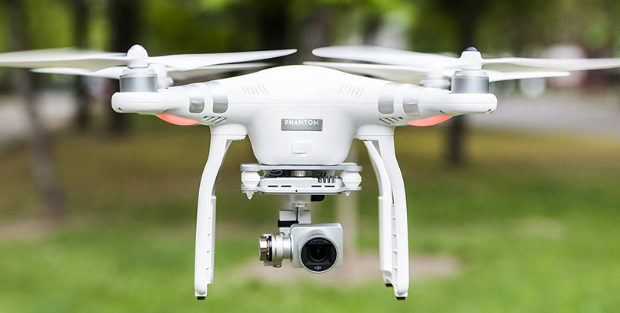
DJI Phantom 3 could be one of the best drones. This is the buyer’s choice as it provides more than the ordinary which you would not get in the cheaper models. The controller is easier to use for the beginners, compared to the Pro and advanced models of DJI.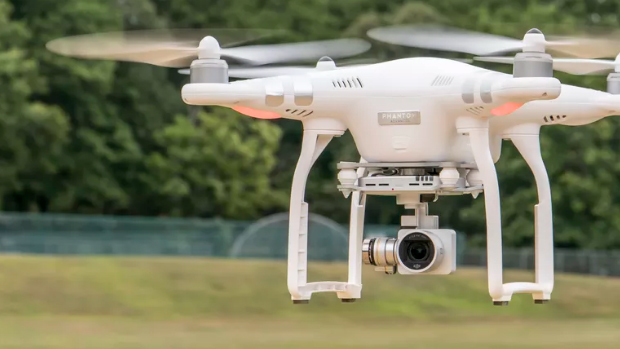
DJI Phantom has a built-in camera, shooting a video in 2.7K. To be more precise, the quality of the video is about 3 times clearer than what would be seen on HDTV. You get better cameras but being more expensive. The core reason for choosing this drone is for the filming or photography features but being an awesome flyer and a splendid UAV to fly with.
The most attractive benefit of this drone is its amazing battery life. Unlike other drones for beginners with a flight time of 7-8 minutes on charging, this has a bonus flight time of 25 minutes on charging. It has a unique Follow-me option too, which has been a sought-after feature.
If you have a fear of losing this amazing drone, don’t panic. It has unique features like the GPS and the compass. A red flashing light indicates weak signal once the UAV starts flying out of range.
The drone also has a warning beep notifying the craft going out-of-range. Unable to hear the beep? No problem- the UAV automatically turns and comes back to you.
Let’s look at the specifications, advantages, and drawbacks.
Specifications:
- Weighs 1216g
- Battery power: 15.2v, 4,480mAh
- Charging time: over 60 minutes
- control range: 1000 meters or 3281ft
- Flies up to 25 minutes
- Max speed: 16 meters/sec
Advantages:
- Great value for money
- Beginners can easily fly
- Making quality is robust
- The app is rich with great features
- Brilliant modes of flight
- LIVE video feeds in HD quality
- Great flight time.
Drawbacks:
- Price range is limited
- No support for iPad
- Cannot afford extra batteries
- Has only 8GB SD card
Parrot Bebop 2
Rate review: 4.3/5.0
FAA registration: Yes
This is one of the best drones for beginners among the advanced flyers. Its battery lasts impressively for 25 minutes in favorable conditions. This would be a reward for the new pilots and it offers a great flying time!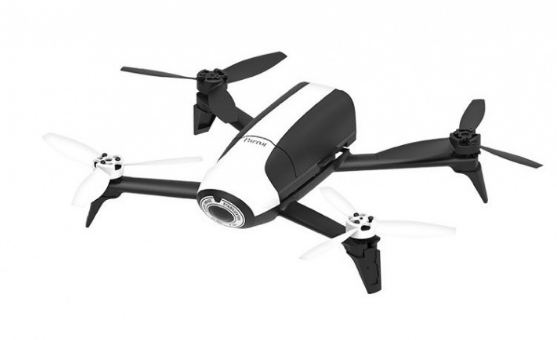
Bebop 2 does not include a controller. You need to fly it using the smartphone with the fly app. You could ignore the review, or prefer paying extra if you need a controller for your device. You could invest more in this. It includes an FPV kit. The comprises a Parrot Skycontroller 2 and a set of cockpit glasses for a great flying experience. However, these are not tools for beginners.
Cheap & Best Drones
The increase in demand has introduced new investors in the market. The brands offering cheap and best drones, as well as the level of difficulty in using, have been increasing rapidly. With a high range of new products, the choices have made an impact on the price of the drone to come down, which in turn is advantageous to the customers.
In case of hobbyists enjoying the new skill of flying a UAV, such as an agency to a professional photographer, and YouTubers looking to add aerial photography to their photographic options, there are tons of choices open. Professional drones offer a 4K UHD video recording, more than 10MP photographic capability and 360 degrees directional devices, so as to steady the images.
For the beginners, toy drones or a basic full-sized drone could be a good start. Hence you need not waste money on an expensive model. You would find more people buying the drones for beginners so as to avoid the risk of crashing due to lack of flying practice.
Low-Cost Drones: Drones below $50
SYMA X5C:
This drone is available with a camera, in an affordable price under $50. The X5C is a conventional model and besides the Phantom from DJI, this is more respected and quite well-known.
Syma is unique in the toy drone range, with more models reaching the top positions. It is more preferred by the newbies in piloting the UAV. The plastic used in X5C is strong and flexible, enabling to preserve its form. The X5C can fly up to 6 minutes, reaching a height of 100 meters depending on the topography. Though it has a camera, it does not offer quality images or videos. With a shorter flight-time, it is suggested to have an alternate battery.
Conclusion
The best drones, according to me, would be the one, which is cheap and best drones and also recommended for beginners. There are a few ideal ones available in the market. So make sure they are easy to use, affordable and most importantly a strong and long-lasting one.
Enjoy The UAV Flight!

 2. Get Cheat sheets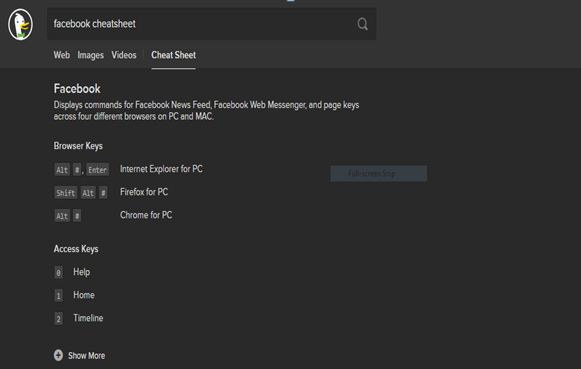


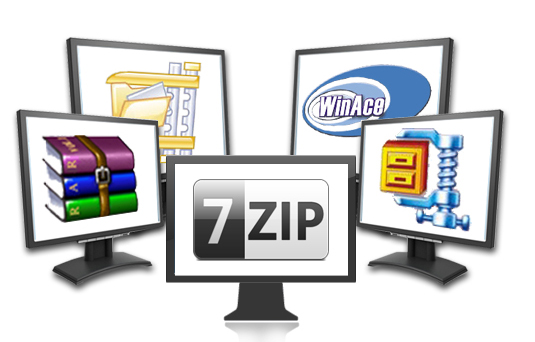
 Like other file compression tools, you can easily use the main program interface or use the right mouse button and the context menu to create and extract files. PeaZip file compression tool is one of the tools that can sort,create and extract RAR files. Check if you have the use of PeaZip file compressor and then download it in your device.








 This email client also has a great integration with famous email solutions like Gmail. This allows the users to copy the calendar and lists into the program to use later. EM client works very fast, so you do not have to worry about spending a lot of time to send a mail. Another major attraction of this EM client is that it shows everything in a very simple format on the surface itself. The user will never have to search for something that he/she need for a long time. Everything will be seen right in front of your eyes.
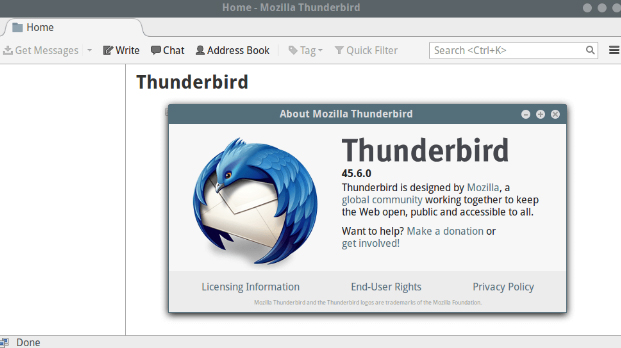 One of the main features of Thunderbird is that it can handle multiple email accounts from POP and IMAP setups. The users also have the option of installing as many extra features required for smooth functioning of their work since Thunderbird has a plug- in system.
 To setup, the Mailbird Lite, all you have to do is enter your email details and this email client will find the required POP or IMAP setting mechanically. After doing this, the user can import messages easily without any difficulty. The users can also connect the Mailbird Lite with the user’s Facebook account that helps in keeping your contacts and profile photos with this email client. And yes, this client also can be linked with WhatsApp too.
 This email client” Hiri” is a paid service but it is free for TechRadar readers. And it is crafted with all the necessary things required by a business person. Hiri supports Hotmail, Outlook, and Exchange and its boosting features are pretty great. The dashboard of Hiri is very useful to the users, since it shows all the unread messages there, helping the users to know which mail requires an immediate response.

 Vuze Bittorrent Client is compatible with Windows, Mac, Android and Linux OS. Using this Vuze Bittorest has a folder to sync directly with iTunes which helps the user to move the downloaded media files to iTunes library very easily and quickly. After downloading a particular file, this torrent client can enable sleep, hibernate mode, shut down and a run a program.
 The Deluge Torrent Manager runs as both normal standalone desktop application and it also works as a client-server. This also has three main user interfaces which are: – GTK UI for the desktop, Web UI for the browser and console UI for the command line.
 Both uTorrent and BitTorrent looks similar when you check their design and settings. The only difference you can find is the colour change between the two. BitTorrent comes in purple colour, whereas the uTorrent is green. The Bit Torrent is configured with P2P connections, helping in data transfer via UDP port.
 One of the main features of Frostwire is, the users can communicate with other Frostwire users through its community chat option. This torrent downloader is compatible with Mac, Windows and Ubuntu OS. It is not suitable for androids.
 If you have an Apple TV, then you can even watch the video while the process of downloading is ongoing. Moreover, when you use BitLord, you can easily get access to subtitles in your language inside the BitLord.
 Transdrone is compatible with various other torrent clients such as uTorrent, transmission, Vuze, Deluge etc. Some of the sites from which you can search files are Bitsnoop, ExtraTorrent, Kickass torrents, Lime Torrents, Mininova, Nyaa Torrents and Pirate Bay. The users can add a custom web search function for any private or public tracker on your browser.